Start Astah


Download and Install Astah
You can download Astah Professional or Astah UML from Download page.
During download, you will be asked to enter your name and email address. After you submit the form, the download starts automatically.
If you are a student, you can apply for a free student license using this form.
About Java
The Windows and macOS installers include the required Java Runtime Environment (JRE). On Linux, you need to install Java separately. Please refer to the Required Java page and follow the setup instructions.
Start Astah
You can launch Astah in any of these ways:
- Select Astah from the Start menu (Windows).
- Doubel-click the Astah application icon.
- Double-click an .asta project file.
When Astah starts, it automatically checks for updates over HTTP and shows a dialog if a newer version is available. If you don’t want Astah to check for updates, change the setting in Tools → System Properties → Other.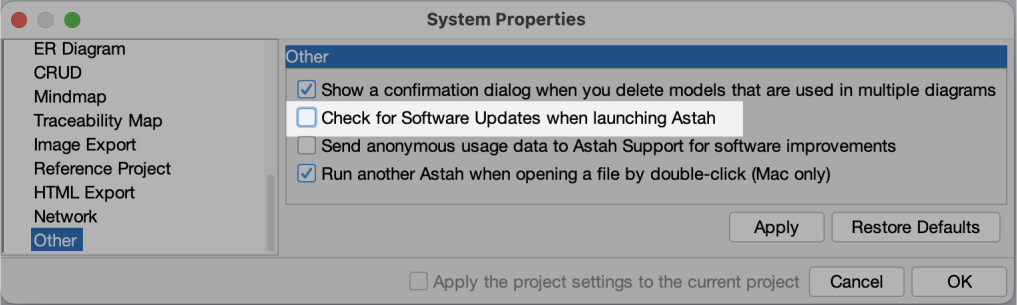
A free 20-day trial is included with your first installation. The trial begins automatically the first time you launch Astah.
Set License
When your trial period ends, Astah will display the license dialog if no license has been configured yet. You can also open this dialog at any time from Help → License.
Choose the option that matches your license type:
- Floating license: Click Set Floating License. Then follow the steps in the Floating License Guide.
- Non-floating license: Click Set License Key and select your license file (.xml).
- Don’t have a license yet? Purchase a license – see Pricing page.
Creating a new project file
To create a new project file, go to File → New or click the New icon on the toolbar.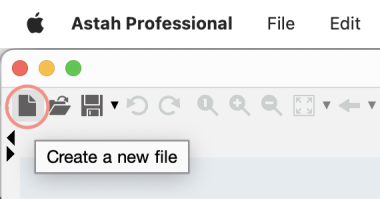
Open a pre-installed template file
Astah includes useful template project files in the installation folder:Astah Installation Folder/template/project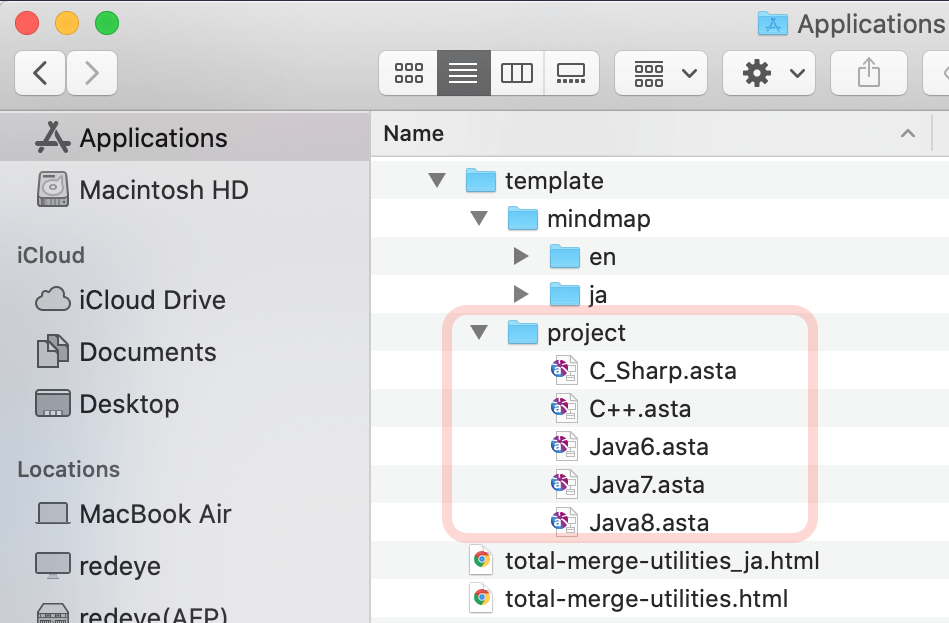
To open one of these templates, go to File → New from Template, then select the template you want to use.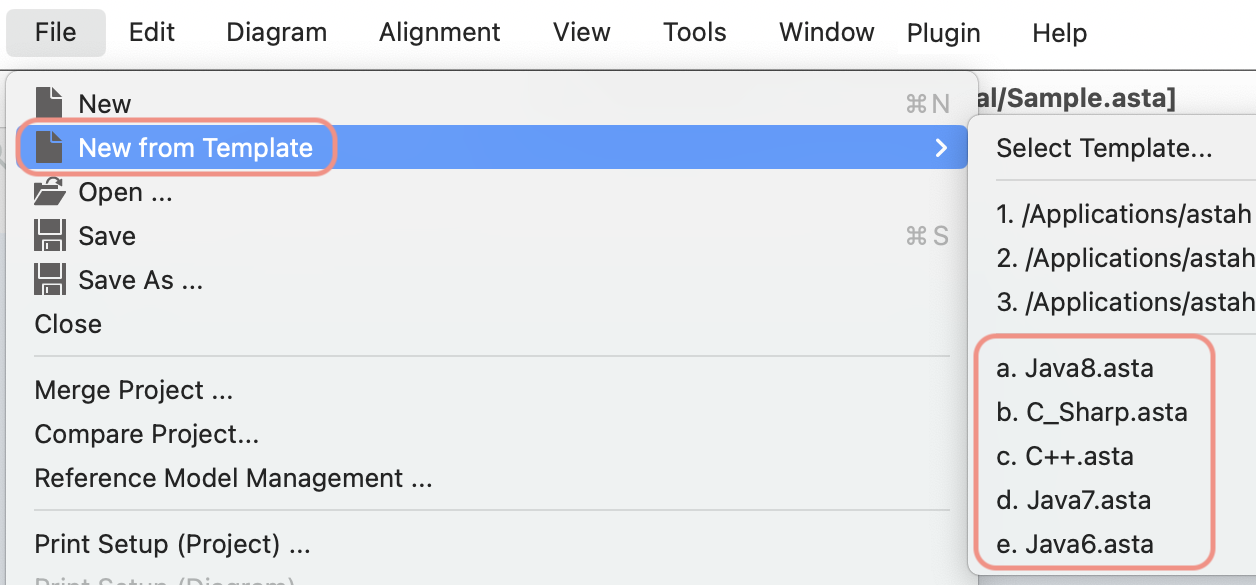
Create a custom template
You can create your own template project and set it as the default for new files.
- Create a project file that you want to use as a template.
- Save the .asta file to the following folder:
- For Astah Professional:
- User_Home\.astah\professional\template\project
- User_Home\.astah\uml\template\project
- For Astah Professional:
- Open Tools → System Properties → Project.
- Under User Template, choose your template file from the drop-down list.
- Click Apply → OK.
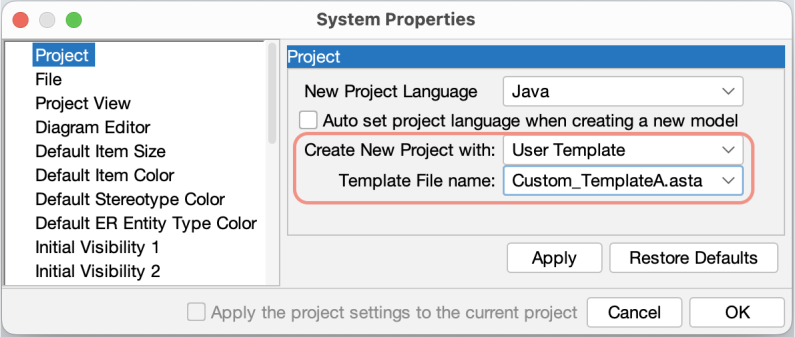
From now on, your custom template will open automatically whenever you create a new project.
Create a diagram
To create a new diagram, open the Diagram menu and select the diagram type you want. 
Open Diagram Thumbnails
Diagram thumbnails are available in Astah version 9.0 and later. You can open them in two ways:
1. Open Diagram Thumbnails
To view thumbnails for all diagrams in a project (or within a specific package), right-click the root package or a package in the structure tree, then select Open Diagram Thumbnails.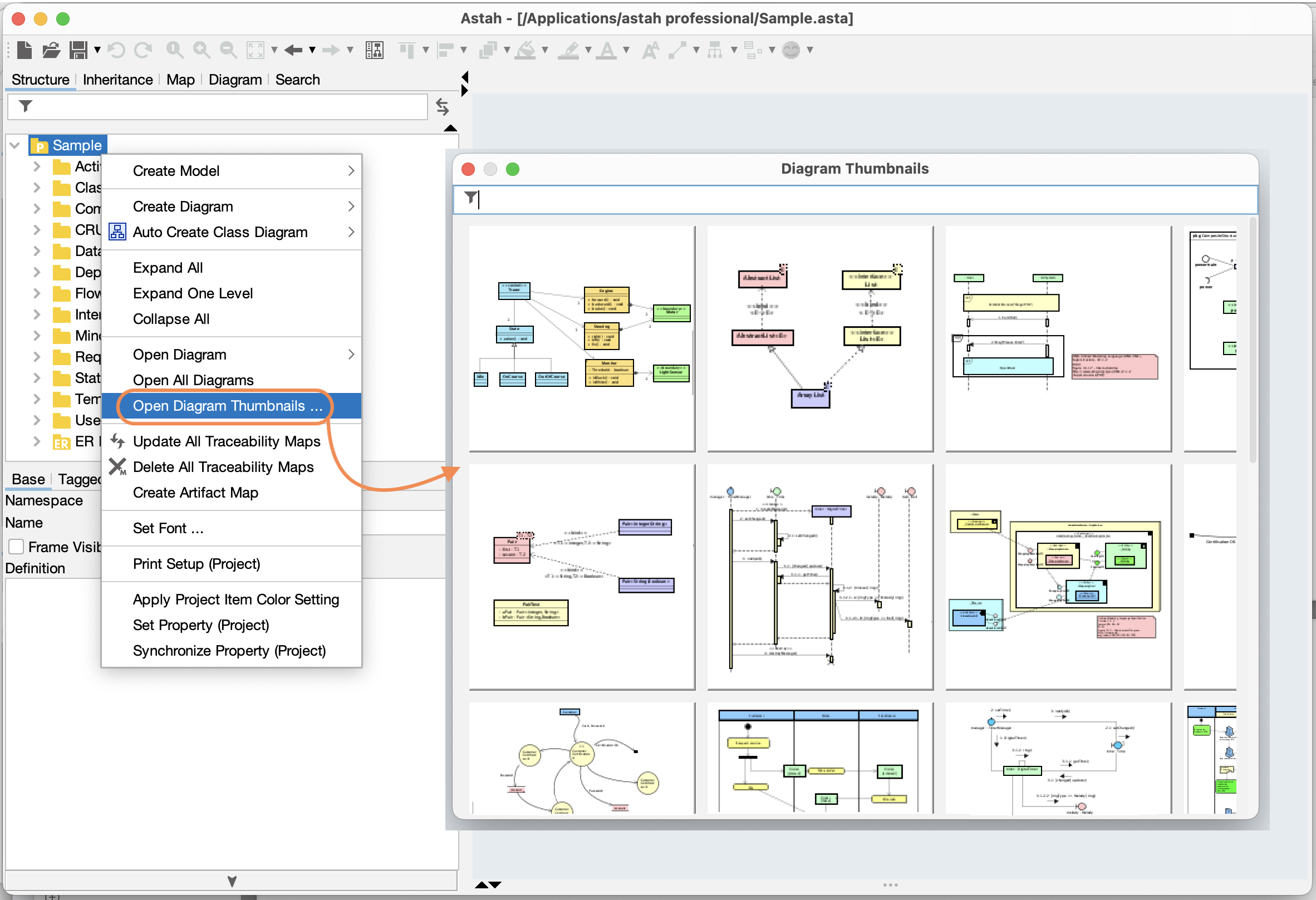
2. Show Related Diagram Thumbnails
If a model element is used or referenced in multiple diagrams, you can view those diagrams in one place. Open All Related Diagrams to see a list of diagram names, or choose Show Related Diagram Thumbnails to see them as thumbnails.

Auto-save .asta files
You can enable auto-save to save your project automatically while you work.
- Turn on Auto-save mode.
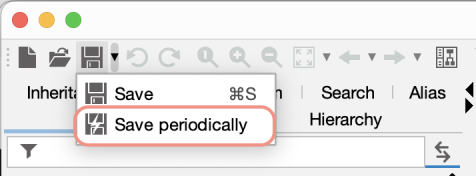
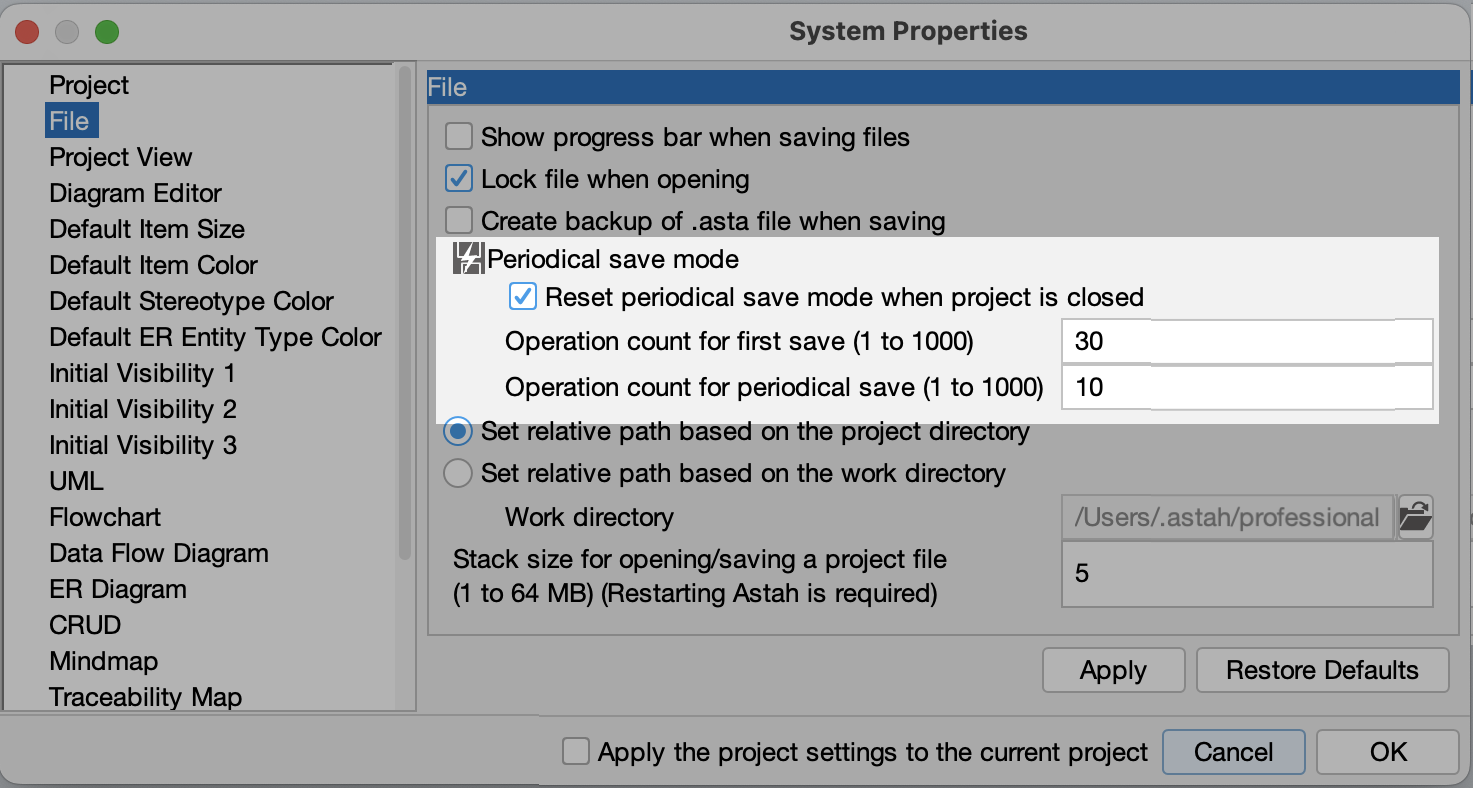
- Set how often Astah saves your file in Tools → System Properties → File.