
License Guide




Individual License Guide
This complete reference guide covers licensing for Astah Professional, Astah UML, Astah System Safety, and Astah SysML.

Activating an Annual License
- Log into the CV Members and click [Register License].
If you don’t have an account yet, create one first.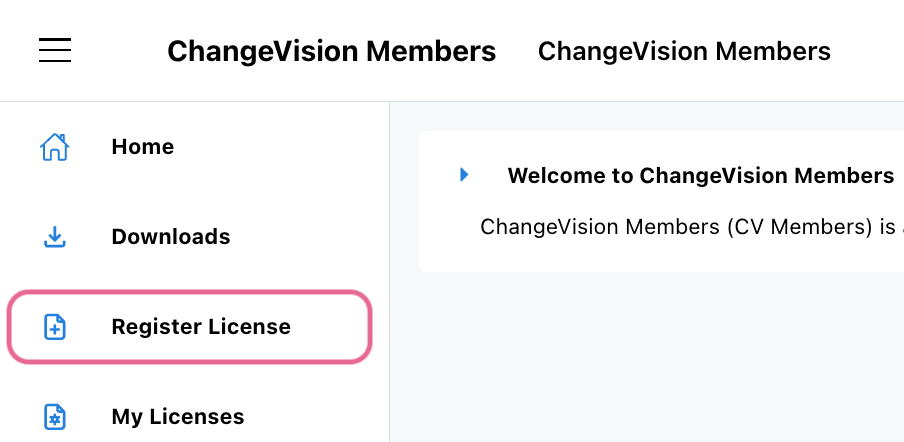
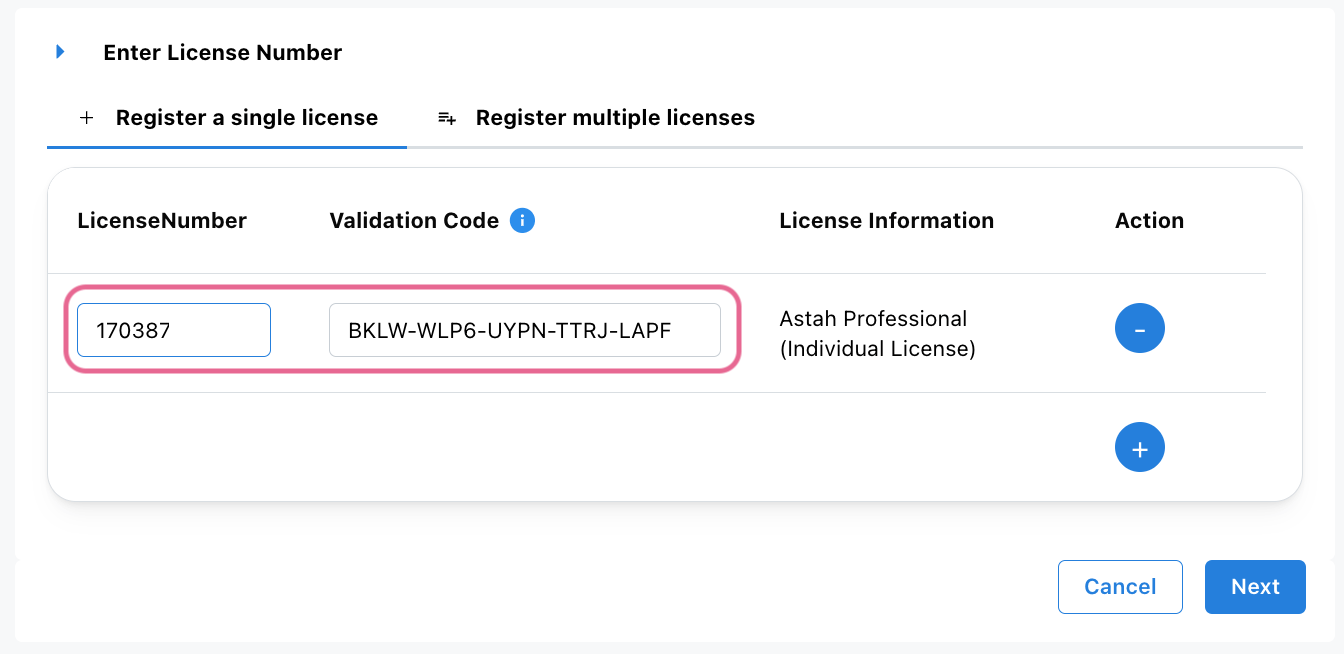
- Enter your license number and validation code, then click [Next].
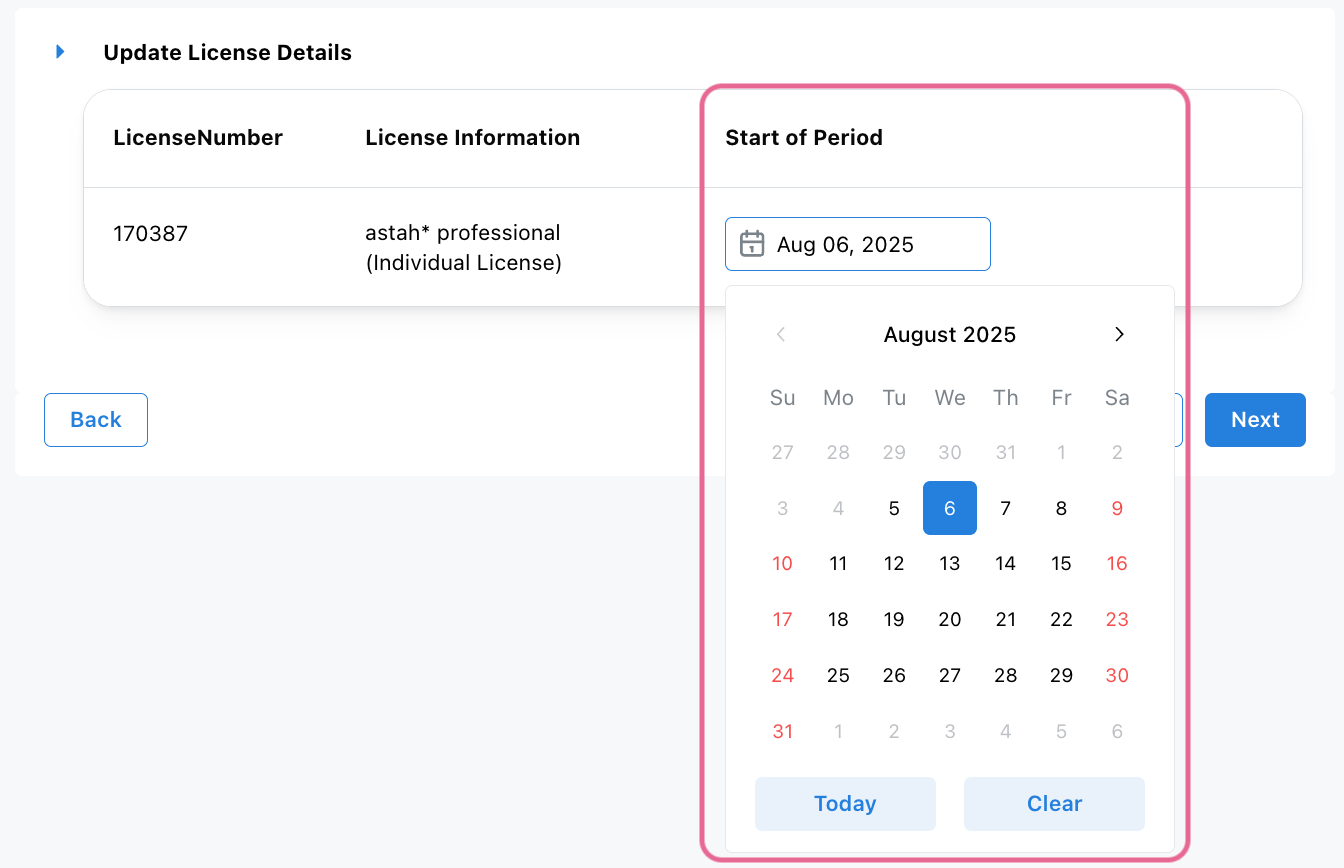
- Select your license start date, then click [Next].
- On the next page, verify that your email address is correct, then click [OK].
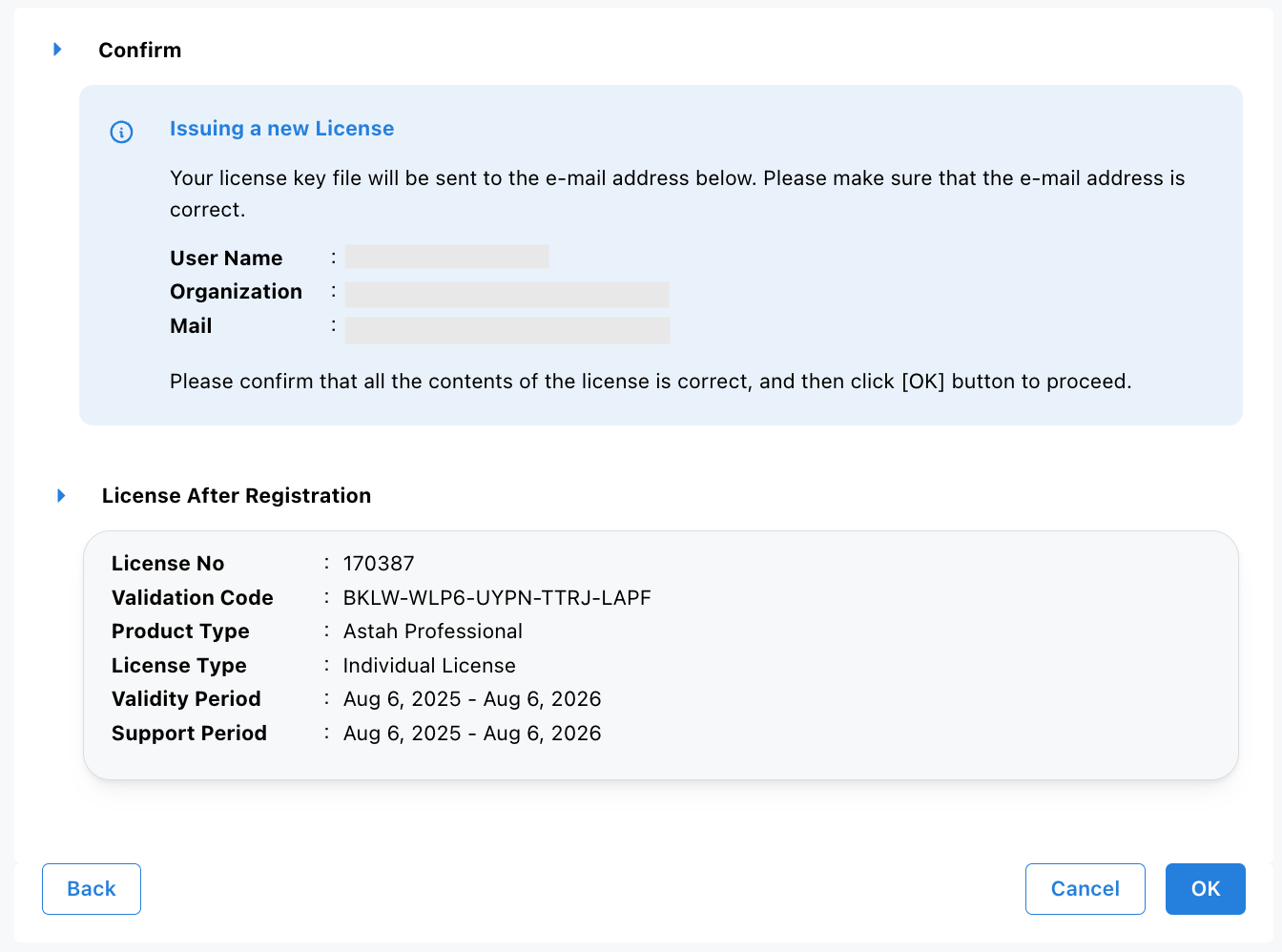
- A confirmation email will be sent to you.
– Access the URL in the email to download the license file, or
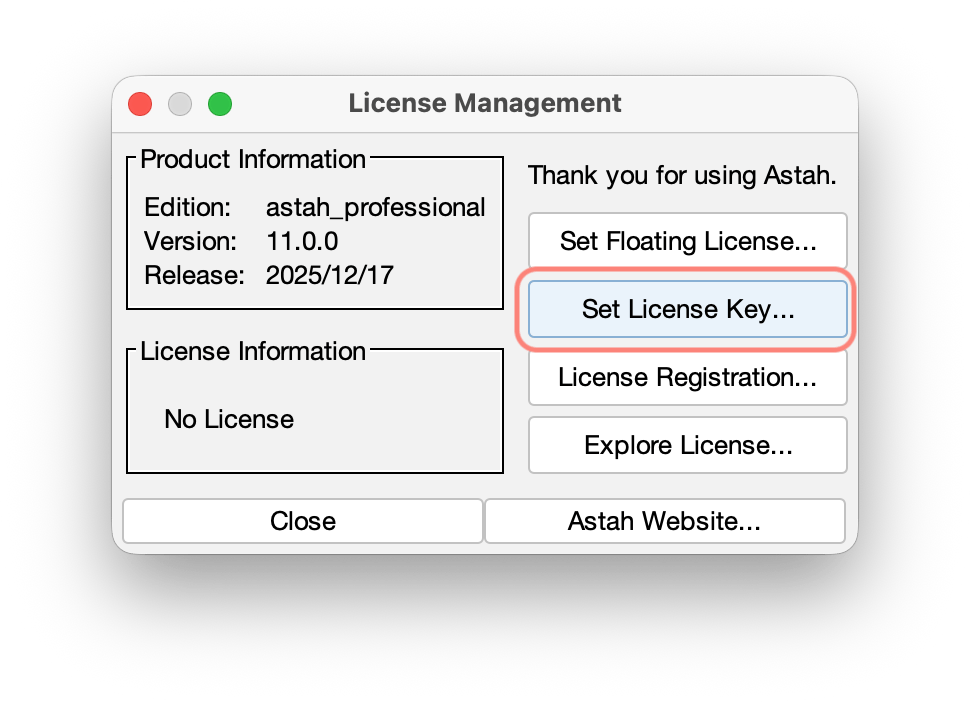
– Download it directly from the website. - Launch Astah, go to [Help] – [License]. Click [Set License key] and select the downloaded license file.
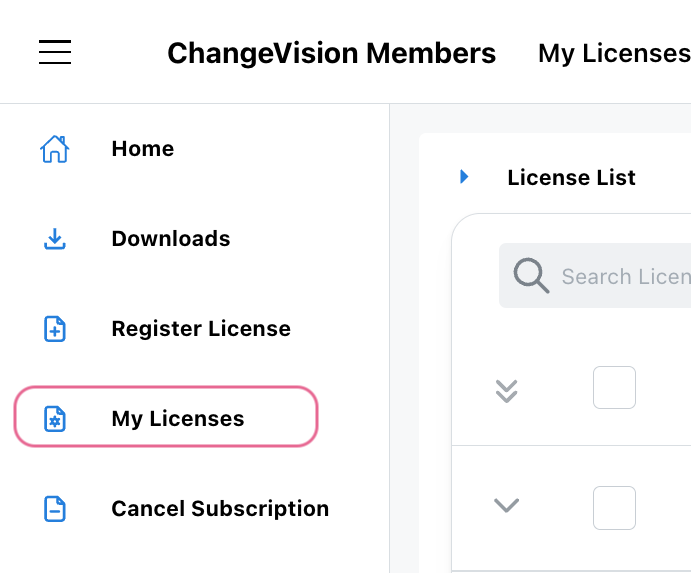
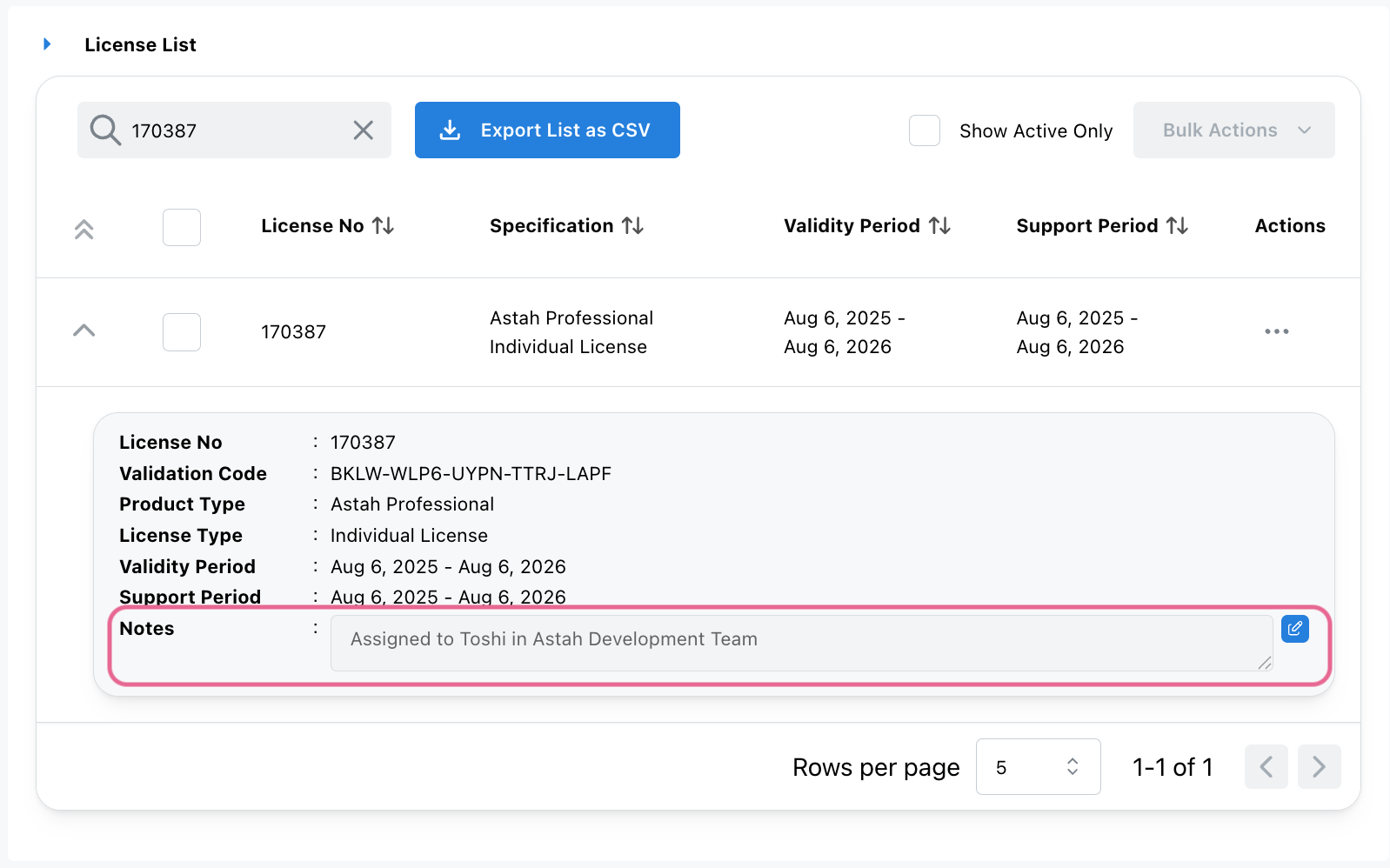
- Additionally, you can add internal notes for your reference if you manage multiple licenses (e.g., for a team). In CV Members, click [My Licenses].
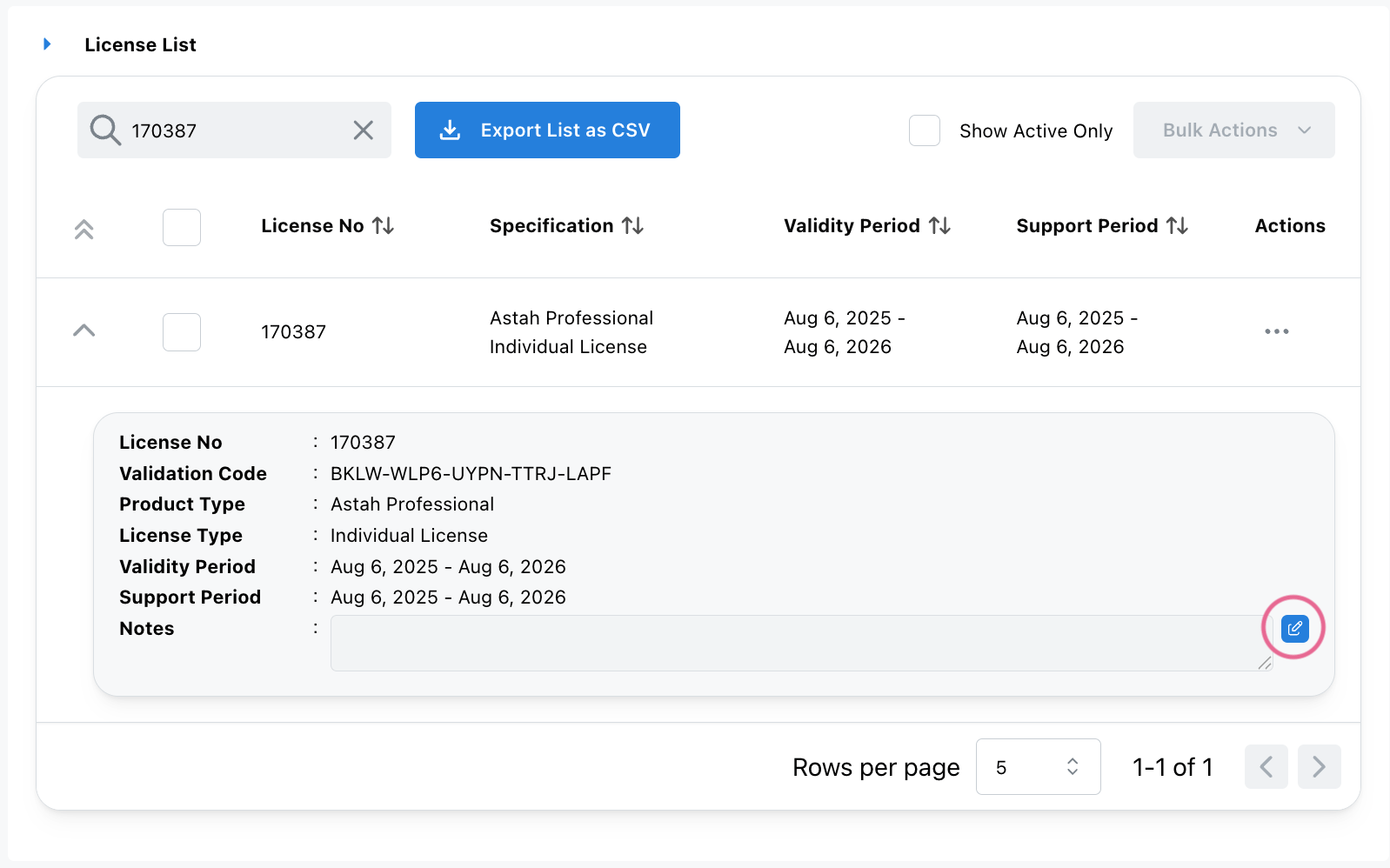
- Click the Expand icon next to a license to view details. Click the pencil icon beside the [Notes] field.
- Enter your note and click the checkmark icon to save it.
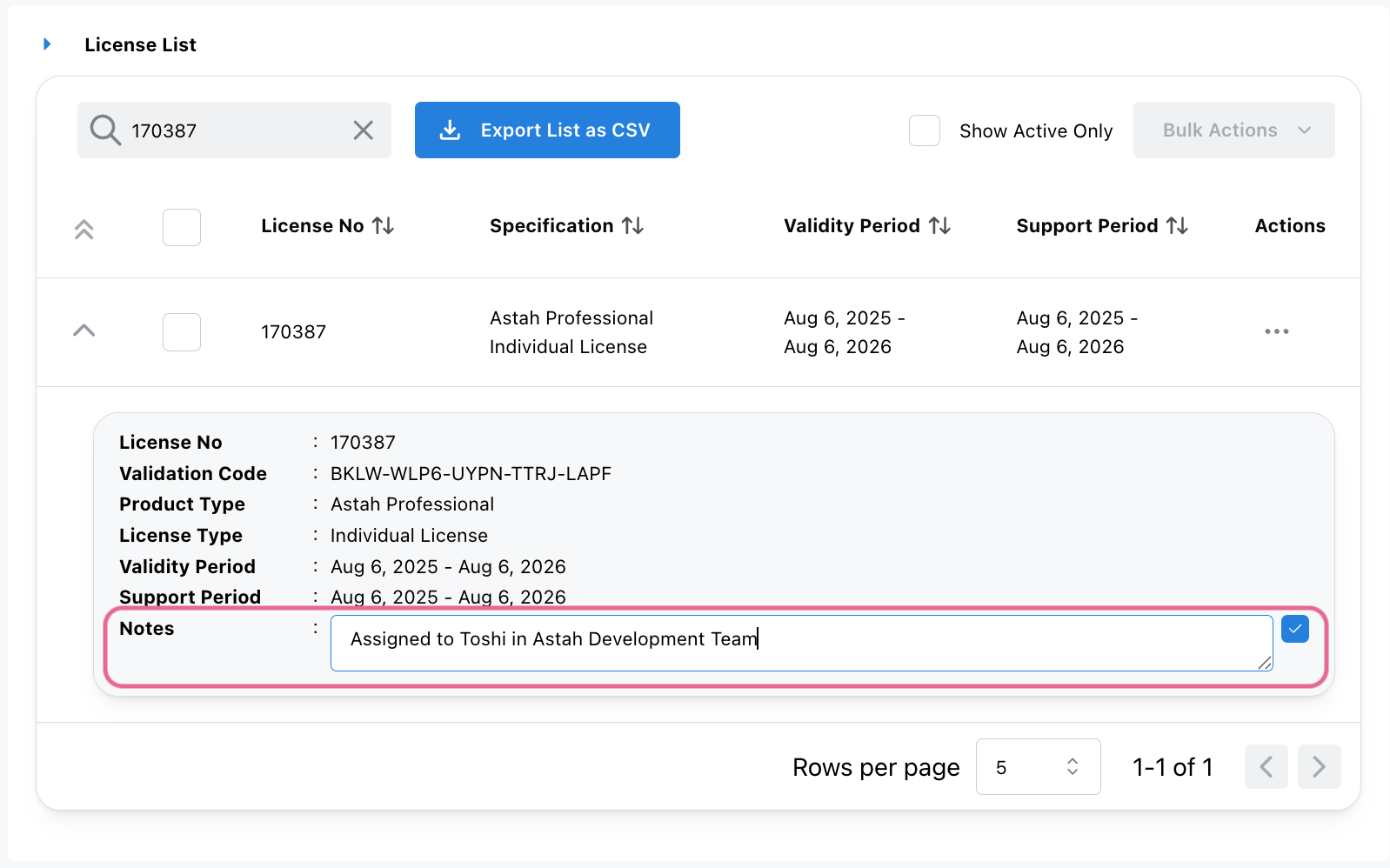
- Now the notes are added. Notes are visible only within the CV Members portal and they are not included in the license file itself.
Renewing an Annual License
- Purchase a new Annual License from our online store or authorized distributors.
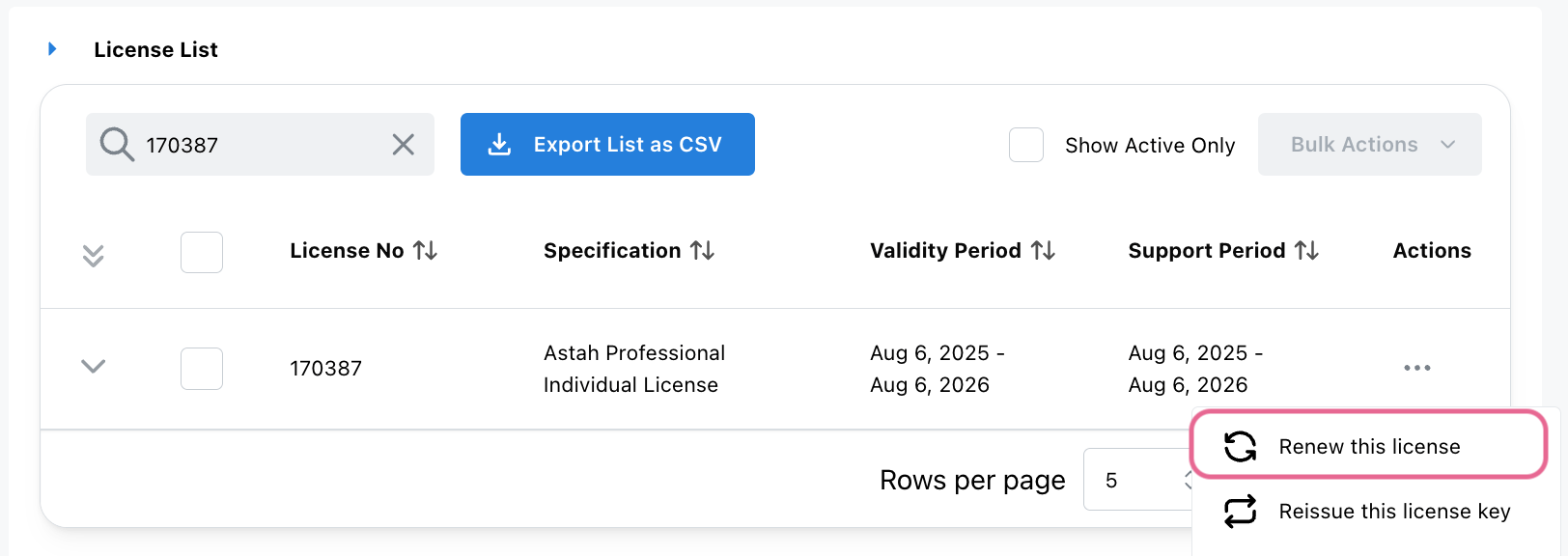
- Log into the CV Members and click [My Licenses].
- Select the license you want to renew, then choose [Renew this license] from the [Actions] menu.
- Enter new Astah Annual License Information, then click [Next].
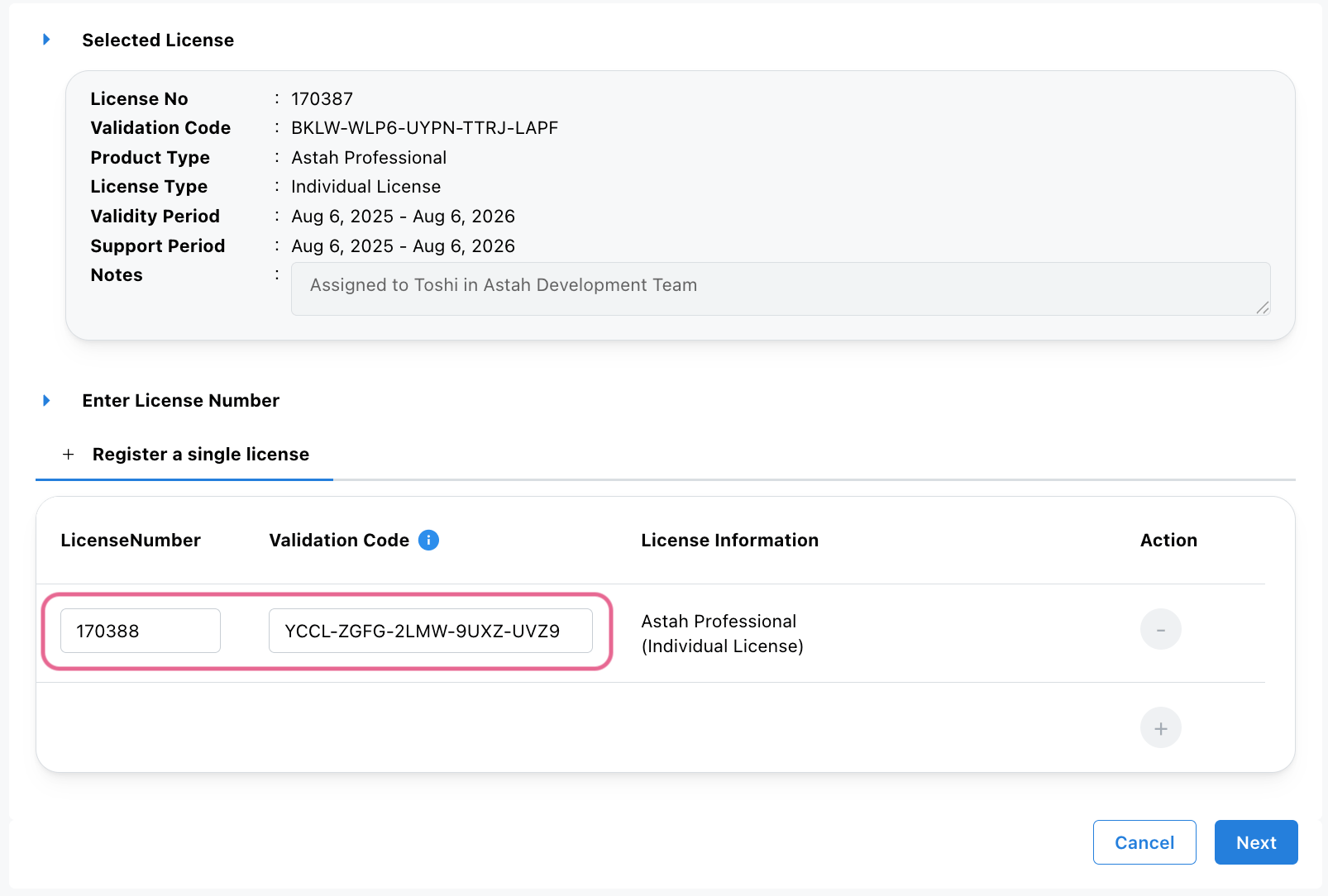
- The License Details screen will appears – click [Next] to proceed.
- Make sure that your email address and new expiry dates are correct, then click [OK].
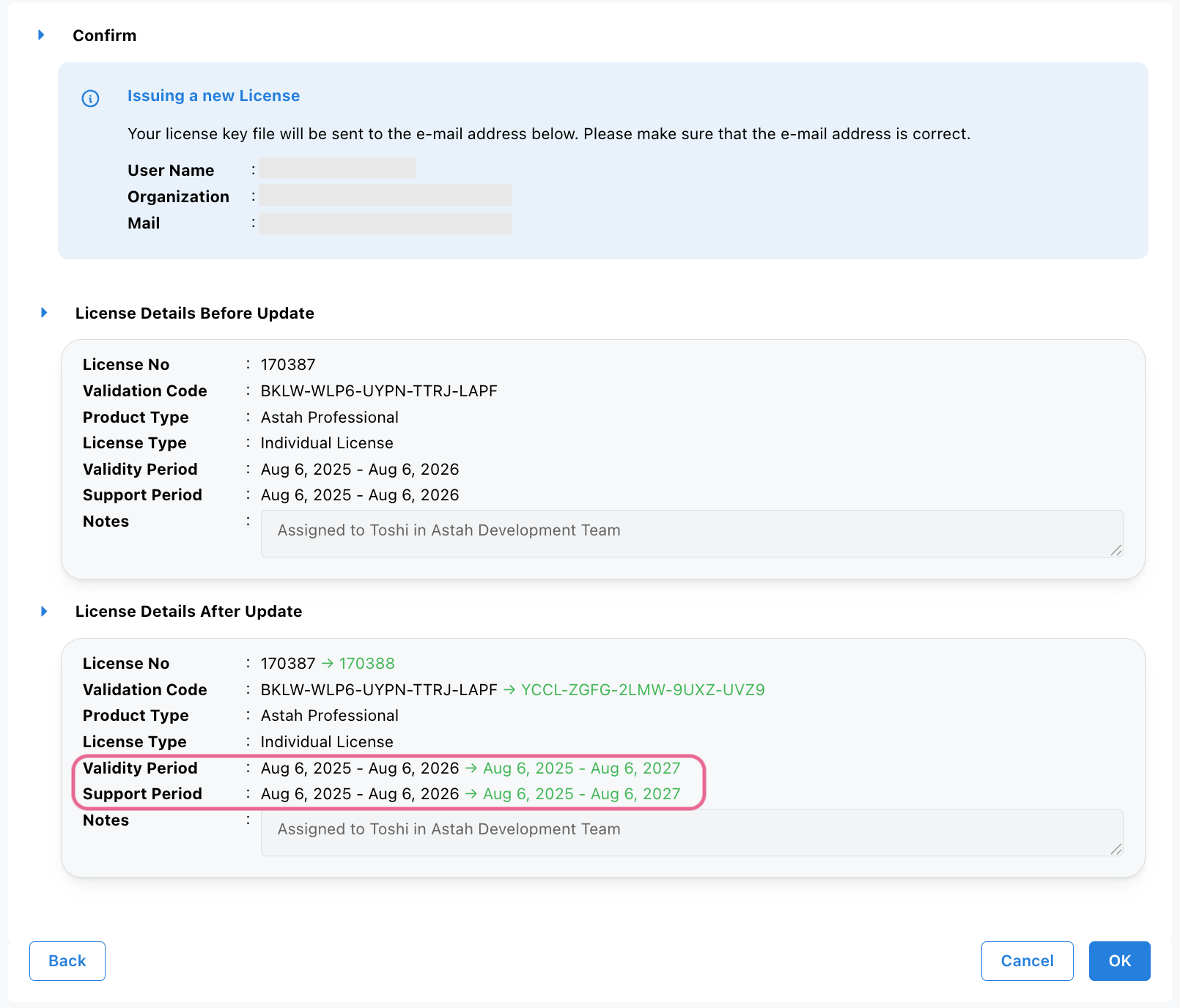
- A confirmation email will be sent to you.
– Access the URL in the email to download the updated license file, or
– Download it directly from the website. - Launch Astah, go to [Help] – [License] and select the updated license file.