
Diagram Presentation


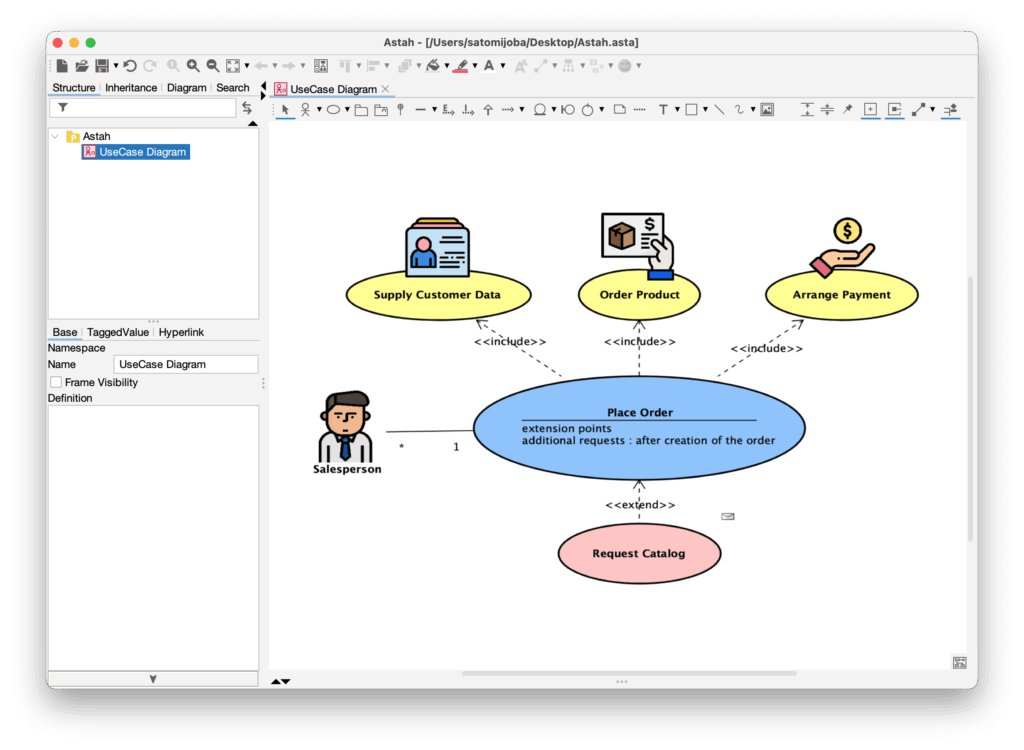

Add an image to your diagram
You can insert image files directly into your diagrams in two ways.
(1) From the Tool Palette
- Click the [image] button from the diagram’s tool palette.

- Click on a diagram where you want to insert the image.
- In the file chooser, select the image file you want to insert.
(2) By Drag & Drop
- Drag an image file directly onto the digaram.
- When the pop-up appears, choose [Insert the image file] and click [OK].

Generate Images Automatically
If you use “Astah Pro MCP”, you can let AI automatically generate illustration images based on your model names and paste them directly into your diagrams – no manual drawing or searching required.
How it works:
- Download and setup Astah Pro MCP following the instruction.
- Open a diagram in Astah Professional.
- Use a prompt, for example:
Insert an SVG image representing each element near that element in the open diagram.
Astah MCP will automatically generate and insert the images into your diagram.
Stereotype Icon
You can also upload image files and use the image instead of UML object shapes in Astah Professional.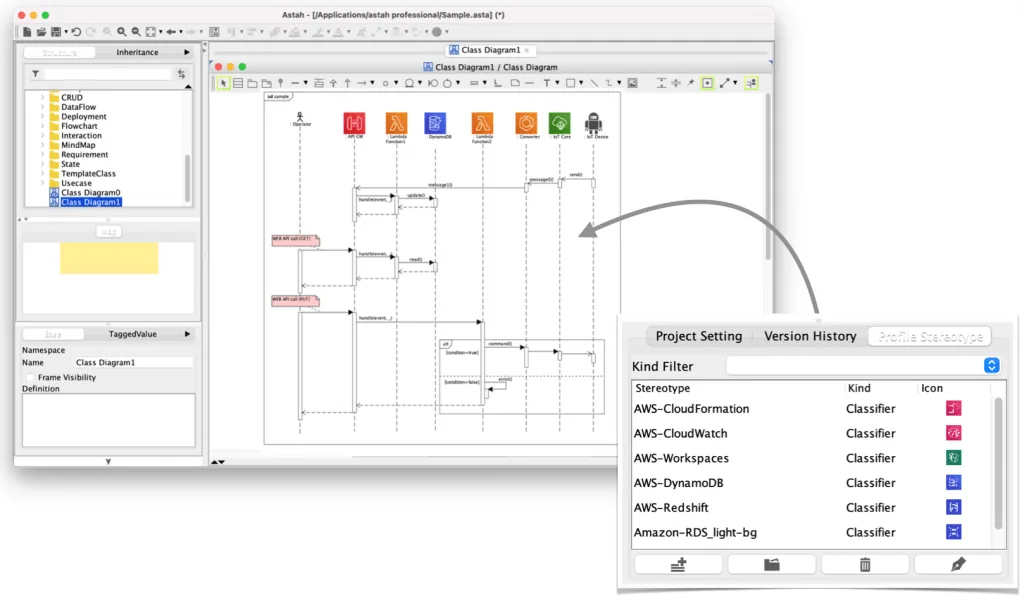
How to switch UML objects to icon
- Go to [Tools] – [Project Settings] – [Set Icon for Stereotype]
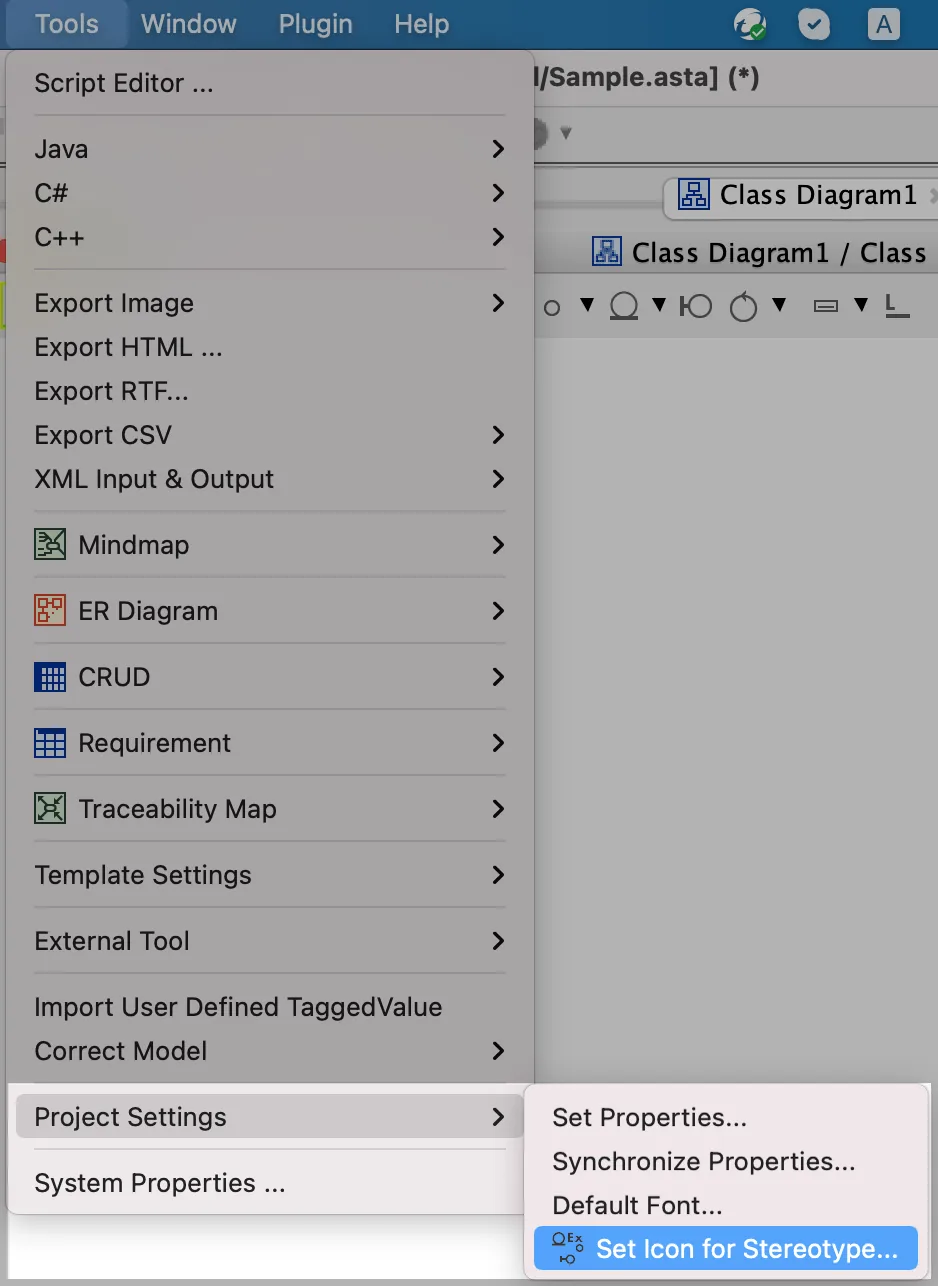
- A window opens, click the [Add] icon.

If you’d like to upload multiple image files at once, click the [Folder] icon.
- One line will be added. Click [Edit] button.

- Enter the stereotype name, and upload an image to associate with it.

- Now select a class with the stereotype, choose [Customize] on the toolbar.
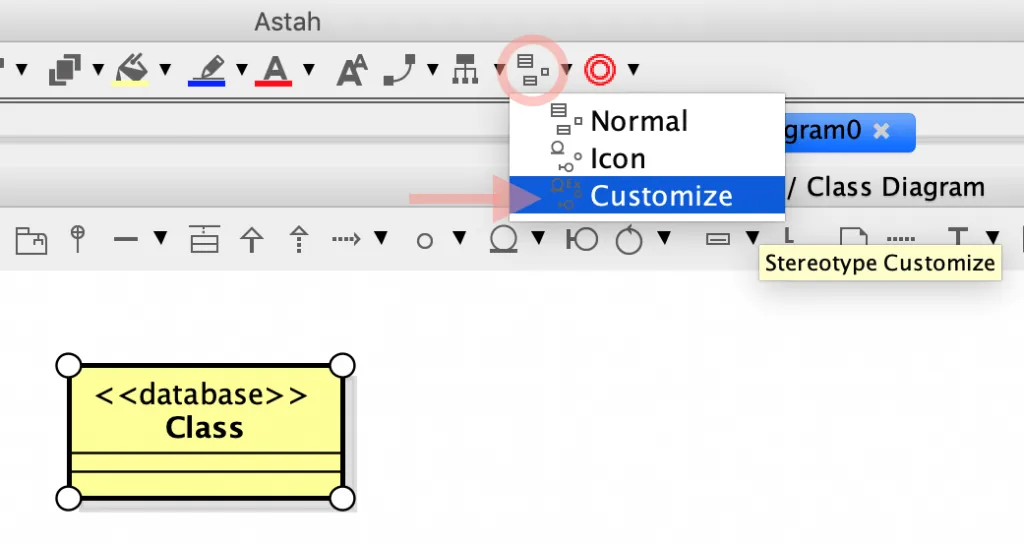
- The model will display the associated icon.

Add BPMN Look & Feel to an Activity Diagram
By using these stereotype icons, you can make a BPMN-like diagram based on an activity diagram.
Read our blog for details.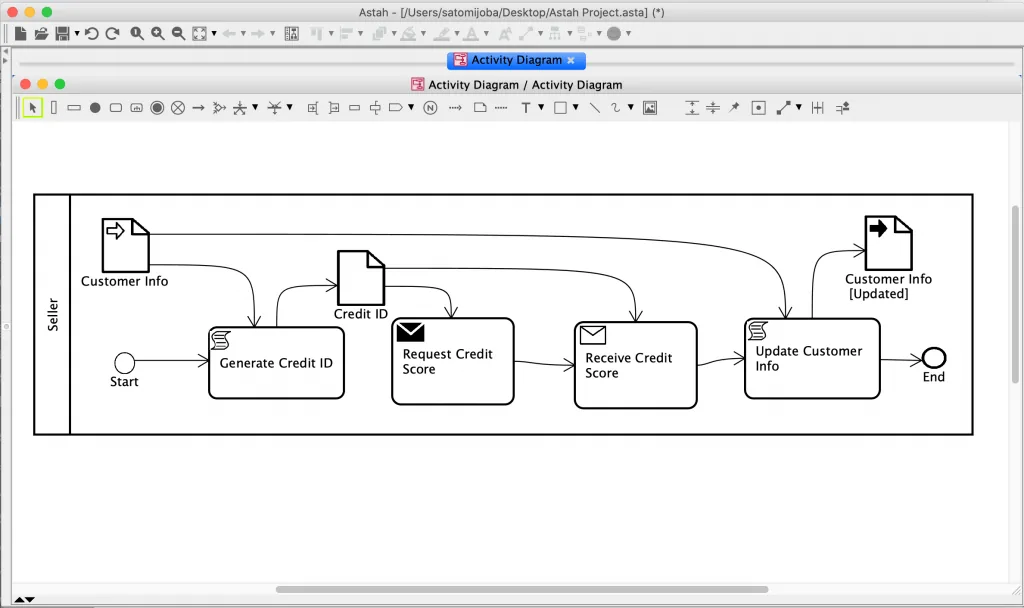
C4 model diagram
You can create the C4 model diagrams using the C4 model plug-in which leverages this same stereotype functionality.