
Activity Diagram



Activity diagrams are supported in Astah Professional, Astah UML, Astah SysML and Astah System Safety.
Partitions
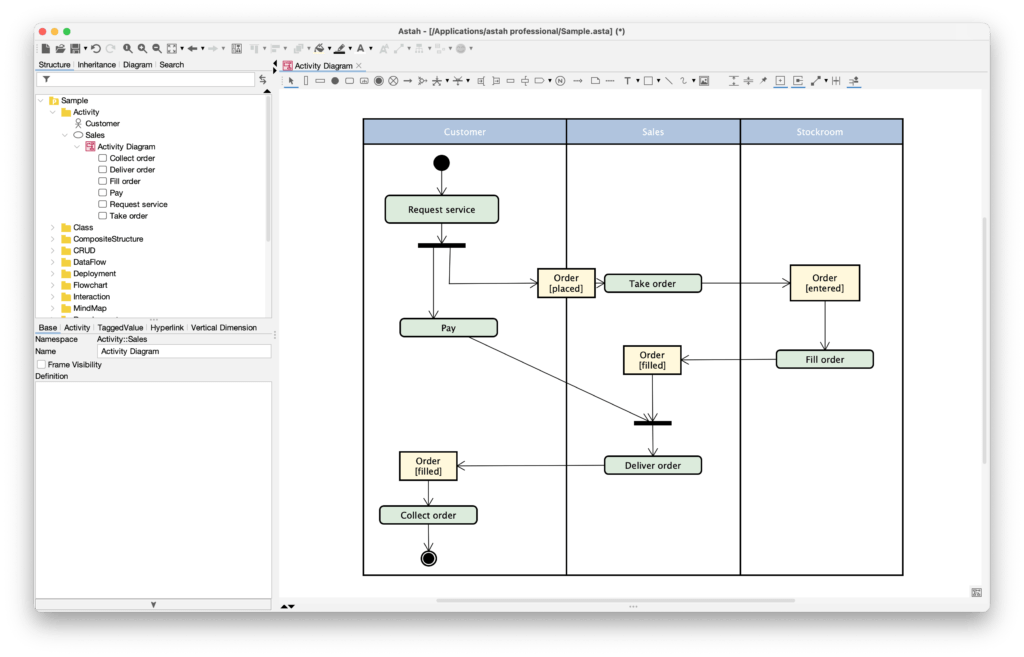
In an activity diagram, you show who performs an action by using partitions.
Adding Partitions
You can organize your diagram into horizontal or vertical partitions to show the responsibilities of different actors or departments.
- Select [Vertical Partition] or [Horizontal Partition] from the tool palette.
- Click on the diagram to place it.
- Double-click the partition header to enter the name of the actor or role (for example “Customer”, “Admin” or “System”).
- Drag existing actions into the partition, or create new actions directly in it.
Linking Partitions to Model Elements (Represents)
If you have already defined actors or classes in your project, you can link a partition to one of them.
- Select the partition on the diagram.
- Go to the [Property View] (usually in the bottom pane).
- In the [Base] tab, find the Represents field.
- Select the actor or class from the drop-down list, or click the […] button to browse the project tree.
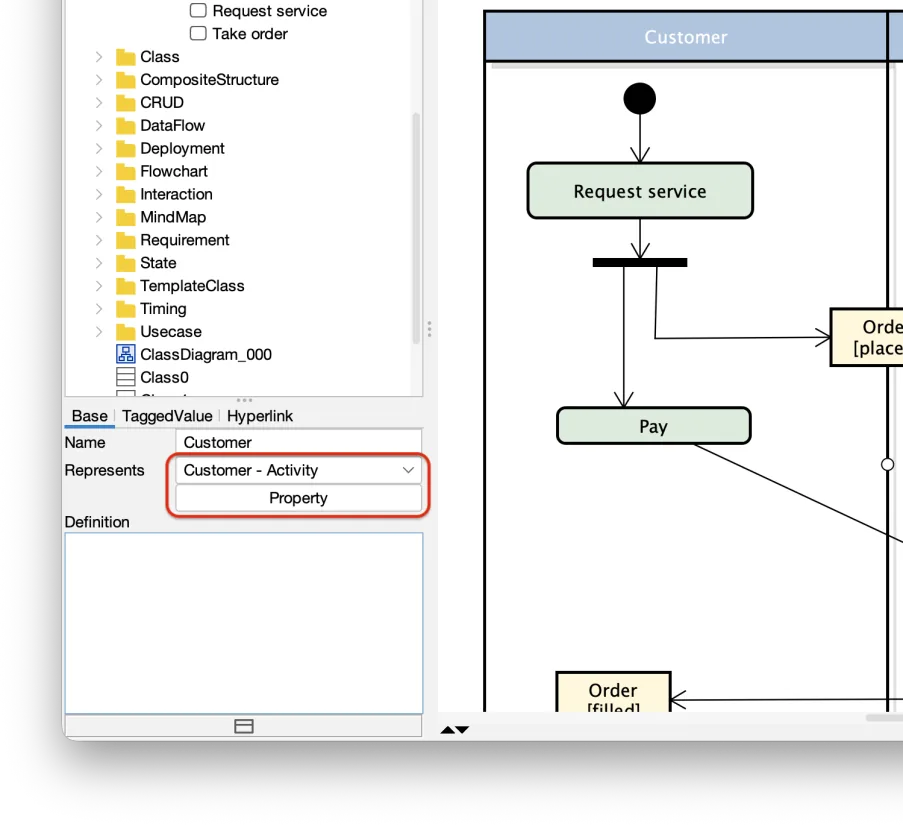
- Note 1: When a partition is linked to an element, renaming the actor in the tree view updates the partition header automatically.
- Note 2: In Astah SysML and Astah System Safety, you can also drag a model element (an actor or a block) directly onto a partition to set its Represents.
Deleting Partitions
To delete a partition but keep all the elements inside it, use [Delete from Model (Partition Only)].
Initial Node
You can create an initial node by selecting it from the tool palette.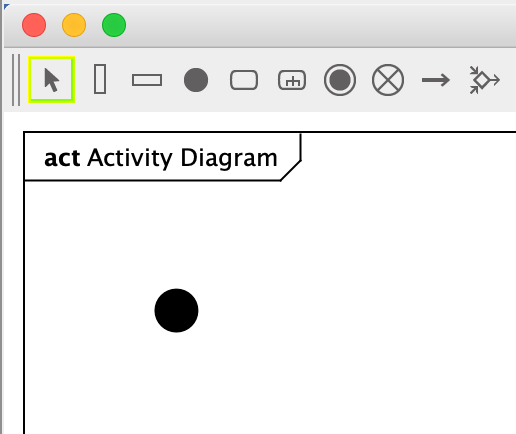
To allow only one initial node per diagram, go to [Tools] – [System Properties] – [UML] and enable the option below.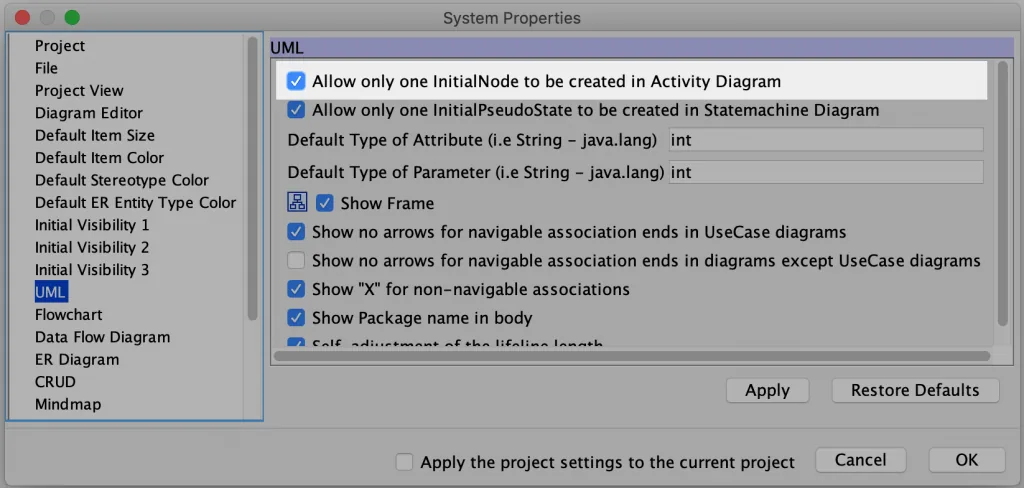
Note: This option is not available in Astah SysML and Astah System Safety.
Action
You can create an action by double-clicking on a diagram, or in any of the other ways described on the Diagram Editor page.
You can also insert an action by placing a new or existing action directly on a flow line.
Show Actions on the tree
By default, actions do not appear in the Structure Tree. To show them there, change the setting in [Tools] – [System Properties] – [Project View].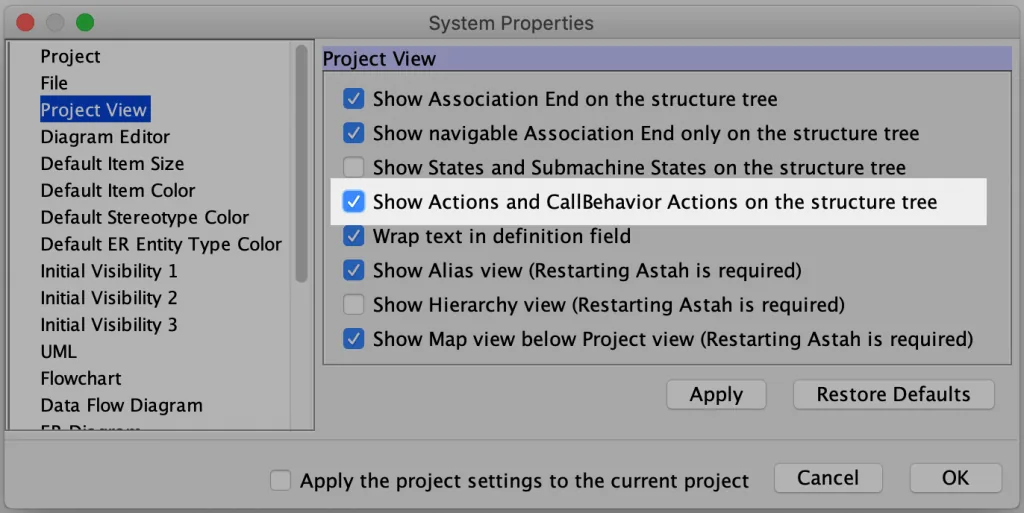
In Astah SysML and Astah System Safety, this option is in [Tools] – [System Properties] – [SysML] – [Project View].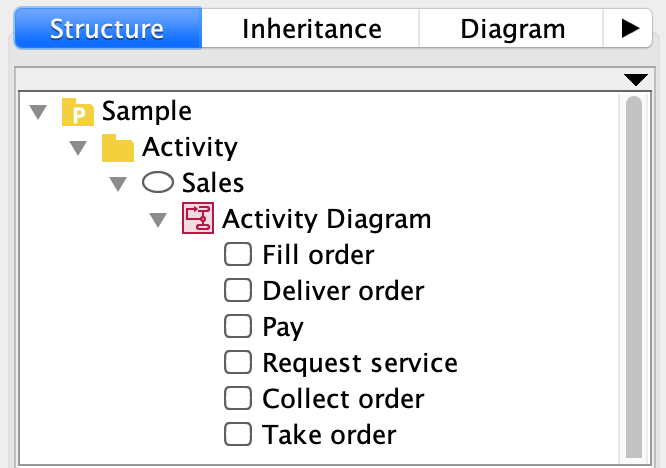
You can show actions in the tree view, but you cannot drag them from the tree view onto a diagram.
Show Actions in icon
Note: This is available in Astah Professional and Astah System Safety only.
You can replace the notation of actions with image files you upload to Astah.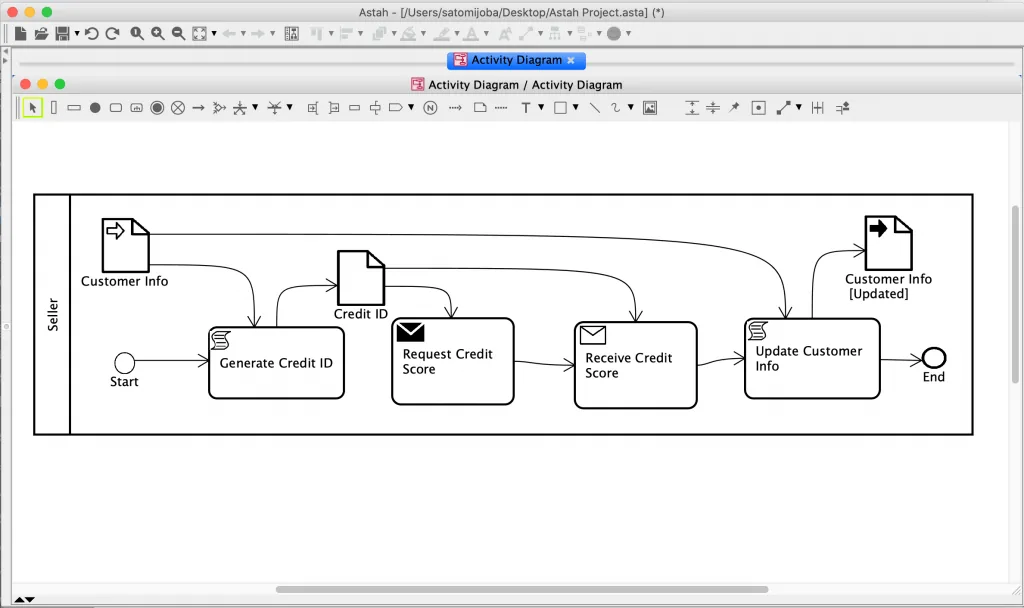
(Diagram reference: Business Process Model and Notation, v2.0 by OMG, Figure 9.32)
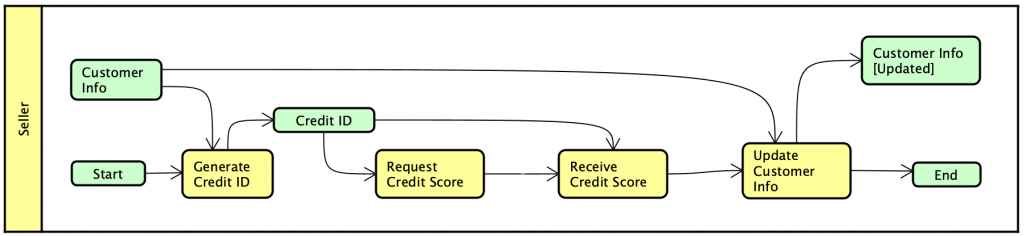
- Create an activity diagram with actions.
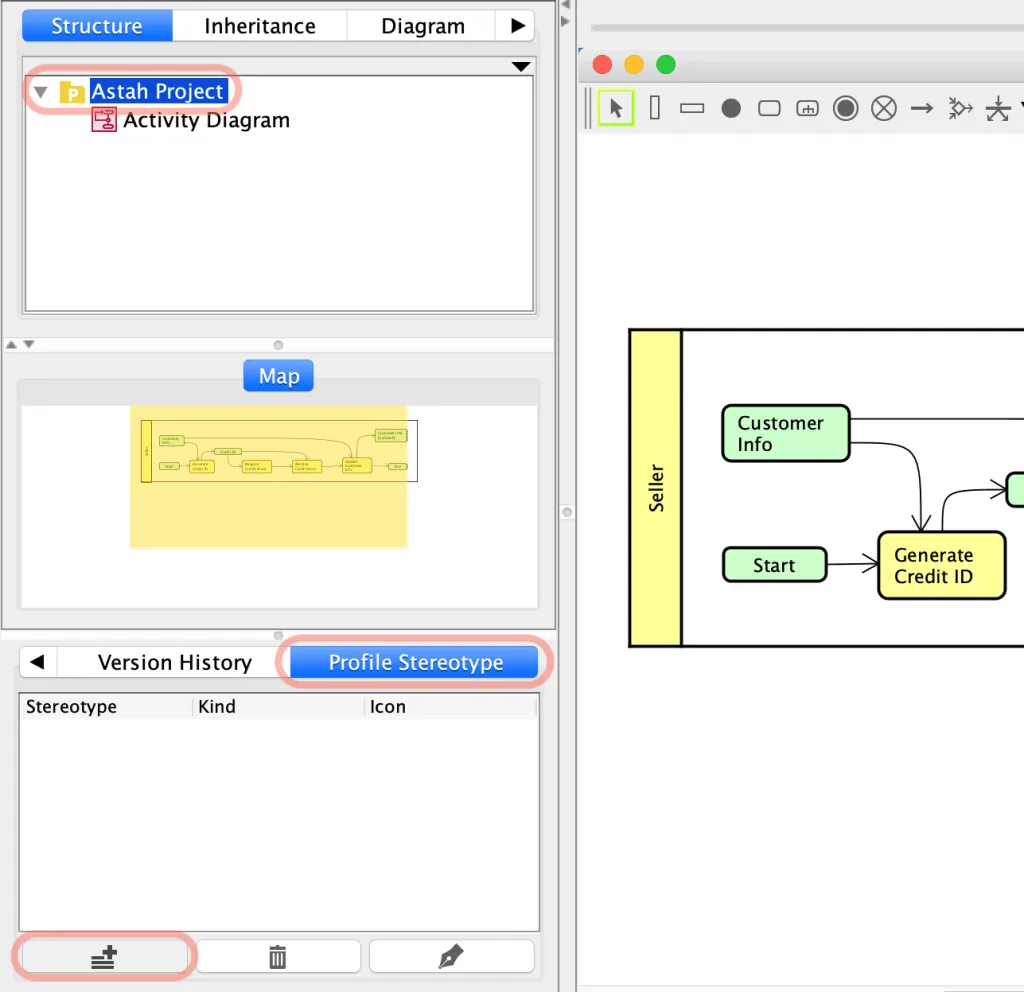
- Select the root package in the tree view, open the [Profile Stereotype] tab in the bottom pane, and click the [Add] button.
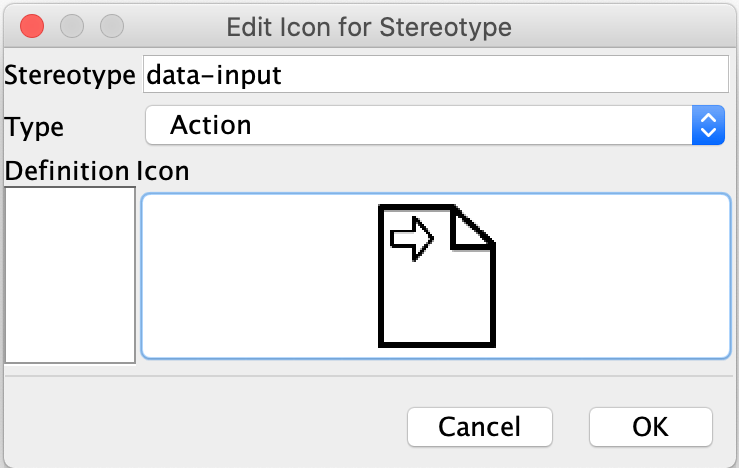
- Upload an image file, enter the stereotype you want to associate with the image, and choose [Action] as the type.
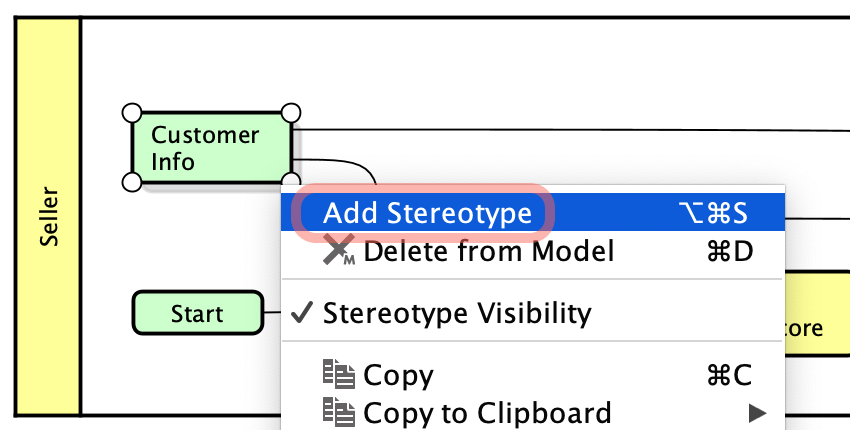
- Add the stereotype to an action.
- Right-click the action and select [Icon Notation] – [Customized Icon].
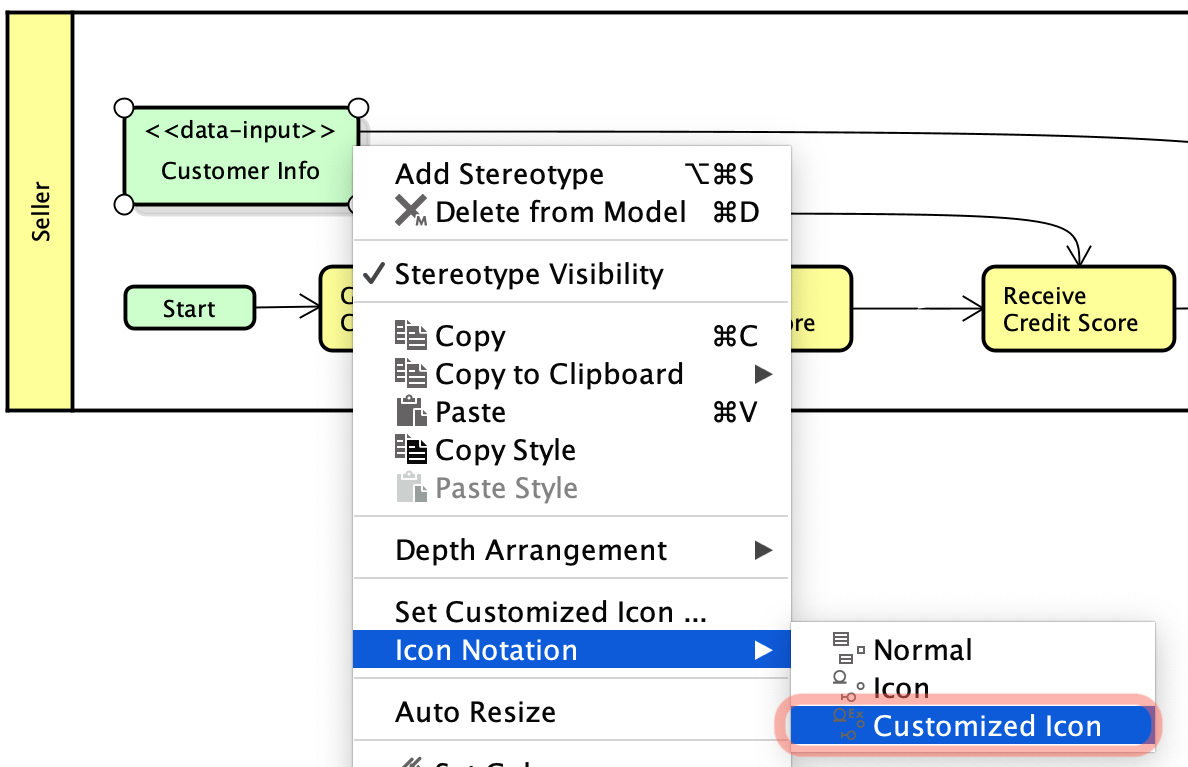
- The action is shown as the image.
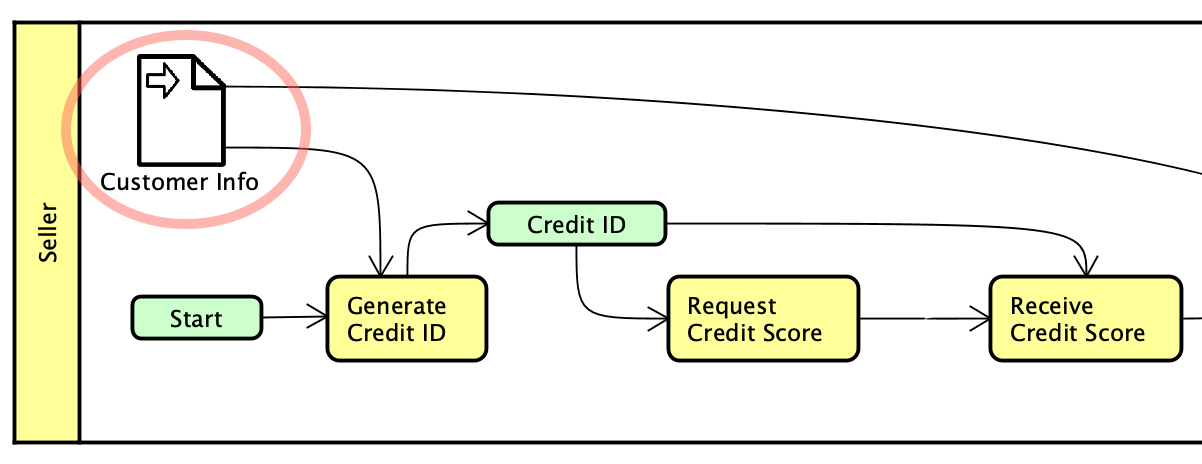
You can add as many icons as you need. You can also open the stereotype settings from [Tools] – [Project Settings] – [Set Icon for Stereotype].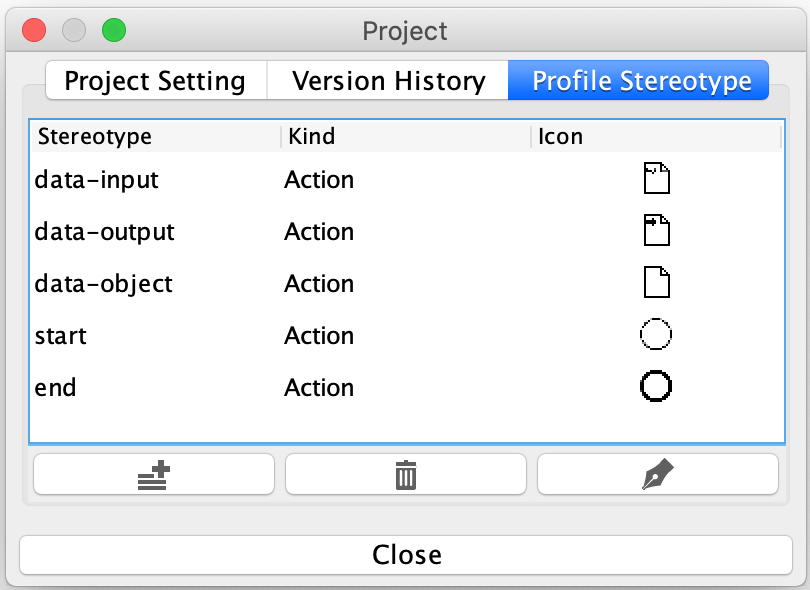
Note: You cannot embed an image inside an action.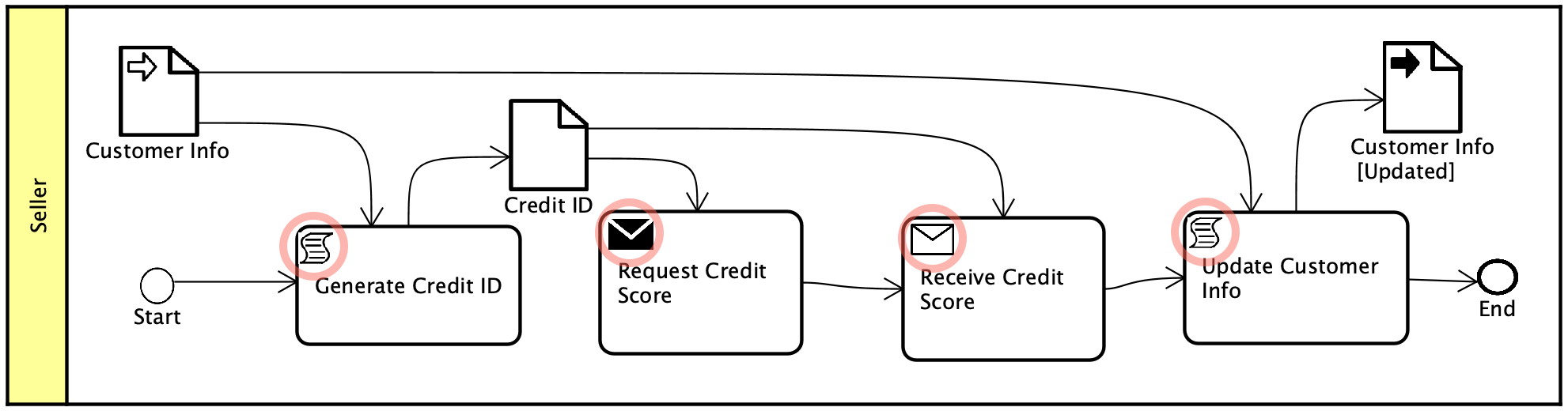
Instead, drag and drop an image file onto the diagram, select the [Insert the image file] option, and place the image where you want it.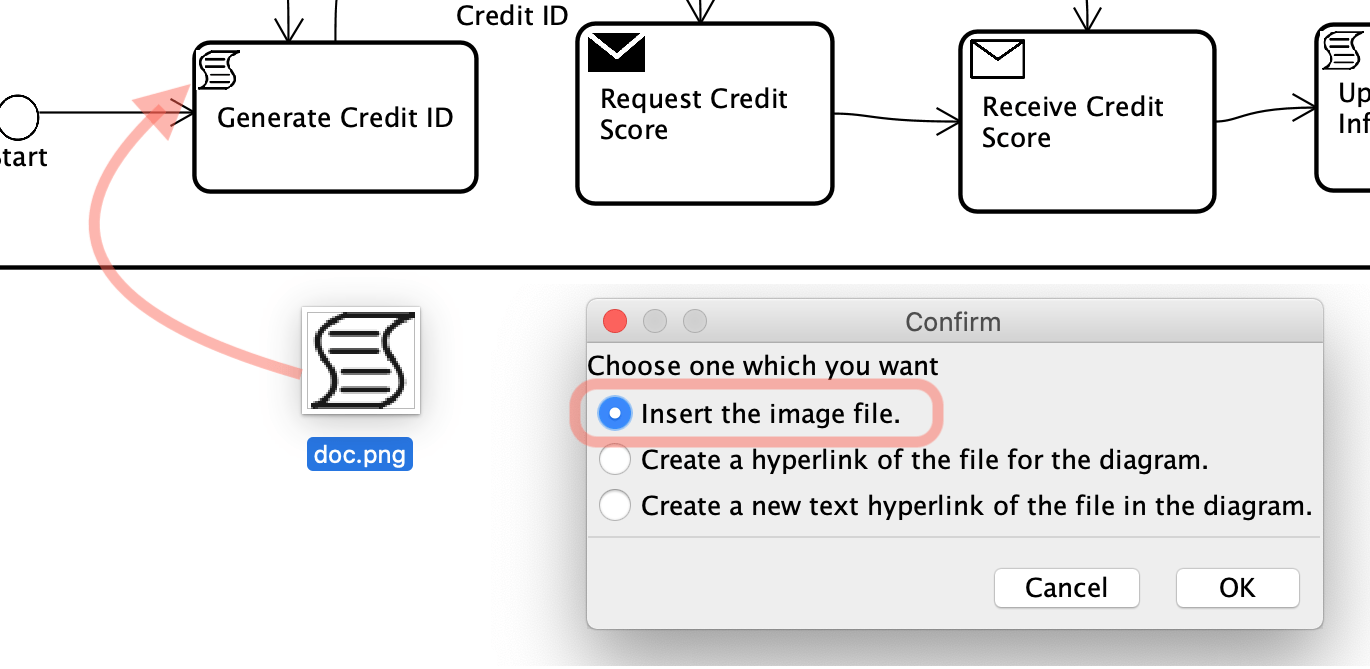
Call Behavior Action
A call behavior action invokes a behavior directly, rather than invoking a behavioral feature that in turn invokes the behavior. The argument values of the action are available to the invoked behavior. The call behavior action waits until the invoked behavior completes and a result is returned on its output pin. The invoked behavior may be an activity.
How to create a Call Behavior Action
- Click [Call Behavior Action] on the tool palette and click on the diagram.
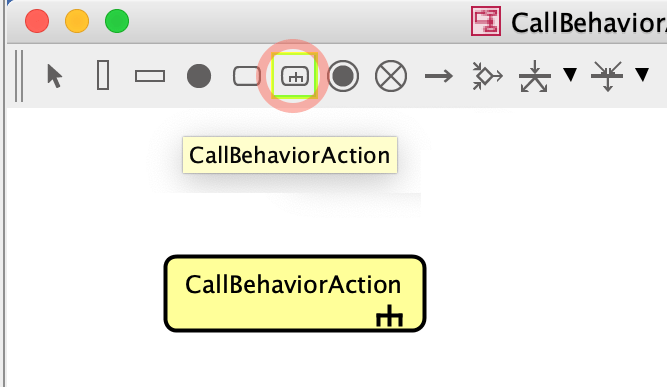
- Double-click the call behavior action. You are asked whether to create a new activity diagram. Click [Yes].

Turn an existing Activity diagram into a Call Behavior Action
Drag the activity diagram from the tree view onto another open activity diagram. It is inserted as a call behavior action.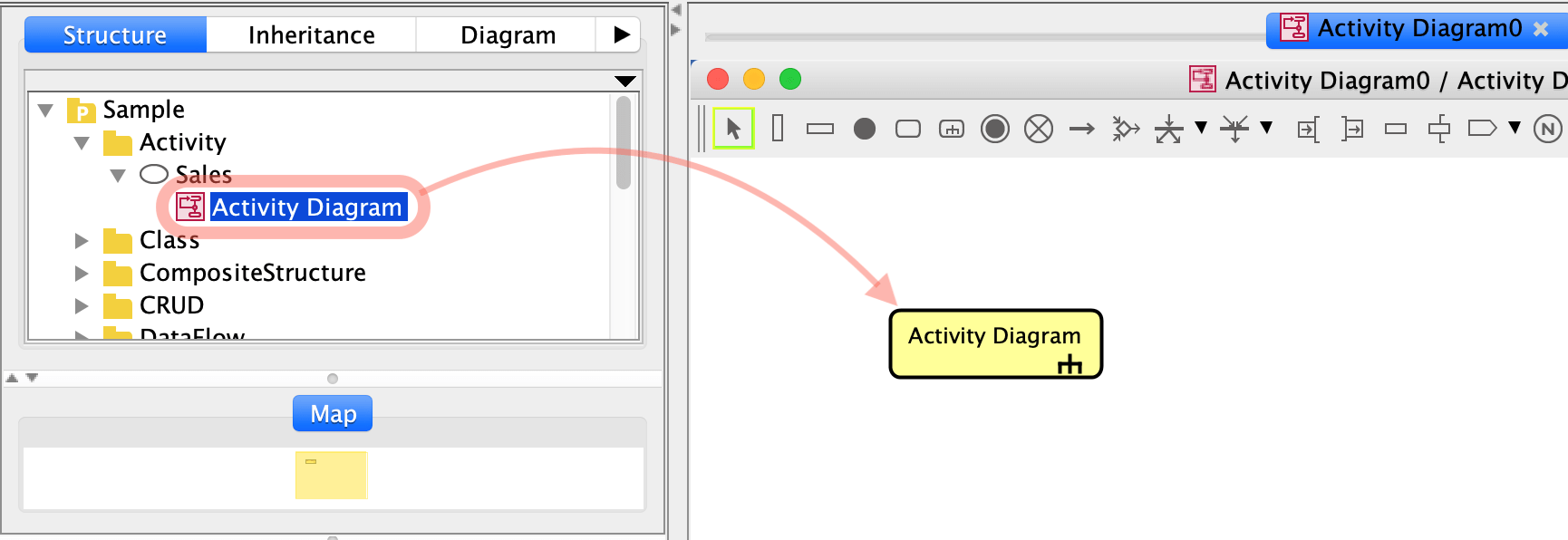
Alternatively, select the activity diagram to associate with a call behavior action in the [Action] tab of its Property View.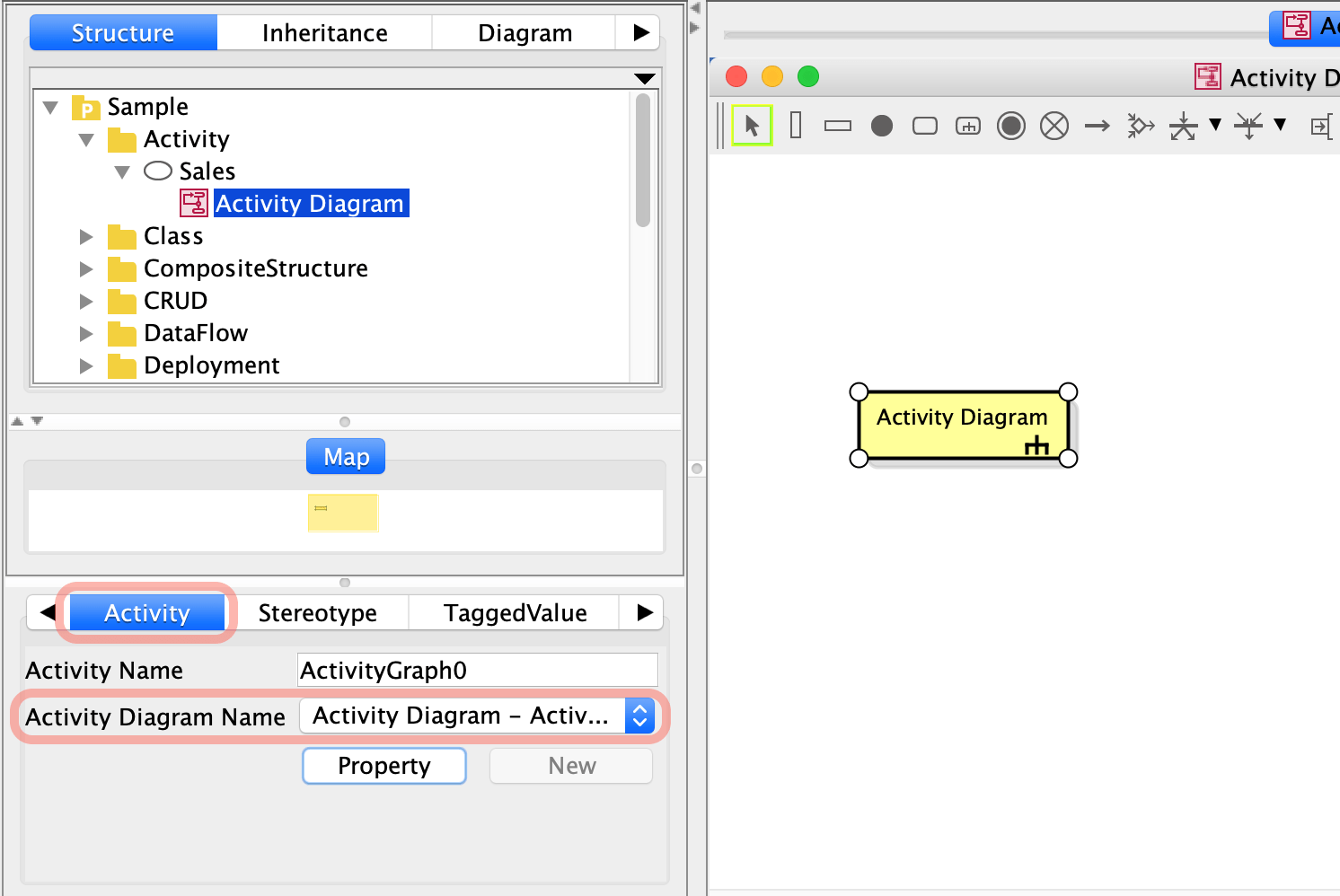
Eriksson-Penker Notation
You can use Eriksson-Penker notation in activity diagrams in Astah Professional and Astah UML.
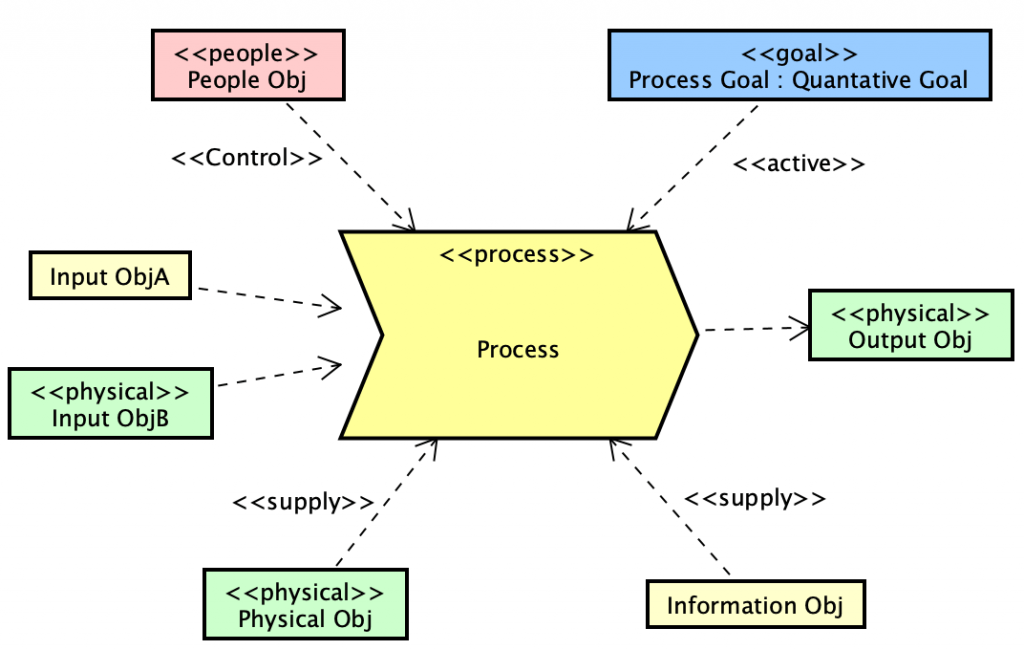
Process, Signal Receipt, Signal Sending
Create an action and add the <<process>>, <<signal receipt>> or <<signal sending>> stereotype. The notation changes automatically.
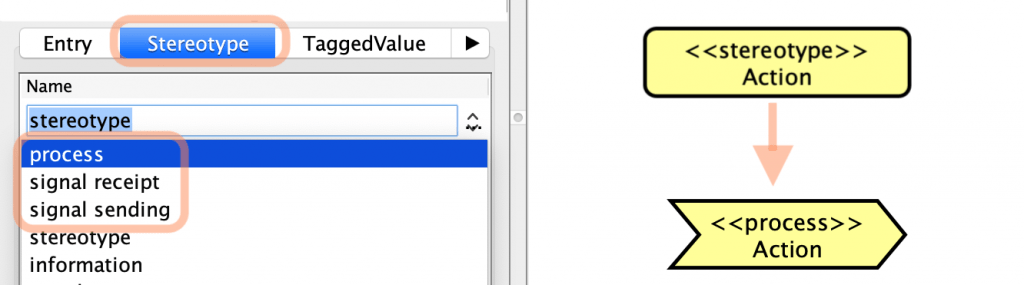
This is available in Astah Professional and Astah UML only.
Information Class
Note: This is available in Astah Professional only.
- Create an object node.
- Set a class with the <<information>> stereotype as the base class of the object node.
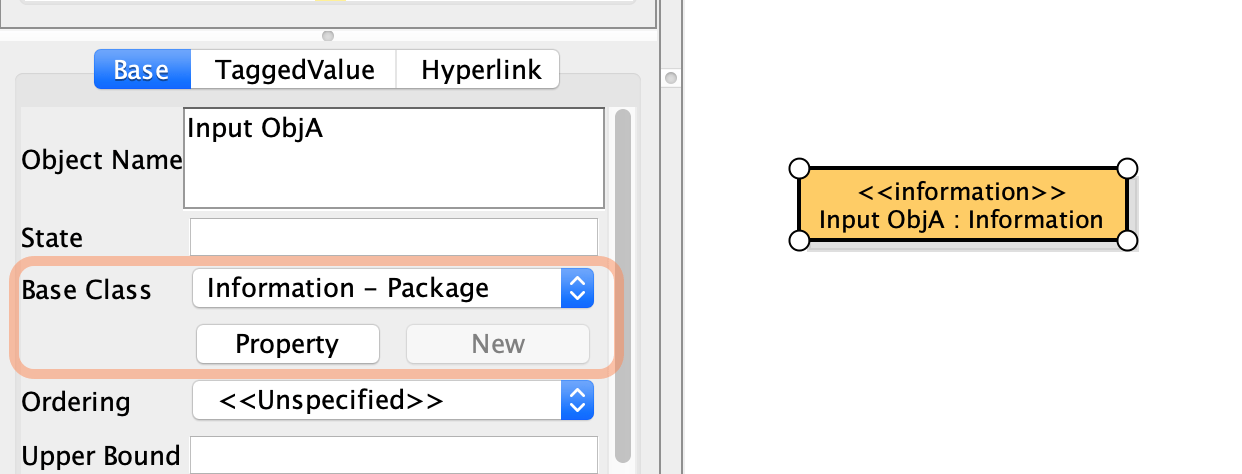
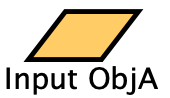
- Select the object node and choose [Icon] from the main menu.

- The object node changes to the notation below.
Questions about activity diagrams?
Please let us know if you have any questions about activity diagrams or would like tips on using them.