
Faculty Site License Guide



Installation and Client Setup
This guide is for end users who will install Astah under an Astah Faculty Site License.
With this license, eligible faculty, staff, and students may use Astah on university-owned computers in the licensed department and on their personally owned computers.
Summary of Steps
- The license administrator generates the license files.
(If the files have not been generated yet, the administrator must complete license registration first.) - The administrator distributes the appropriate license file to end users.
- End users download Astah, set the license file, and activate it on their computers.
Administrator note:
– You can distribute license files by email or by making them available on an internal website or shared folder for eligible users.
– If you want to install Astah quietly on many campus computers, see the silent-install guide.
End Users : Install and activate
First, receive a set of license files from your teacher or the license Administrator.
The license file you use varies depending on the product.
| License file name | Target product |
|---|---|
| astah_faculty_license.xml | Astah Professional |
| astah_faculty_sysml.lic | Astah SysML |
| astah_faculty_system_safety.lic | Astah System Safety |
Now, choose the product you want to use.
Use Astah Professional
- Download Astah Professional.
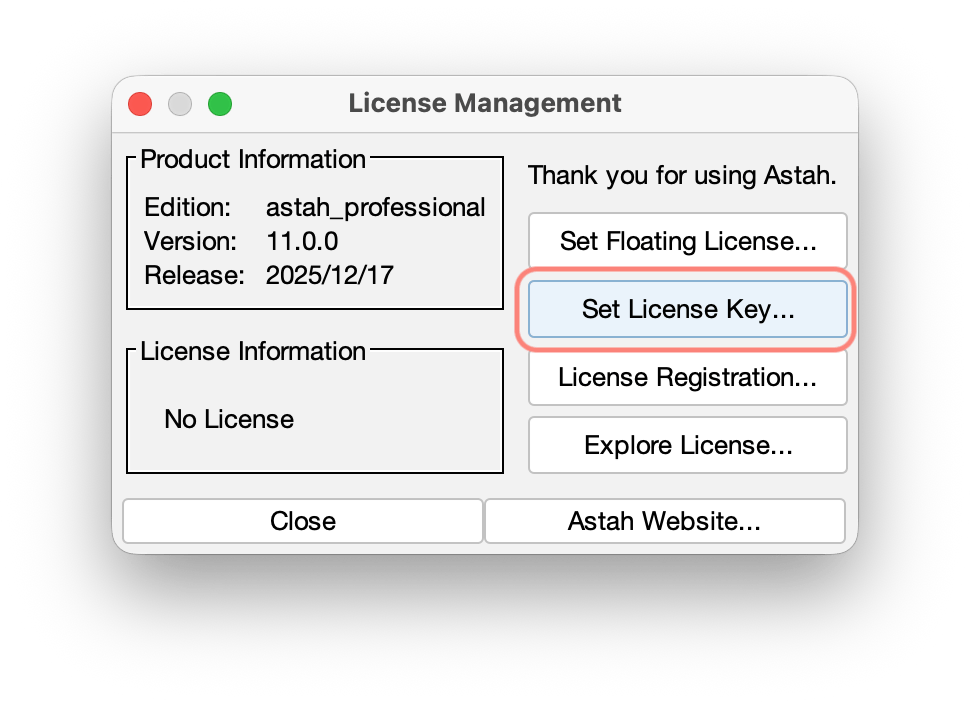
- Launch Astah Professional and go to [Help] – [License] from main menu.
- A license window opens. Click [Set License key] and choose your “astah_faculty_license.xml“.
- Then you are all set! The following online contents should help you pick up Astah faster.
Use Astah System Safety
- Download Astah System Safety.
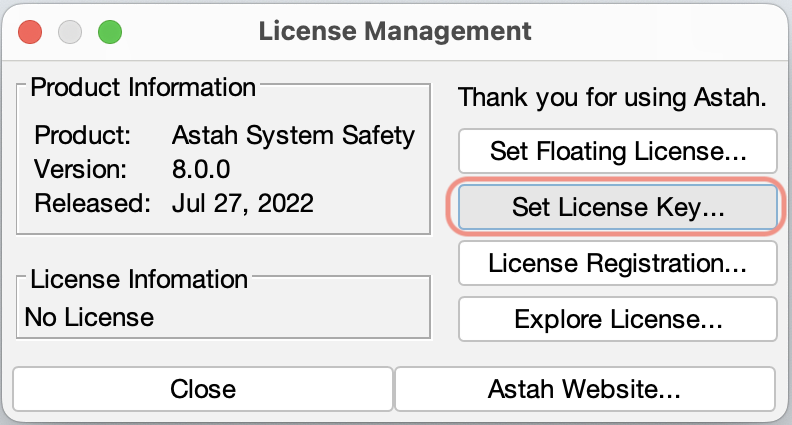
- Launch Astah System Safety. You will be asked to set a license file. Click [Yes].
- You will see the window below, click [Set License key] and specify “astah_faculty_system_safety.lic” file.
- Then you are all set! The following online content should help you pick up Astah faster.
Use Astah SysML
- Download Astah SysML.
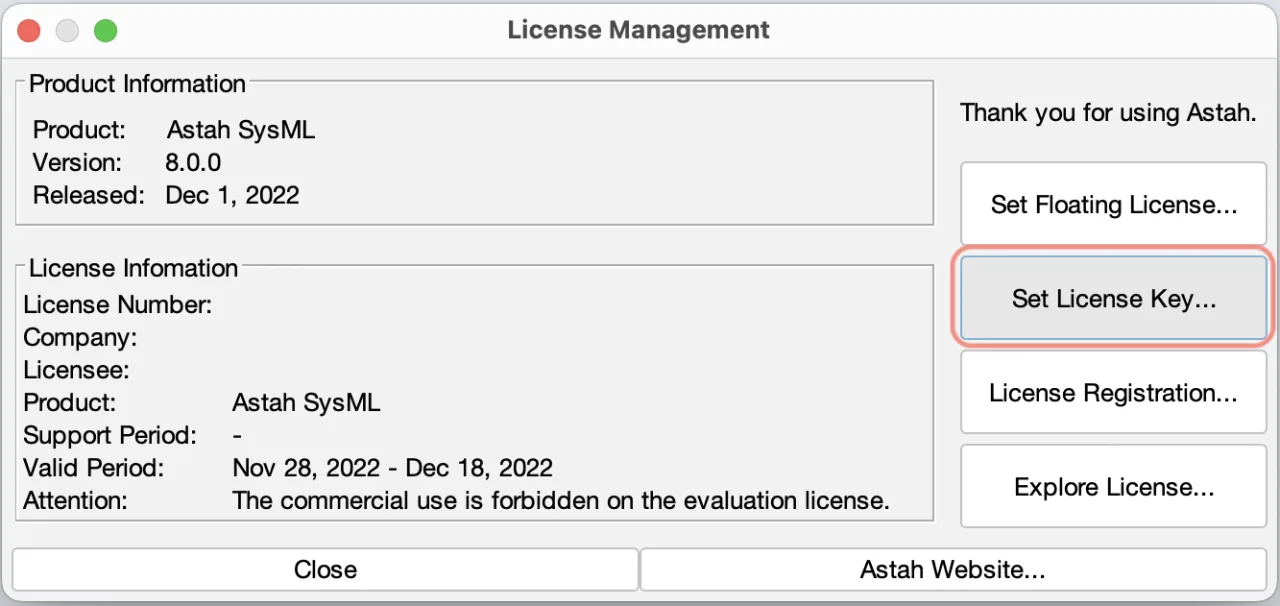
- Launch Astah SysML and go to [Help] – [License] from main menu.
- A license window opens. Click [Set License key] and choose “astah_faculty_sysml.lic“.
- Now you are all set!