
XMI Import / Export


Astah SysML and System Safety support XMI import and export of SysML models, which makes the models compatible with other tools such as Cameo Systems Modeler.
Import from Cameo Systems Modeler
You can import project files created in Cameo Systems Modeler (Dassault Systèmes) version 18.5 and later into Astah via XMI. The supported file formats are .mdzip and .mdxml.
Go to [File] – [Import] – [Cameo SysML Project (.mdzip)] or [Cameo SysML Project (.mdxml)] in the main menu.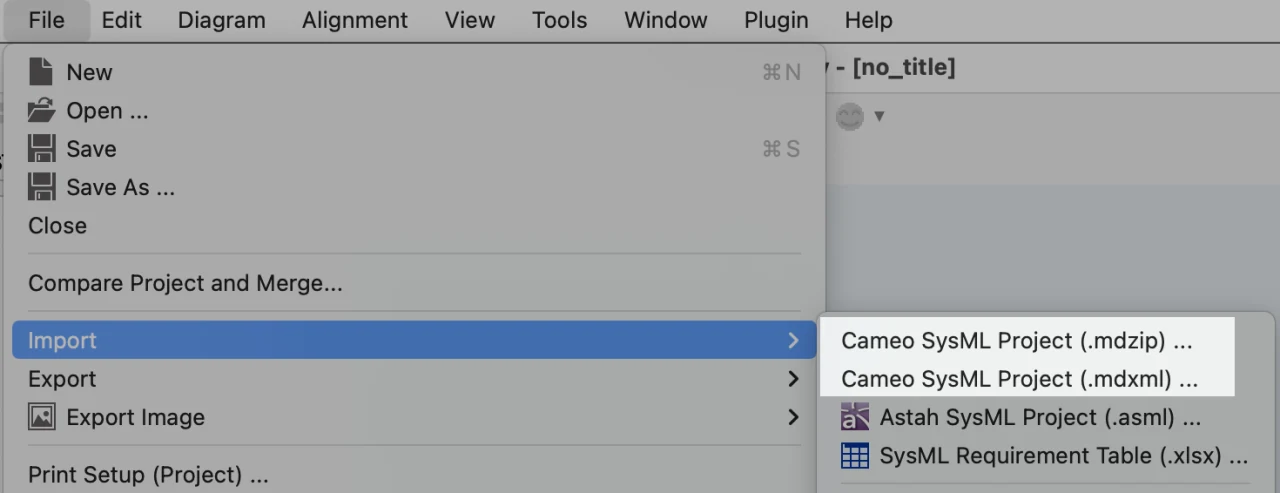
Astah can import the following diagrams from Cameo Systems Modeler:
- Requirement Diagram
- Block Definition Diagram
- Internal Block Diagram
- Parametric Diagram
- Activity Diagram
- Sequence Diagram
- UseCase Diagram
- Statemachine Diagram
For details on compatible data, see the complete reference manual.

Export SysML models to XMI
You can export SysML models from Astah to three types of XMI:
OMG XMI 2.5 (.xml)
You can export UML/SysML diagrams and models to XMI 2.5. Go to [File] – [Export] – [SysML to OMG XMI 2.5].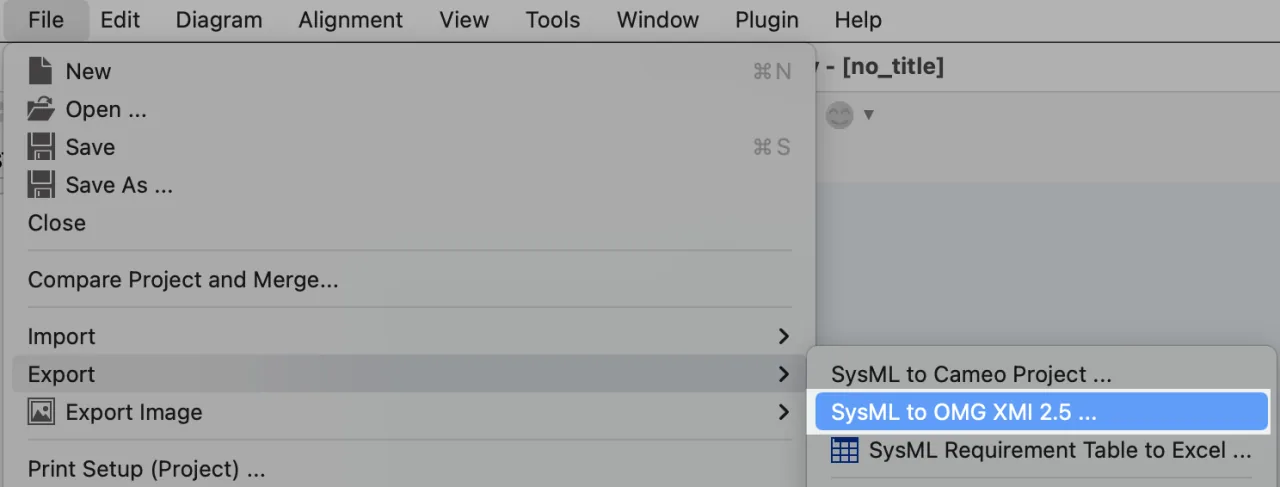
Cameo SysML XMI
You can export SysML models to an XMI file (.mdxml) that is compatible with Cameo Systems Modeler (Dassault Systèmes) version 18.5 and later.
- Open the project file you want to export to Cameo.
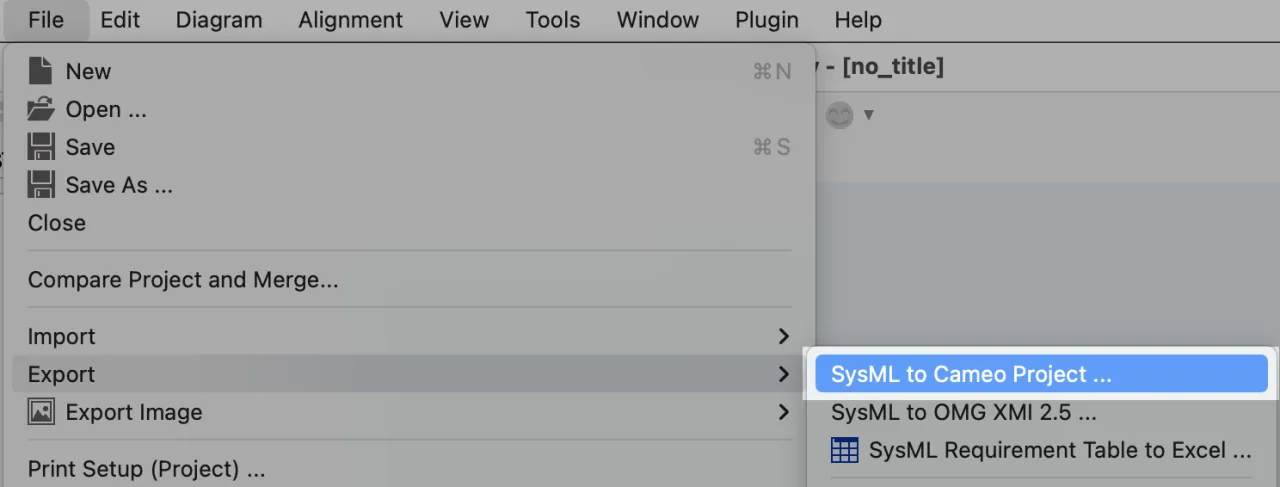
- Go to [File] – [Export] – [SysML to Cameo Project].
How to load SysML models into Cameo Systems Modeler
You can import the .mdxml file into Cameo Systems Modeler version 18.5 or later from [File] – [Open Project] or [File] – [Import From] – [Other MagicDraw Project]. For details, refer to the Cameo user manual. We have confirmed that it works with Cameo Systems Modeler versions 18.5 and 19.0.
Compatible models
The following SysML diagrams can be exported to Cameo Systems Modeler via XMI:
- Block Definition Diagram
- Internal Block Diagram
- Parametric Diagram
- Requirement Diagram (*1)
- UseCase Diagram (*2)
- Activity Diagram (*3)
- Sequence Diagram
- Statemachine Diagram (*4)
For details on compatible data, see the complete reference manual.
Notes
- Model elements look different in Astah and Cameo Systems Modeler.
- Assembly connectors are not imported into Cameo Systems Modeler as connectors; they are imported as a Required Interface and a Provided Interface.
- Model elements in SysML’s standard library are not imported into Cameo Systems Modeler.
Requirement Diagram (*1)
- Both ID and Text will appear inside each requirement.
UseCase Diagram (*2)
When you open the imported UseCase diagram:
- All Actors are shown as actor icons instead of rectangles.
- All UseCases show their names inside the ellipse.
Activity Diagram (*3)
- The size of the diagram frame and the partition may change after import.
- If there are any model elements outside partitions, you may see an alert when importing.
- The end of partitions may not be closed after import.
- Any arrows inside Input/Output pins will not be displayed in the imported diagrams.
Statemachine Diagram (*4)
- Vertical Regions are converted to horizontal ones on import.
Obfuscated XMI (for bug report)
If the log file does not contain enough information to find the cause of a bug, Astah Support may ask you to send your .axmz file with your bug report.
If the .axmz file contains confidential information, you can obfuscate it so that all model names are replaced with meaningless characters and numbers.
- Open your .axmz file.
- Go to [Tools] – [Correct Model] – [Save as Obfuscated Project [For Bug Report]].
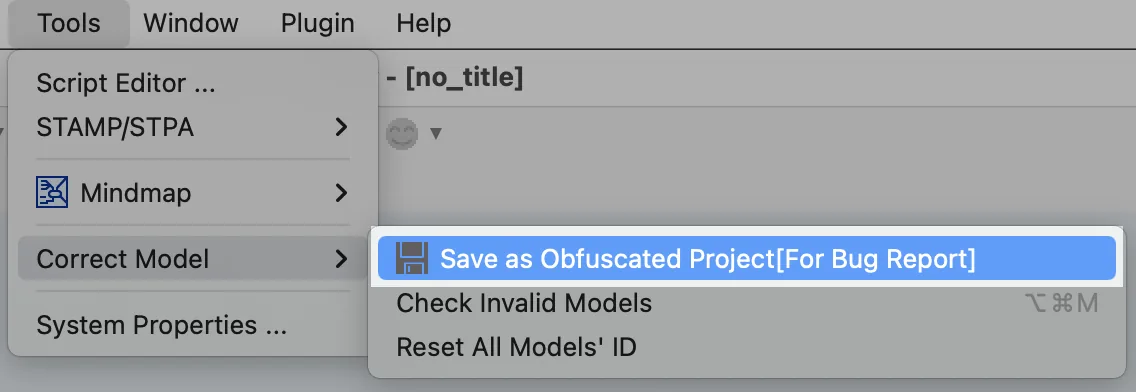
- Save the .xml file and send it to Astah Support.