
FAQs

Get answers to your frequently asked questions about Astah Professional.

Support & maintenance
How can I update Astah?
#
You can update Astah from within the application:
- In Astah, open [Help] – [Software Update Information].
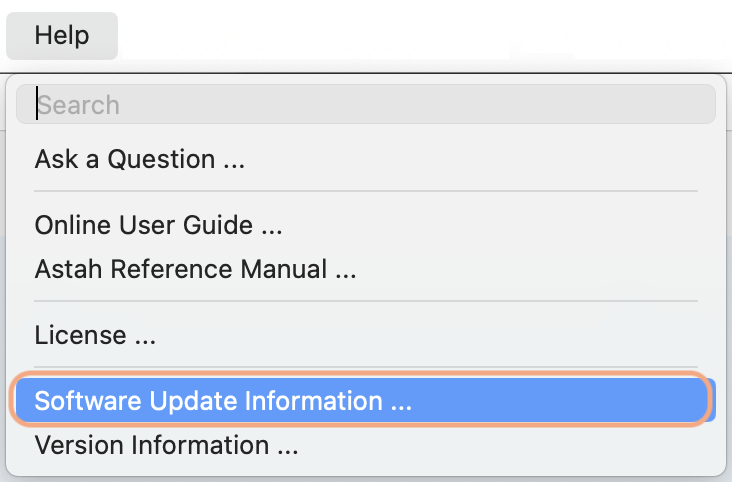
- The Software Update Information window appears.
- Check the Availability field:
- If it says “Y”: click [Download Site] and download and install the latest version.
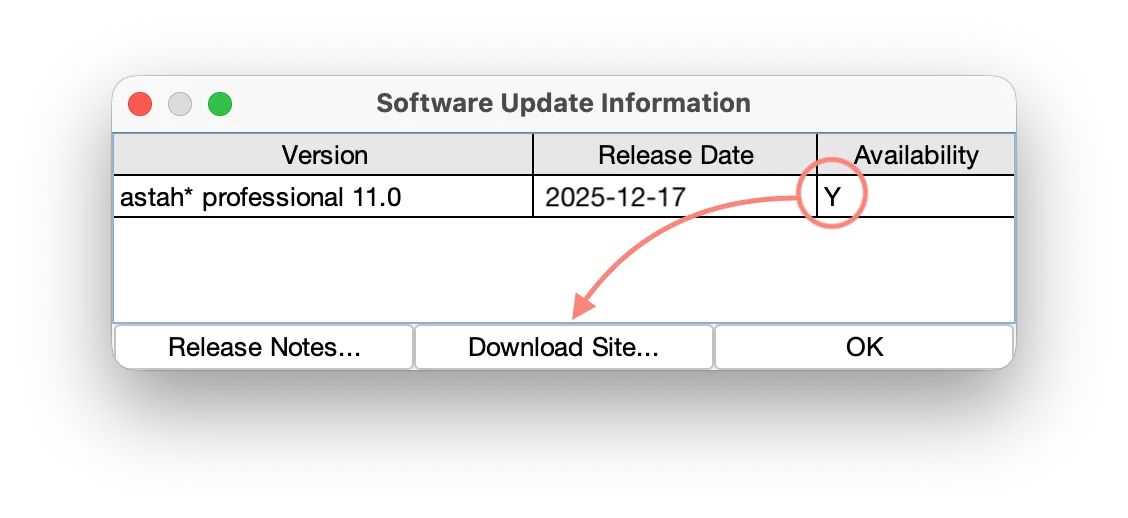
- If it says “N”: your license support has expired, so updates are not available. Please renew your license support by purchasing a Renewal License, then try again.

- If it says “Y”: click [Download Site] and download and install the latest version.
What happens when my support expires?
#
If you are using an Individual License
You can continue to use Astah. However, you will not be able to upgrade to newer versions or receive all the benefits the support offers.
If you are using an Organizational Perpetual License
All users can continue to use Astah, but without support. You will not be able to update to newer versions, and you will lose all the benefits and your access to the license portal.
When support is not renewed, Individual Perpetual Licenses are issued and delivered to the license administrator for distribution. These licenses allow continued use of Astah, without support.
My support expired a year ago. Can I still renew?
#
Individual License – Perpetual
Yes. You can still renew, but you will need more than one Support Renewal License to bring your support period up to date. For example, if your support expired one and a half years ago, you will need two Support Renewal Licenses.
Organizational License – Perpetual
Yes. You can still renew. Please contact us.

Setup and Uninstall
How can I install Astah?
#
- Download the Astah installer from the download page.
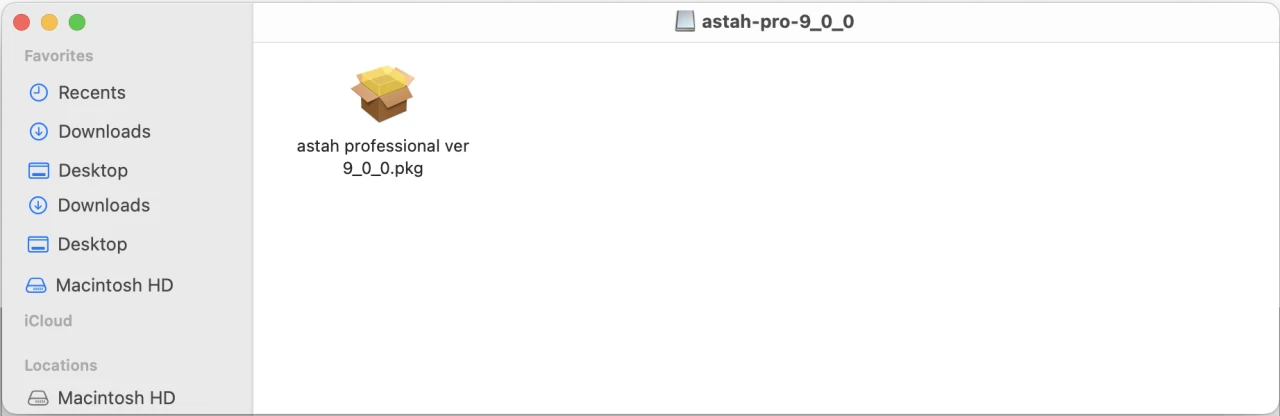
- When the download is complete, double-click the installer. (If you are installing on Linux, please refer to this page.)
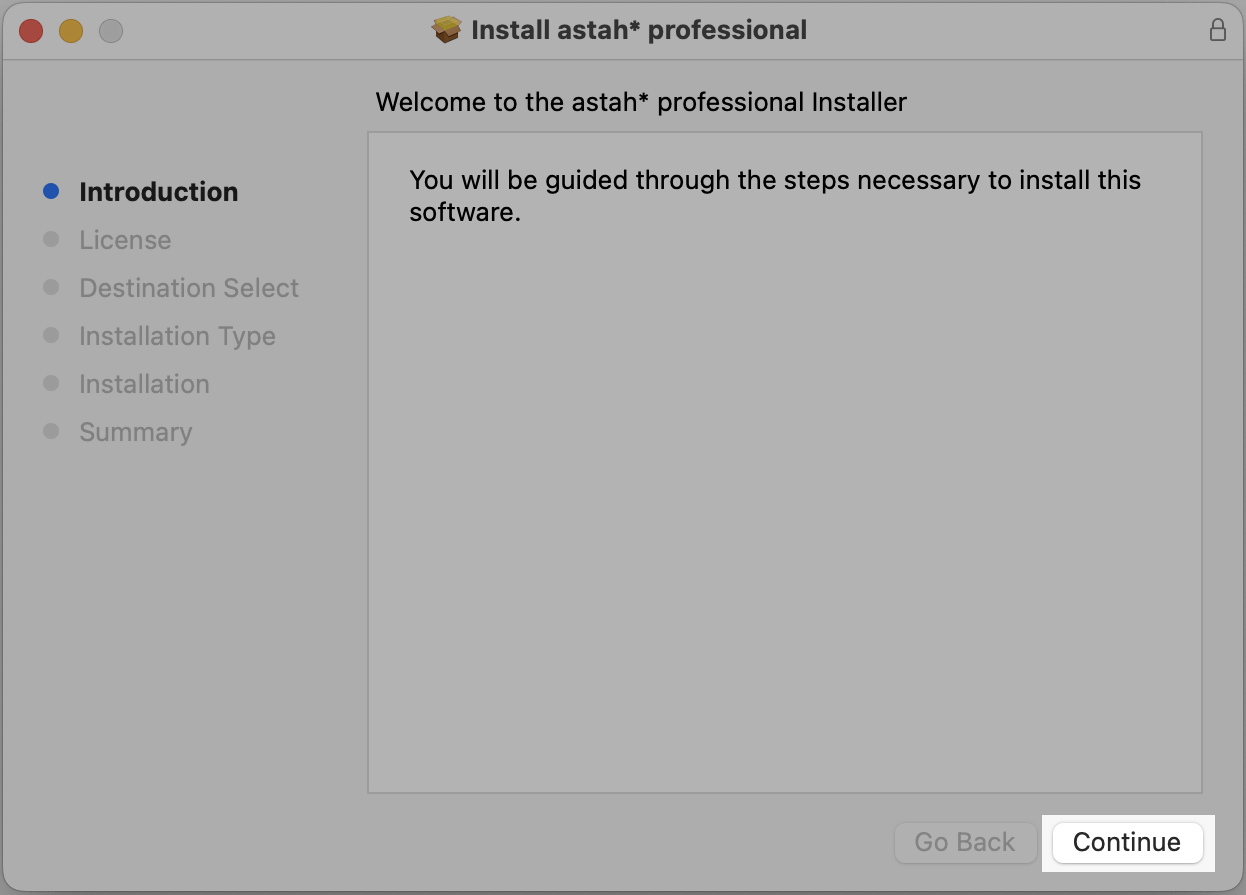
- The installer launches. Click [Continue].
- Astah’s EULA appears. Please read it through and click [Continue].
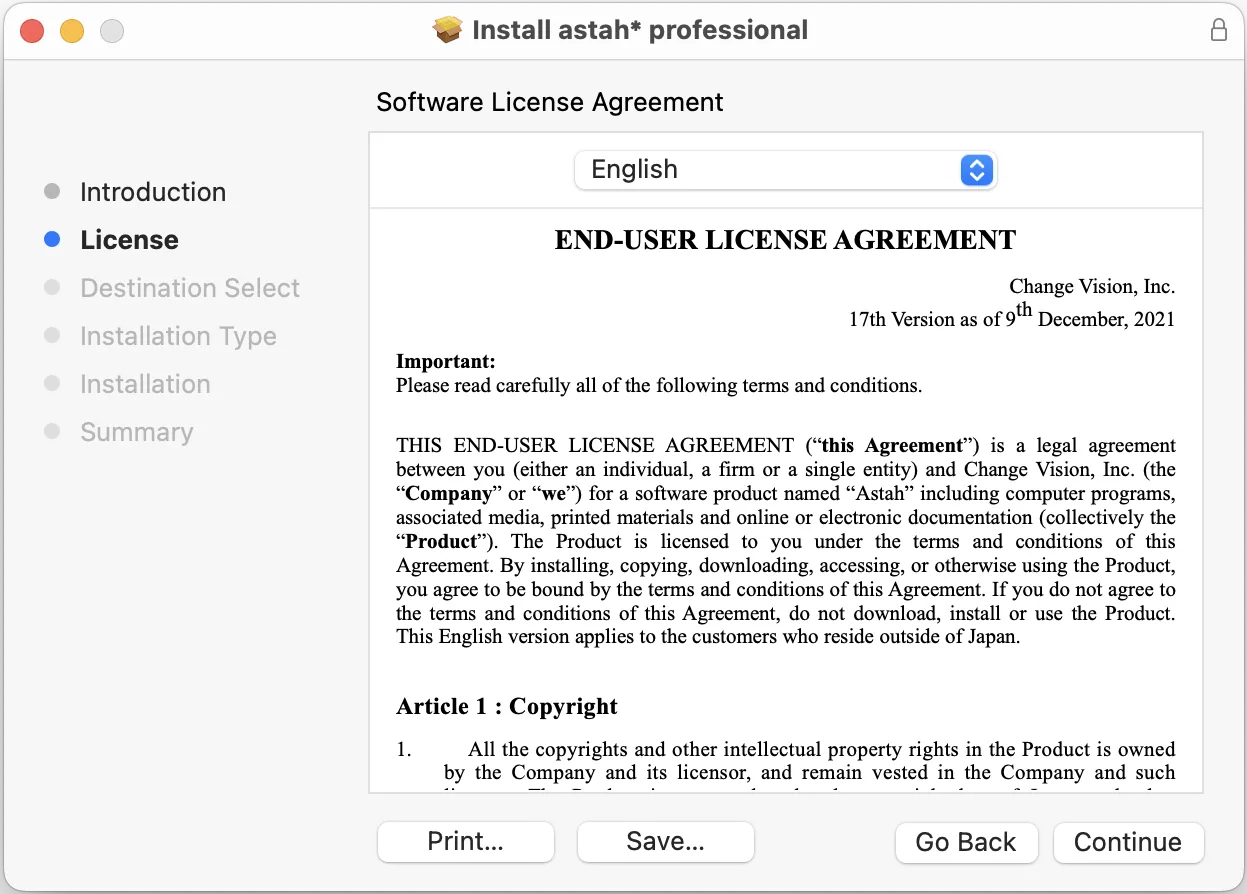
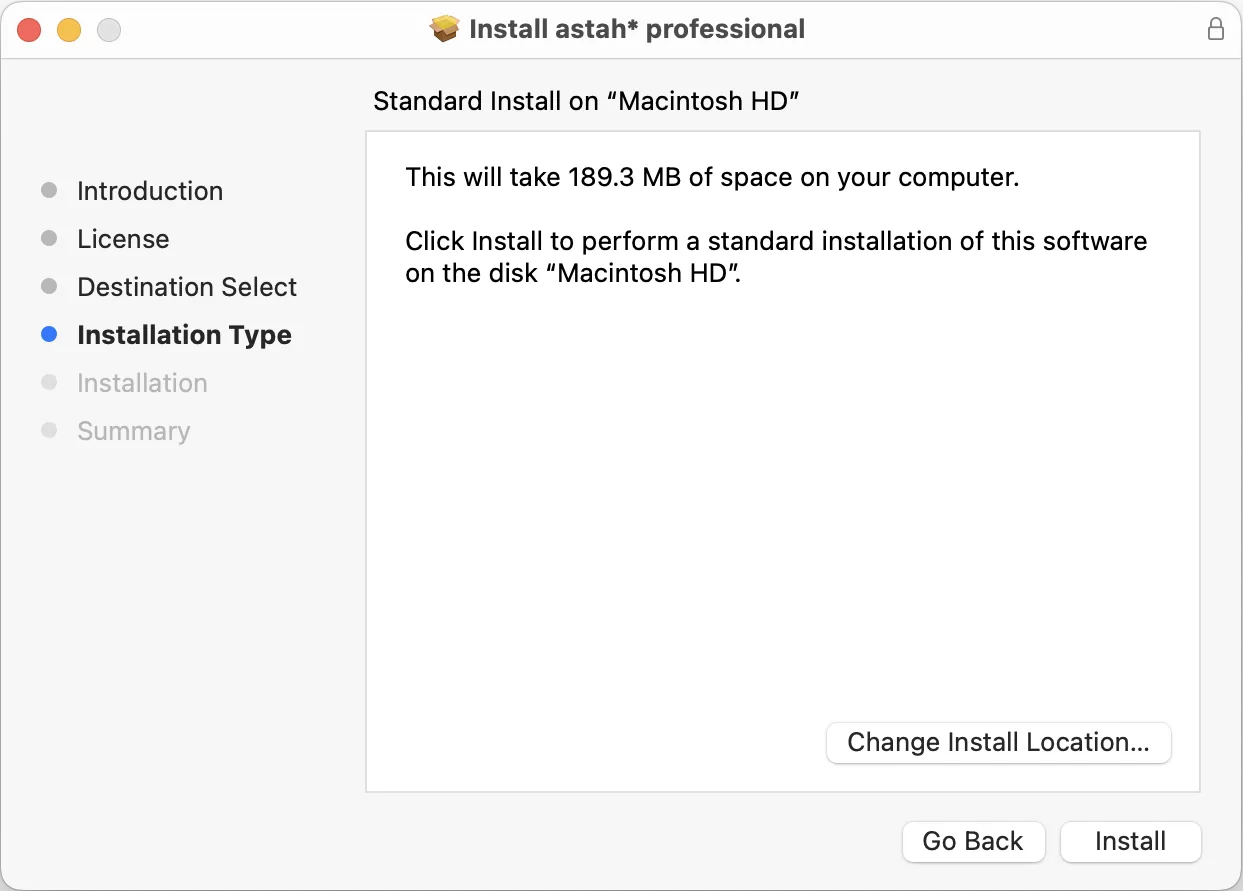
- The installer shows where Astah will be installed. If the default location is fine, click [Install]. To change it, click [Change Install Location] and choose a folder.
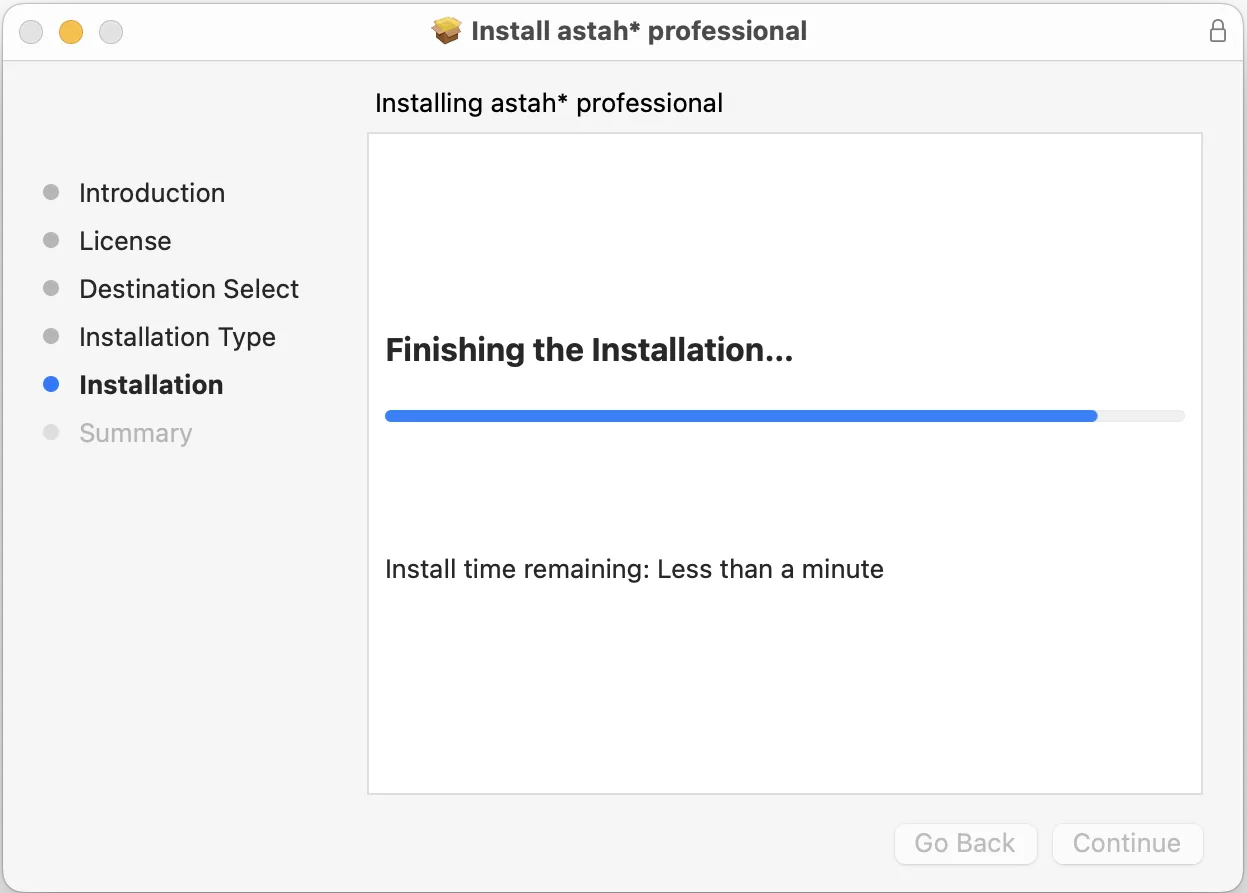
- The installation starts. Wait until it completes.
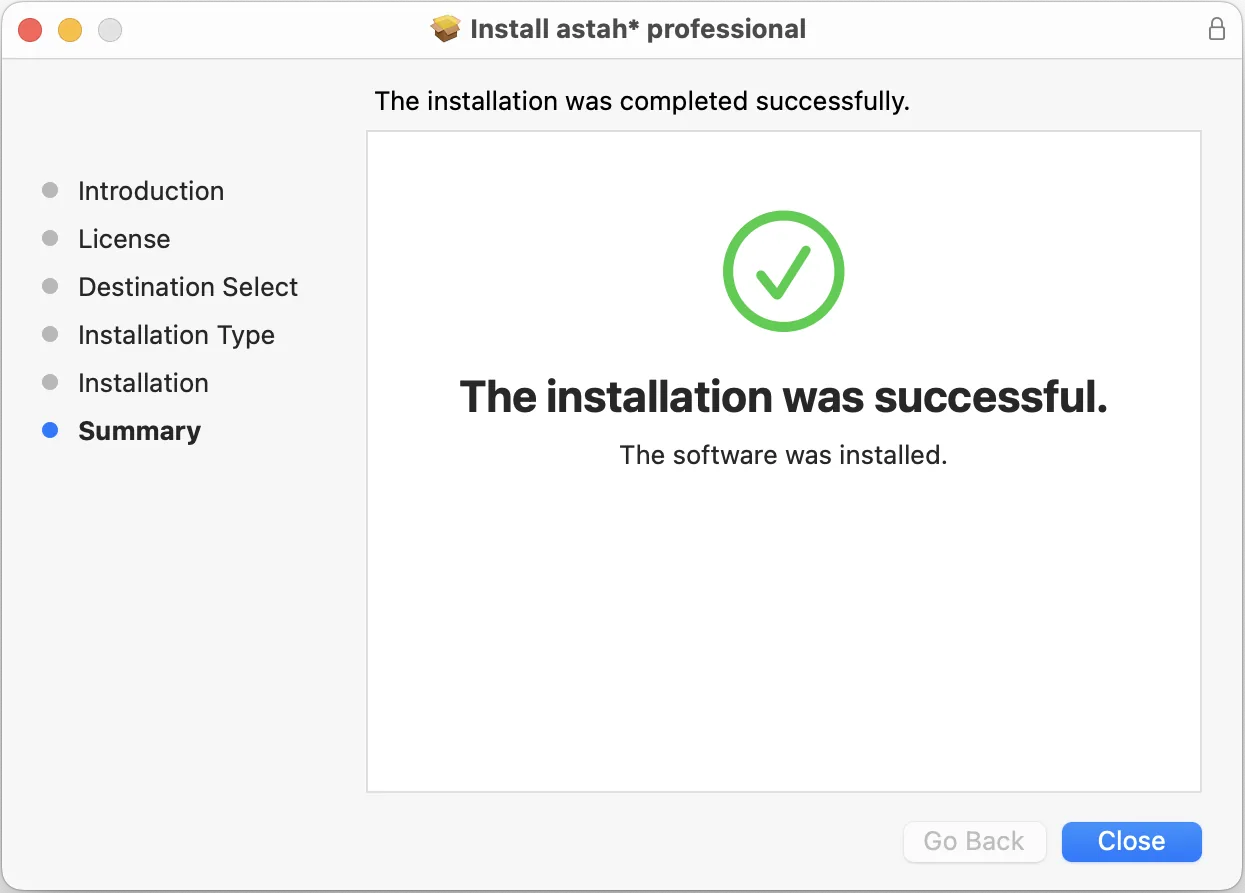
- When the installation completes successfully, you will see the following message.
- The Astah application icon appears in the installation folder. Double-click it to launch Astah.
How can I install Astah in silent mode?
#
Use the /verysilent option. For example, to install Astah Professional 12.0:
astah-professional-12_0_0-4fa570-jre-64bit-setup.exe /verysilent
To install Astah to a specific folder, add the /DIR option:
astah-professional-12_0_0-4fa570-jre-64bit-setup.exe /verysilent /DIR="the destination folder"
Note
- Save the license file (.xml) directly in the Astah installation folder.
- If you have a Faculty Site License, rename the license file from
astah_faculty_license.xmltoastah_professional_license.xmlwhen you save it in the Astah installation folder.
Where can I see the system requirements?
#
Please see the Astah Professional system requirements.
How can I move Astah to a new machine?
#
- Before uninstalling Astah, back up the following files and folders on your current machine:
- Plugins: Userhome/.astah/professional/plugins
- User templates: Userhome/.astah/professional/template
- Customized system properties: Userhome/.astah/professional/JudeP.properties
- Customized use case description template: Userhome/.astah/professional/UCDescriptionProp.properties
- Uninstall Astah completely from your current machine.
- Download and install Astah on your new machine.
- Copy the backed-up files to the same locations on the new machine.
- Log in to ChangeVision Members and download your license file from [My Licenses].
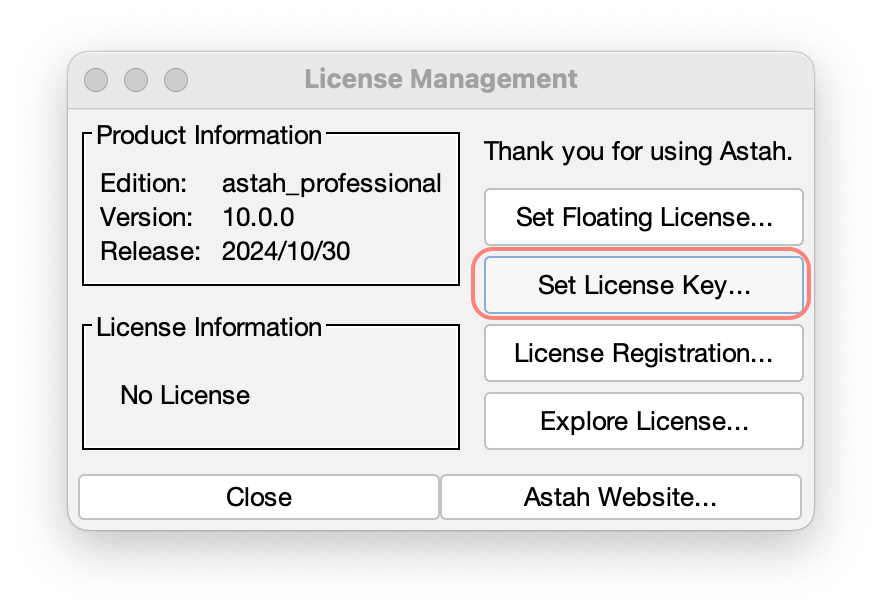
- Launch Astah, go to [Help] – [License] – [Set License key], and specify the license file.
How can I improve the performance of Astah?
#
The performance of Astah depends on the memory (RAM) of your machine. If you have not tried them yet, try the following:
1. Use the latest Java environment
See How can I use a specific version of Java? and use the latest version of Java.
2. Hide the title bar (Mac only)
On Mac, hiding the title bar helps in some environments. Go to [Tools] – [System Properties] – [Diagram Editor], uncheck [Hide title bar of the Diagram Editor (Restarting Astah is required)], and restart Astah.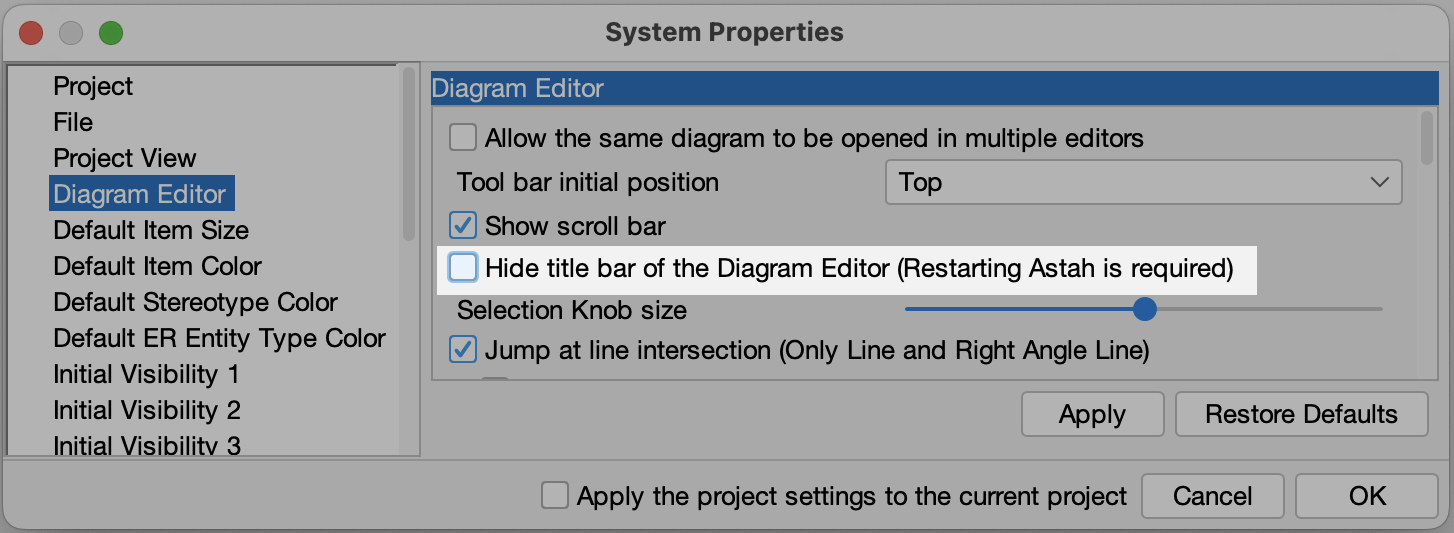
3. Change the look and feel (Mac only)
On Mac, changing the look and feel may help. Go to [View] – [Look & Feel] and choose any option except [Mac OS X].
4. Turn off the mouse cursor tracing option
In some environments, this option makes rendering slower.
5. Tune the memory (heap size) settings
When INITIAL_HEAP_SIZE is set to 16m, garbage collection does not work fully unless Astah uses more than 16 MB of memory. To tune it, change the -Xmx size as follows:
Windows: open the astah-pro.l4j.ini file in the Astah installation folder with a text editor and change the heap size, for example -Xmx2048m.
Mac, Astah 8.5 and later: open Terminal and run the command below (this example sets the heap size to 2048m).
defaults write com.change-vision.astah.professional /com/change-vision/astah/professional/ -dict-add JVMOptions/ '{ "Xmx" = "-Xmx2048m"; }'
Mac, Astah 8.4 and earlier:
- In the Applications folder, right-click “astah professional.app” and select [Show Package Contents].
- Open the [Info.plist] file in the [Contents] folder.
- Find the lines
-Xms16mand-Xmx768m, and change the -Xmx value.
Linux: open /usr/lib/astah_professional/astah-pro with a text editor and change the line JAVA_OPTS="-Xms16m -Xmx384m".
6. Use the latest version of Astah
Download the latest version from the download page.
7. Hide the Map View
Please follow these instructions.
8. Hide the Alias View
Please follow these instructions.
9. Turn off Content Assist and the Suggest feature
Turning off Content Assist (the dotted green line that appears when you move and align objects) and the Suggest feature can improve performance a little. Go to [Tools] – [System Properties] – [Diagram Editor] and uncheck both options.
How can I change the display language of Astah Professional to Japanese?
#
Astah Professional supports English and Japanese. It starts in English unless your PC’s language and region settings are Japanese. To switch to Japanese:
Windows
- Close Astah Professional if it is running.
- Open the
astah-pro.l4j.inifile in the Astah Professional installation folder with a text editor. - Add the following two lines and save the file:
-Duser.language=ja -Duser.country=JP - Launch Astah Professional. It starts in Japanese.
Mac
- Close Astah Professional if it is running.
- Open Terminal and run the following command:
defaults write com.change-vision.astah.professional /com/change-vision/astah/professional/ -dict-add JVMOptions/ '{ "language" = "-Duser.language=ja"; "country" = "-Duser.country=JP"; }' - Launch Astah Professional. It starts in Japanese.
How can I uninstall Astah?
#
Windows
- In the search box on the taskbar, type Control Panel and select it from the results.
- Select Programs > Programs and Features.
- Right-click Astah Professional (or press and hold) and select Uninstall or Uninstall/Change. Then follow the directions on the screen.
Mac
- Find Astah Professional in the Finder. It is usually in the Applications folder.
- Drag the app to the Trash, or select the app and choose [File] – [Move to Trash].
- If you are asked for a user name and password, enter the name and password of an administrator account on your Mac.
- To delete Astah Professional completely, empty the Trash.

Functionalities
Does Astah support object diagrams?
#
Yes. Create object diagrams with the class diagram, using [Instance Specification] and [Link] on the class diagram tool bar.
How can I hide the mini icons that appear when I hover over a class?
#
These icons come from the Suggest feature. There are three ways to hide them.
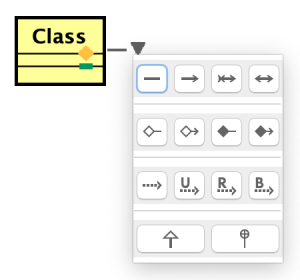
1. Hold down the Shift key
The suggest icons never appear while the Shift key is held down.
2. Turn it off for the current diagram
Click the [Suggest Feature] icon on the diagram tool bar to turn it off.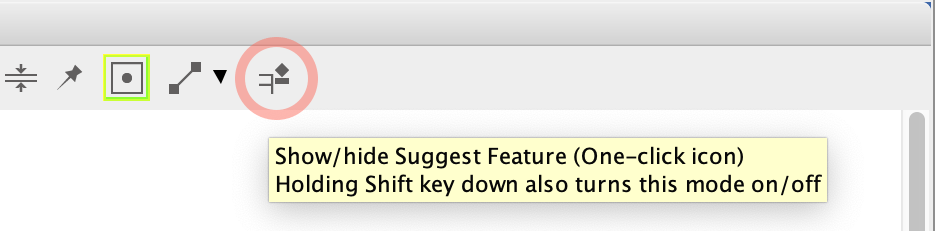
3. Turn it off for all diagrams by default
Go to [Tools] – [System Properties] – [Diagram Editor] and turn off [Enable Suggest Feature].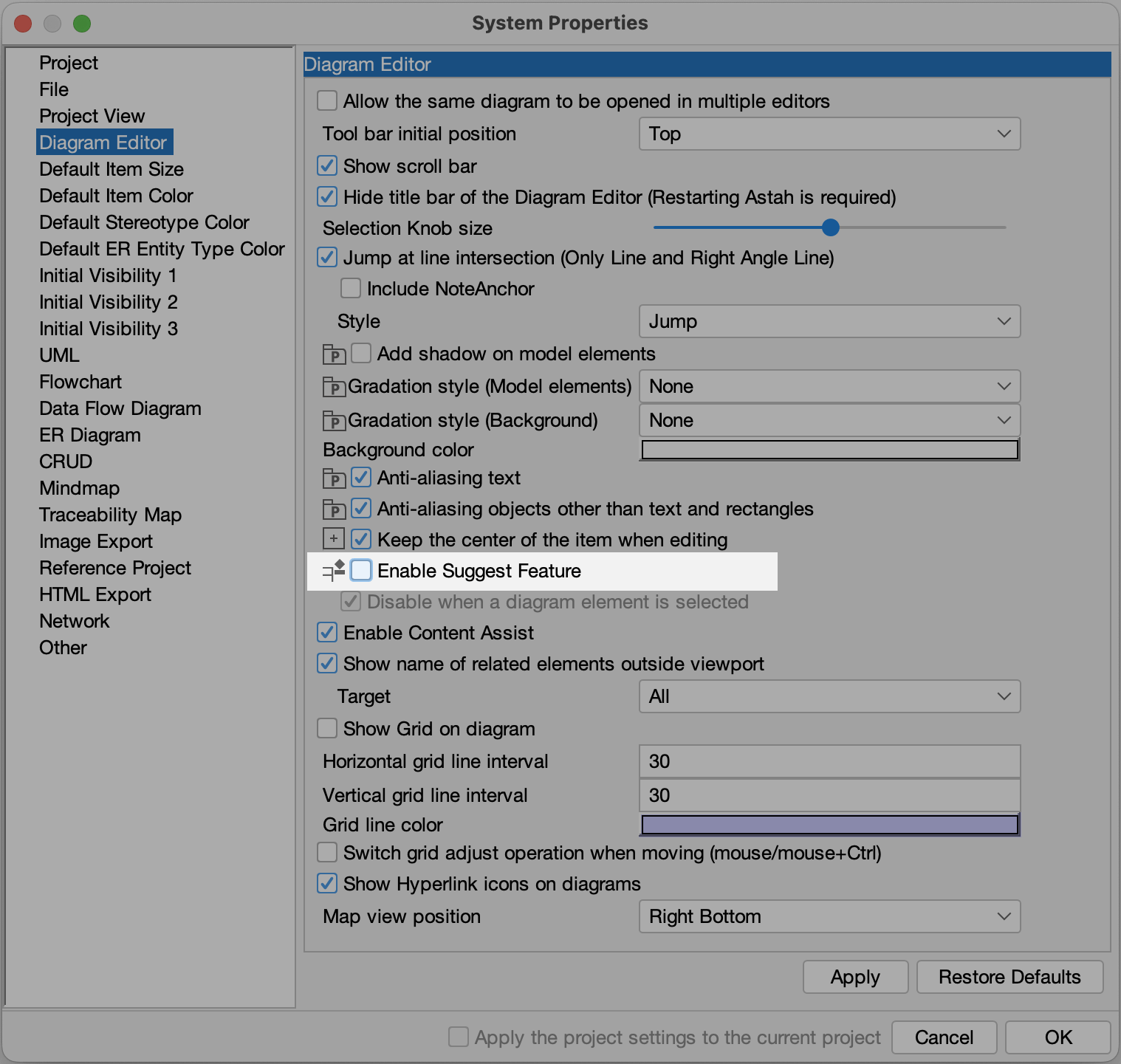
Training and Consulting
Where can I find training services for Astah products?
#
We have partnered with several training and consulting companies that offer training for Astah products, both in person and online. See our partner page and contact a partner directly.
Troubleshooting
My Astah file does not open.
#
Astah project files (.asta) are upward compatible: files saved in a newer version of Astah cannot be opened in an older version. Read about model versions.
If a file does not open in the right version of Astah, change the stack size in [Tools] – [System Properties] – [File].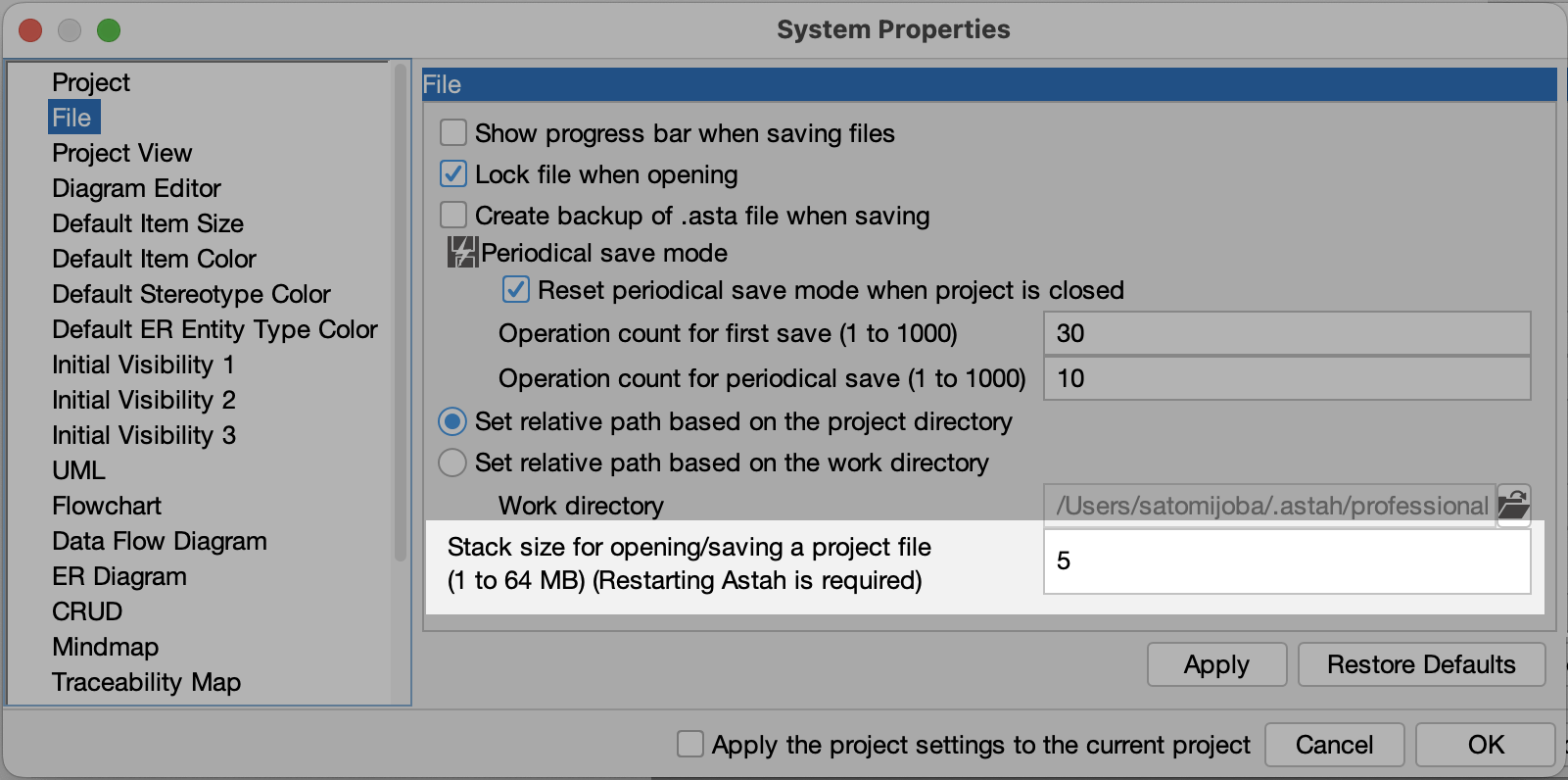
I copied objects, but when I edit one, the change applies to the other.
#
In that case, clone the model instead of copying it. A cloned model is an independent model.
How can I use a specific version of Java?
#
You can run Astah with a Java version of your choice by following the steps below. However, technical support is not provided when Astah runs in an environment outside the system requirements.
When you run Astah with an unsupported Java version, an alert appears at launch. To skip this alert, add the -nojvchk option at launch.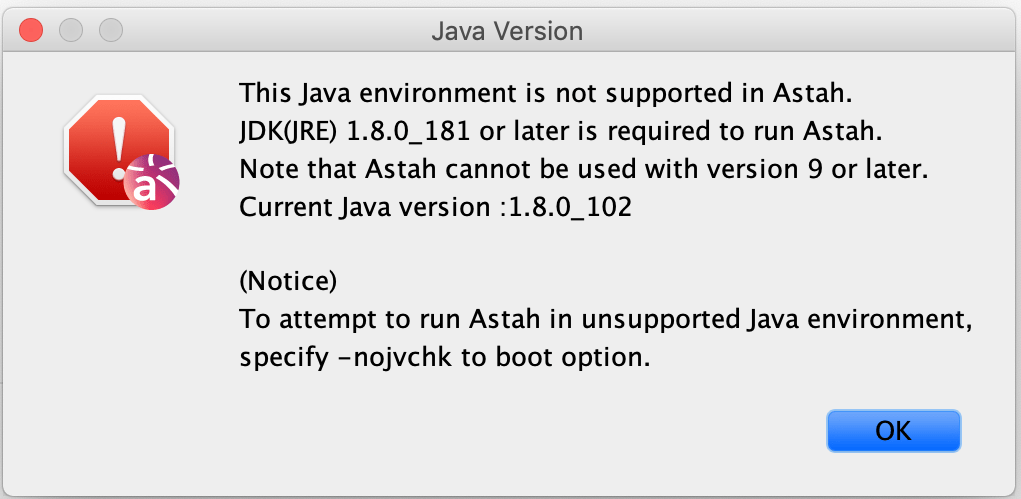
Windows
- Install your preferred JDK on your PC.
- Rename the “jre” folder in the Astah installation folder to something else.
- Astah detects the latest Java on your PC (the one you installed in step 1) and uses it automatically.
Mac
- Copy the “jre” folder from the JDK installation folder you want to use.
- Right-click the Astah app and select [Show Package Contents].
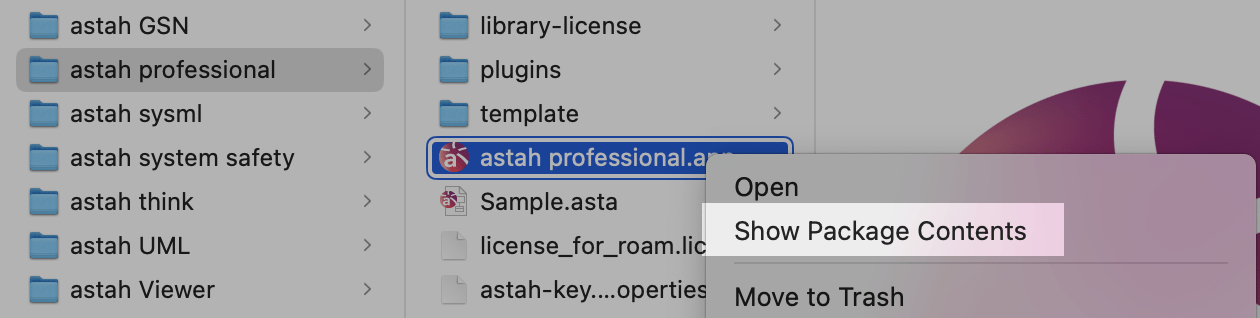
- Paste the “jre” folder under Contents/PlugIns/Java.runtime/Contents/Home.

Linux
Please see How to run Astah on Linux.