
FAQs

Get answers to your frequently asked questions about Astah Professional.

Support & maintenance
-
How can I update software?
You can update Astah from within the application by following these steps:
- In Astah, open [Help] – [Software Update Information].
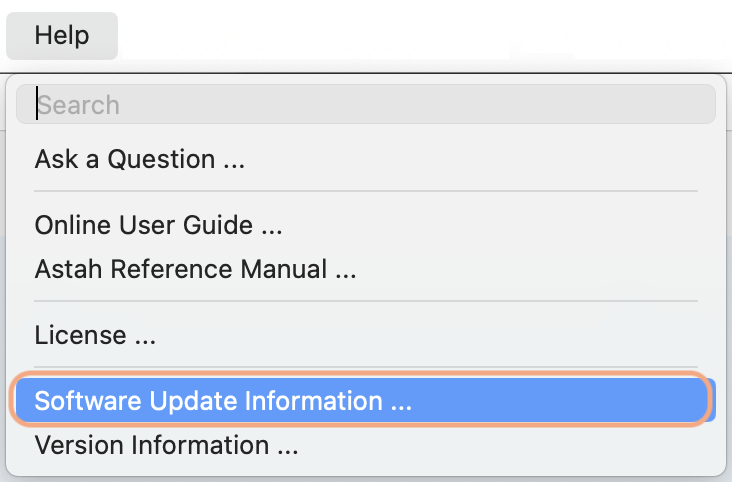
- The Software Update Information window will appear.
- Check the Availability field:
– If it says “Y”:
Click [Download Site] and download/install the latest version.
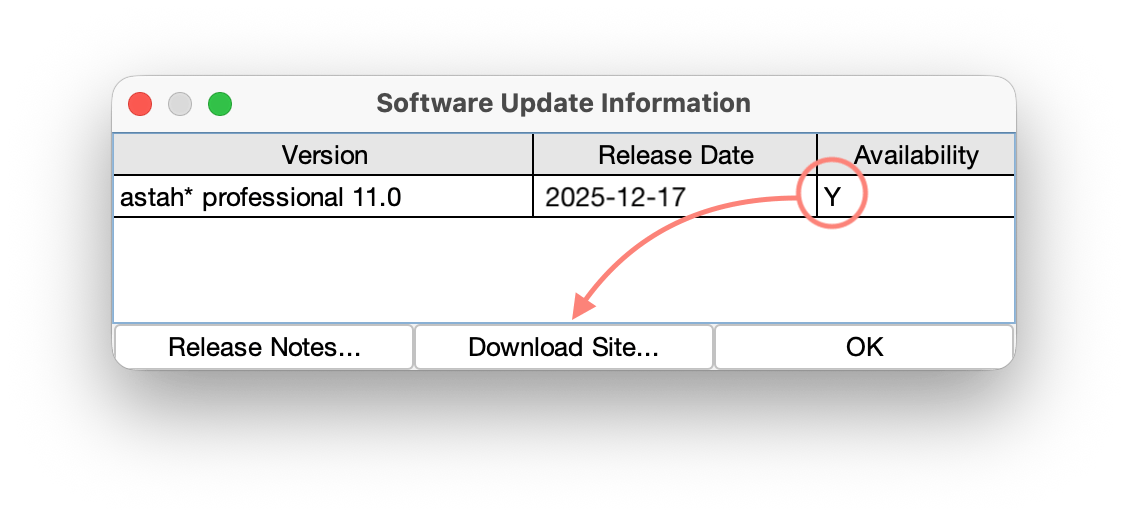
– If it says “N”:
Your license support has expired, so updates are not available.
Please renew your license support by purchasing a Renewal License, then try again.

- In Astah, open [Help] – [Software Update Information].
-
What happens when my support expires?
If you are using an Individual License
You will be able to continue to use Astah.
However you will not be able to upgrade to newer versions or receive all the benefits the support offers.If you are using an Organizational Perpetual License
All the users can continue to use Astah but unsupported.
You won’t be able to update to the newer version and lose all the benefits plus your access to license portal.
Therefore, when support is not renewed, a number of Individual Perpetual Licenses will be issued and delivered to the license administrator for distribution. These licenses will allow for continued use of Astah, but will be un-supported. -
My support expired a year ago. Can I still renew?
Individual License – Perpetual
Yes. You can still renew, however you will need more than one Support Renewal License to bring your support period up to date. (e.g. If your support expired one and a half years ago, you will need two Support Renewal Licenses.)
Organizational License – Perpetual
Yes. You can still renew. Please contact us in this case.

Setup and Uninstall
-
How can I install Astah?
- Download Astah Installer from download page
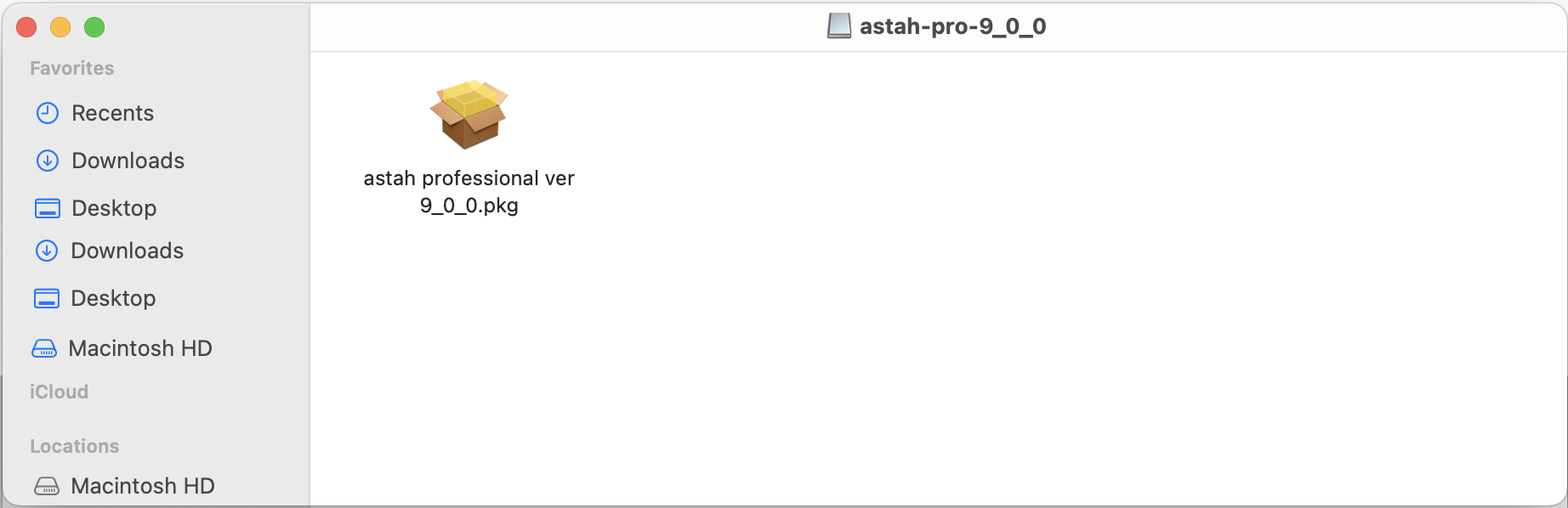
- Once you complete downloading the installer, double-click it.
(If you are installing it on Linux, please refer to this page.)
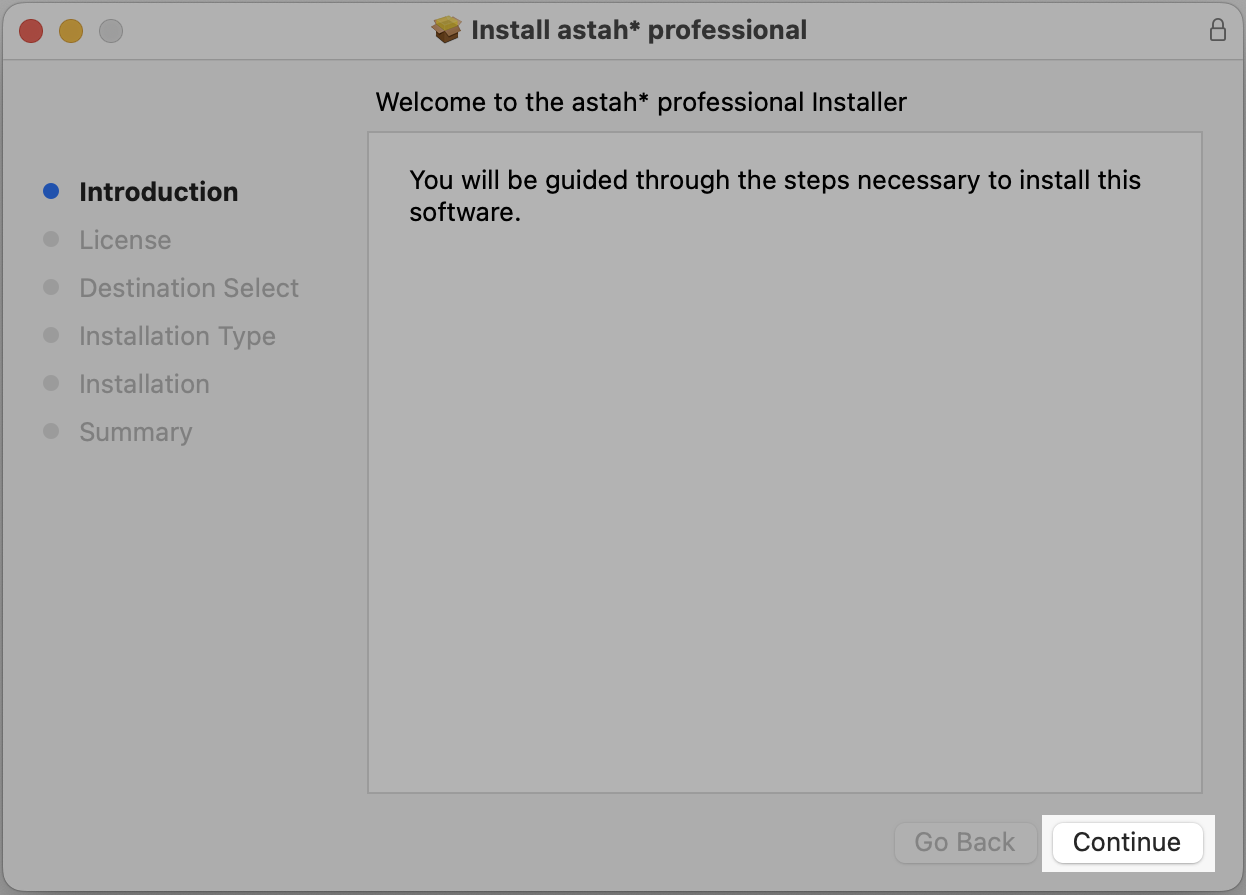
- The installer launches, click [Continue].
- Astah’s EULA will appear. Please read it through and click [Continue].
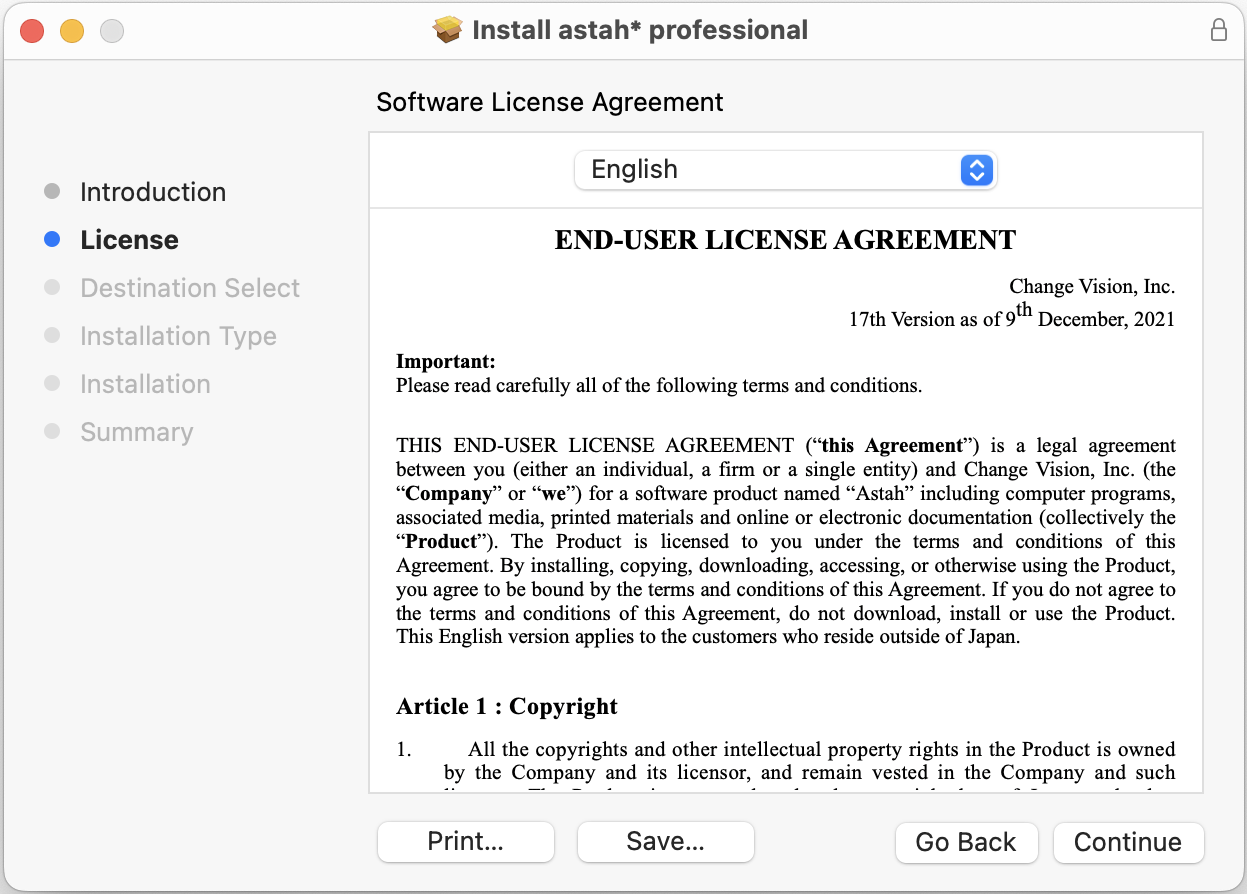
- It will show you where Astah will be installed. If the default destination is okay, click [install]. If you’d like to change the location, click [Change Install Location] and specify.
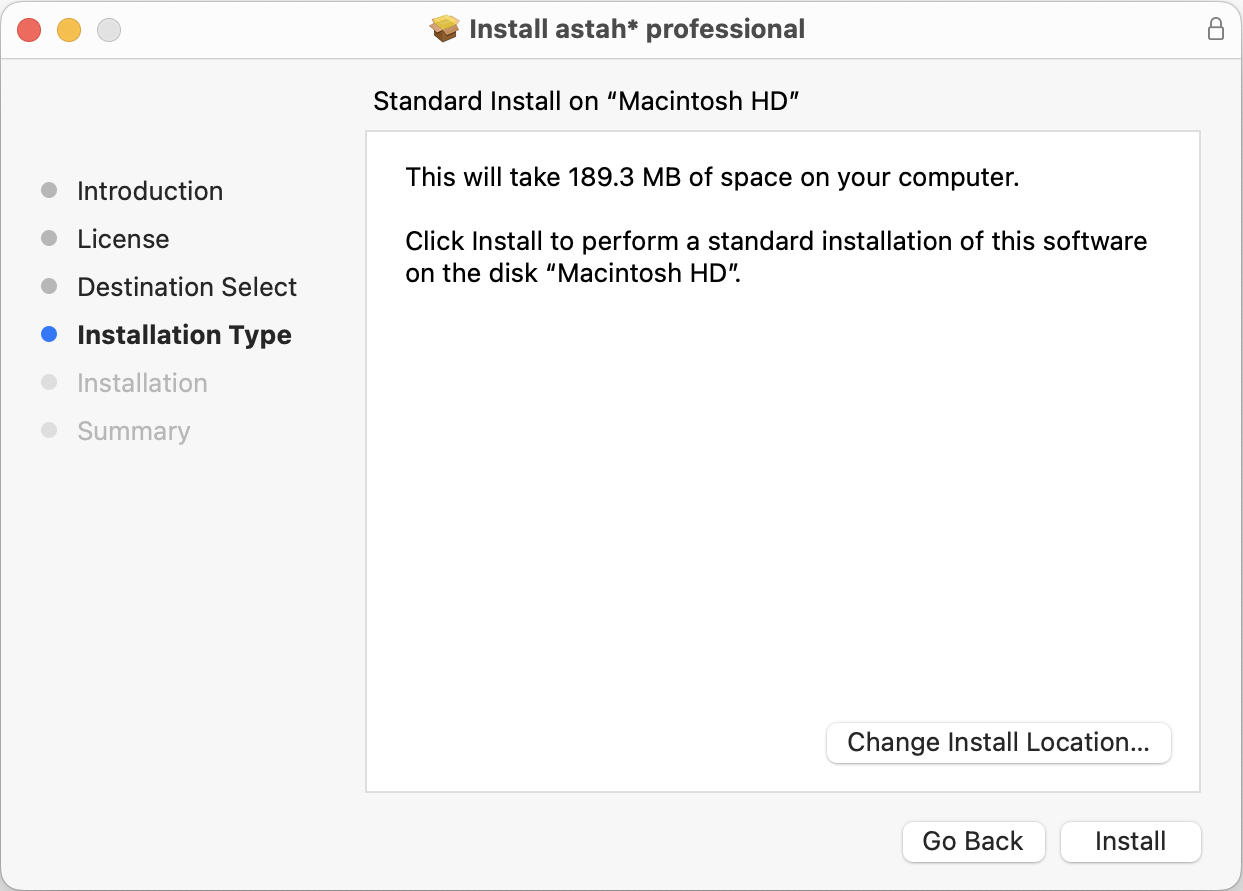
- The installation starts. Wait until it completes.

- Once the installation completes successfully, you will get this following message.
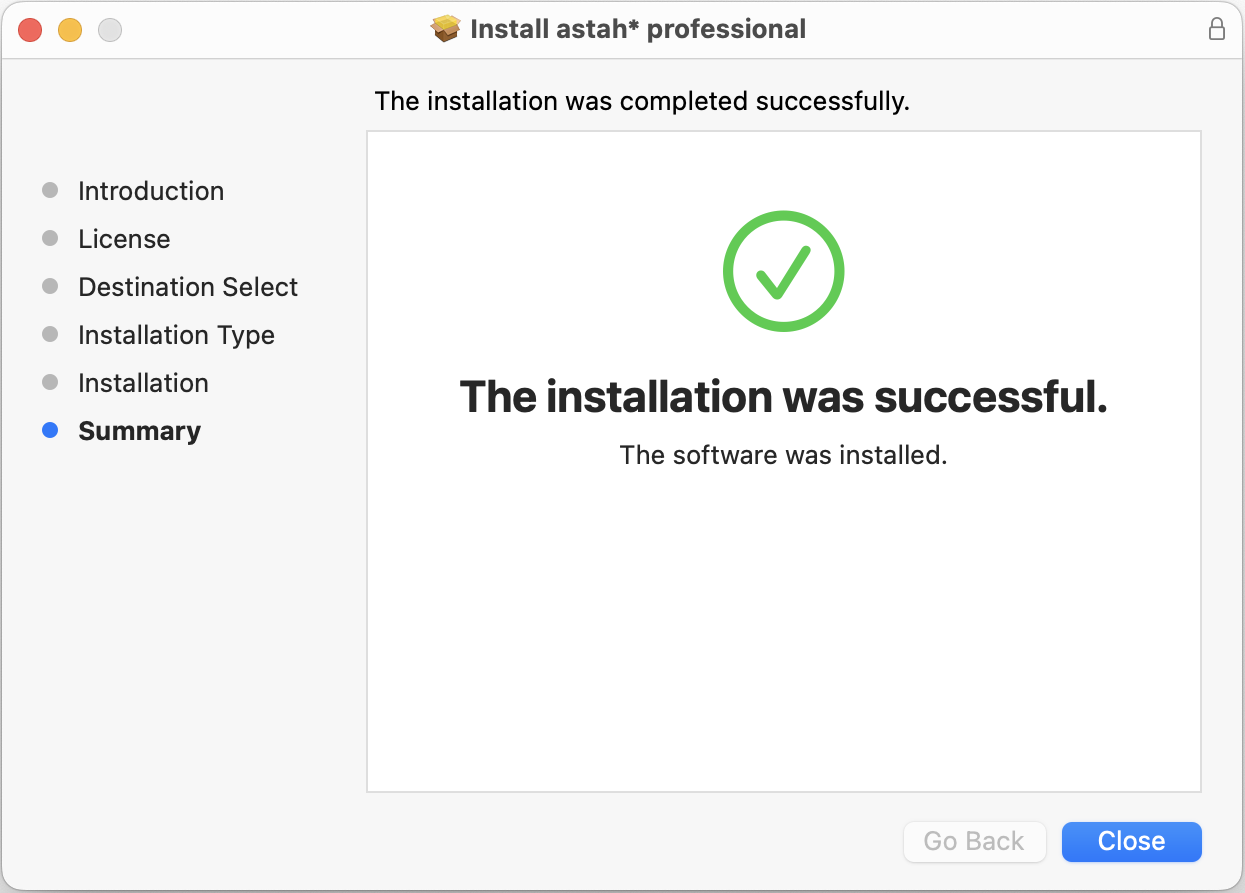
- Now Astah application icon should appear in the installed directory. Double-click it to launch Astah.
-
How can I install Astah in silent mode?
Yes, use the command below.
e.g: Installing Astah Professional 10.0
astah-professional-10_0_0-a1b9b1-jre-64bit-setup.exe /verysilent
If you would like to install Astah to a specific directory, use /DIR option.
astah-professional-10_0_0-a1b9b1-jre-64bit-setup.exe /verysilent /DIR=”the destination of installation folder
NOTE
- License file (.xml) should be directly saved in the Astah Installation folder.
- If you have a Faculty Site License, a license file(.xml) should be renamed from “astah_faculty_license.xml” to “astah_professional_license.xml” when directly saving in the Astah Installation folder.
-
Where can I see the system requirements?
Please refer to Astah Professional System Requirement page.
-
How can I change a Machine to use Astah?
-
Before uninstalling Astah, create backups of the following files and folders from your current machine:
- Plugins: Userhome/.astah/professional/plugins
- User templates: Userhome/.astah/professional/template
- Customized system properties: Userhome/.astah/professional/JudeP.properties
- Customized UseCase Description template: Userhome/.astah/professional/UCDescriptionProp.properties
- Completely uninstall Astah from your current machine
- Download and install Astah on your new machine
- Copy the previously backed-up files to their corresponding locations on the new machine.
- Log into CV Members and download your license file from [My Licenses].
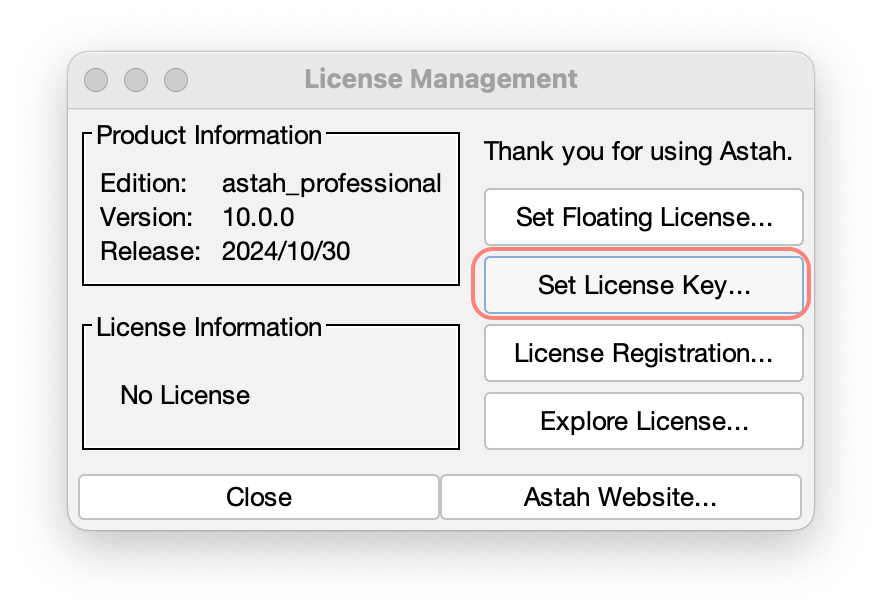
- Once you received a license file, launch Astah and go to [Help] – [License] – [Set License key], then specify it.
-
-
How can I increase the performance of Astah?
The performance level of Astah depends on the RAM capacity of your machine.
Try the following methods if you have not tried them yet:1. Use the latest Java environment
Refer to the How to use a specific version of the JavaVM and use the latest version of Java.
2. Hide title bar (Mac only)
If you are on Mac, hiding title bar seems effective in some environments.
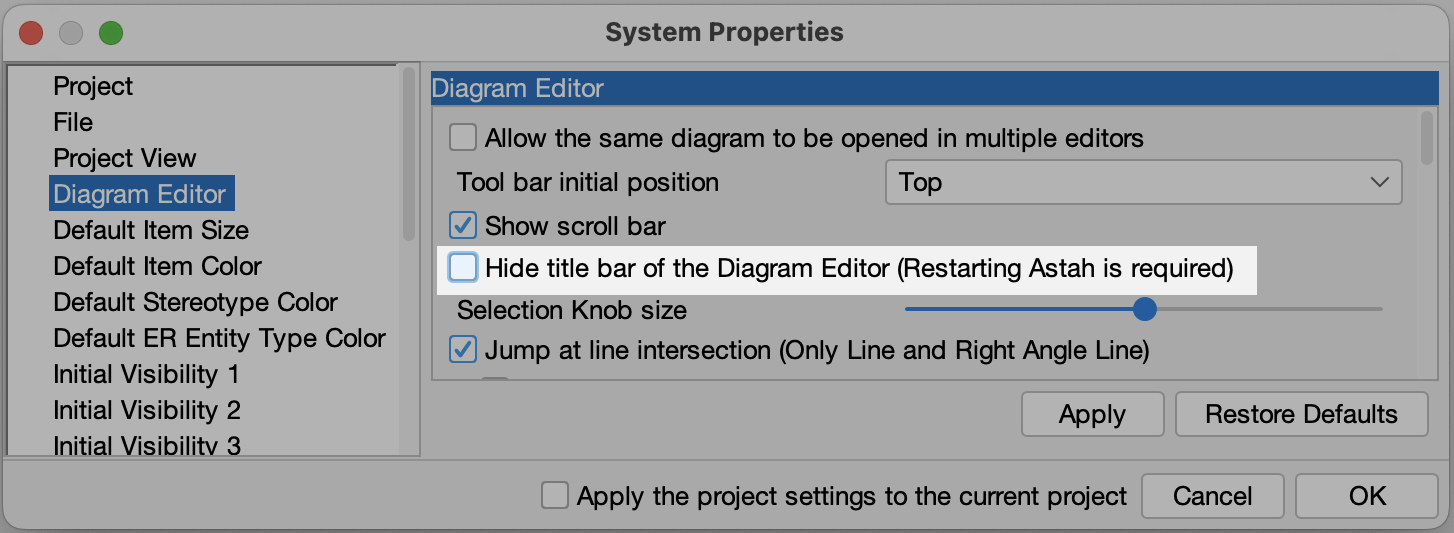
Go to [Tools] – [System Properties] – [Diagram Editor] and take the tick off for [Hide title bar of the Diagram Editor (Restarting Astah is required)] and restart Astah.
3. Change Look and Feel (Mac only)
If you are on Mac, changing the look and feel may work.
Go to [View] – [Look & Feel] and choose one except [Mac OS X].

4. Turn off the mouse cursor tracing option
In some environments, having this option on will make rendering slower.
5. Tune some garbage collection settings
When the value of INITIAL_HEAP_SIZE is set to 16m, the garbage collection does not work fully unless your computer uses more memory than 16MB.
To tune up, please change the -Xmx size by following the instructions here:
If you are on Windows
Open astah-pro.l4j.ini file which is located in Astah Installation folder with text editor and change the heap size
(e.g) -Xmx2048mIf you are on Mac and use Astah v8.5 and later
Launch Terminal and execute the command below (e.g: setting the heap size up to 2048m)defaults write com.change-vision.astah.professional /com/change-vision/astah/professional/ -dict-add JVMOptions/ '{ "Xmx" = "-Xmx2048m"; }'If you are on Mac and use Astah v8.4 and earlier
1. Go to Application folder and right-click on “astah professional.app” and select [Show Package Contents]
2. Open [Info.plist] file you can find under [Contents] package
3. In this file, will find the following lines. Change the -Xmx value.
-Xms16m
-Xmx768mIf you are on Linux
Open /usr/lib/astah_professional/astah-pro file with a text editor and modify the JAVA_OPTS=”-Xms16m -Xmx384m” line.6. Use the latest version of Astah
Download the latest version from Download page.
7. Hide Map View
Please follow the instructions here.
8. Hide Alias View
Please follow the instructions here.
9. Disable Content Assist and Suggest Feature
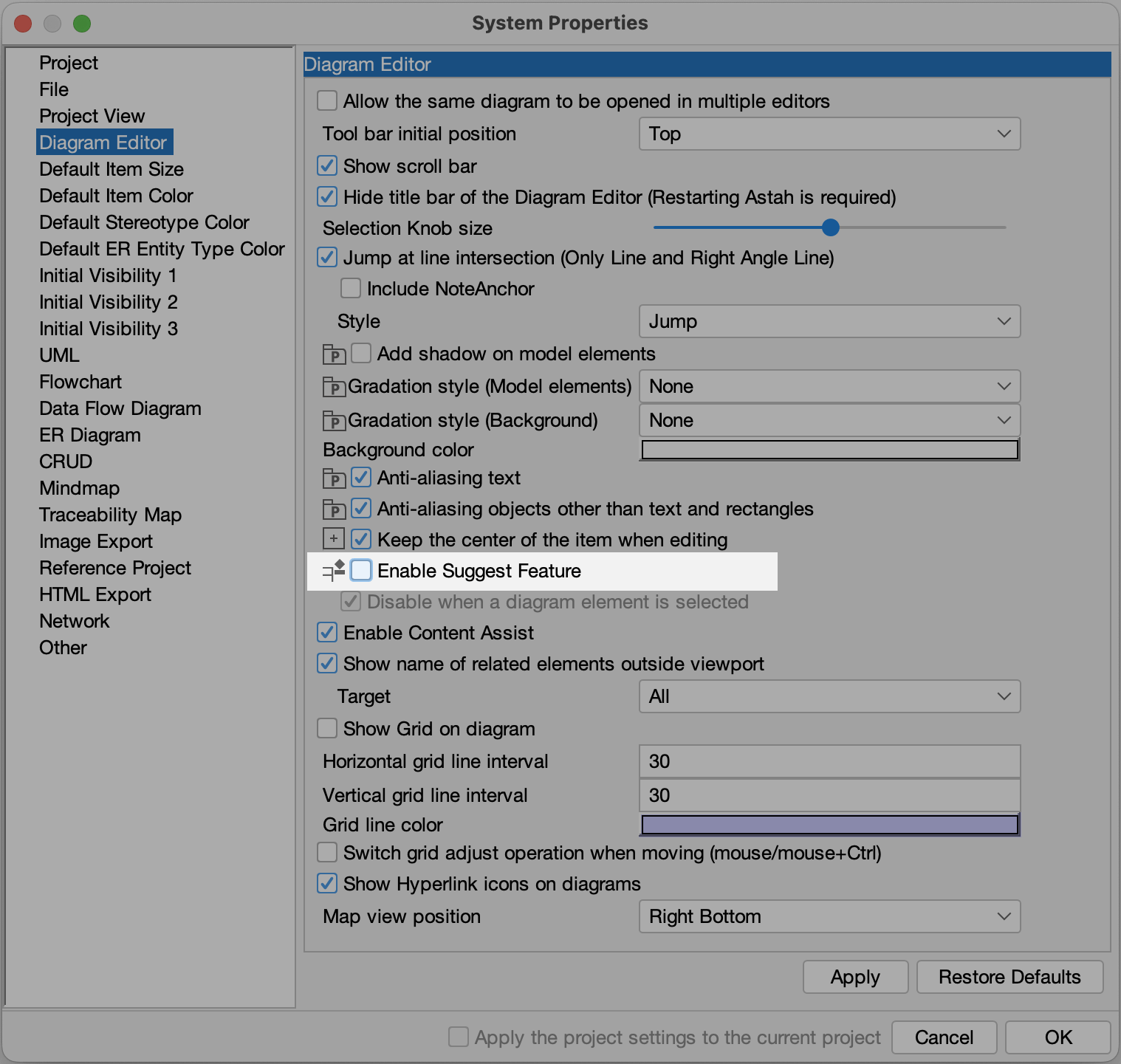
Disabling the Content Assist (A dotted green line that appears on the diagram when you try to move and align objects with others) and Suggest Feature could increase the performance a little. To close, go to [Tools] – [System Properties] – [Diagram Editor] and take the tick off two options.

-
How Can I Change the Display Language of Astah Professional to Japanese?
Astah Professional supports both English and Japanese languages. It automatically launches in English if your PC’s language and regional settings are not set to Japanese. Here’s how you can switch the language to Japanese:
For Windows Users:
- Close Astah Professional if it is running.
- Open the astah-pro.l4j.ini file in the Astah Professional Installation folder with a text editor.
- Add the following, then save the file.
-Duser.language=ja
-Duser.country=JP - Launch Astah Professional. It should now start in Japanese.
For Mac users:
- Close Astah Professional if it is running
- Open Terminal and execute the following command.
%defaults write com.change-vision.astah.professional /com/change-vision/astah/professional/ \ -dict-add JVMOptions/ '{ "language" = "-Duser.language=ja"; "country" = "-Duser.country=JP"; }' - Start Astah Professional, and it will be in Japanese.
-
How can I uninstall Astah?
You can uninstall Astah by following the step below if you decided not to use Astah after your evaluation.
Windows
- In the search box on the taskbar, type Control Panel and select it from the results.
- Select Programs > Programs and Features.
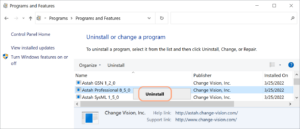
- Press and hold (or right-click) on the Astah Professional and select Uninstall or Uninstall/Change. Then follow the directions on the screen on Windows.
Mac
- Locate the Astah Professional in the Finder. Mostly you can find it in your Applications folder
- Drag the app to the Trash, or select the app and choose [File] – [Move to Trash].
- If you’re asked for a user name and password, enter the name and password of an administrator account on your Mac.
- To delete the Astah Professional completely from Mac, empty your trash.

Linux – Ubuntu
Please follow the instruction here.
Linux – Debian
Please follow the instruction here.
Functionalities
-
Does Astah Support Object Diagrams?
Yes. Please create Object diagrams using the Class diagram.
Please use [Instance Specifications] and [Link] are on the Tool Bar of Class Diagrams.

-
How can I hide mini icons that appear when I have a mouse over a Class?
There are three ways to hide the mini icons.
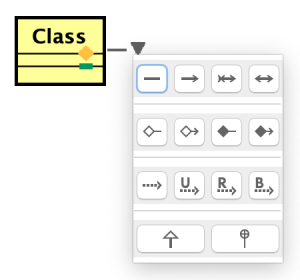
1. Hold [Shift key] down
Suggest icons never appear while [Shift] key is pressed down.2. Hide from the current diagram
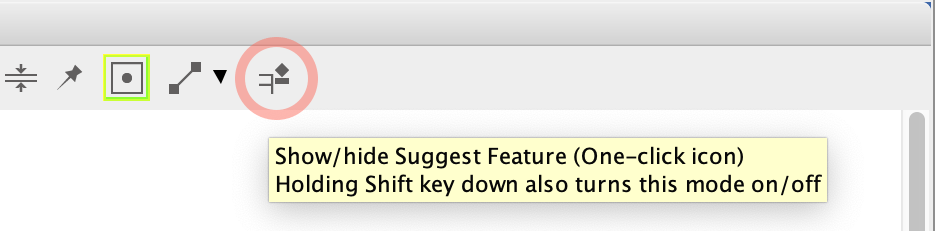
Click [Suggest Feature] icon on the diagram tool bar to turn it off.
3. Hide from all by default
Go to [Tools] – [System Properties] – [Diagram Editor] and turn off the [Enable Suggest Feature].
Training and Consulting
-
Where can I find training services for using Astah products?
Yes, we have partnered with several training and consulting companies that offer comprehensive training services for Astah products.
These partners provide both in-person and online training sessions to help you get the most out of Astah. You can find more information about these training services on our partner page and directly contact our partners.
Troubleshooting
-
My Astah file does not open.
Astah project files (.asta) are upward compatible. If project files have been edited by newer version, they cannot be opened in older version of Astah. Read about model versions.
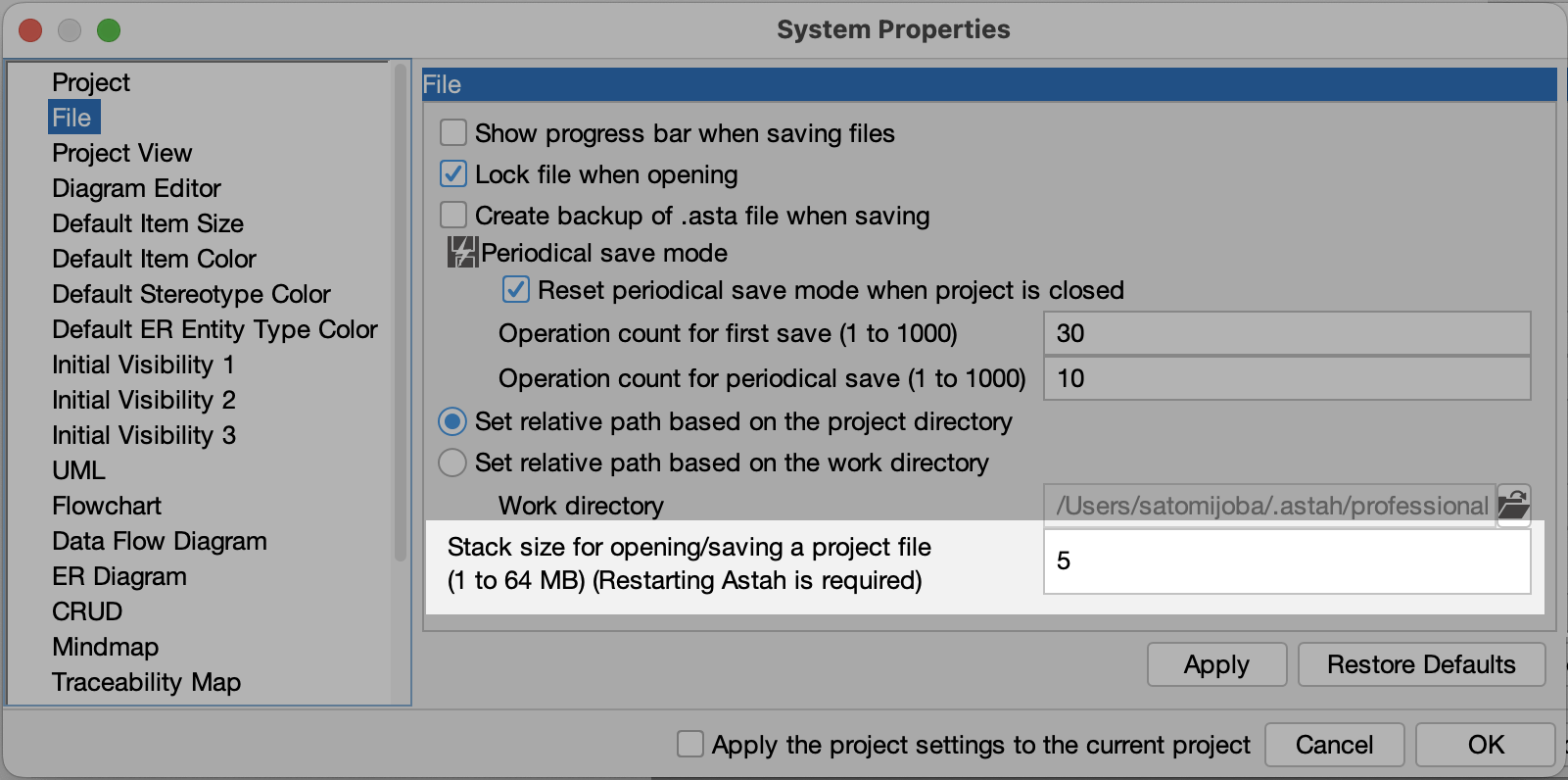
If you cannot open project files using appropriate version of Astah, please change the stack size in the [Tools] – [System Properties] – [File].
-
I copied objects but when I edit one, the change applies to the another.
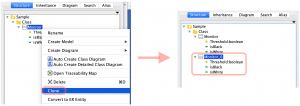
In that case, Clone the model instead of copying. A cloned model will be an independent model.
-
How can I use a specific version of Java?
If you have a preferred Java to use Astah, you can use it by following the instruction below. However technical support is not provided if you are using Astah on un-supported System Requirements.
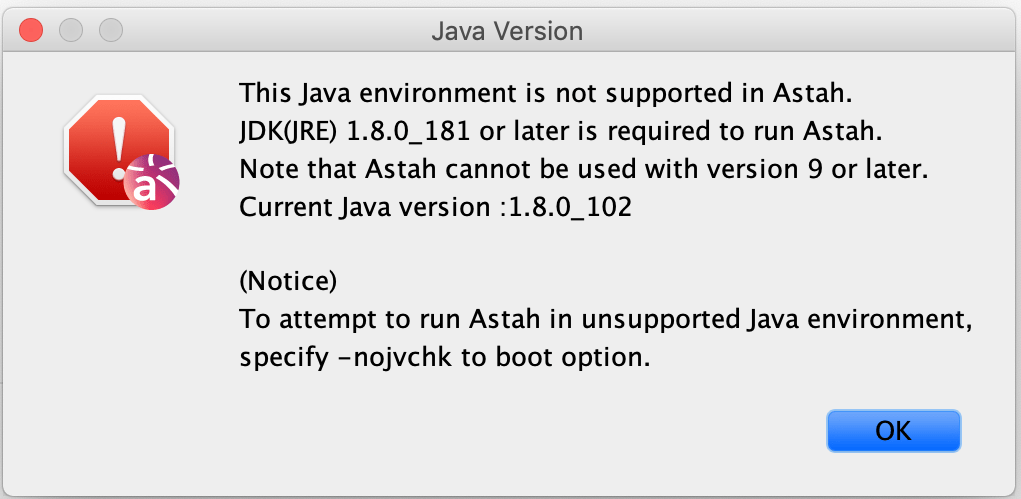
When you use un-supported Java to run Astah, you will get the alert when launching Astah. To ignore this alert, add-nojvchk option at launch.
Windows
- Have your preferred JDK installed on your PC
- Rename the “jre” folder in the Astah install folder to something else
- Astah detects the latest Java (Should be the Java you installed at step 1) in your PC and then automatically uses it to run.
Mac
- Copy a “jre” folder in the JDK installation folder you prefer to use
- Right-click Astah App and select [Show Package Contents] from its pop-up menu
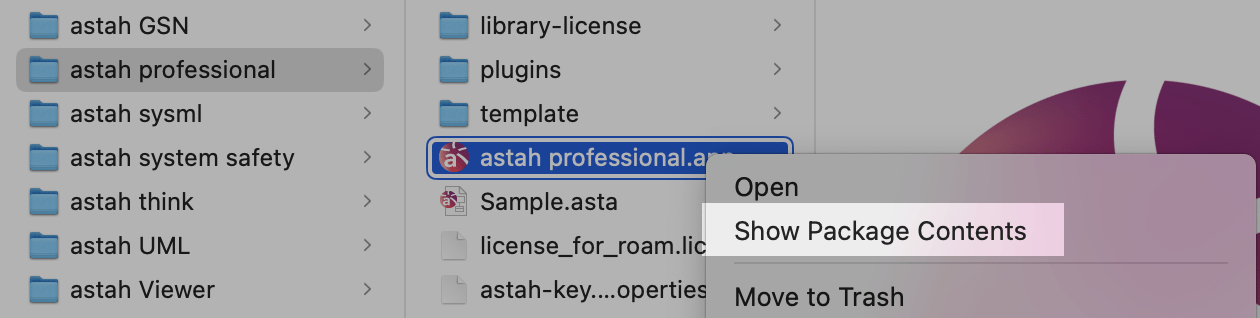
- Paste the “jre” folder under Contents/PlugIns/Java.runtime/Contents/Home.

Linux
Please refer to “How to run Astah on Linux“.