
Faculty Site License Guide



Renewing Astah Faculty Site License
This guide explains how to renew your Astah Faculty Site License.

How to Renew
- Please purchase a new Astah Faculty Site License from our online store or an authorized distributor.
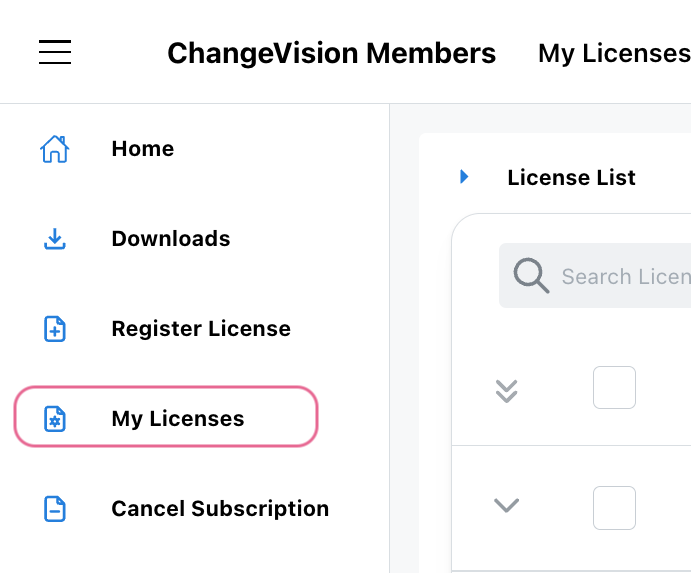
- Log into the CV Members and click [My Licenses].
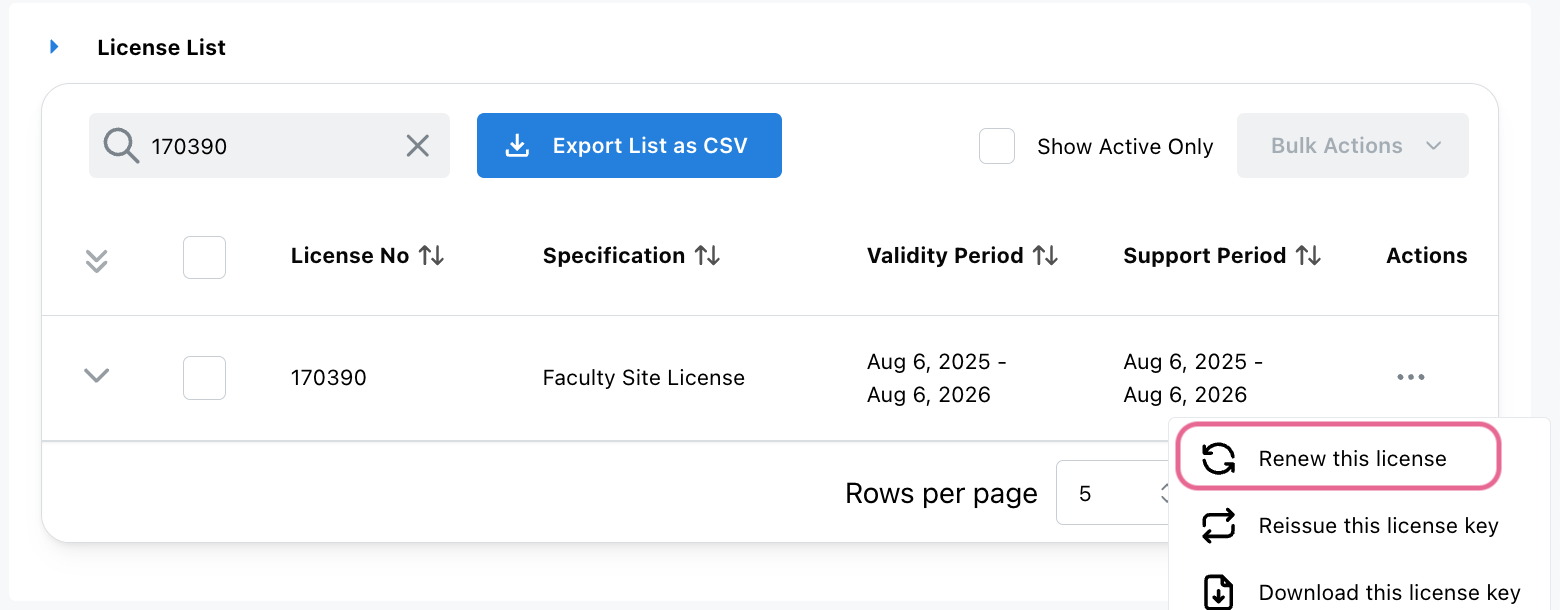
- Select the license you want to renew, then choose [Renew this license] from the [Actions] menu.
- Enter the new Astah Faculty Site License Information, then click [Next].
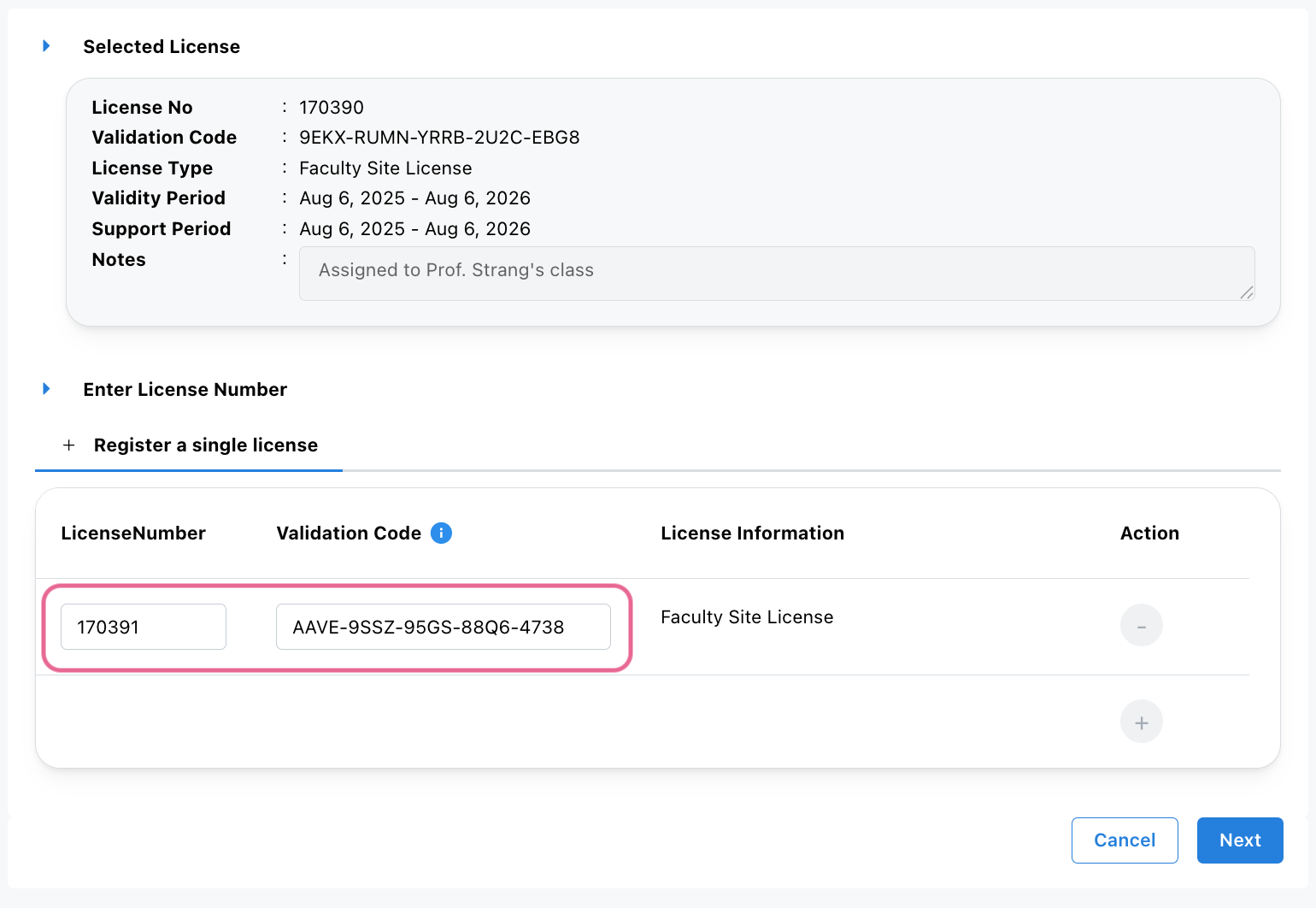
- The License Details screen will appear – click [Next] to proceed.
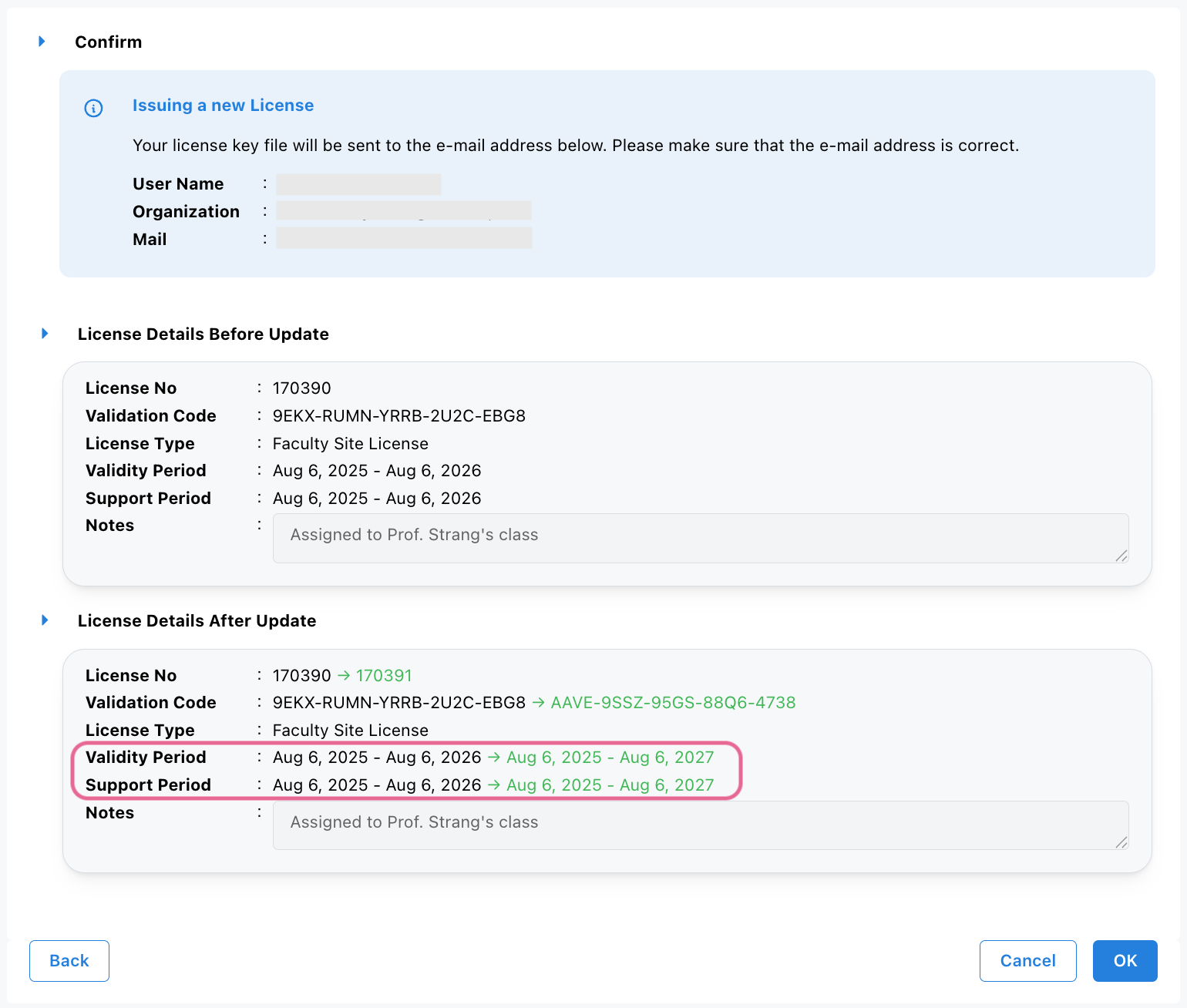
- Make sure that your email address and new expiry dates are correct, then click [OK].
- A confirmation email will be sent to you.
- Access the URL in the email to download the updated license file, or
- Download it directly from the website.
- Distribute the updated license file to all end users. Each user must update their license in Astah: go to [Help] – [License] – [Set License key] and select the updated license file. For further details, please refer to Client Setup.