
Import Astah SysML models

You can import models created in earlier versions of Astah SysML (saved as .asml files) into Astah System Safety version 7.0 and later, and continue working on them there.
Note: The transfer works in one direction only. You cannot transfer data back from Astah System Safety to Astah SysML.

Import Astah SysML files
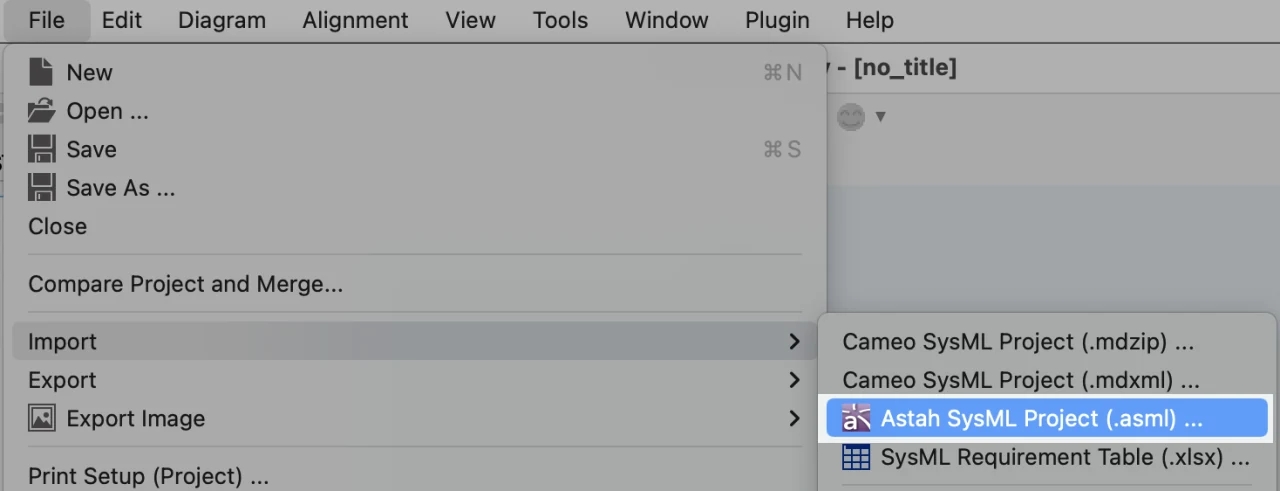
- Go to [File] – [Import] – [Astah SysML Project (.asml)].
- Choose the .asml file you want to import.
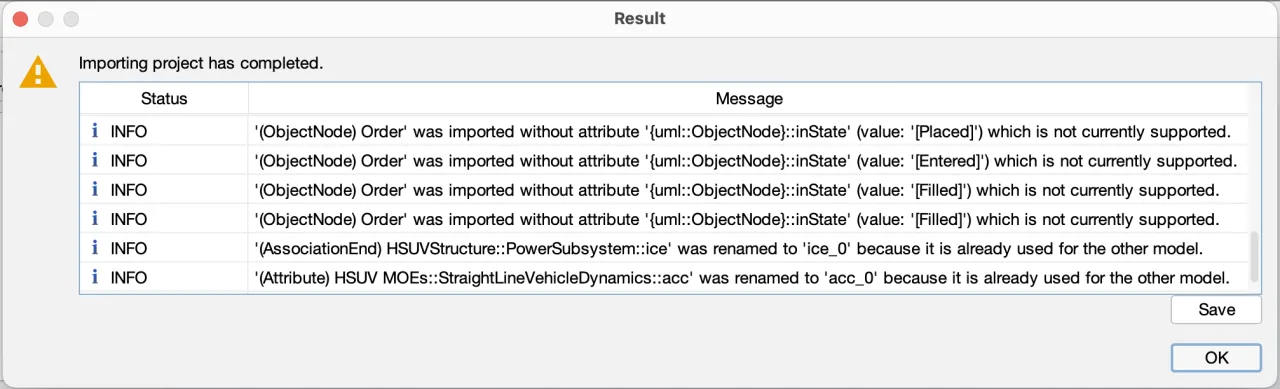
- If some models are changed or not fully imported because of the restrictions below, a window explains the details. Read them and click [OK] to complete the import. If this window does not appear, the file was imported without changes.
| Status | Description |
|---|---|
| INFO | This indicates that the model was imported but some of its properties were changed or lost. |
| WARNING | This indicates that the model was not imported. |
| ERROR | This indicates that the import of the project failed. |
You can also open Astah SysML files (.asml) directly from the [File] – [Open] menu. On Windows, first change [Files of type] so that you can choose .asml files.

Notes & Restrictions
Before you import Astah SysML files, note the following restrictions. During the import, some models are converted automatically to fit Astah System Safety, because the two products implement different versions of SysML: Astah System Safety complies with SysML 1.5, while the Astah SysML versions that use .asml files comply with SysML 1.3.
The sections below describe what happens during the import.
Block Definition Diagram & Internal Block Diagram
- The “ball-and-socket” connections between a Provided Interface and a Required Interface will be detached
- A type will be automatically set for Ports that are connected to Realization or Usage Dependency if it was unspecified
- Units and QuantityKinds will be imported without associations
- Generalization between Interfaces and other Classifiers will not be imported
- Interfaces will be imported without Active attribute
- Generalizations will be imported without names
- Multi-dimensional Multiplicity will not be imported. Only one dimension will be imported.
- A type will be automatically set for Parts/External Parts if it was unspecified
- Parts/External Parts will not be imported if their type was Actor
Parametric Diagram
- Value Properties owned by Constraint Blocks will be imported as Constraint Parameters
- Only one presentation of Value Properties will be imported even if it was shown in several places
Requirement Diagram
- TestCases will be imported without ID.
UseCase Diagram
- UseCase Descriptions will not be imported.
- Actors will be imported without Attributes/Operations
Activity Diagram
- Processes will be imported as a simple action
- Object Nodes will be imported without State, Effect, Exception and Stream
- Connector and Process will be converted to Action
- ActivityParameterNodes will be imported without State
- Flow Final Node will be imported without InputPin and OutputPins
- SendSignalAction will be imported without OutputPins
- AcceptEventActions and AcceptTimeEventActions will be imported without InputPins
- ObjectFlows will not be imported if they were created between models other than ObjectNodes, OutputPins, InputPins, and ActivityParameterNodes
- Partitions lose their Represents element if it is a Unit or QuantityKind
Statemachine Diagram
- Submachine States will be imported without SubState
- Submachine States without submachine will be imported as State
Sequence Diagram
- CombinedFragment (assert) will be imported with only a single top operand if it had plural operands
- Messages will be imported without Guards, Return Value Variables and Return Value attributes
- Lifelines lose their type if it is a Unit or QuantityKind
Stereotypes
- If there are stereotypes with the same name in one model, only one of them will be imported
- Stereotypes will be mapped to the corresponding Predefined Stereotypes.
- If there is no corresponding Predefined Stereotype, it will be mapped to a Simplified Stereotype.
TaggedValues
- TaggedValues will be imported based on the stereotype that the model has and also when the stereotype matches with one in the predefined stereotypes in the Profile.
- If the model has plural stereotypes, it will be imported based on the top-listed one
- TaggedValues will not be imported if the model has no stereotypes or there is no match with predefined stereotypes.
Others
- Unsupported mini icons will not be imported.
- Primitive types will be mapped to primitive value types in SysML profile.
- If Model Elements have duplicate names, they will be renamed to be unique.