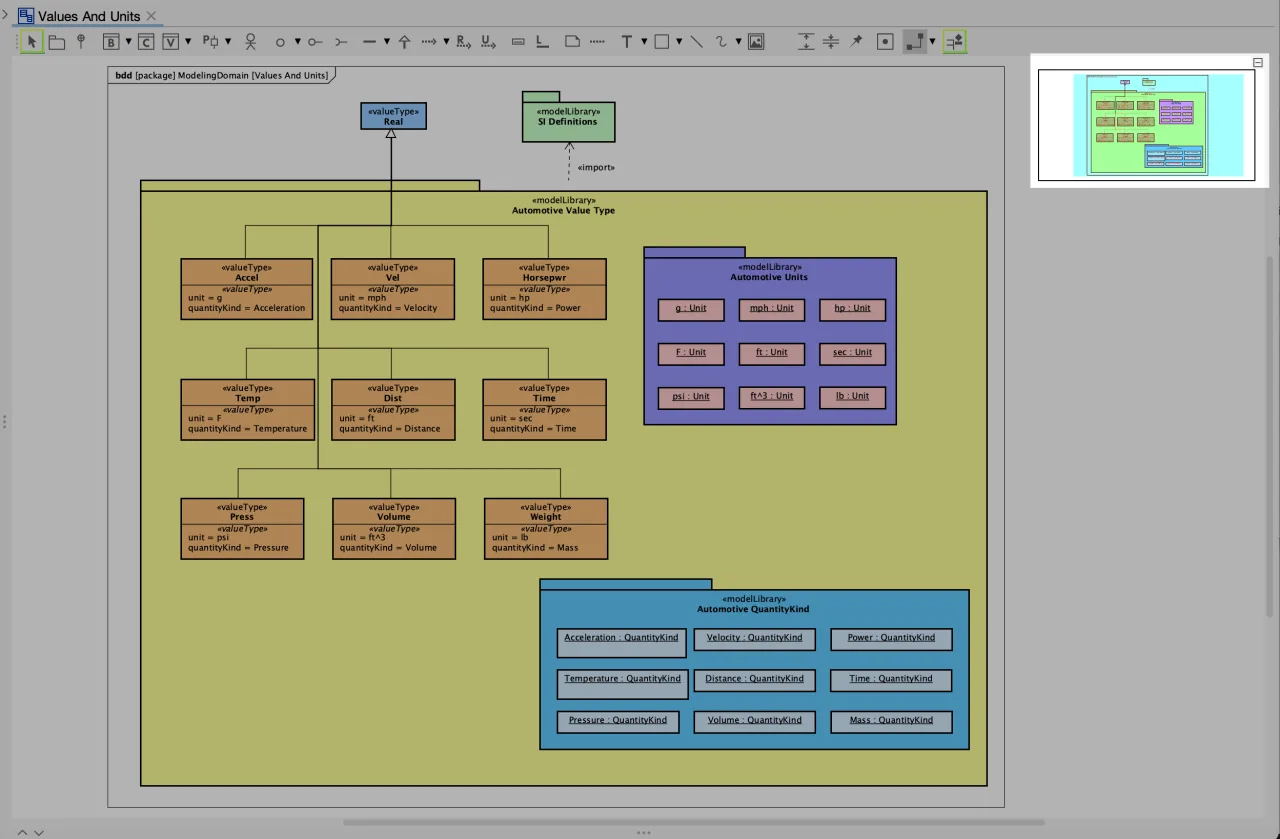
Astah SysML User Interface

When you start Astah SysML for the first time, you see a blank screen.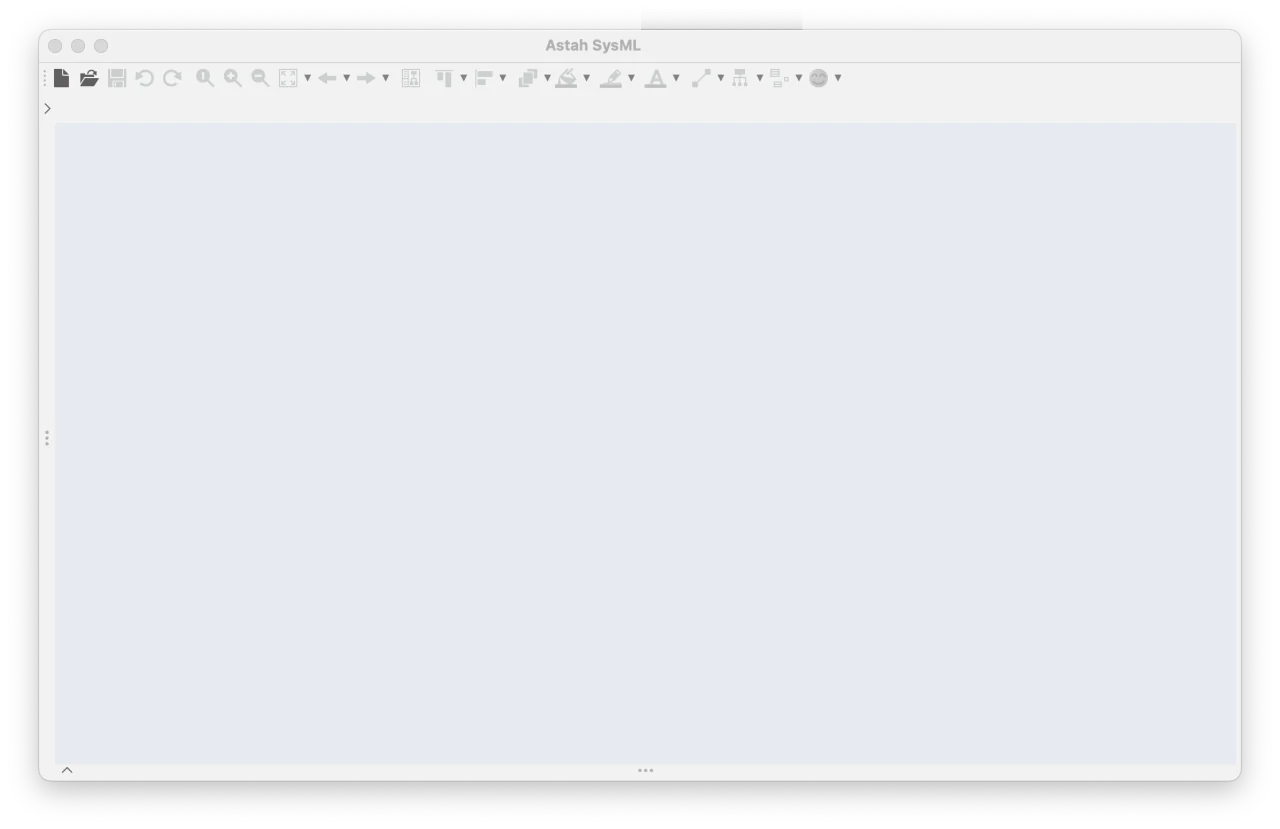
Once you create a project or a diagram, the left pane opens.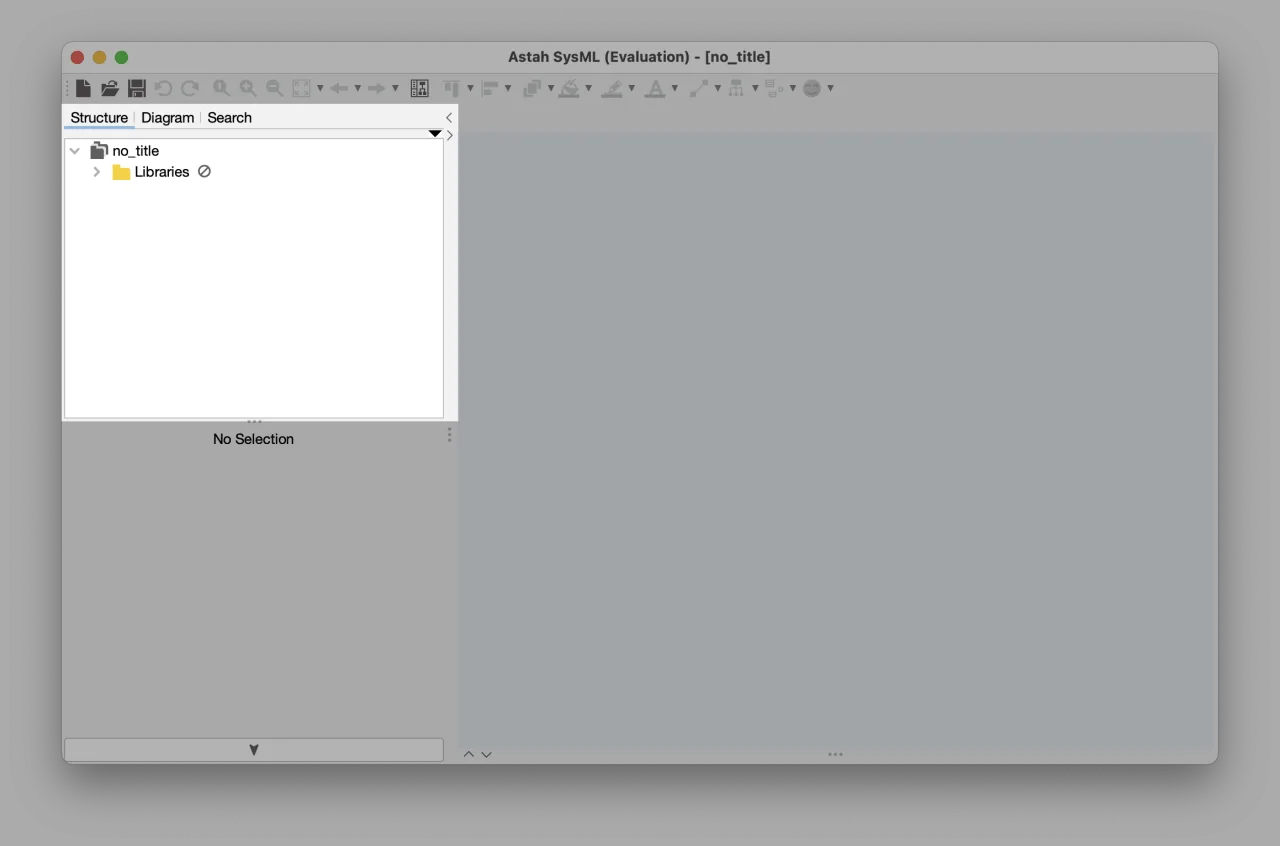
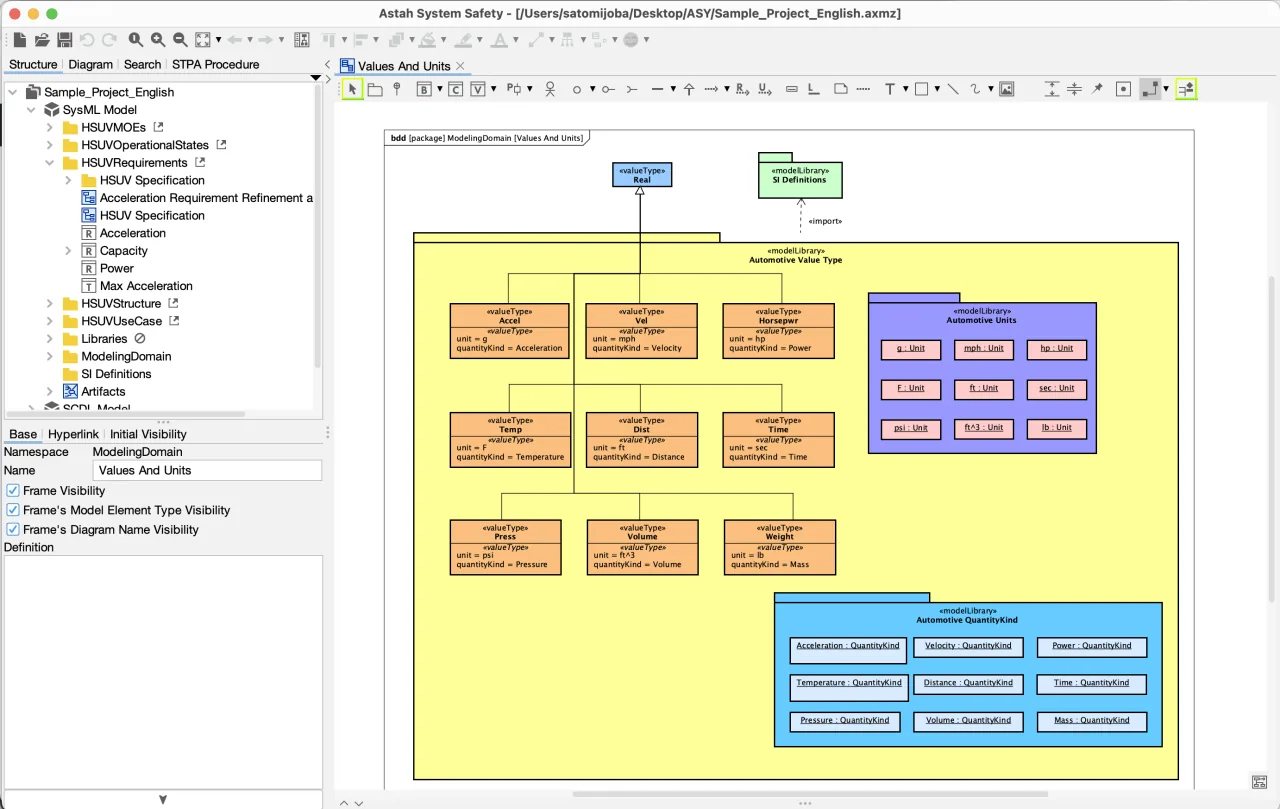
A new file always includes pre-installed models in a package, as shown below.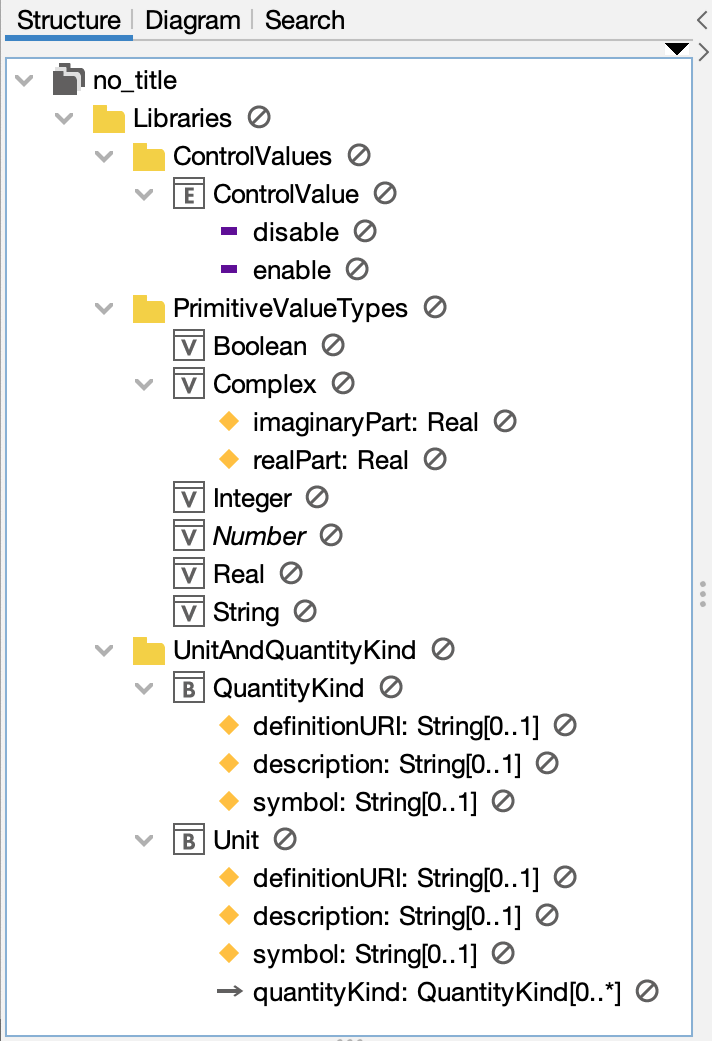

Astah User Interface
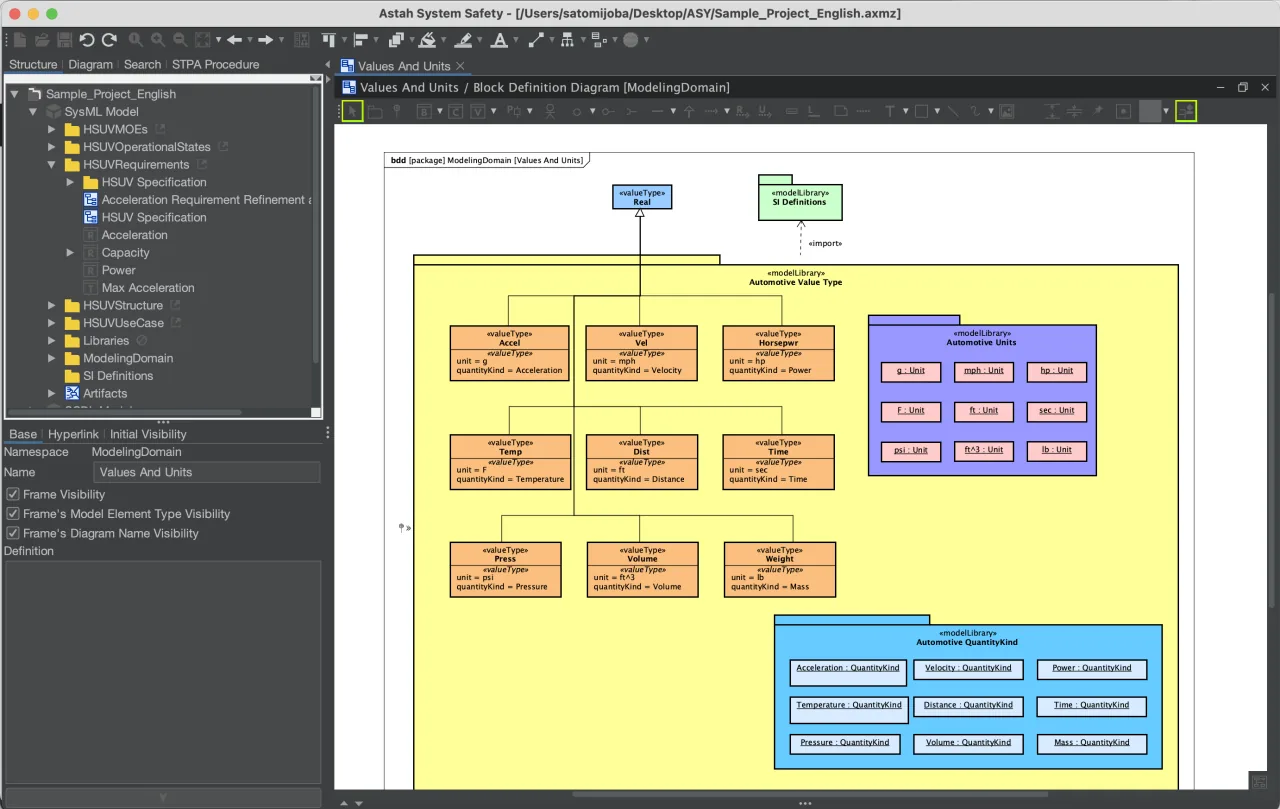
The Astah SysML window has five sections:
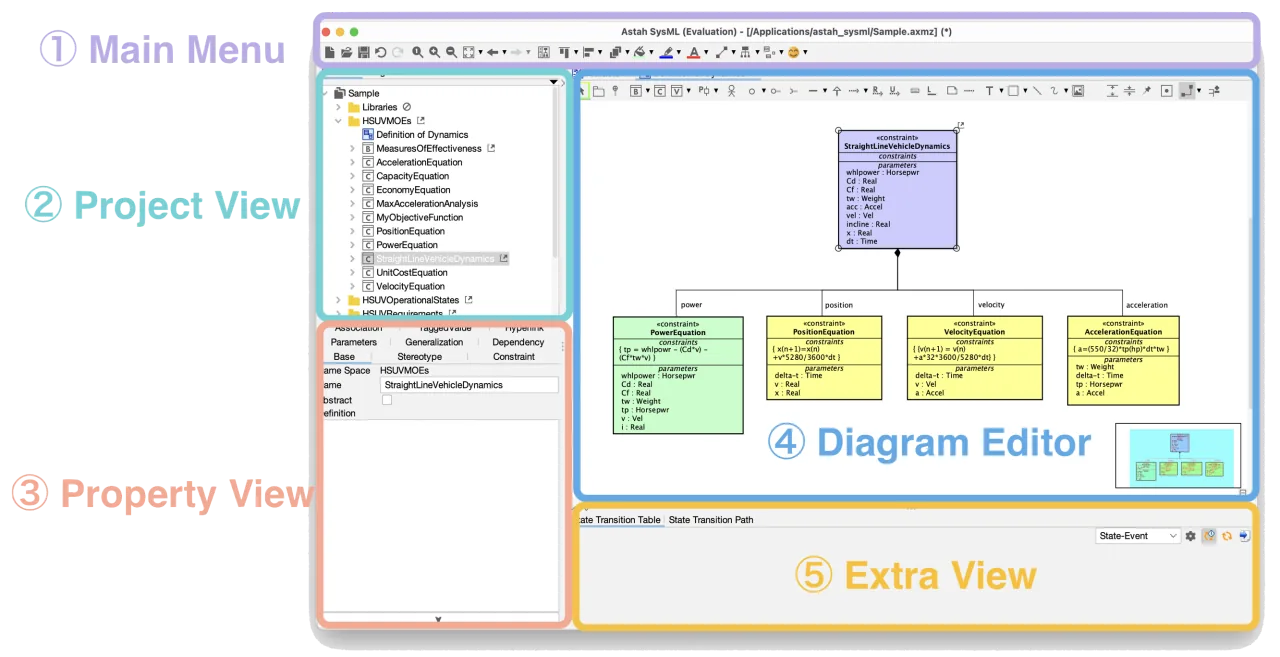
- Main Menu: the basic menus.
- Project View: three views, the Structure Tree, the Diagram List and Search.
- Property View: where you edit the details of the selected model.
- Diagram Editor: the canvas where you draw diagrams.
- Extra View: opens only if you have enabled plug-ins that use it.
Project View
The Project View gives an overview of the whole project. Use the tabs at the top to switch between [Structure Tree], [Diagram] and [Search].
[Structure Tree] Pane
The Structure Tree is the default view of the Project View. It shows the structure of the whole model in your project as a hierarchy, and you can organize diagrams and models with packages.
Jump to related diagrams
When a model is used in more than one diagram, you can find where it is used and jump there.
- Open the Structure Tree (the top-left pane).
- Right-click a model and select [All Related Diagrams].
- A list of the diagrams where the model is used appears. Choose one.
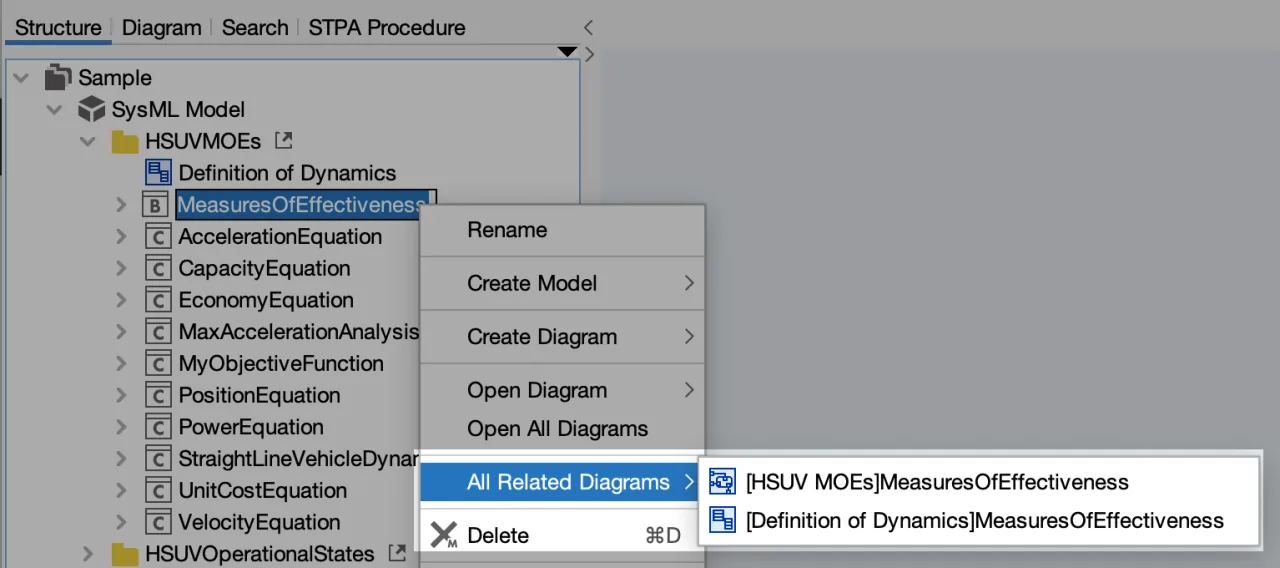
- The diagram opens with the model you selected in focus.
Diagram List
The [Diagram] view lists all the diagrams in the project file. You can sort the list by name, diagram type, model type or the package the diagram belongs to.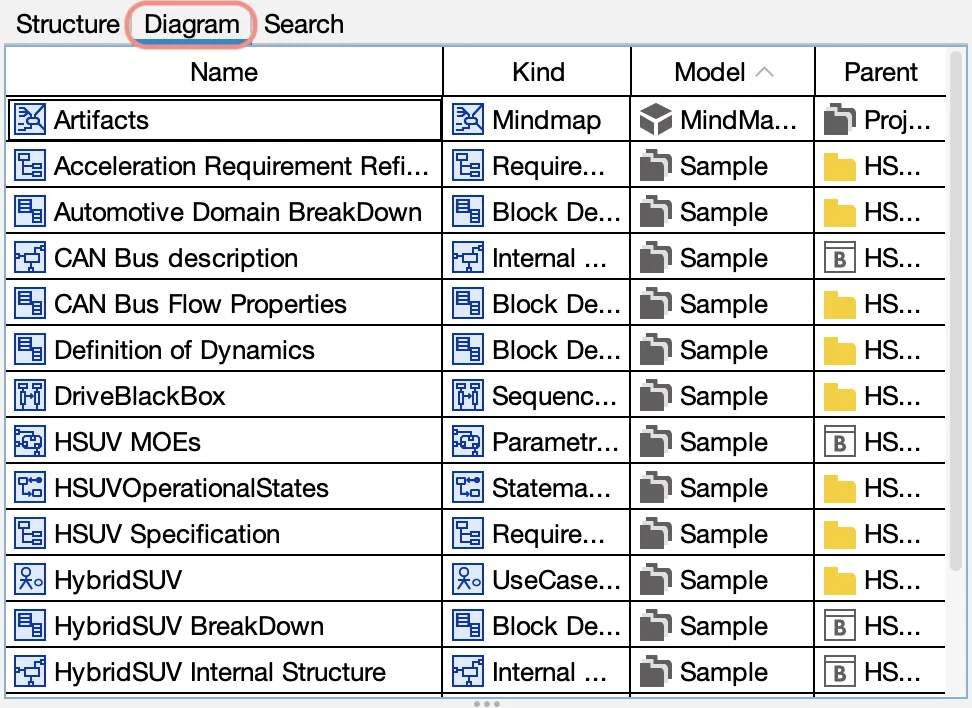
From the context menu of a diagram in this list, you can open the diagram or jump to its location in the Structure Tree.
Search
In the Search view, you can search for models and diagrams in the project. With the search options you can find specific models, replace strings, and clean up the project by finding unused models or broken hyperlinks.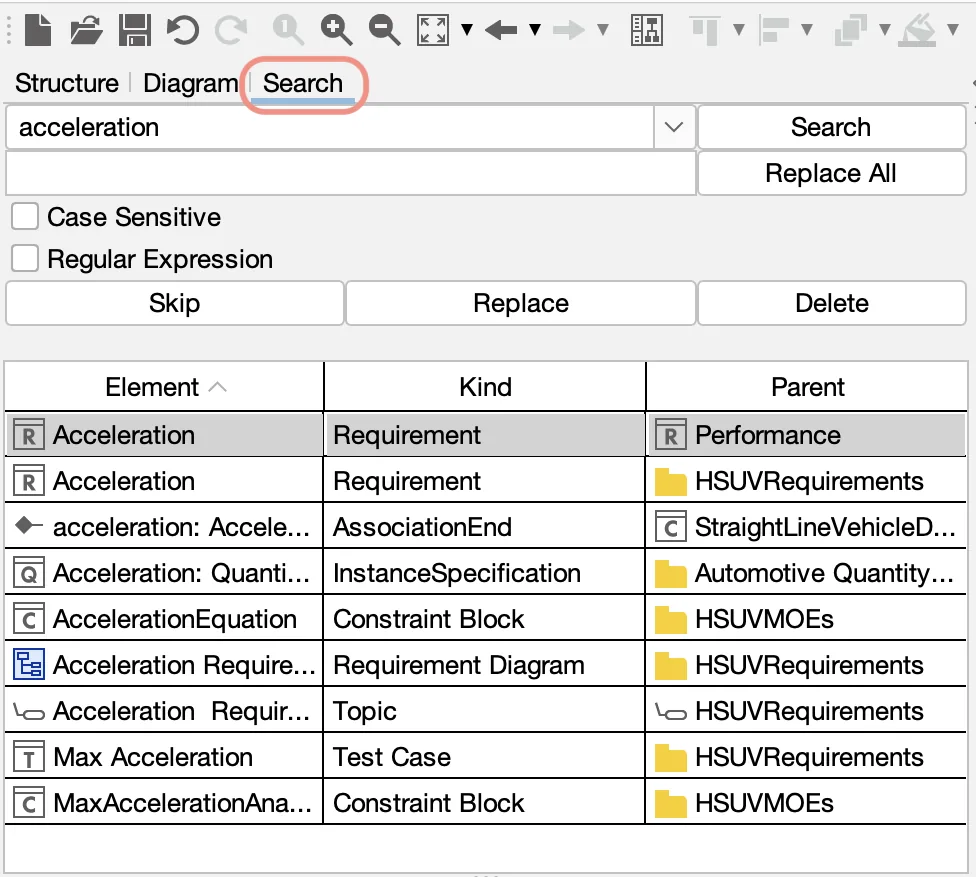
Search Options
You can filter for models that are not on any diagram and not referenced by any other model, and find broken hyperlinks.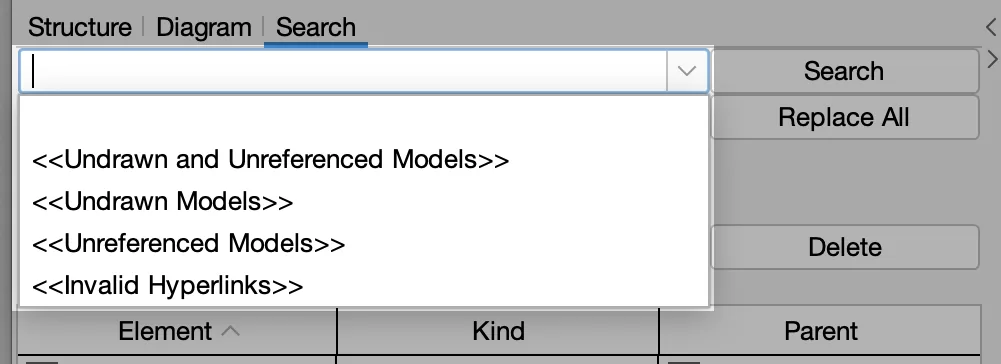
Light Theme and Dark Theme
A dark theme is available since version 8.0. To change the theme, go to [View] – [Look & Feel], then restart Astah SysML.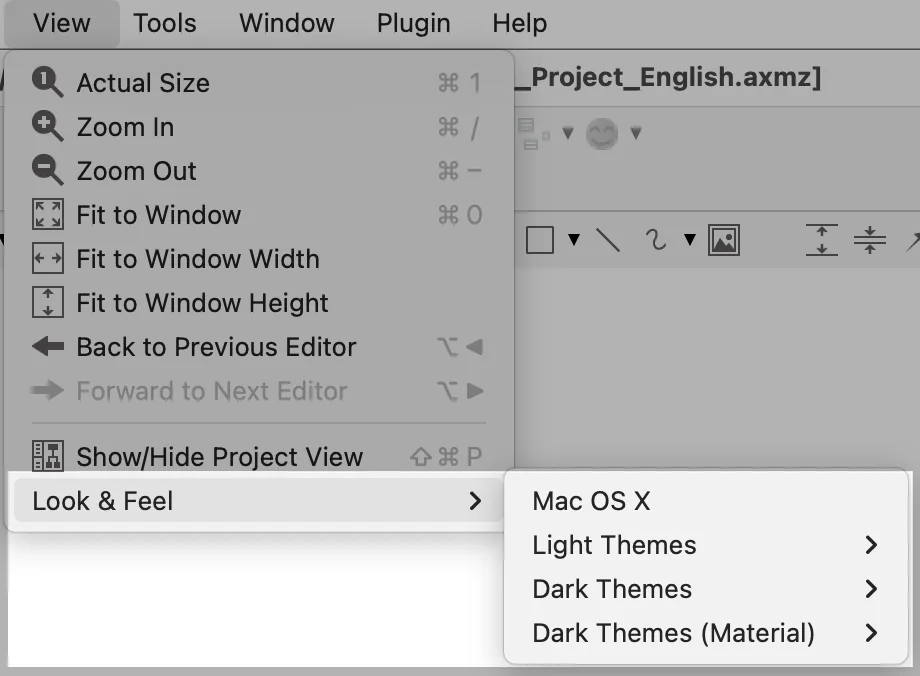
Tip: See 8 Best Light/Dark Themes for Astah.
Map View
The Map View controls which part of the diagram is shown. Since version 8.0, it appears in a corner of the Diagram Editor.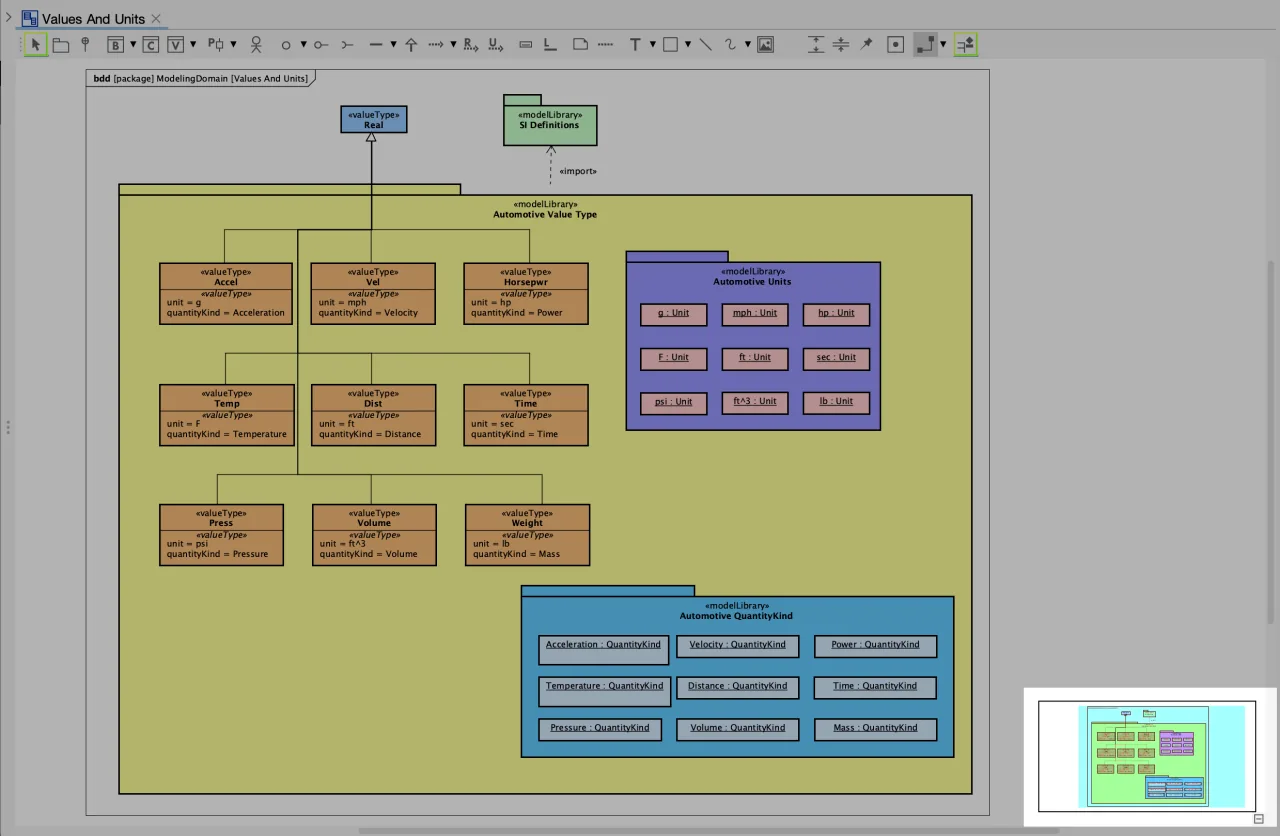
The blue rectangle shows the area currently displayed in the Diagram Editor.
Move
Drag the blue rectangle to change the area shown in the Diagram Editor.
Zoom in/out
Resize the blue rectangle by right-dragging to zoom in on the part of the diagram you want to see.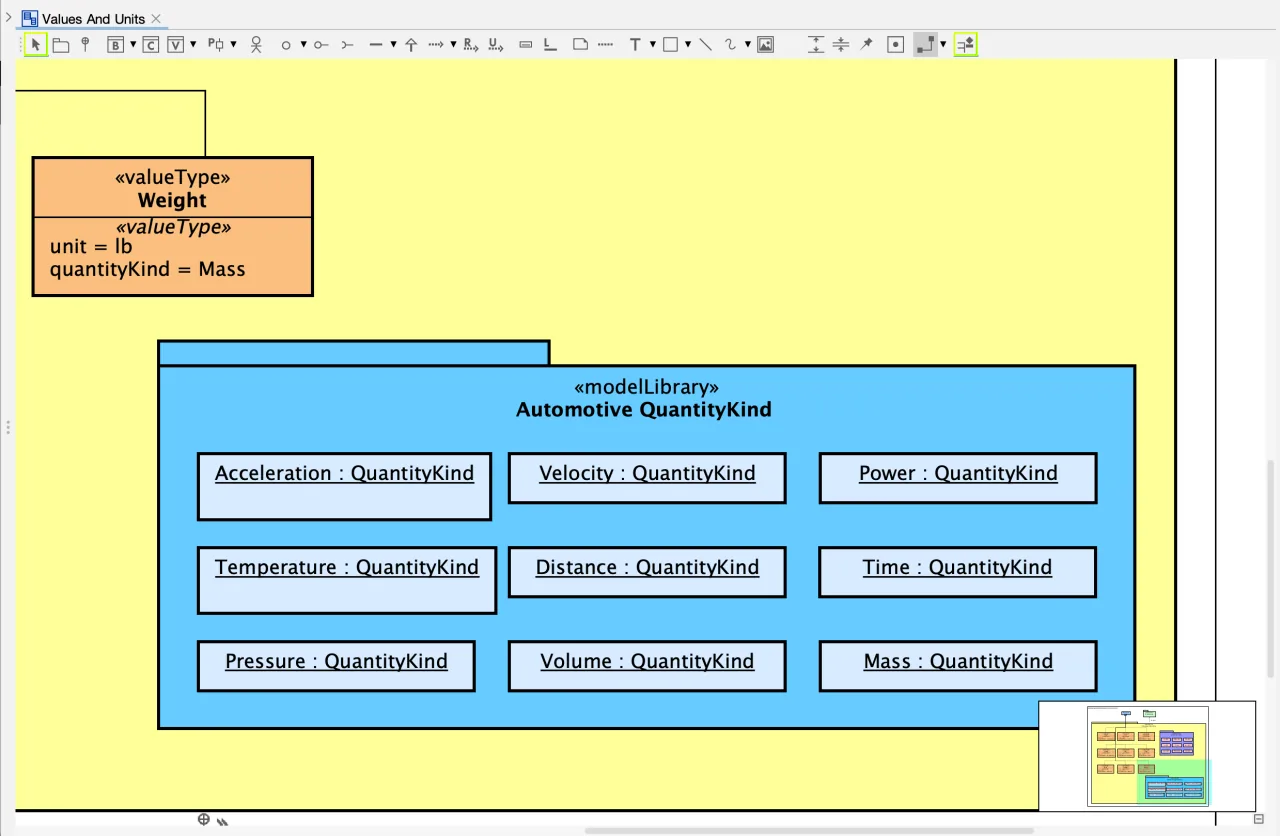
Change the location of Map View
You can place the Map View in any corner of the Diagram Editor from [Tools] – [System Properties] – [Basic] – [Diagram Editor] – [Location of Map View in the Diagram Editor].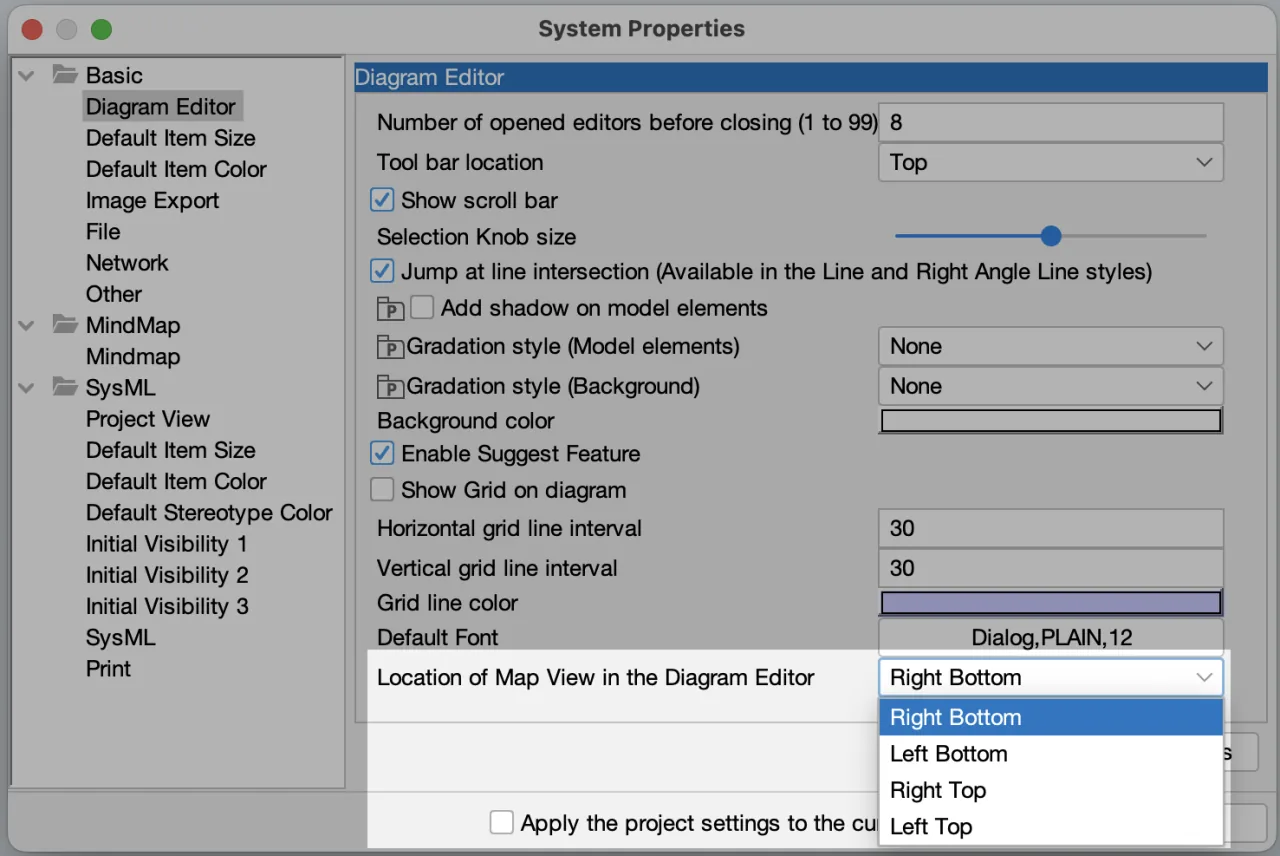
For example, with the Map View moved to the top-right corner of the Diagram Editor: