


Release Highlights
AI Chat Copilot
Integrated AI assistant for SysML modeling, diagram generation, and model insights.
MCP Server
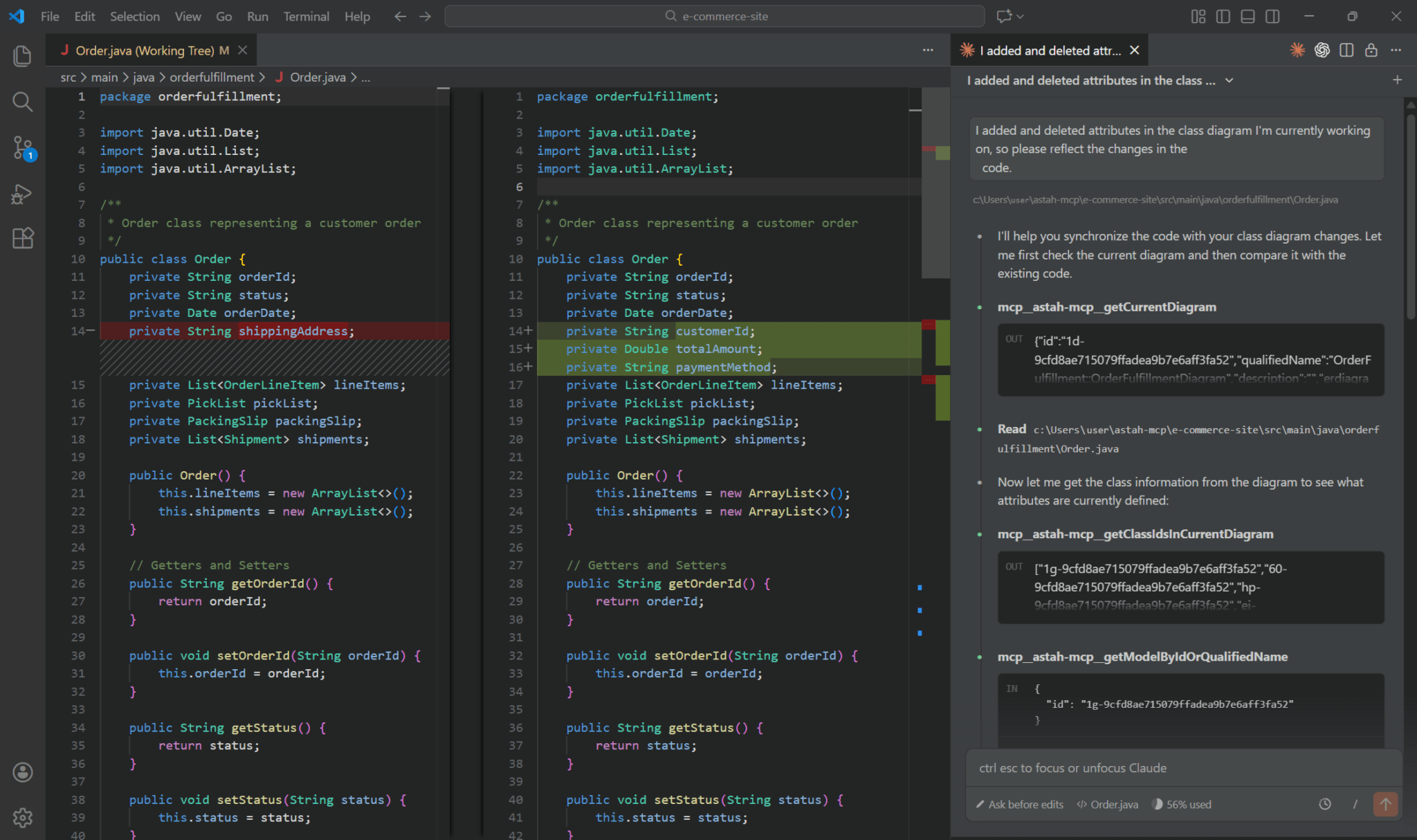
Bridge Astah System Safety with your preferred AI services like Claude or GitHub Copilot Chat – VS Code..etc
Built-in HTML Export
Share interactive, high-fidelity project views in any standard web browser.
Intuitive Drag & Drop
Rapid type assignment and model restructuring directly within your diagrams.
AI Chat Copilot
The power of AI, right inside your modeling environment.
The headline feature of this release is the AI Chat Copilot, a new in-app assistant that brings generative AI directly into your workspace.
Integrate AI-driven insights into your design process to bridge the gap between abstract requirements and concrete architecture.
Simply describe the system you are building to generate initial SysML models, refine existing diagrams, or summarize complex structures instantly through natural language.
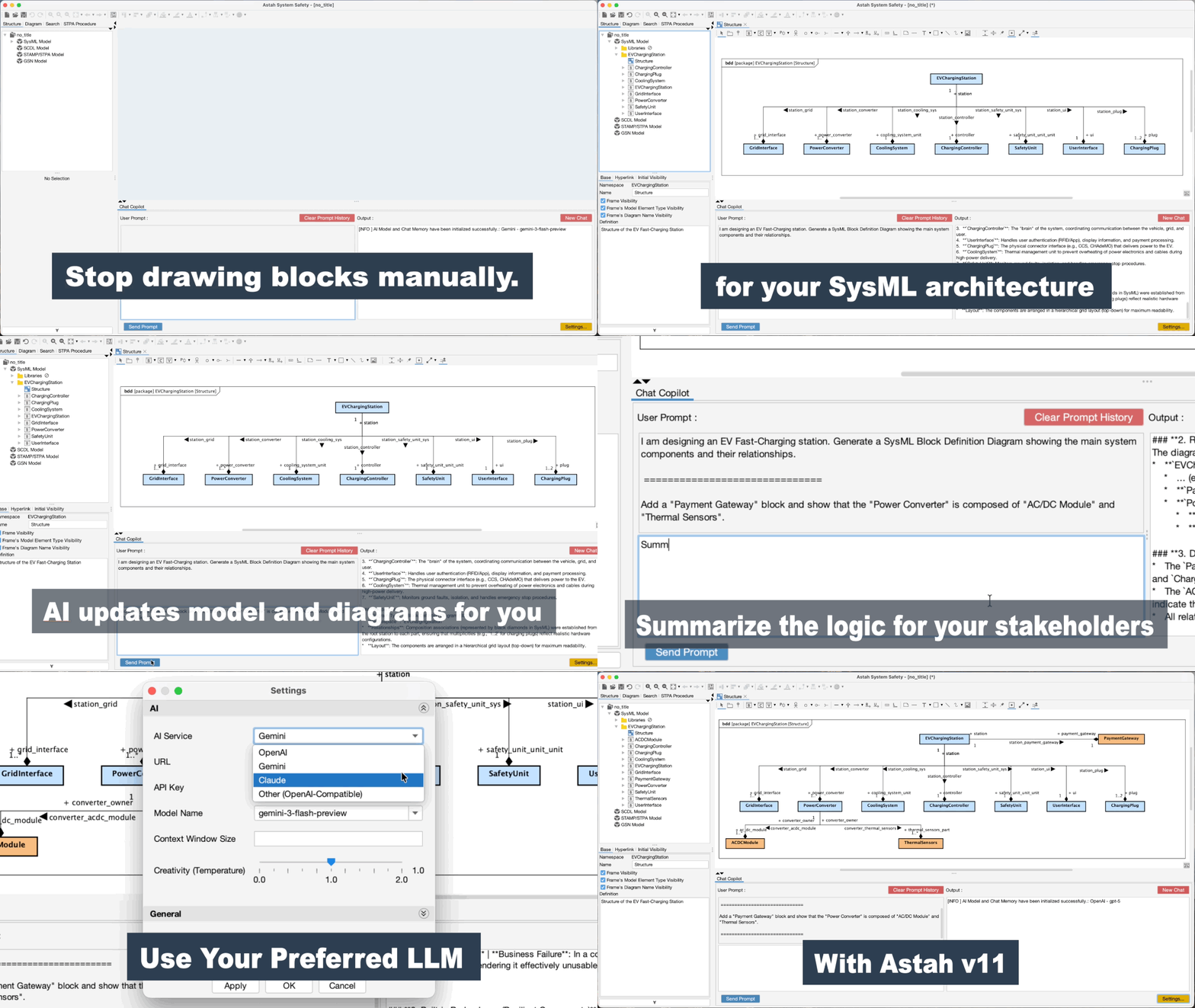
NOTE:
AI Chat Copilot uses an external AI service you select. To use AI Chat Copilot, a valid API key must be configured. If the API key is not configured correctly, AI Chat Copilot will not function.
In version 11, the AI Chat Copilot is optimized exclusively for SysML modeling. We are already working to expand these capabilities to STAMP/STPA, GSN, and SCDL in the near future.
MCP Server
Astah now also functions as an MCP server, enabling seamless integration and coordination with external tools and AI agents.

Built-in HTML Export
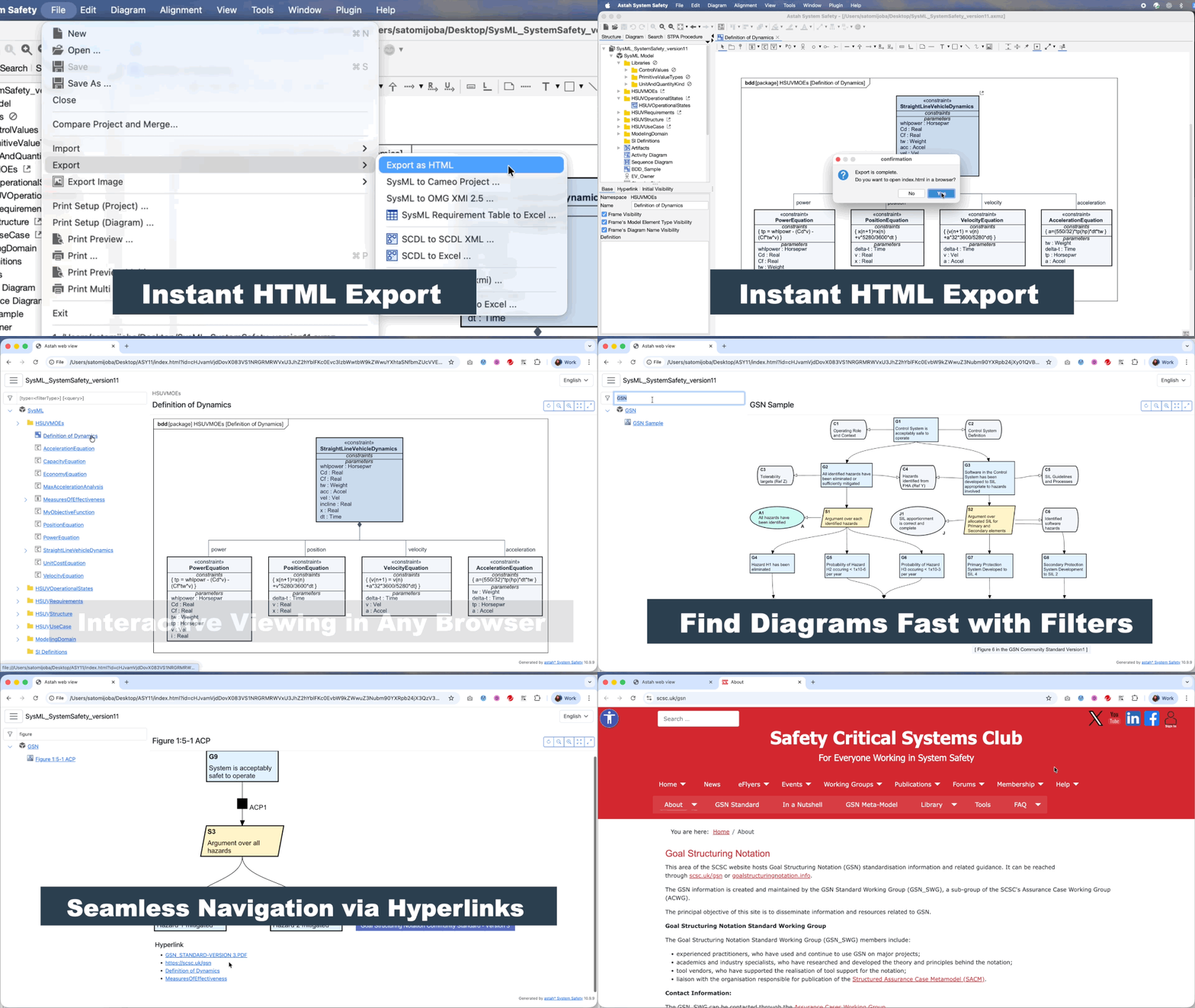
Previously available as a plug-in, the HTML Output functionality is now built in Astah System Safety by default.
You can now export your model information to HTML from [File] – [Export] – [Export as HTML].
Intuitive Drag & Drop Modeling
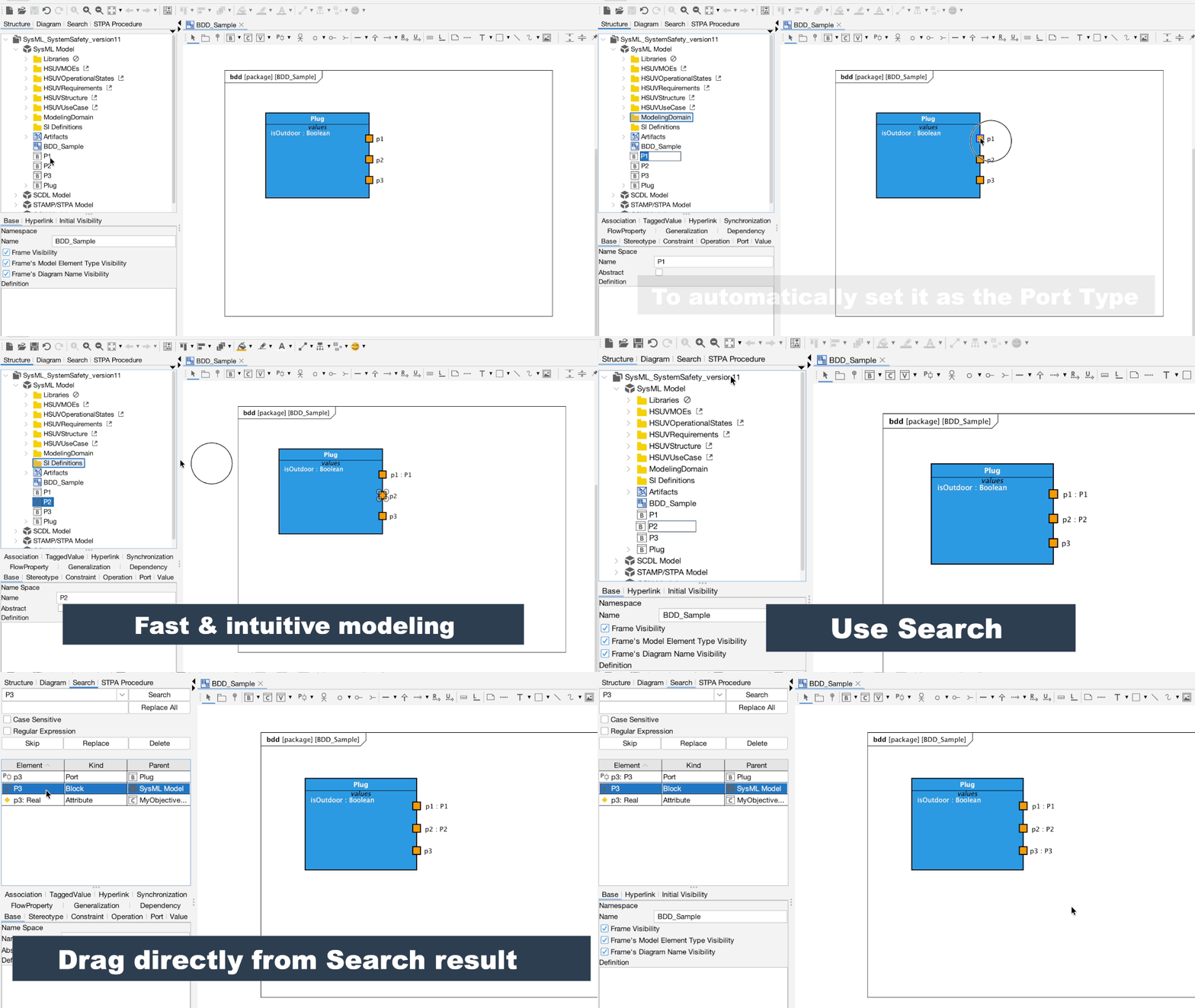
We have significantly improved the modeling workflow by enabling Drag & Drop actions from the Structure Tree directly onto diagram elements to define types and models:
Type Assignment via Drag-and-Drop
Easily set types for Ports (Block Definition/Internal Block Diagrams) and Pins (Object Flows) by dropping models from the Structure Tree. (#2726)
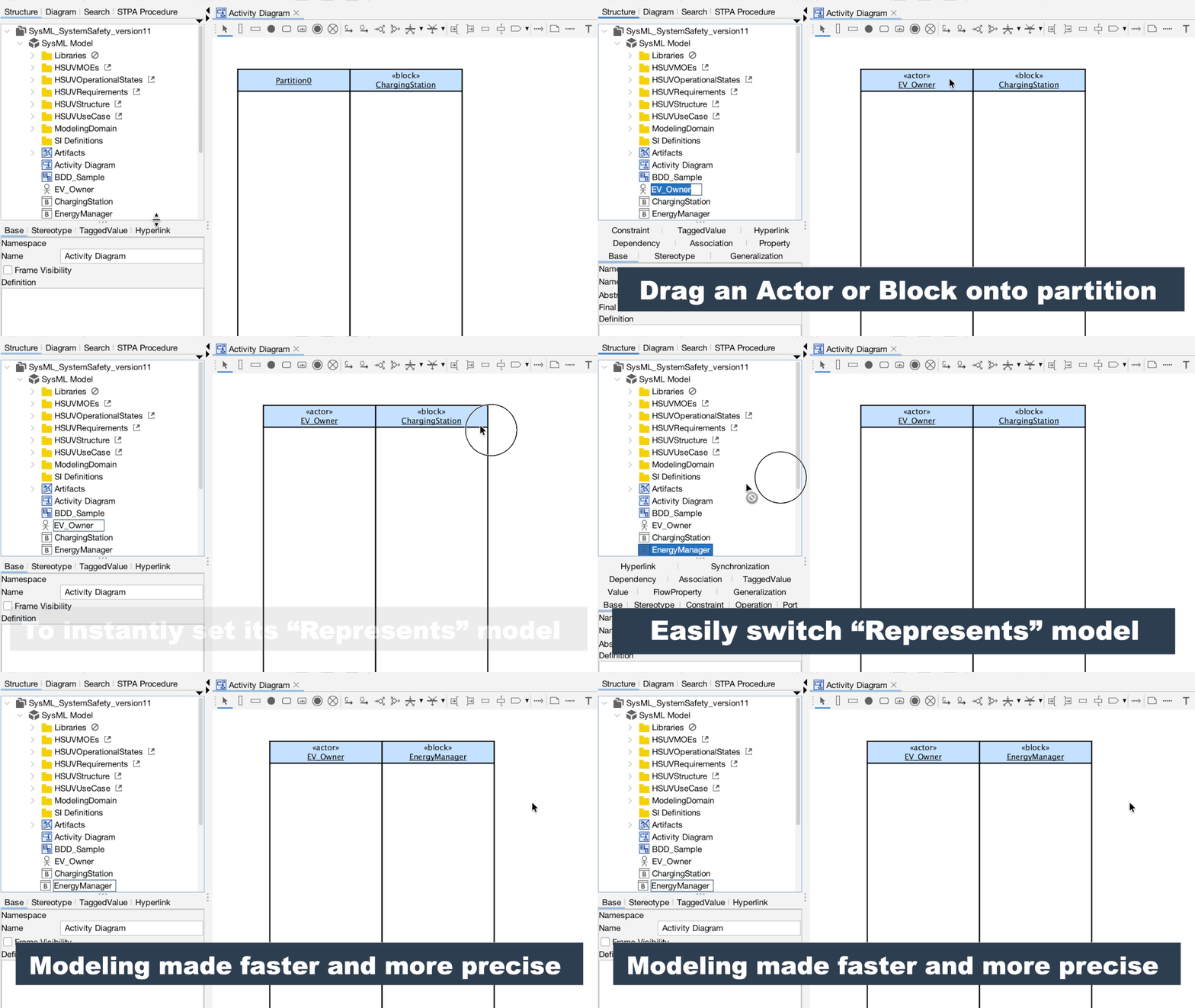
Represents in Activity partition:
Assign “Represents” Elements to Partitions by dragging and dropping models from the Structure Tree. (#2741)
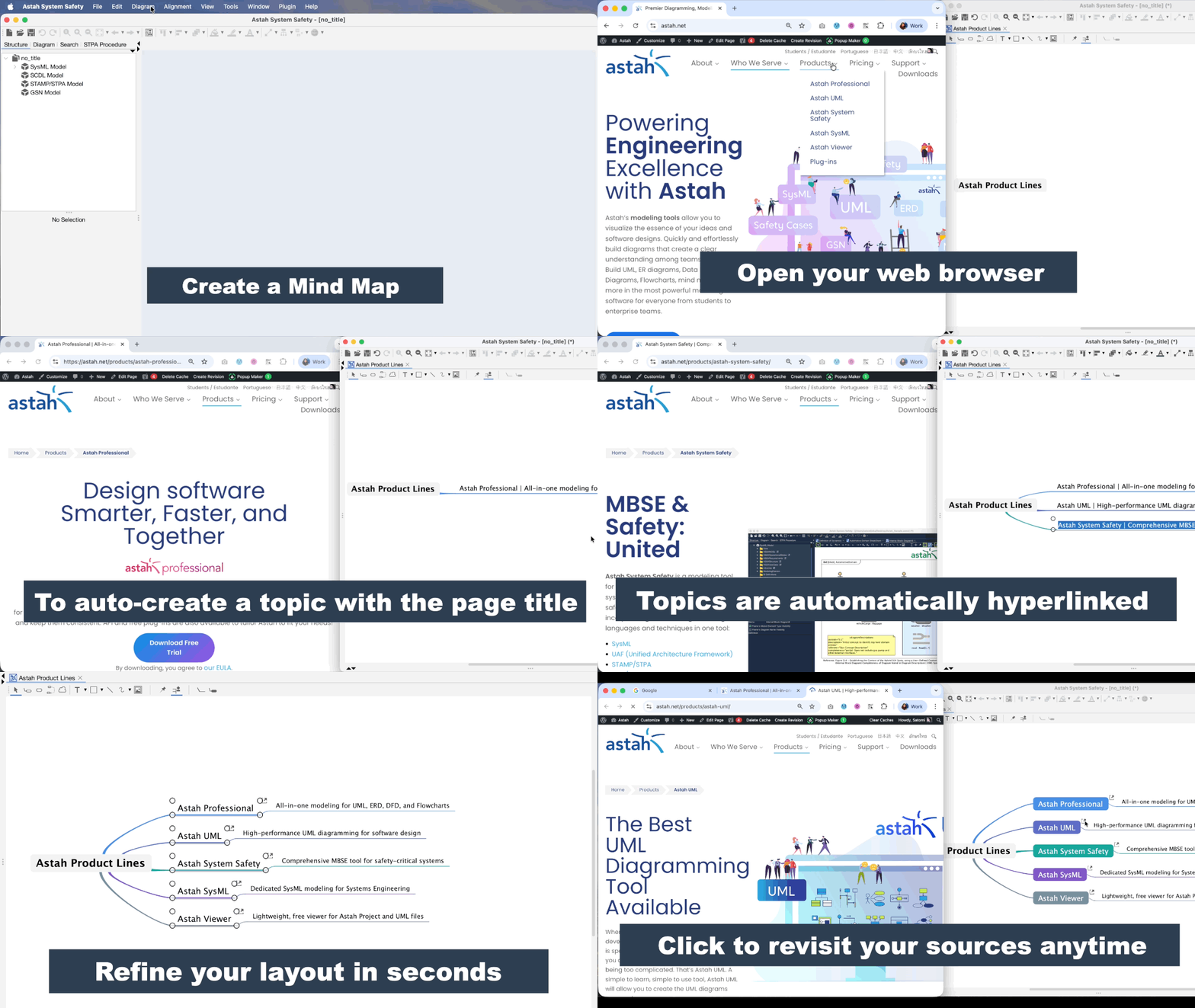
Web-to-Mind Map Integration:
Instantly transform web research into model structures. Drag URLs directly from your browser into a Mind Map to automatically create topics with the page title and an embedded hyperlink. (#3359)
New Features & Improvements
System & Platform
- AI Integration: AI Chat Copilot and MCP Server are now available
- Java Update: Updated the bundled Java Runtime Environment to the latest version. See System Requirements (#10255)
- Apple Silicon Support: Added native support for the ARM environment on macOS. See System Requirements (#213)
- Security: Updated various library versions to enhance product security and address vulnerabilities. (#9872)
- Security: Implemented countermeasures against logback vulnerabilities. (#2198)
- License Management: Improved the system to allow importing licenses with future start dates. (#10187)
UI & UX Enhancements
- Built-in Plugins: The HTML Output plugin is now integrated into the core product by default.
You can now export your model information to HTML from [File] – [Export] – [Export as HTML].(#2733)
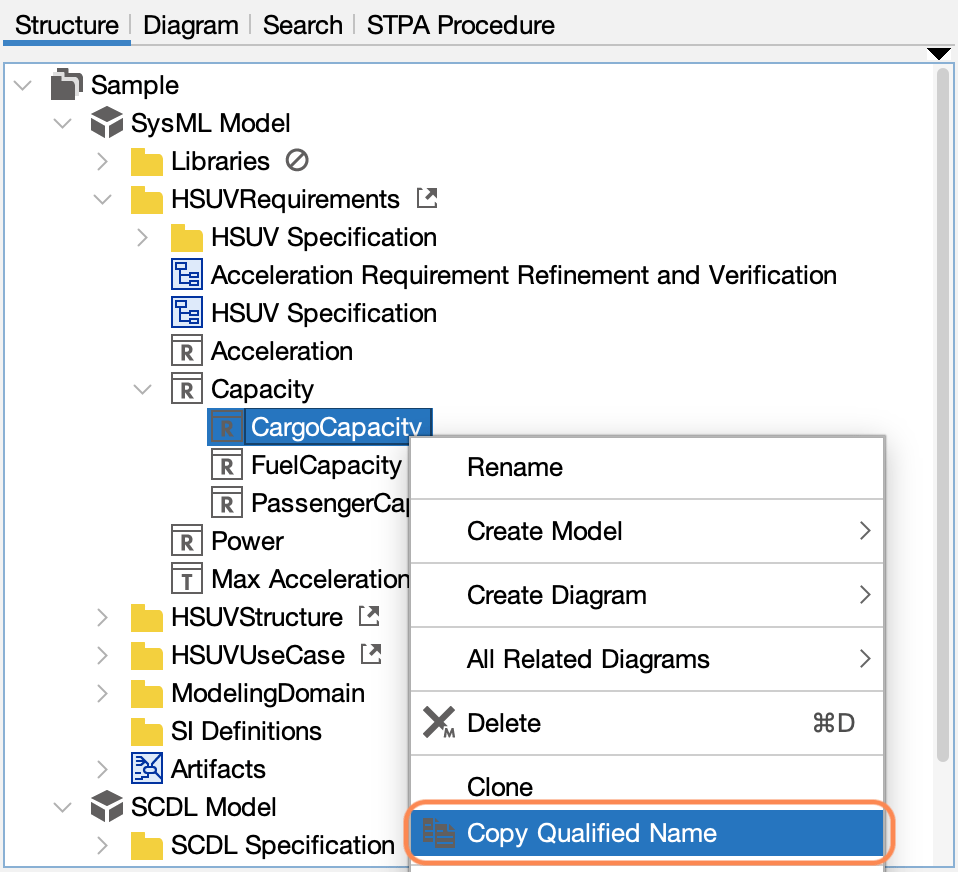
- Structure Tree: Added “Copy Fully Qualified Name” to the context menu in the Structure Tree. (#10231)
- Smart Tooltips: Menu item tooltips are now hidden when the function is self-explanatory. (#10243)
- Drag & Drop:
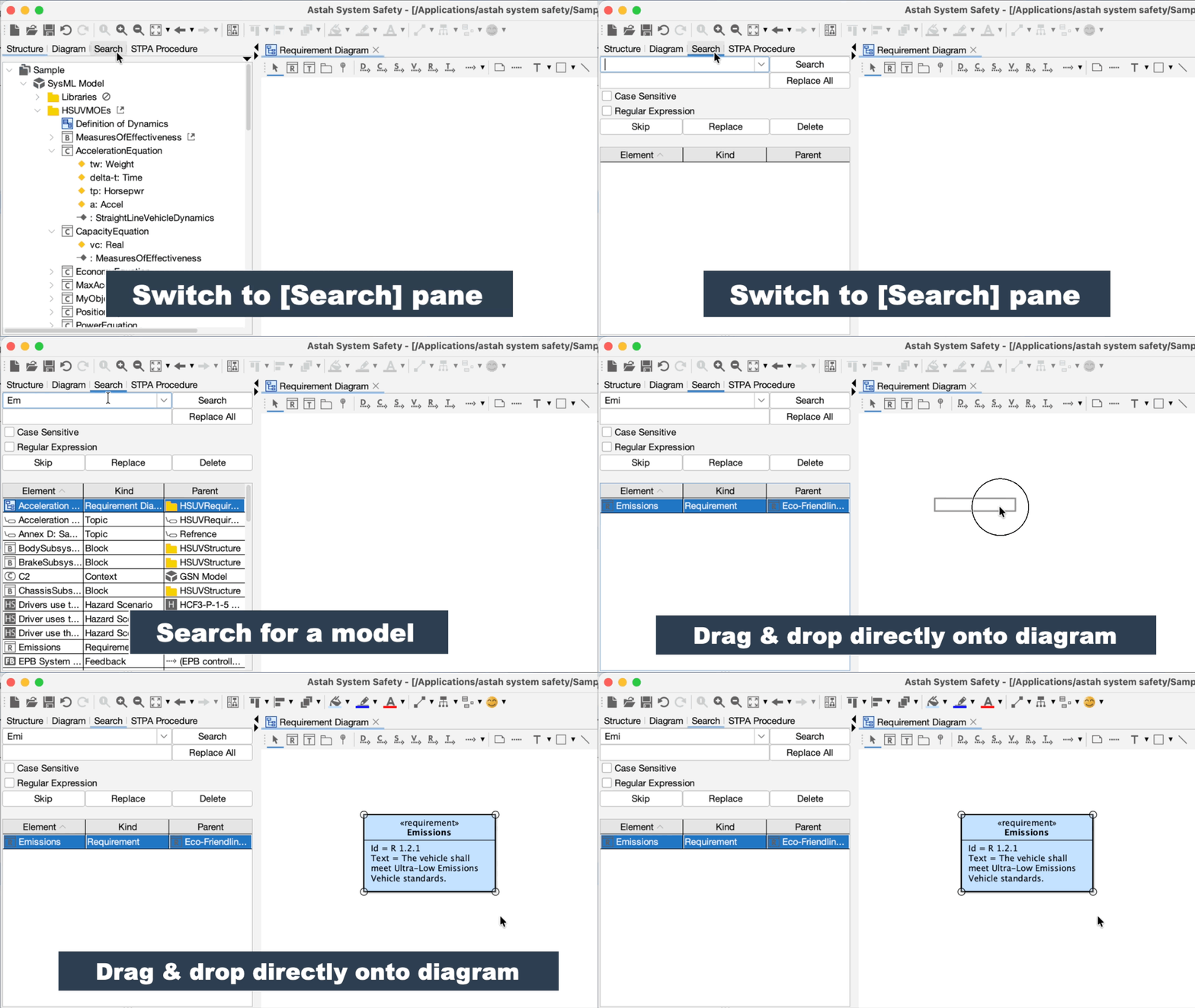
- Enabled direct Drag & Drop of models from the [Search] tab onto diagrams. (#3359)
- Instantly transform web research into model structures. Drag URLs directly from your browser into a Mind Map to automatically create topics with the page title and an embedded hyperlink. (#3359)
- Enabled setting types by dragging models from the Structure Tree onto Ports (Block Definition/Internal Block Diagrams) and Pins (Object Flows). (#2724, #2726)
- Enabled setting responsible elements by dragging models from the Structure Tree onto Partitions. (#2741)
- Enabled setting types by dragging and dropping models from the Structure Tree onto diagram elements that support type assignment. (#2742)
- Enabled direct Drag & Drop of models from the [Search] tab onto diagrams. (#3359)
- Partition Enhancements: Added the ability to display Partition names even when a responsible element is assigned, and enabled on-diagram editing for names and responsible elements. (#2760)
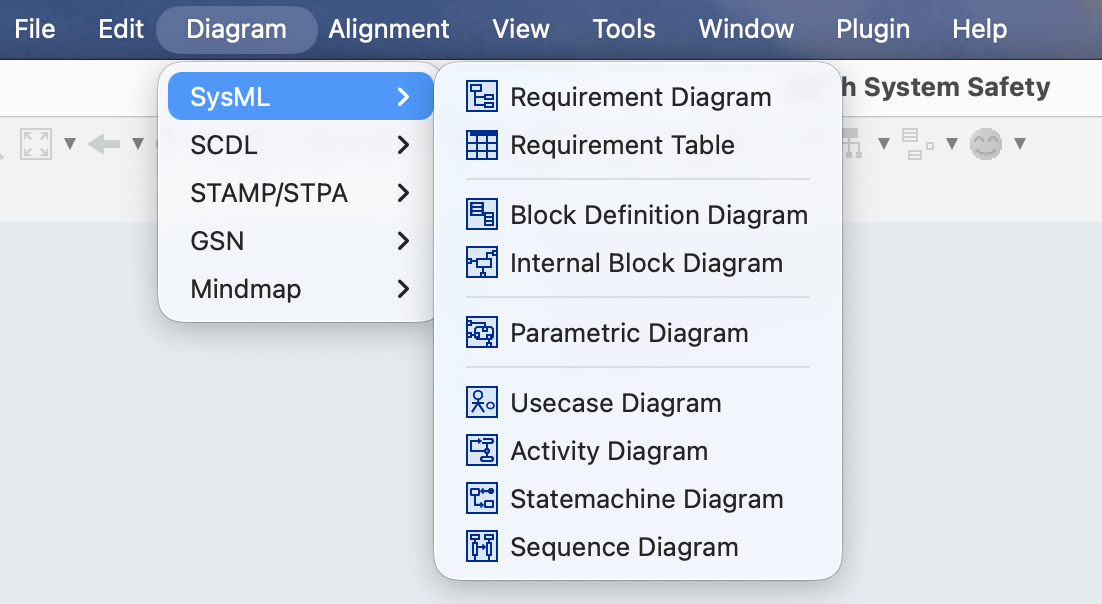
- Added a separator to the SysML diagram creation menu. (#2758)
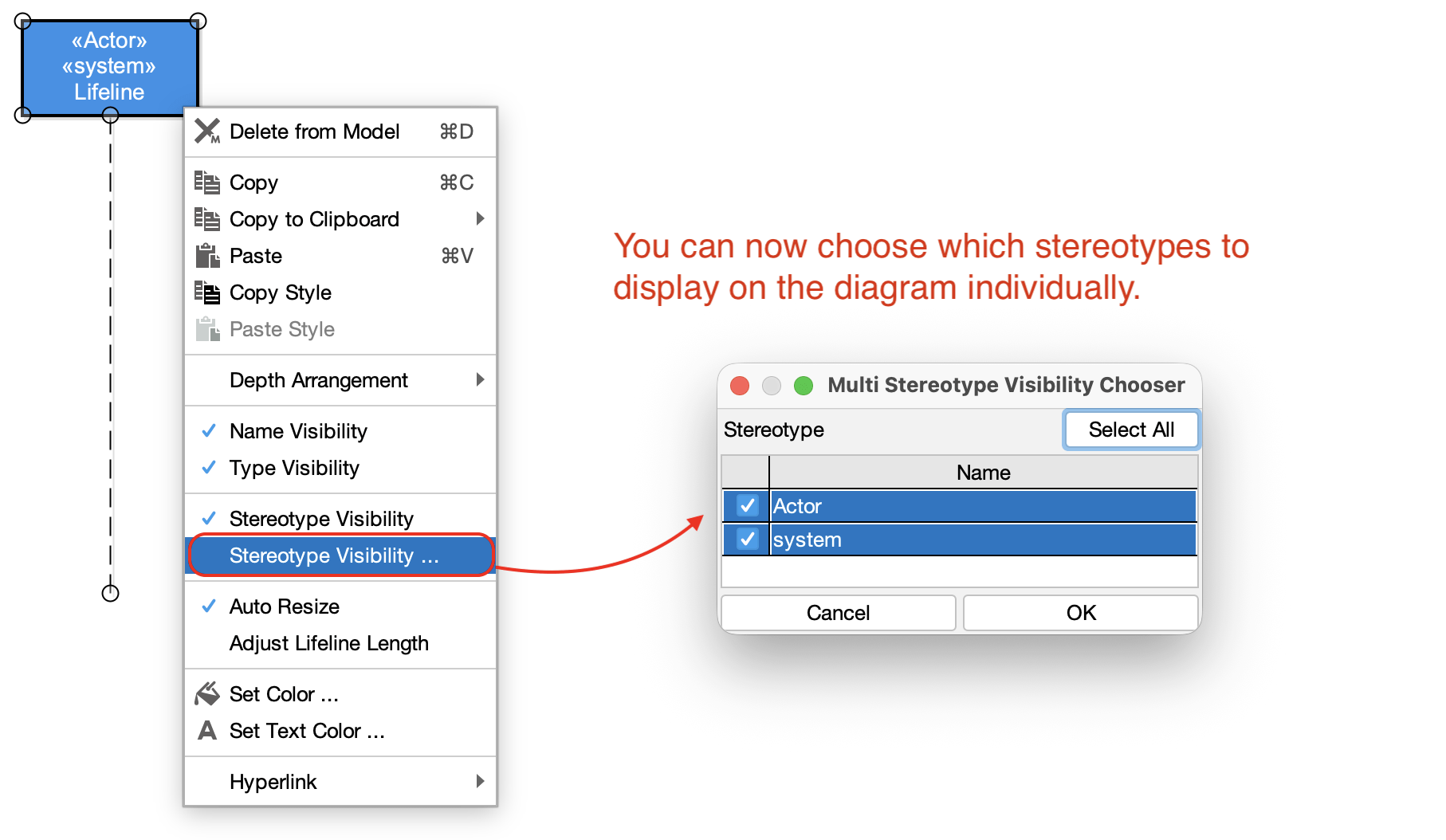
- You can now individually choose which stereotypes to display on the diagram. (#1190)

SysML & Specialized Modeling
- Model Import: Added support for importing Cameo Systems Modeler 2024x models. (#10159) - Cameo XMI Import
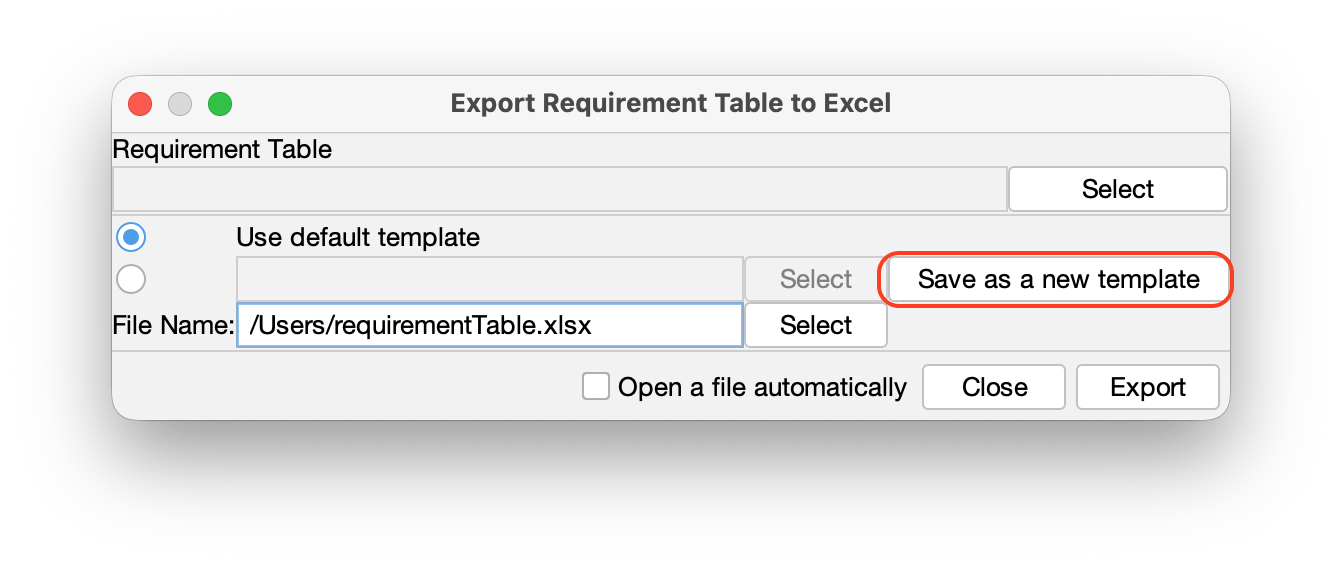
- Excel Export: Added a “Save as a new template” button to the [Export Requirements to Excel] dialog that opens from [File] – [Export] – [SysML Requirement Table to Excel]. (#2749)
- GSN/SCDL/STPA:
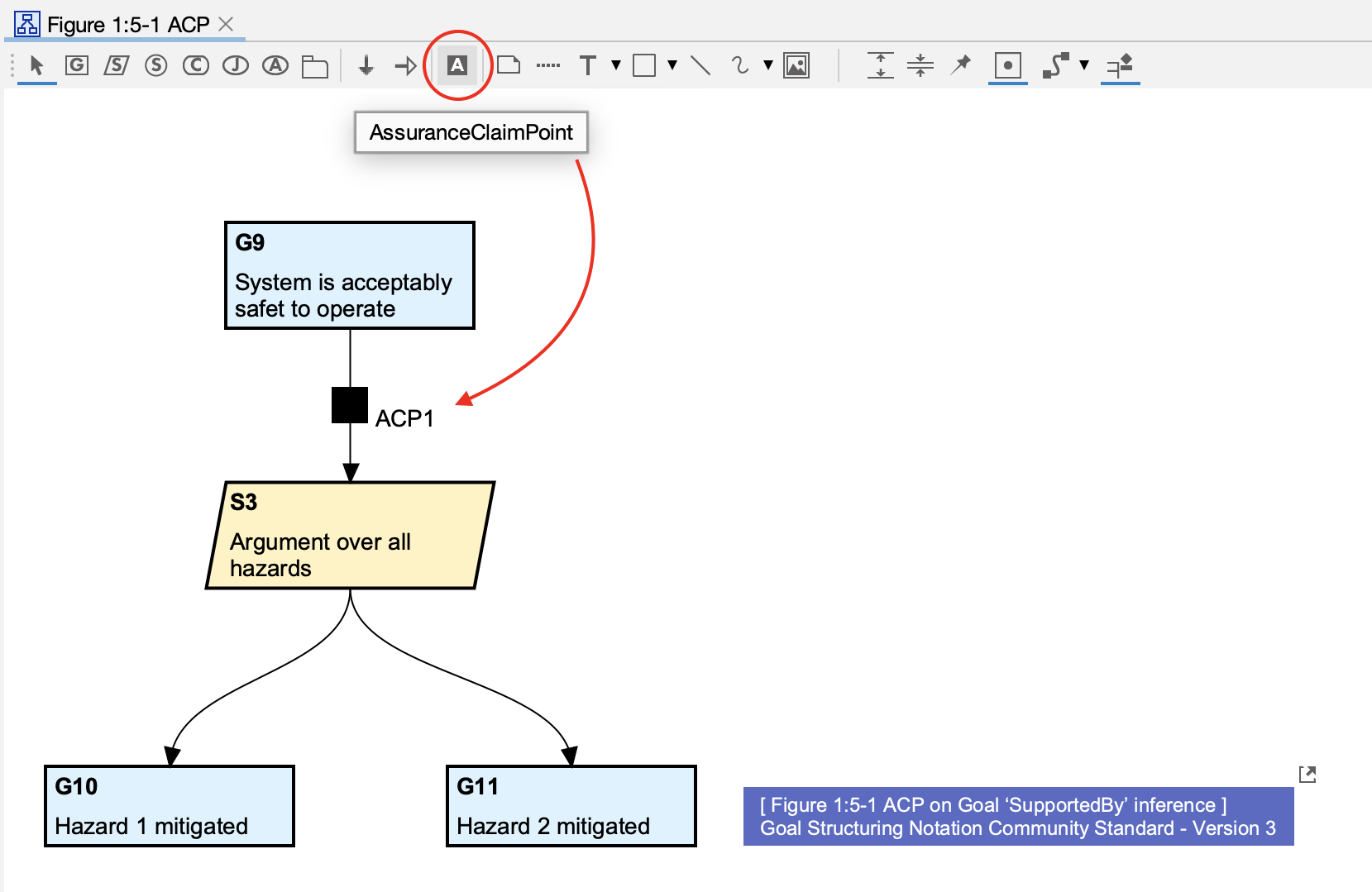
- Added support for Assurance Claim Point (ACP).
- Improved “Export Multiple Diagrams as Images” to respect hierarchical structures for STPA, SCDL, and non-SysML diagrams. (#3358, #910, #606)
- Added support for Assurance Claim Point (ACP).
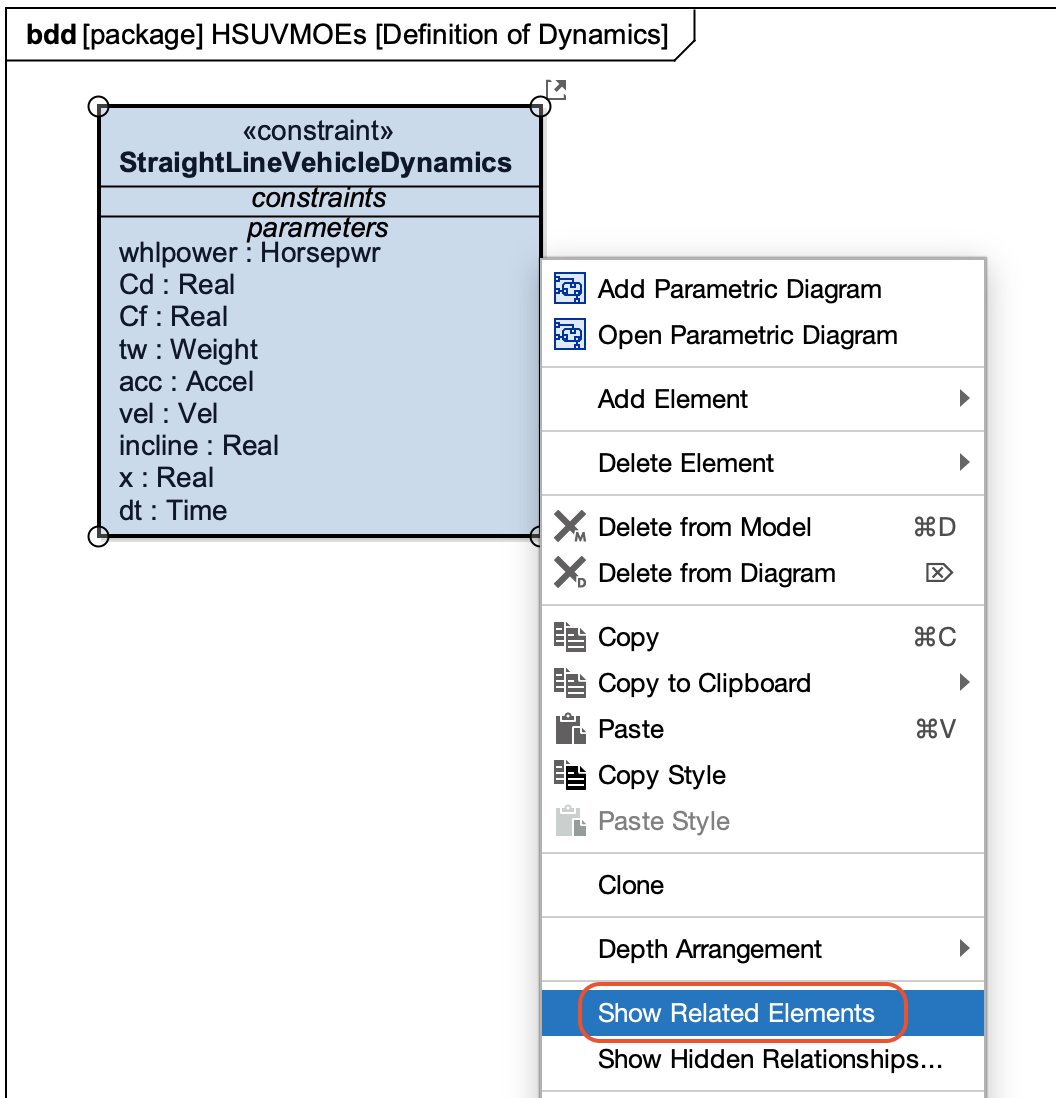
- Performance: Improved performance for the “Show Related Elements” feature. (#2739)
Mindmap Improvement
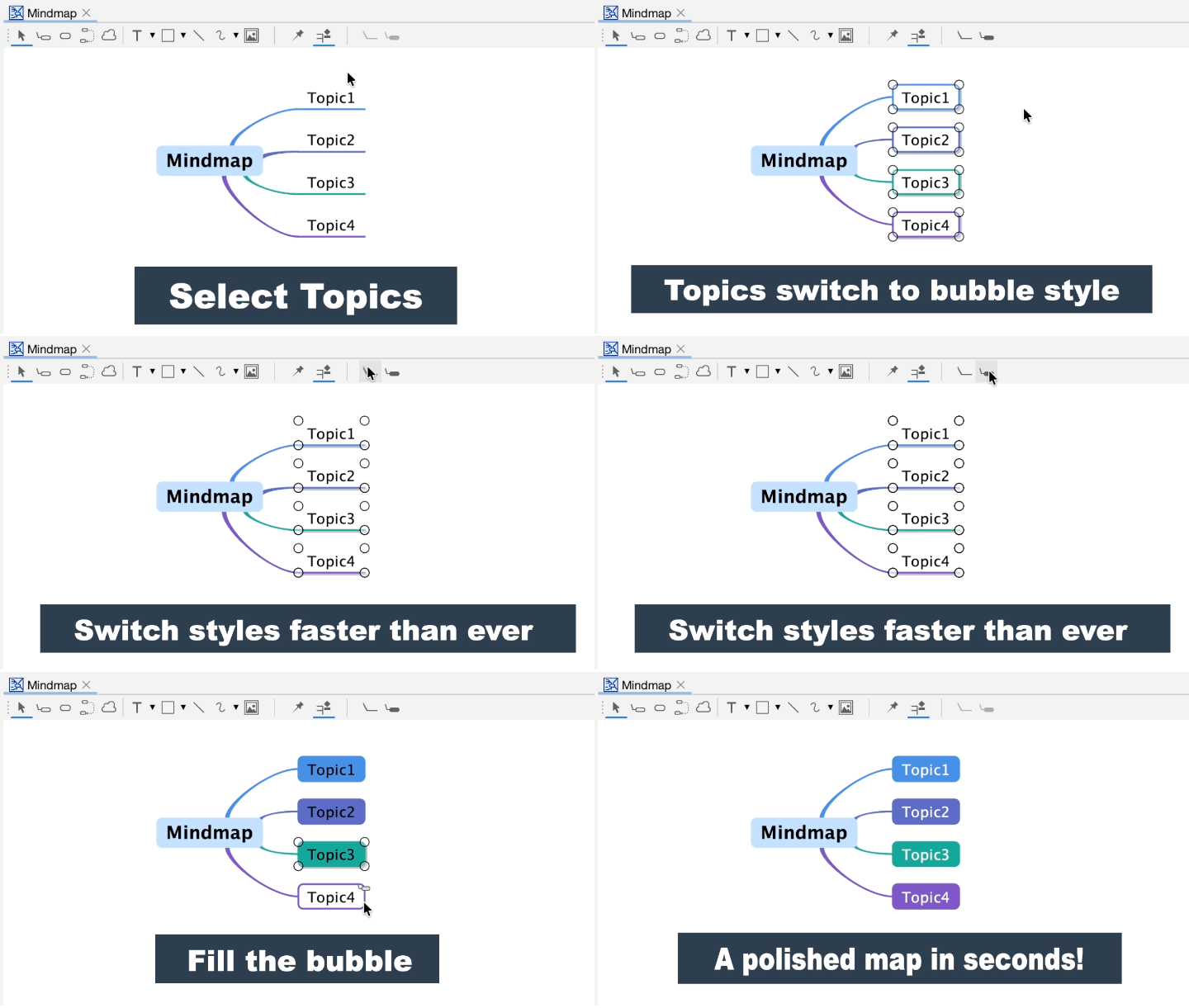
Refine your Mind Maps instantly
We’ve added a dedicated button to the toolbar on Mind Map so you can switch topic shapes – simple plain or bubble – with a single click. (#10114)
Stay in the flow and keep your ideas organized.
- Enabled element deletion (such as Mind Map Topics) using the Backspace key. (#10179)
- Enabled reordering of Mind Map elements, images, and common diagram elements. (#10218)
API & Documentation
- API Consolidation: Integrated Astah SysML documentation into the Astah System Safety API User Guide. (#10214)
- Manual Updates:
- Added instructions for the “Align Constraint Parameters” feature. (#176)
- Updated Model conversion documentation to address existing deficiencies. (#2778)
- Corrected sample code errors in the API User Guide for : (#10017)
- STAMP/STPA
- GSN
- Added instructions for the “Align Constraint Parameters” feature. (#176)
- API Enhancements:
- Enabled retrieval of
BoundRectfor non-SysML diagrams. (#10102) - Added functionality to add or edit arbitrary Tagged Values via the API. (#2562)
- API stereotype retrieval now includes keywords (e.g., from UML specifications). (#2694)
- Added APIs to support Astah System Safety models within AI Chat Copilot. (#10258)
- Added support for creating
NodePresentationon Block Definition Diagrams (BDDs) via the API. (#2788)
- Enabled retrieval of
Bug Fixes
General Stability
- Fixed an exception that occurred during plugin initialization. (#10262)
- Fixed an exception that occurred when creating a new project immediately after a search. (#10272)
- Fixed an issue where projects could fail to open in certain specific cases. (#2747)
- Fixed a bug on macOS where types starting with “S” could not be selected correctly in the Property View. (#2732)
Diagramming & UI
- Sequence Diagrams:
- Fixed an issue where “Create Messages” could fail or cause exceptions. (#10166, #2774)
- Fixed an issue where “Create Messages” could fail or cause exceptions. (#10166, #2774)
- Labels & Styles:
- Fixed an issue where text colors were not copied when using “Copy Style.” (#2701)
- Enabled text wrapping for Combined Fragment guards and Constraint Parameter name labels. (#2708)
- Fixed a bug where curved lines took selection priority over their labels in SysML diagrams. (#2709)
- Fixed an issue in the Property View where it was not possible to switch to a model element of the same name if it belonged to a different namespace. (#2748)
- Fixed an issue where stereotypes applied from a profile were ignored upon loading when packages were nested in multiple levels. (#10147)
- Fixed an issue where the Constraints compartment was automatically displayed when a constraint was added to a ValueType. (#10157)
- Fixed an exception that occurred when performing stereotype-related operations in projects where unused profiles were applied. (#10178)
- Project Management / UI:
- Fixed an issue where SysML-specific configuration items were missing from the Project Settings. (#2711)
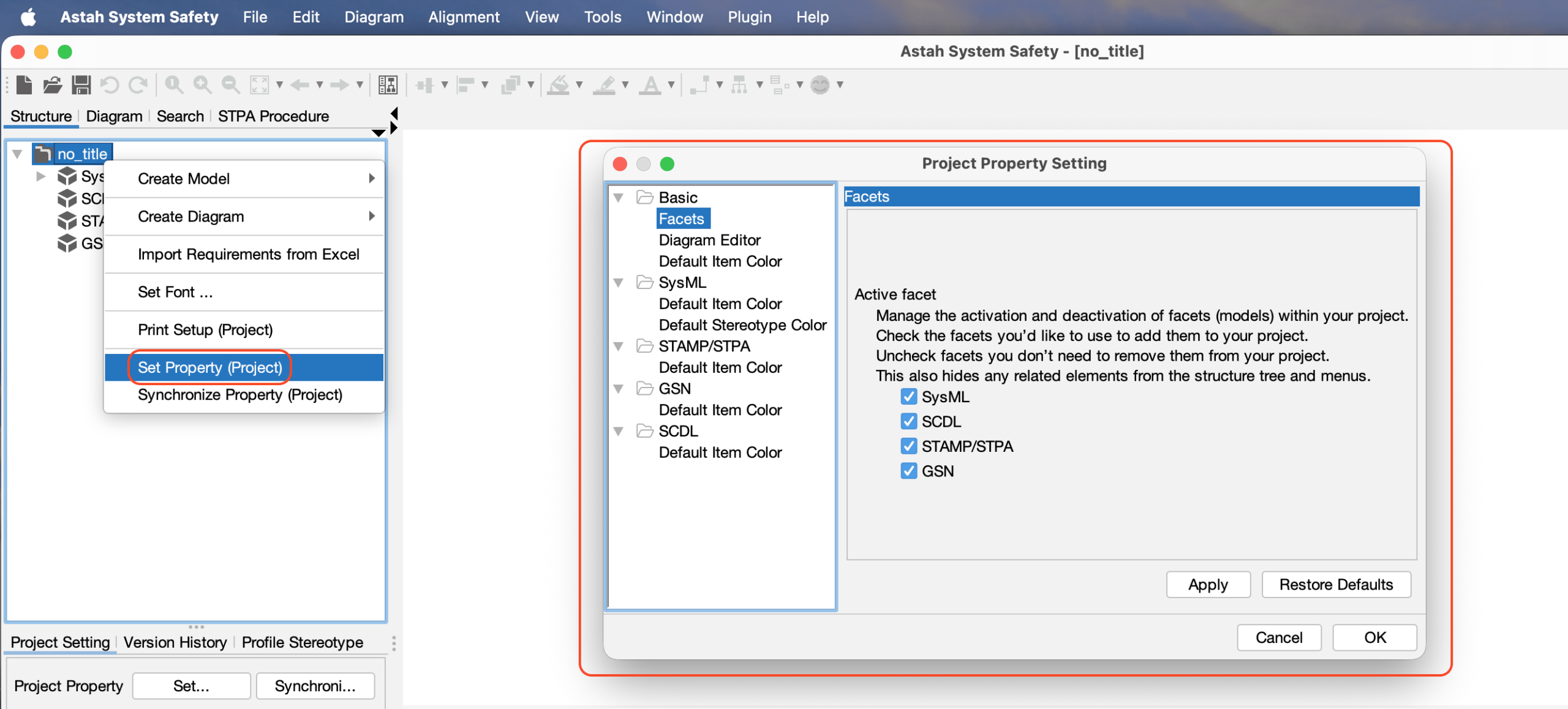
- Fixed an exception that occurred when clicking the “OK” button in the Project Settings dialog. (#2712)
- Fixed an exception that occurred when copying and pasting styles between stereotypes. (#10203)
- Fixed an issue where SysML-specific configuration items were missing from the Project Settings. (#2711)
- Element Behavior:
- Fixed an issue where operations in the Structure Tree were occasionally executed on unselected models. (#10113)
- Adjusted the initial editing state of property elements immediately after creation in Internal Block Diagrams and Parametric Diagrams. (#2706)
- Prevented the automatic display of the corresponding compartment (such as the Constraint compartment) when adding elements like constraints from outside the diagram (e.g., via the Structure Tree or Property View). (#2714)
- Fixed an issue where moving an Action with Pins caused the pins to jump to the bottom-right corner. (#2715)
- Fixed pin displacement when importing
.asmlfiles. (#2718) - Disabled resizing of Constraint Parameters. (#2720)
- Fixed an issue where Final States in State Machine diagrams could not be downsized after being enlarged. (#2722)
- Fixed an exception that could occur during model merging when Ports were included. (#2727)
- Fixed an issue where package names were included in the auto-completion results when selecting a type in the Property View. (#2731)
- Fixed an exception that could occur during certain mouse operations on the diagram editor. (#2746)
- Fixed an issue where selection handles (knobs) were not displayed after moving common diagram elements by dragging them with the mouse. (#2854)
- Corrected line type rendering for automatically generated line presentations. (#10133)
- Fixed a bug in the Structure Tree where only a single element could be moved when dragging multiple selected items, depending on the selection method. (#10142)
- SCDL/STPA/GSN:
- Fixed an issue where pressing Enter on a selected element resulted in a blank name. (#3346)
- Fixed an issue where pressing Enter on a selected element resulted in a blank name. (#3346)
- STPA:
- Fixed an issue where table header text was occasionally truncated when performing a bulk image export. (#3347)
- Fixed an issue where reordering Control Actions (CA) or Feedbacks (FB) by moving them caused subsequently added elements to overlap. (#3356)
Export & Integration
- Excel Export: Fixed an issue where table headers appeared in Japanese when exporting Requirement Tables or Safety Concept Diagrams. (#10194)
- HTML Export: Enabled anchor links for non-SysML diagrams in the HTML output from [File] – [Export] – [Export as HTML]. (#10193)
- Image Output: Resolved inconsistencies between Command Line and Application image outputs. (#10199)
- Fixed an exception that occurred when overwriting an existing file with an Excel I/O template. (#10240)
- Fixed a command-line bug where the
resizedoption caused exceptions or incorrect font sizes when exporting diagram images via CLI. (#2750) - Fixed an issue where models and diagrams could not be output if they were nested two or more levels deep under a non-package element. (#2767)
- Fixed resolution issues when exporting tables as images. (#10115)
API
- Fixed an issue where moving Blocks, Actions, or States via the API could cause attached Ports or Pins to shift to a different edge. (#2719)
- Fixed an exception that occurred in the API
IParameter.getTypeExpression()when a parameter had no type set. (#2725) - Fixed an issue where the type was not correctly reflected when creating a Flow Property via the API. (#2411)
Trial License
If you have previously evaluated Astah System Safety, you will need a new trial license to explore the latest features in version 11. Please fill out the form below to request a second trial license, which will remain valid for your evaluation until March 18.