


Release Highlights
AI Chat Copilot Power-Up
Expanded model retrieval capabilities and vastly improved stability for intelligent AI assistance.
Sequence Diagrams
Streamlined editing, sharper rendering, and brand-new Auto-Layout for Combined Fragments.
Team Collaboration
Hierarchical dependency tracking, rapid bulk updates, and enhanced visual comparison views.
Smart Auto-Scrolling
Keep your creative flow going with smart canvas scrolling that automatically centers your active text input.
Snappier Structure Tree
Navigate complex architectures instantly with high-speed model filtering and reference jumping.
Line Auto-Layout
Instantly minimize line overlaps and intersections without moving your carefully placed diagram elements.
AI Chat Copilot Power-Up
Smarter, faster, and more capable AI assistance.
Our AI Chat Copilot has evolved to handle even more of your heavy lifting. In version 12, we have expanded the variety of models the AI can retrieve and edit, giving you maximum flexibility when building out models via natural language. This release also introduces native support for Azure OpenAI and Reasoning AI models (ThoughtSignature).
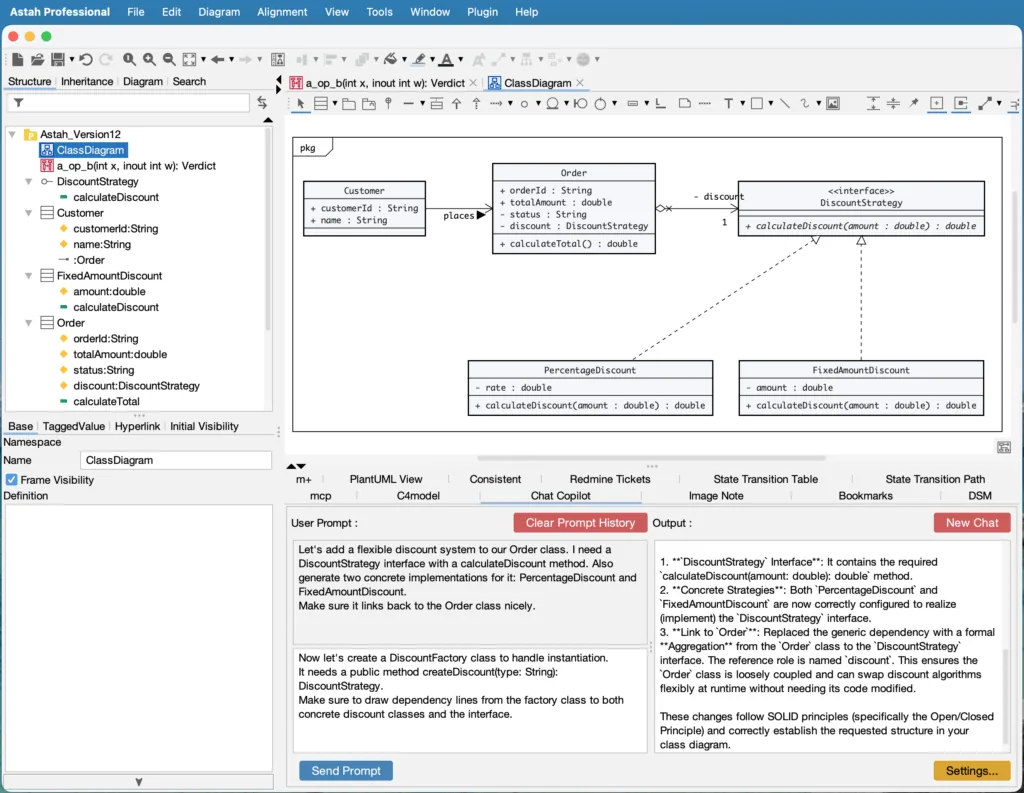
NOTE: AI Chat Copilot utilizes your preferred external AI service configuration with your API keys.

Streamlined Sequence Diagrams & Auto-Layout
Working with complex sequence diagrams is now smoother than ever with optimized editing operations. In version 12, the Auto-Layout function expands to support Combined Fragments. You no longer have to manually shift elements to declutter complex spaces; Astah dynamically structures these fragments with a clean, perfectly organized format with zero manual effort.
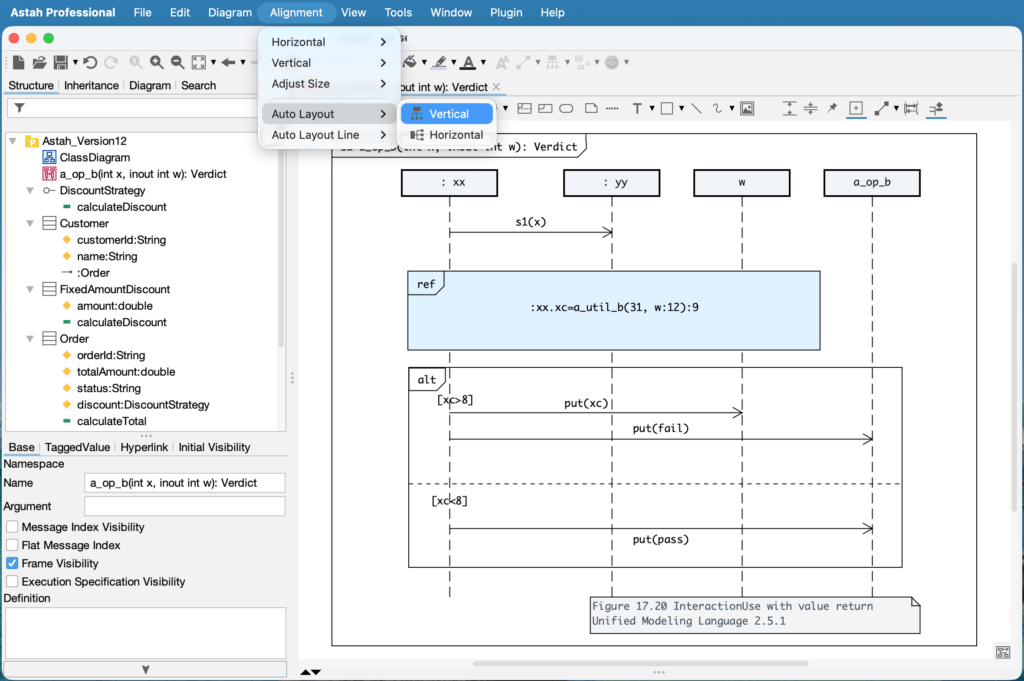
Enhanced Team Collaboration Tools
Our Reference Model Management breaks large, complex projects down into manageable files while maintaining a single source of truth.
Version 12 overhauls the interface with a clear hierarchical dependency tree, easier file status tracking, and a new batch-update option to sync multiple files simultaneously.
Additionally, when merging files, the project comparison display can be based on a designated priority project for faster, seamless conflict resolution.
Smart Auto-Scrolling During Editing
Never lose track of your cursor mid-thought. When typing within diagram elements, the canvas now scrolls responsively to keep your active text block perfectly in view. This prevents editing zones from drifting off-screen, completely eliminating the need to manually pan or zoom just to finish your specifications.
A Faster, Snappier Structure Tree
We have radically accelerated the Structure Tree backend, providing lightning-fast element filtering even in massive project.
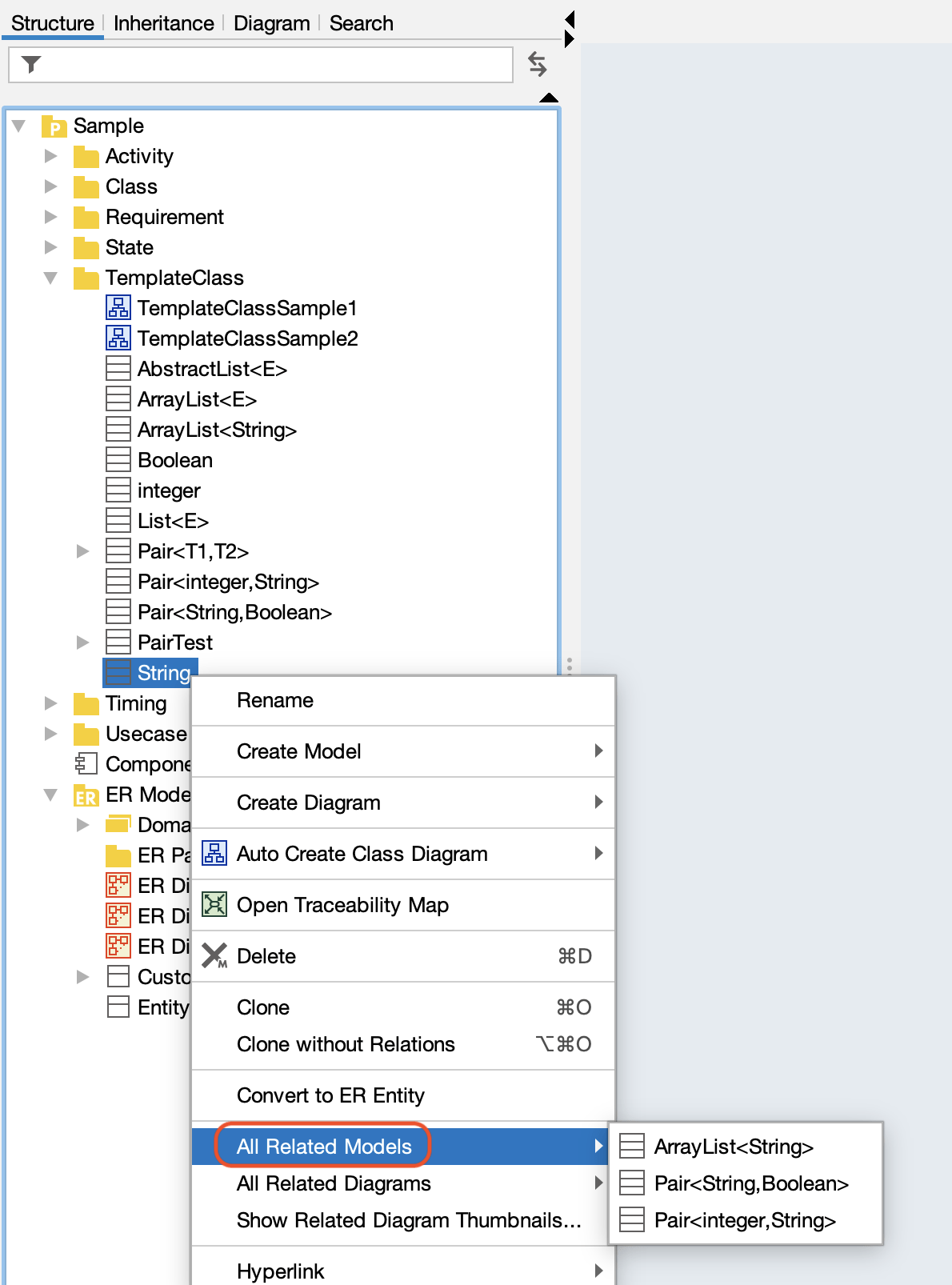
Reference handling has also been refined, allowing you to jump directly from the new [All Related Models] menu to exact model references – drastically cutting down on menu searching and extra clicks.
Intelligent Line Auto-Layout
Tear down messy cross-line intersections cleanly. This highly requested alignment mechanism processes your diagram to reduce line intersections and layout overlaps automatically.
Crucially, this smart algorithm optimizes line routing without altering the coordinates of your carefully placed structural blocks, classes, or package boundaries.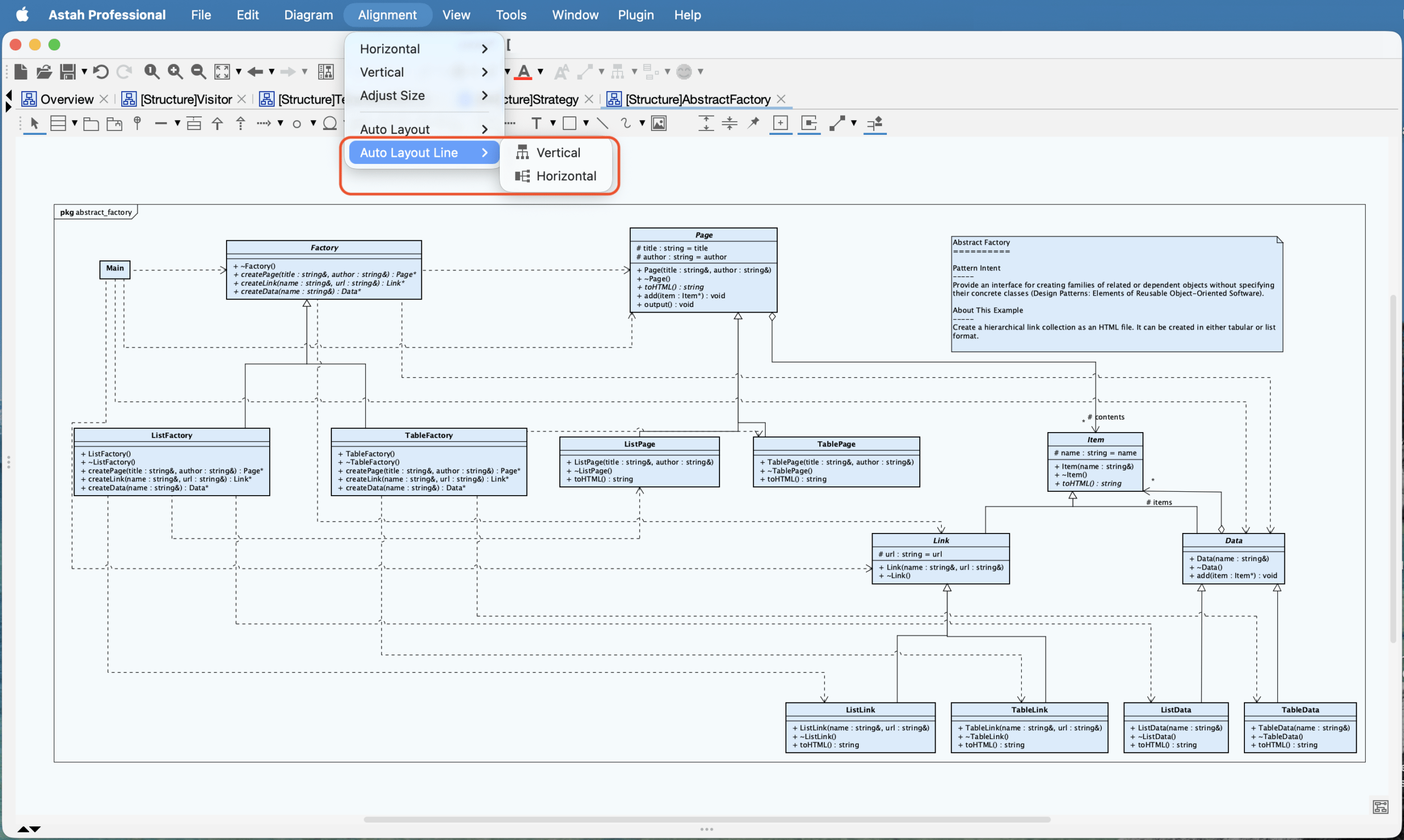
New Features & Improvements
AI Integration
- AI Chat Copilot Enhancements: Expanded model retrieval and editing capabilities. We have also added support for Reasoning AI models (ThoughtSignature) and Azure OpenAI, and streamlined the user experience by removing the manual Temperature settings.
- AI Code Reverse: Dramatically reduced computational analysis costs by separating the code analysis phase from model generation, allowing you to save and reuse analysis results.
UI & UX Enhancements
- Auto-Scrolling: Enabled automatic canvas scrolling to keep your active cursor visible when typing long text that extends beyond the screen boundaries. (#150)
- Tab Management: You can now easily reorder active editor tabs via drag-and-drop. (#9035)
- View Restoration: Diagram viewing positions and zoom scales are now automatically restored when reopening a file. (#9055)
- Structure Tree:
- Significantly accelerated filtering performance for lightning-fast model navigation. (#8313)
- Added a quick-jump feature – [All Related Models] to navigate directly to referenced models. (#9063)
- Referenced Projects: You can now seamlessly select model elements directly within the diagrams of referenced projects added via the Reference Model Management Feature. (#9092)
Diagramming & Modeling
- Sequence Diagrams:
- Added support for Combined Fragments within the automatic layout tool. (#8531)
- Improved rendering performance when modifying the depth (Z-order) of diagram elements. (#9104)
- Line Auto-Layout: Introduced a dedicated automatic layout tool designed specifically to route and organize lines without shifting your shapes. (#9047)
- Auto-Resizing: Enabled automatic resizing for diagram elements that contain child elements, such as Packages and States. (#8398)
- Use Cases: Use Cases now fully support automatic resizing. (#7357)
- Rapid Creation: Instantly create an instance by pressing
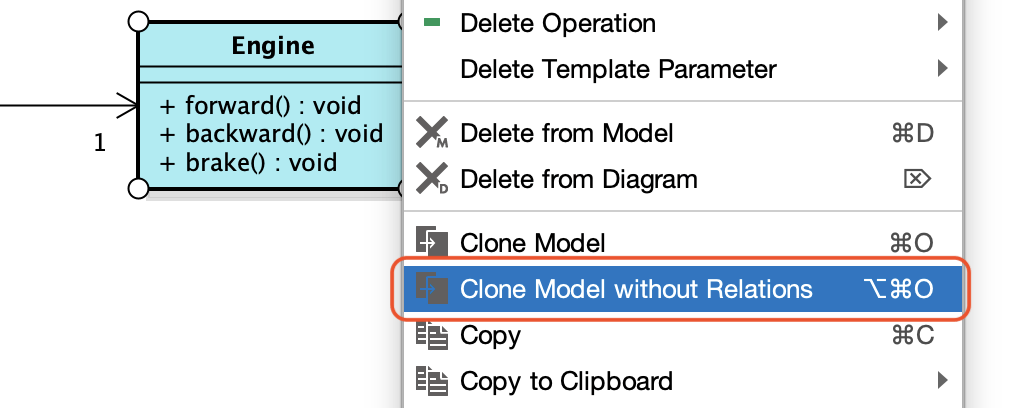
Ctrl+ double-clicking on the diagram canvas. (#9114) - Model Duplication: Added a feature to duplicate models without carrying over their existing associations. (#9049)
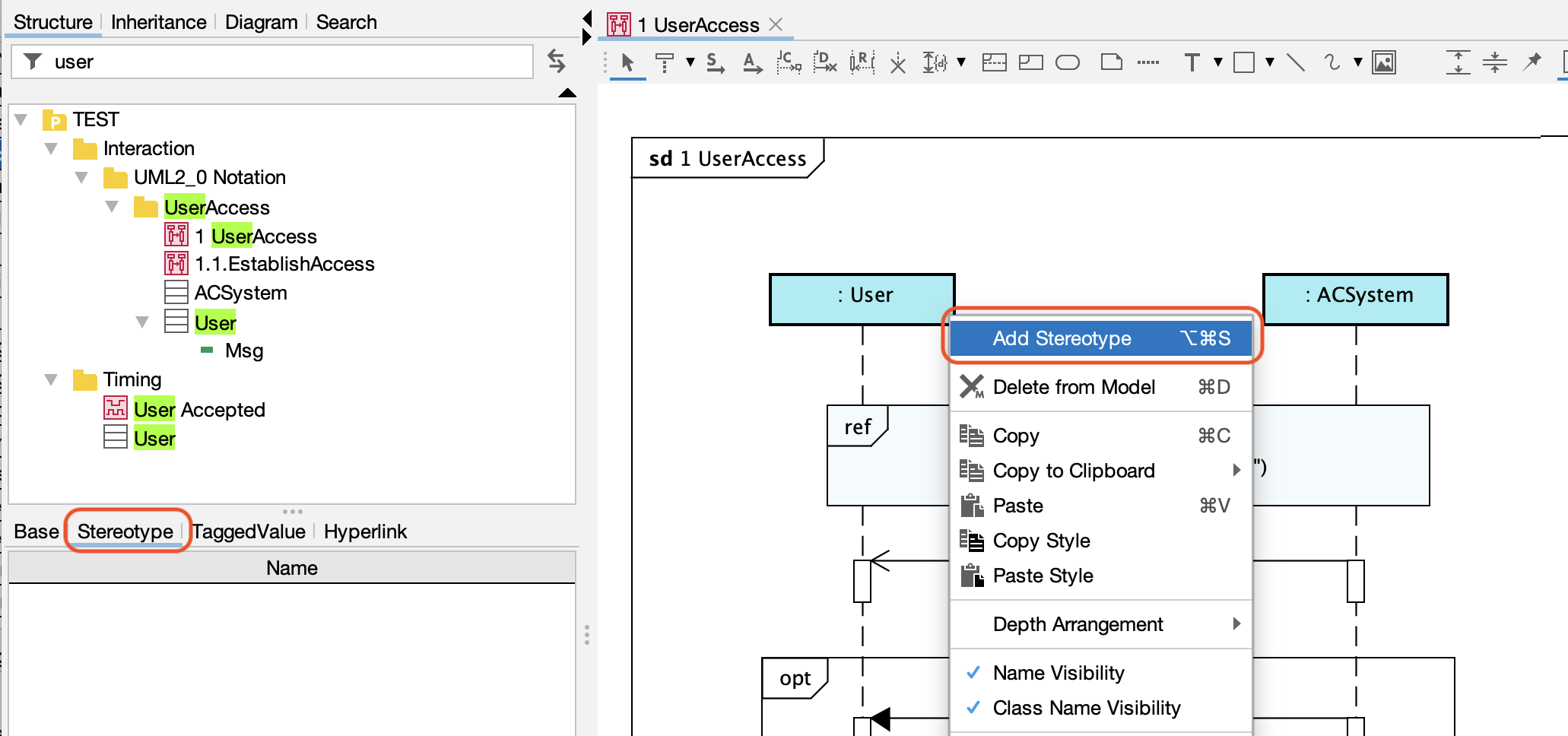
- Custom Stereotypes: You can now define and apply specific stereotypes uniquely tailored to InstancesSpecifications, Lifelines, ObjectNodes, NodeInstances and ComponentInstances. (#8687)
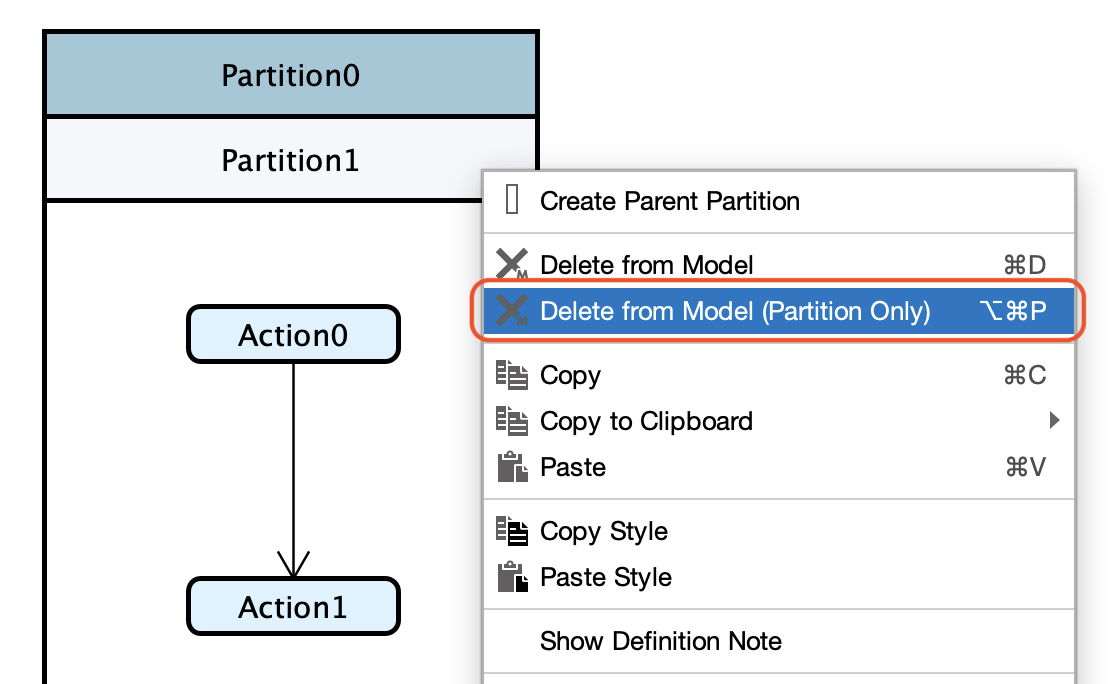
- Activity Diagrams: Delete partitions in Activity Diagrams and Flowcharts while safely retaining all contained internal elements. (#7965)
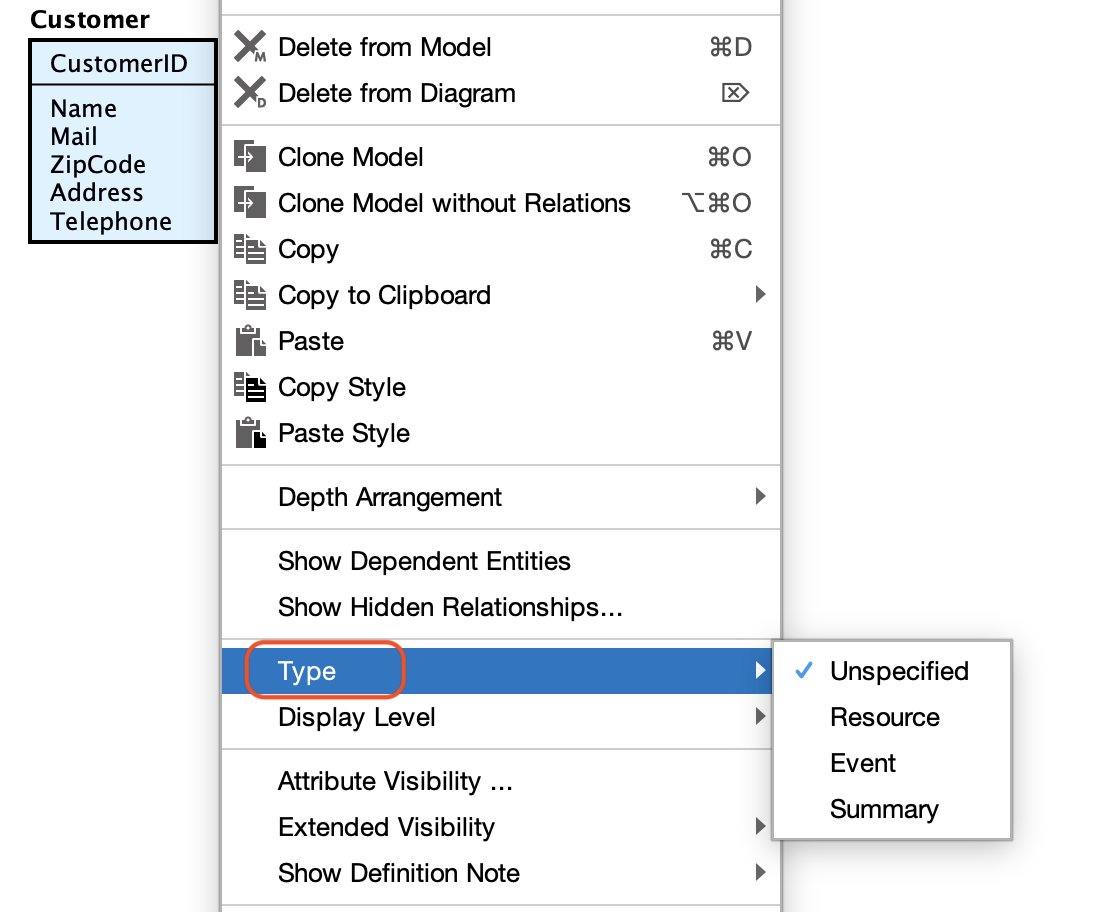
- ER Diagrams: Now you can change ER Entity Type from its context menu. (#9045)
- Mind Maps: Easily select hidden elements inside closed topics using the “Jump to Diagram Element” function. (#8533)
Project Management & API
- Reference Projects: Added the ability to detect and update project changes by tracing hierarchical dependencies directly from the Reference Model Management screen. (#8353)
- Priority Merging: When merging projects, you can now configure the difference display based on a selected priority project. (#9062)
- HTML Export Backup: HTML Export now creates a backup of the destination folder before overwriting files. (#9033)
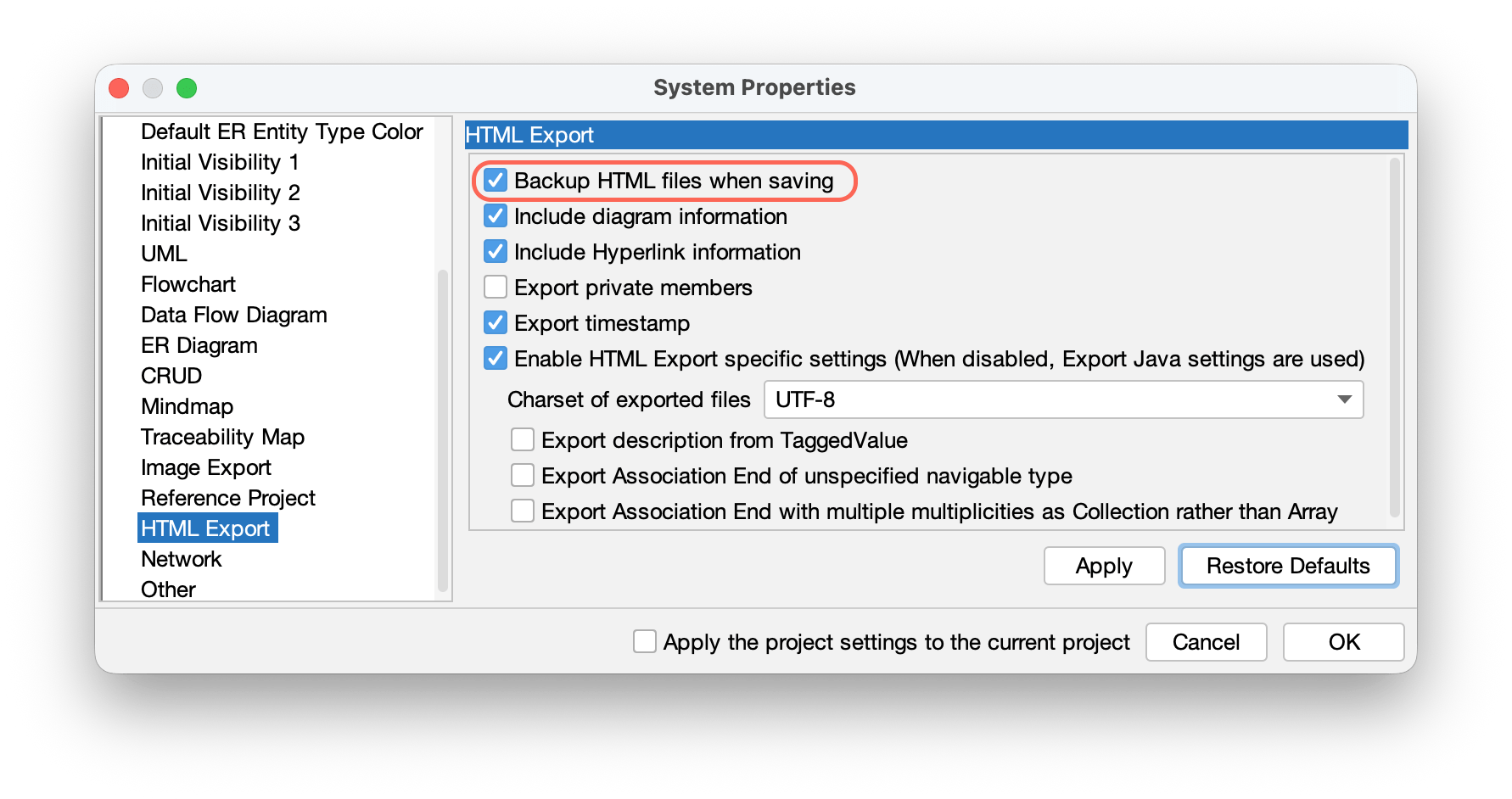
- API Exceptions: Added a specific key to
InvalidEditingExceptionto clearly flag unsupported API operations. (#9099)
Bug Fixes
General UI & Stability
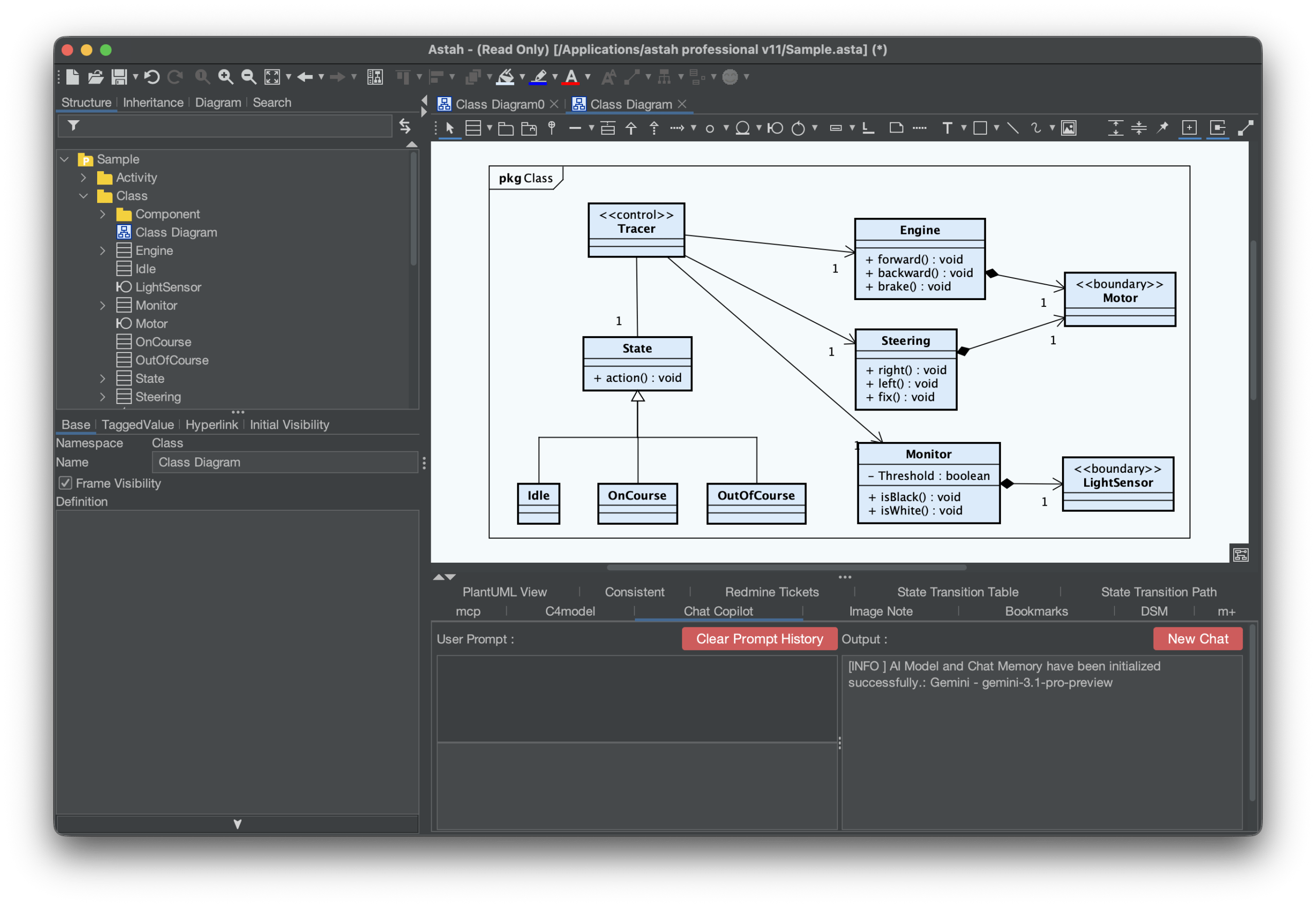
- Mac Dark Mode: Fixed a bug preventing the application title bar from correctly applying Dark Mode colors on macOS. (#9127)
- Undo Behavior: Resolved an issue where performing an “Undo” during text input incorrectly reverted actions taken prior to the edit session. (#8455)
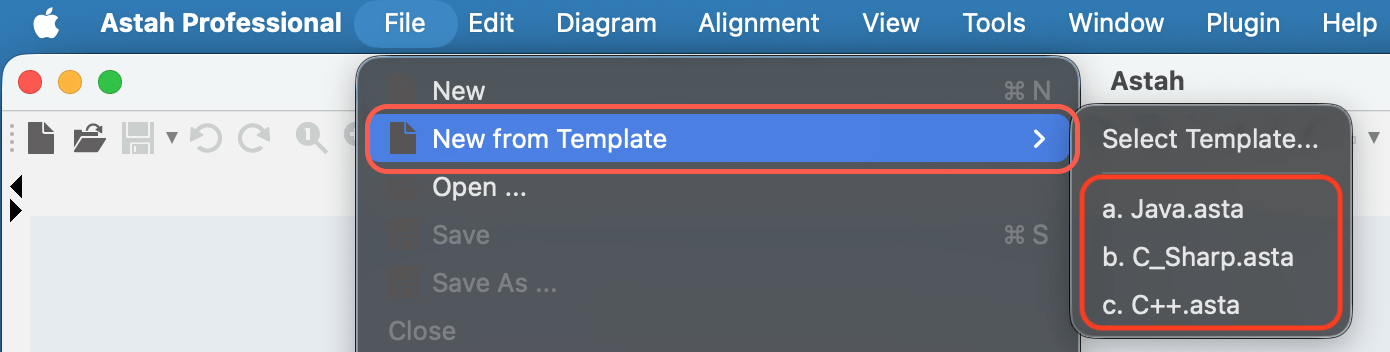
- Template Dialog: Removed an unnecessary alert message that appeared when canceling the “New from Template” operation. (#8260)
- Licenses: Corrected the error message key displayed during floating license connection issues. (#9100)
Diagram Editor Behavior
- Selection Sync: Fixed synchronization issues where diagram selections failed to accurately highlight the correct model in the Structure Tree. (#8802, #9091)
- Property View: Resolved a bug where the Property View failed to refresh when selecting an Association End. (#9032)
- UI Panes: Fixed a display issue where the selection sync pane for the Alias View and Hierarchy Tree would not close when clicking the toggle button. (#9088)
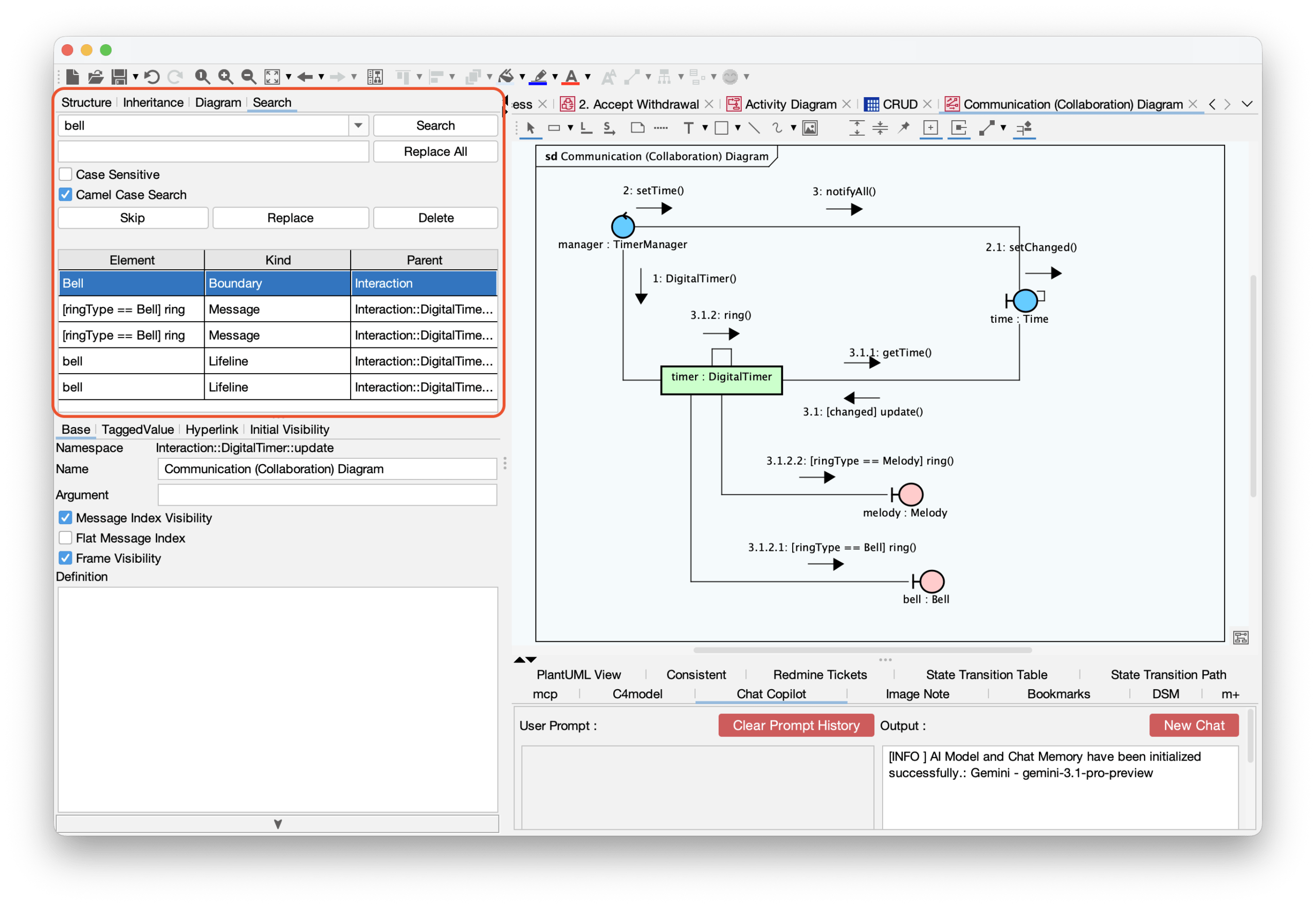
- Search Tab: Resolved a bug where parent elements for specific models were not visible within the Search tab. (#9084)
- Canvas Scrolling: Prevented the editor from incorrectly scrolling to the bottom of large diagram elements when the active editing area was already clearly visible on screen. (#9111)
- Bulk Replacement: Fixed an issue where the “Replace All” would fail if the project includes referenced project by using Reference Model Management feature. (#9097)
- Structure Tree Order: Restored the correct attribute and operation order in the Structure Tree after deleting and undoing a Class deletion. (#9090)
Sequence Diagrams
- Fixed an issue preventing messages from being correctly reconnected to elements. (#9056)
- Corrected the layout positioning of Execution Specifications after reconnecting messages or switching them to asynchronous. (#9080, #9098, #9103)
- Resolved a bug where moving a Lifeline unintentionally excluded its messages from their parent Combined Fragment. (#9094)
ER Diagrams
- Fixed an exception triggered by dragging and dropping primary keys and attributes into the PK partition. (#9075)
- Resolved parent-child relationship inversions that occurred when converting Class Diagrams to ER Diagrams. (#9086)
- Fixed a bug where enumeration literals were incorrectly generated as
intentities during ER model conversion. (#9085) - Corrected invalid model generation and broken references that occurred when duplicating ER Packages. (#9120, #9121)
- Ensured that custom template settings for exporting Entity Definitions are reliably saved. (#8153)
- Fixed an issue where jumping from the Structure Tree to an ER Entity selected the incorrect model. (#9002)
Other Diagram Fixes
- Composite Structure: Fixed relationship lines disappearing when displaying a Structured Class as a standard class. (#8762)
- State Machine: Prevented Substates from visually protruding outside their parent regions. (#9129)
- Deployment: Resolved invalid model generation errors when copying and pasting Deployment Diagrams. (#9066)
- DFD: Fixed an issue where processes were improperly resized during merge or copy/paste events, even when auto-resize was explicitly disabled. (#9118)
- CRUD: Prevented configured diagrams from being wiped out when pressing the
Esckey in the options dialog. (#8773) - General Fixes:
- Fixed an issue where Realizations could be erroneously connected to non-interface elements. (#8733)
- Prevented the accidental deletion of certain diagram elements when clicking “No” in the model deletion confirmation dialog. (#8737)
- Fixed an error caused by reconnecting the anchor of a Definition Note. (#8963)
- Prevented initial values and type modifiers from being deleted when double-clicking to edit an Association End. (#9081)
Project Comparison, Merge & API
- Project Comparison:
- Identical rows in Requirement Tables are no longer falsely flagged as differences during comparison. (#8489)
- Fixed an issue where behavioral diagrams were marked as modified even when no actual differences existed. (#8587)
- Corrected the difference type label for Component and Node Instances, which incorrectly displayed as “Instance Specification”. (#8742)
- API:
- Fixed a bug preventing the creation of dependencies from Classes to Ports, Parts, or Instance Specifications. (#9083)
- Corrected dependency creation logic relating to Requirements and Test Cases within Requirement Diagrams. (#9095)
- Fixed the directional inversion of
includeandextendrelationship elements generated between Use Cases via API calls. (#9096)