
DSM
Generate Dependency Structure Matrix (DSM) to show dependency relationships between Classes, Interfaces and Packages. DSM quickly alerts you to overly specific dependencies and circular references in a concise color-coded chart.


How to Install
- Download the plug-in file. If you use an older version of Astah, download the plug-in version that works with it.
- Drag the downloaded .jar file onto a running Astah window. When a pop-up asks you to confirm the installation, click [Yes], then restart Astah.
- If the [DSM] tab appears below the Diagram Editor, the installation is complete. If it doesn’t, go to [View] – [Show/Hide Extra View] to open it.
How to Use
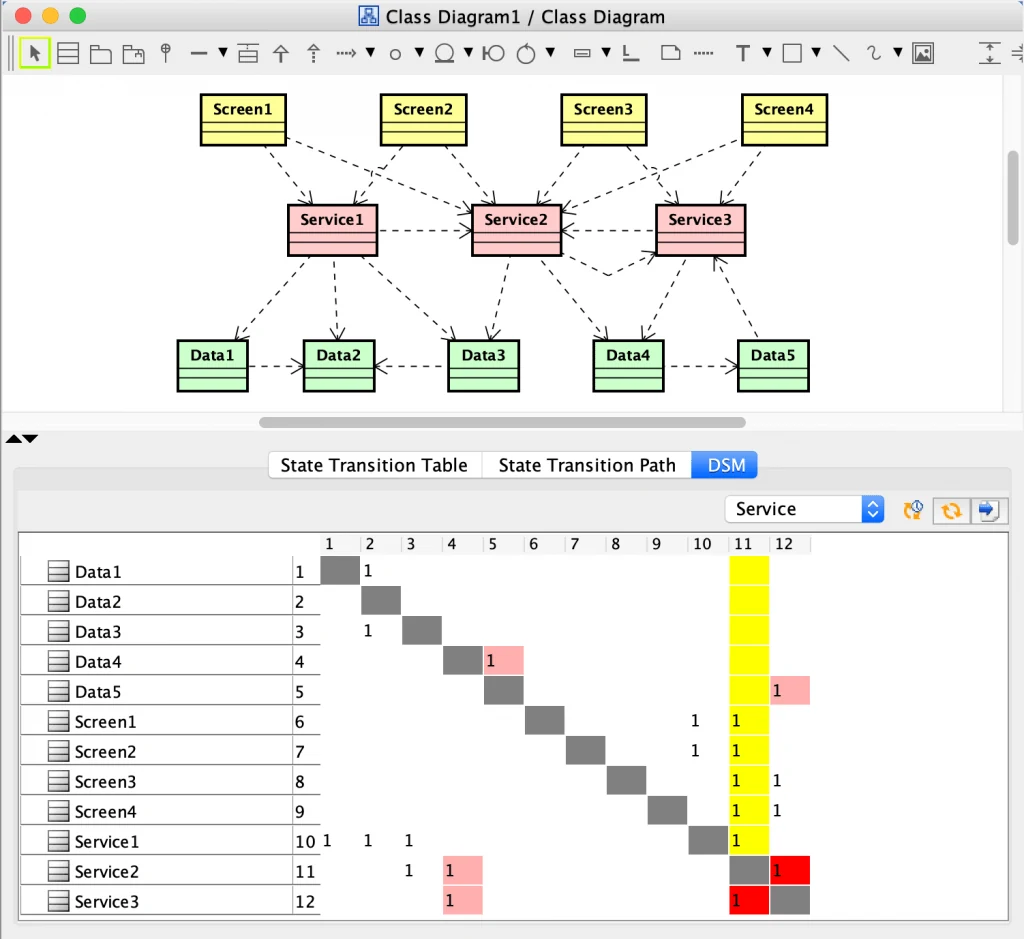
After installation, the [DSM] tab appears in the bottom pane, below the Diagram Editor. It shows the dependencies between the classes and packages in your model as a Dependency Structure Matrix (DSM).
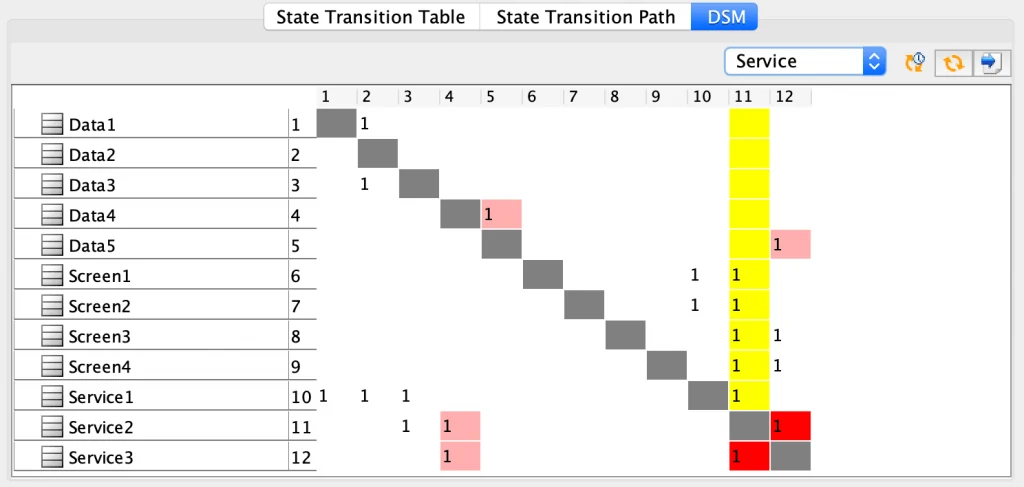
Colored cells point to dependencies that may need attention. If your DSM has colored cells, review those dependencies in your model. Checking the DSM as you model helps you find risky dependencies early.
Supported models
The DSM treats relationships between classes (including Interface, Actor, Entity, BusinessEntity, Boundary, Control and BusinessWorker) and packages (including Subsystem and Model) as dependencies.
Filter by namespace
You can filter the DSM by namespace, so that only the models in the selected namespace appear.

Export the DSM to Excel
To export the DSM to Excel, click the [Export to Excel] button at the top right.
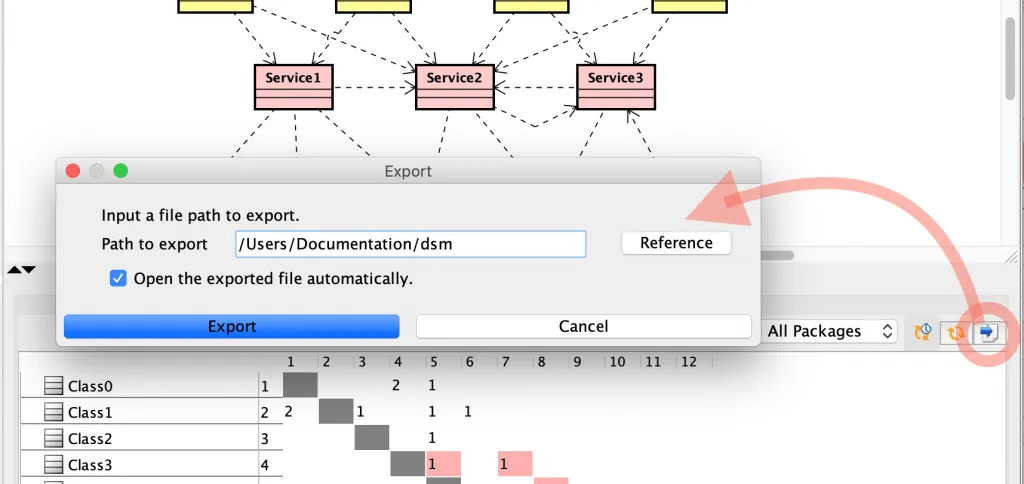
The exported DSM looks like this.

Notes
- If a DSM contains more than 100 models, a warning appears because performance may be affected.
- Anonymous bound classes do not appear in the DSM.
Download Old Versions
| Compatible with | Plug-in Version | Release Date | Download |
|---|---|---|---|
| Astah Professional and UML version 6.6 – 8.3 | 1.3.5 | 2019.4.11 |  |