
PlantUML Plugin for Astah
The PlantUML Plugin for Astah lets you import PlantUML diagrams into Astah and export Astah diagrams as PlantUML. Start diagramming in text, refine in Astah, share with non-Astah users, and use your models with AI tools via its text-based format.


Latest Version
1.3.0 (Updated: September 4, 2026)
Developer
Change Vision, Inc. Support
No technical support is provided.
Demo
Installation Steps
- Click the [Download] button above to download the latest version of the plugin file (
plantuml-plugin-x.x.x.jar). - Launch Astah, then drag and drop the downloaded
.jarfile into the Astah application window. - Restart Astah and go to [File] → [New] to create a new project (or open an existing
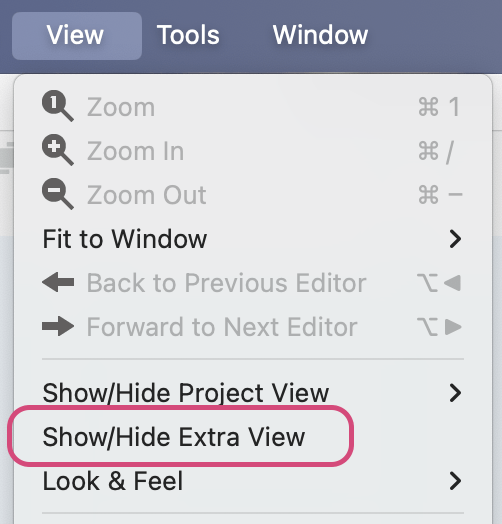
.astafile). - Go to [View] → [Show/Hide Extra View].
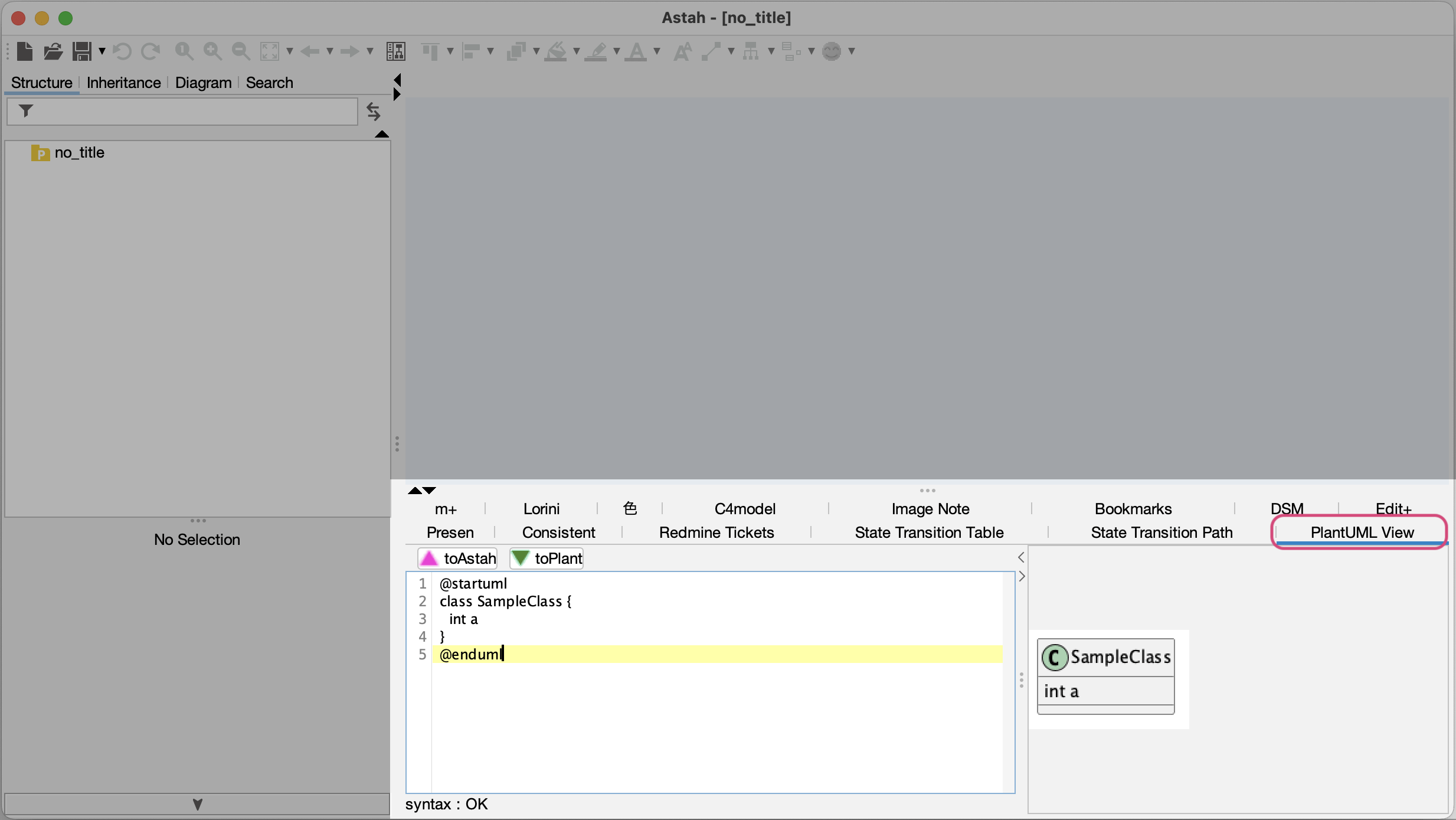
- In the bottom-right pane, open the [PlantUML view] tab. If you see sample PlantUML code alongside a diagram preview, the installation is complete.
Importing PlantUML Diagrams into Astah
- Open the [PlantUML View] tab in Astah.
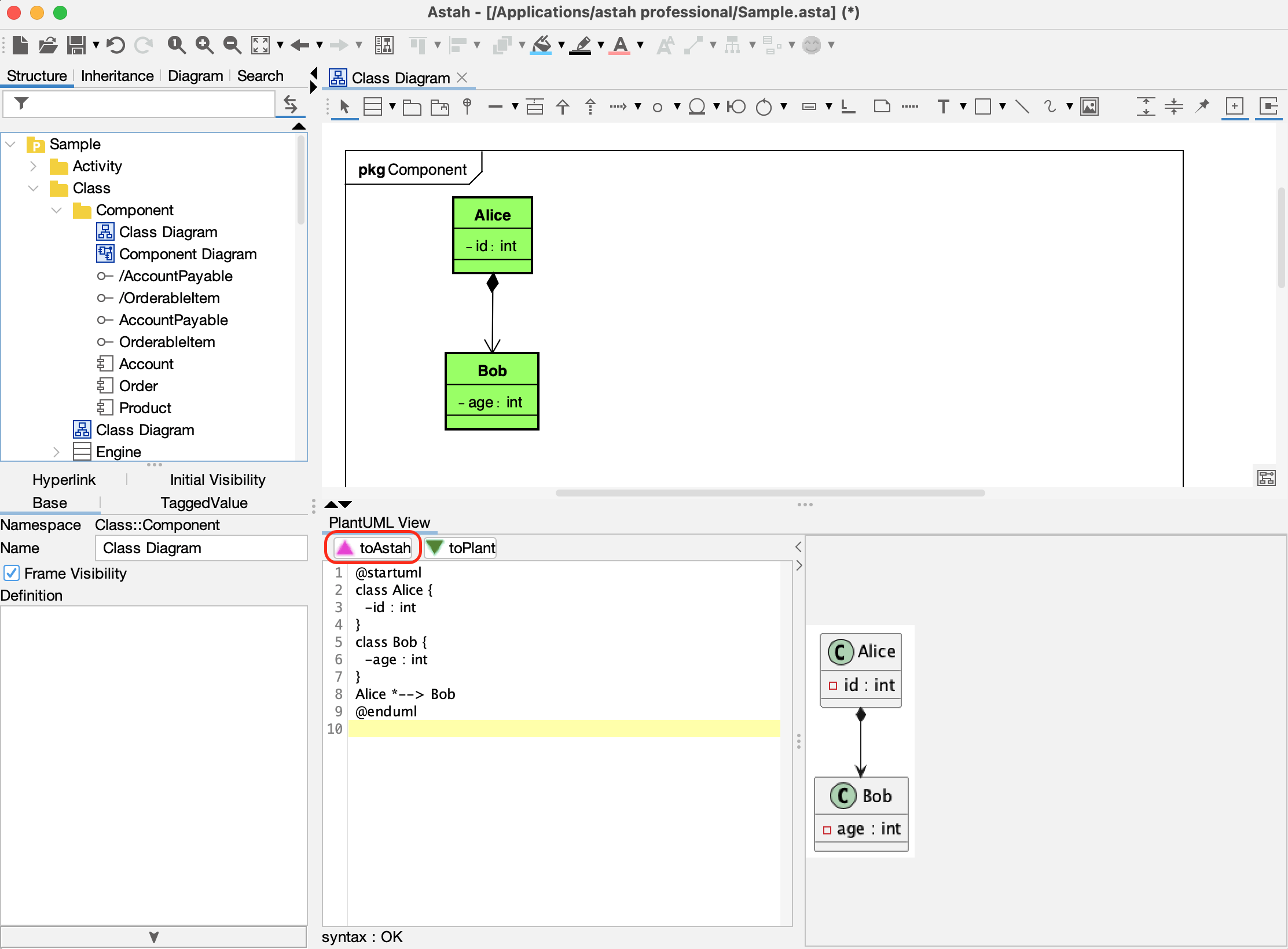
- Paste your PlantUML code into the text editor. A preview of the diagram will render on the right.
- Click the [▲toAstah] button to convert the code into an editable Astah diagram.
Exporting Astah Diagrams to PlantUML
- Open the diagram you wish to export in Astah.
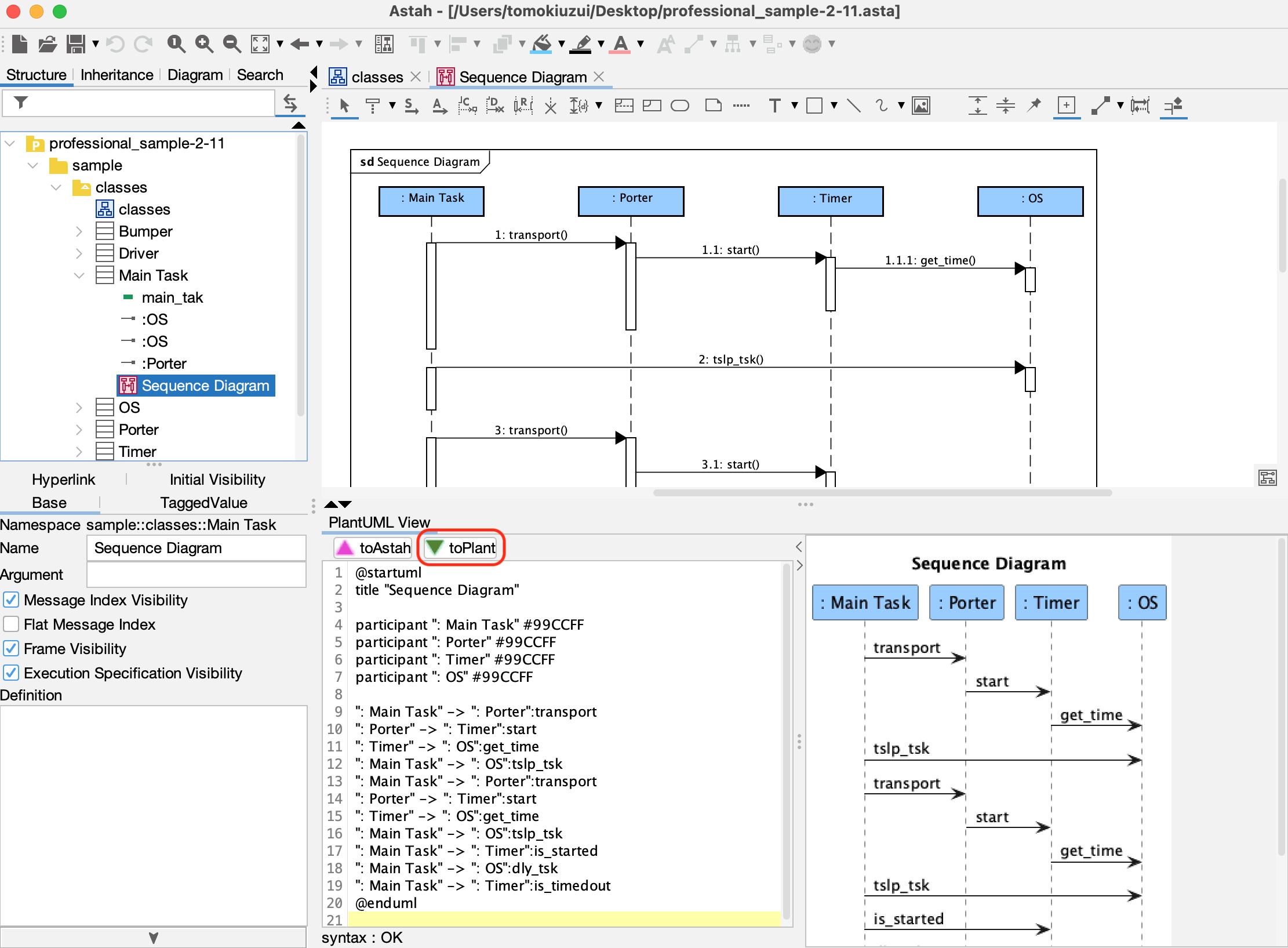
- Click the [▼toPlant] button in the [PlantUML View] tab.
- The generated PlantUML code will appear in the editor along with a diagram preview.
Learn More
For detailed technical documentation, refer to the PlantUML Plugin Readme:
- Supported diagram types
- Supported model elements
- System requirements and release notes
Download Older Versions
| Version | Release Date | Compatibility | Download |
|---|---|---|---|
| 1.1.0 | March 3, 2026 | Astah Professional & Astah UML 11.0 or later |  |
| 1.0.0 | August 1, 2025 | Astah Professional & Astah UML 10.0 or later | |