
C++ Reverse
Add [C++ Import] menu in Astah to enable to import C++ source code to Astah from the menu. After importing, you are able to auto-generate Class Diagrams.


Latest Version
1.2.0 (December 4, 2024)
Developer
Change Vision, Inc. Support
No technical support is provided.
How to Install
- Download the Plug-in file by clicking the blue Download button at the top of this page.
- After the download is complete, drag the downloaded .jar file to an open instance of Astah. A pop-up will appear asking you to confirm installation choose ‘Yes’.
- If the pop-up below opens, restart Astah.
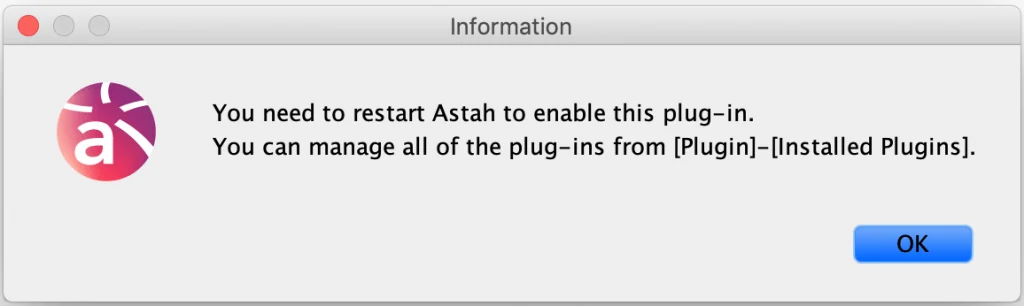
The [Plugin] menu exists in Astah version 7.2 or later. - If the [Import C++] option is under [Tools] – [C++], your installation is complete!

How to Use
First, you need to export C++ to XML using Doxygen.
- Download and install Doxygen.
- Launch Doxygen from [doxygen] – [Doxywizard]. [Doxygen GUI Frontend] dialog opens, select [Wizard] – [Project] and specify the items as below.
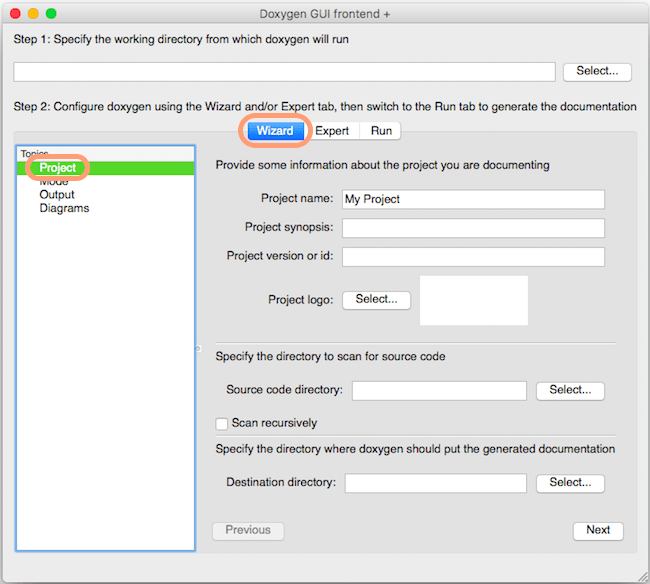
Project name Enter the project name Project version or id Enter Project version or ID Source code directly Specify the source code directory Scan recursively Check if you want to scan recursively including the sub folders. Destination directory Do not use the following symbols &, <, >, * or @. - Now move to [Wizard] – [Mode] and check two options like the figure below.

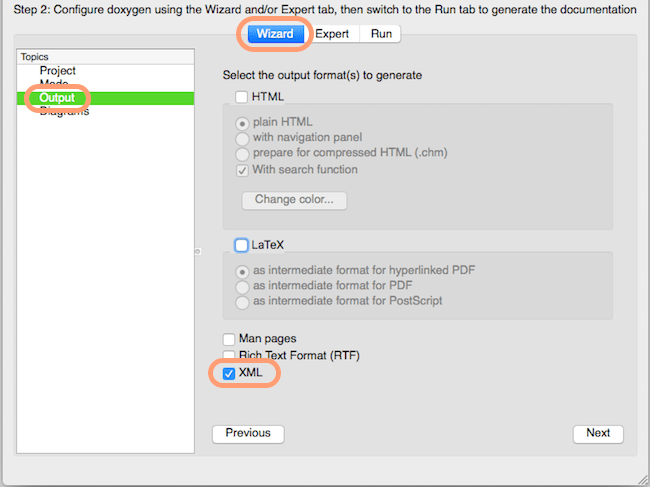
- Next configure [Wizard] – [Output], and check [XML].
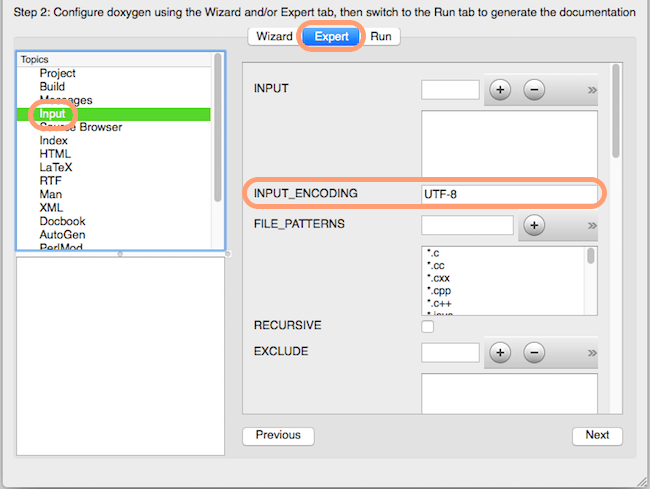
- Go to [Expert] – [Input] and specify the encoding which is used in the source code (e.g. UTF-8, CP1252). List of supported encoding.
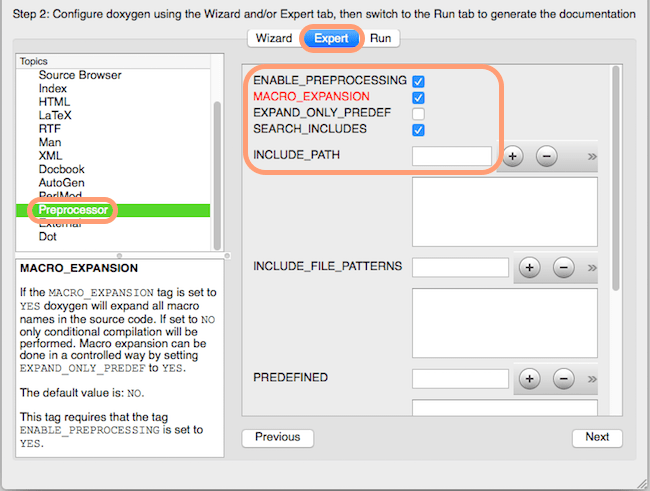
- Still in [Expert] – [Preprocessor] and make sure to check the three options, [Enable_Preprocessing], [Macro_Expansion] and [Search_includes], rest can be your preference.
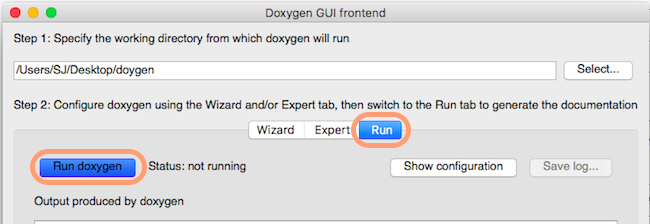
- Finally, go to [File] – [Save] to save all the configurations you made, and go back to [Doxygen GUI frontend] dialog, select [Run] tab. Specify the working directory and then click [Run doxygen] button. If Doxygen finished converting without any errors, you will see the message “Doxygen has finished” in the window.
- In Astah, create a new file or open an existing file. Then go to [Tools] – [C++] – [Import C++] and start loading the XML file.
- To create a class diagram with the imported source code, right-click on a package and generate a Class Diagram automatically.
When import fails
- Make sure that you set the correct encode in Doxygen. Please follow the step below to re-generate the .xml file.
- Check which encoding is used in the C++ source code.
All source code files need to be using the same encoding. - Launch Doxygen. Go back to Step.3 to configure the setting.
- In the Step.5, set the same encode that you checked that is used in the C++ source code.
(Reference: List of Encode Doxygen supports) - Go back to Step.7 and generate the XML and try importing to Astah again.
- Check which encoding is used in the C++ source code.
- We tested this plugin with Doxygen version 1.8.6. If you are usin other version of Doxygen, use Version 1.8.6.
If this solution didn’t work, please contact us.
Download Old Versions
| Version | Update | Compatible with | Download |
|---|---|---|---|
| 1.1.0 | 2017.3.24 | Version 6.8 – 9.2 |  |
| 1.0.9 | 2015.7.17 | Version 6.7 | |
| 1.0.5 | 2013.3.22 | Version 6.6 | |