
DB Reverse
Easiest way to import database tables into Astah, and auto-generate ER Diagrams with imported tables quickly.

Latest Version
1.0.9 (Updated: November 30, 2022)
Developer
Change Vision, Inc. Support
No technical support is provided.
How to Install
- Download the plug-in file.
- Drag the downloaded .jar file onto a running Astah window. When a pop-up asks you to confirm the installation, click [OK], then restart Astah.
- If [DB Reverse] appears under [Tools], the installation is complete.
How to Use
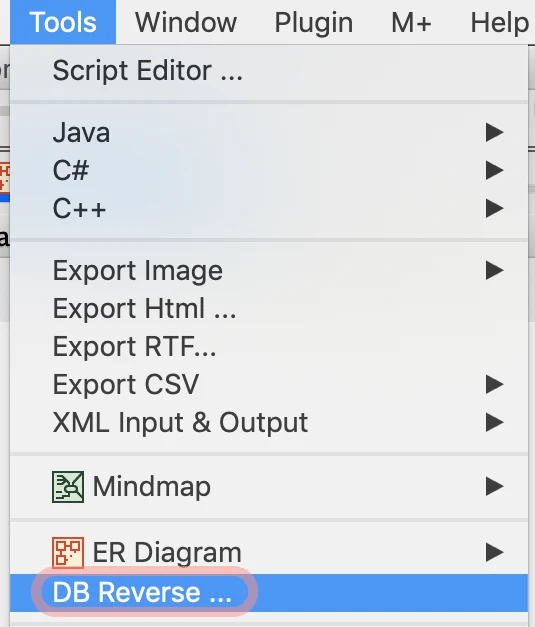
- Go to [Tools] – [DB Reverse].
- In the [DB Reverse] window, enter the connection information for your database and click [Connect].
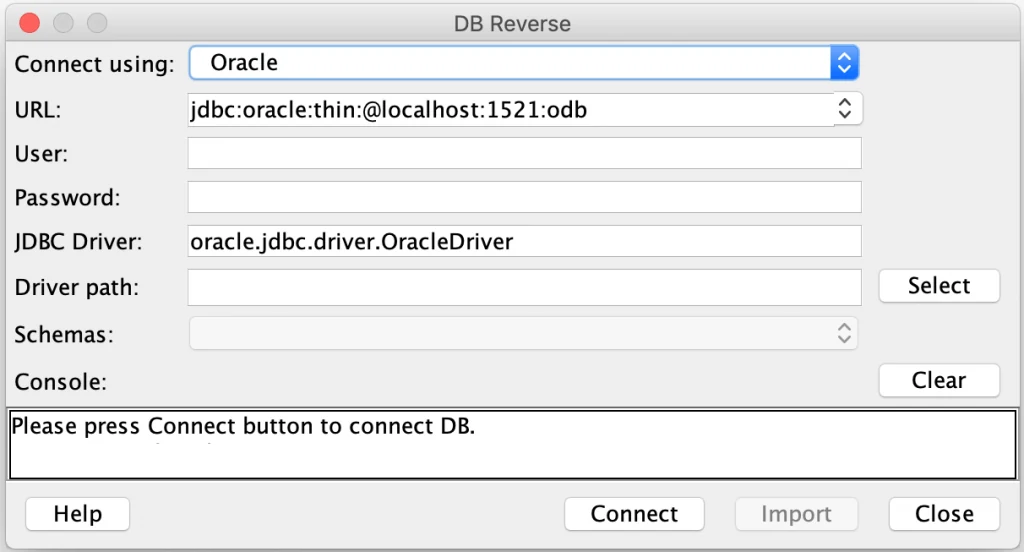
Note: A JDBC driver for your database is required. If you don’t have one, download the JDBC driver for your database first.
Options under [Connect using]:
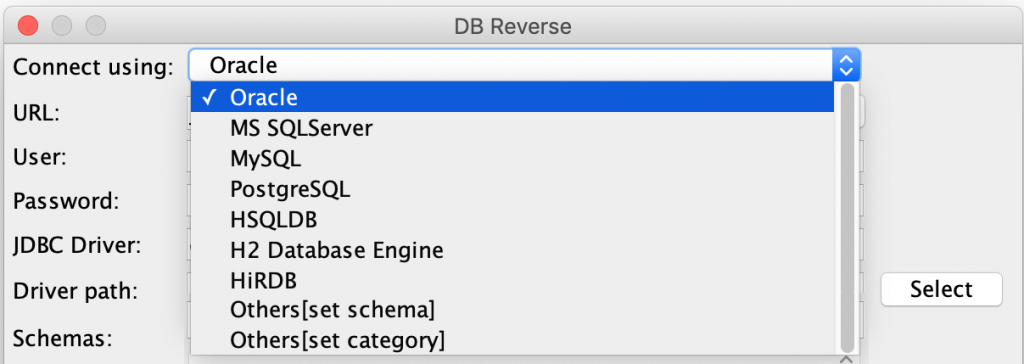
| Others [get schema] | Imports table information by schema |
| Others [set category] | Imports table information by category |
Example: How to enter when connecting HSQLDB
| URL | jdbc:hsqldb:hsql://localhost |
| User | sa |
| Password | xxxxx |
| JDBC Driver | org.hsqldb.jdbcDriver |
| Driver path | C:\hsqldb-2.2.5\hsqldb\lib\hsqldb.jar |
Example: How to enter when connecting SQLServer
| URL | jdbc:sqlserver://localhost:1433;databaseName=(database name) |
| User | xxxxx |
| Password | xxxxx |
| JDBC Driver | com.microsoft.sqlserver.jdbc.SQLServerDriver |
| Driver path | C:\xxx\sqljdbc42.jar |
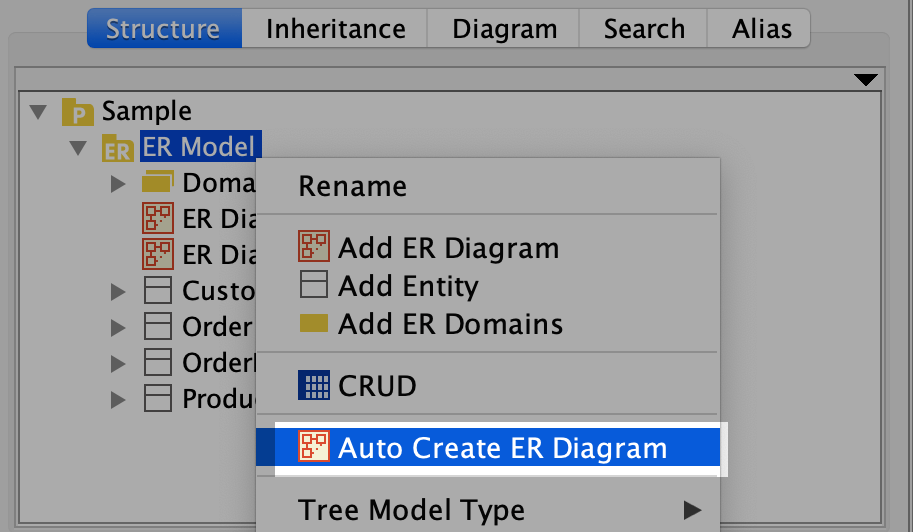
The tables are imported as models. To create an ER diagram from the imported models, select [Auto Create ER Diagram] from the package’s pop-up menu.
Download Old Versions
| Version | Update | Compatible with | Download |
|---|---|---|---|
| 1.0.7 | 2016.10.13 | Version 6.6.4 or later |  |