
C4 Model Plugin for Astah
Visualize your software architecture with clarity. This plugin allows you to create C4 model diagrams within Astah by instantly transforming standard UML Classes into C4-styled icons (Persons, Systems, Containers, and Components).


Latest Version
1.1 (June 8, 2021)
Developer
Change Vision, Inc. Support
Technical support is not provided.

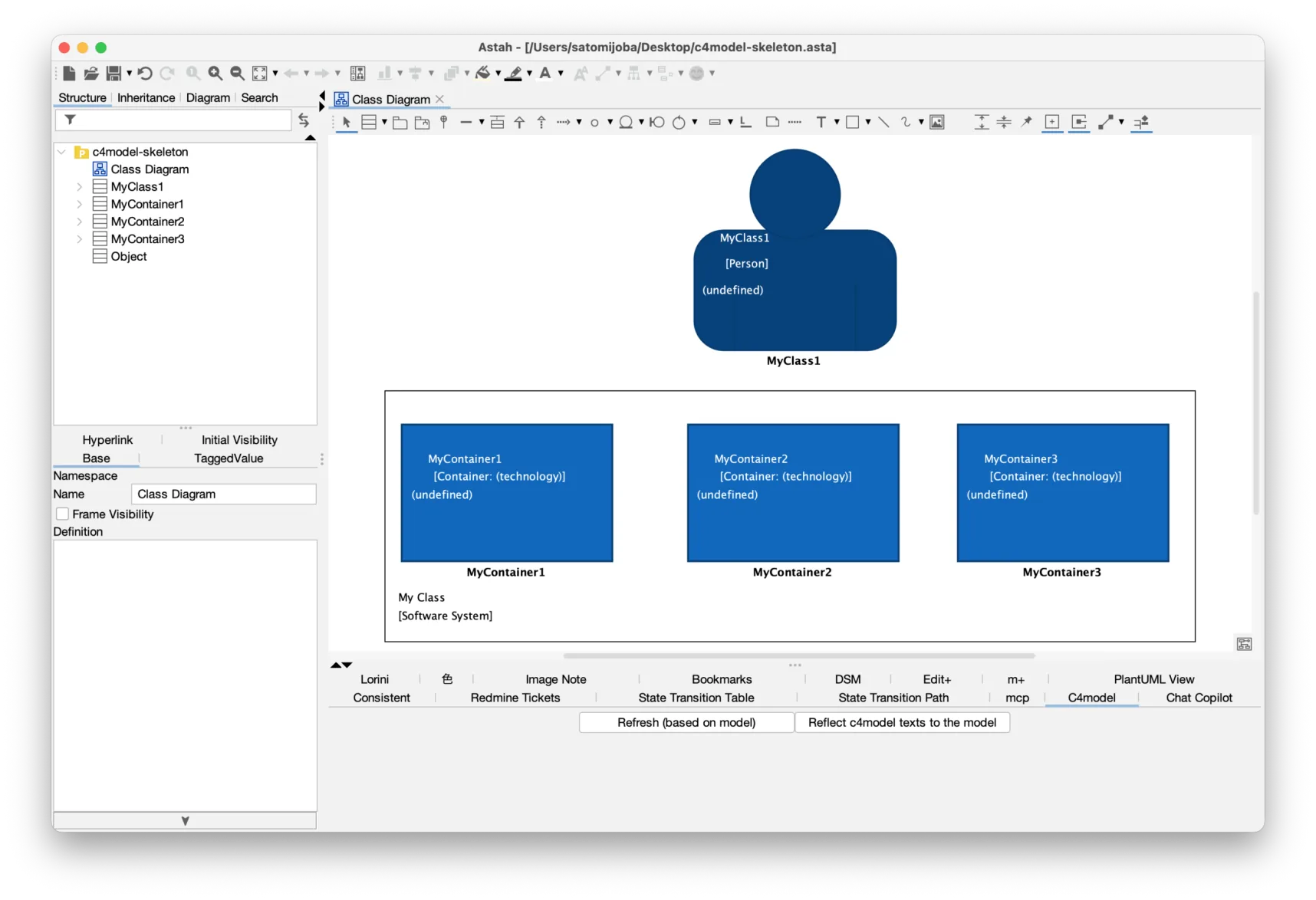
Create the C4 model in Astah!
How to install
- Download the latest .jar file from the Releases page.
- Launch Astah and drag the downloaded .jar file directly into the application window.
- Select [Yes] when the installation pop-up appears.
- Restart Astah and open any project file.
- You will now see the [C4 model] tab located in the Extension View below the Diagram Editor.

How to create the C4 model
- Download the C4 Sample Project (.asta). If the direct link is unavailable, you can find the
c4model-skeleton.astafile in the sample folder of the GitHub repository. - Launch Astah and open the downloaded
c4model-skeleton.astafile. This file contains the necessary C4 stereotype profiles and icons. - Open a Class Diagram.
- Create a Class and assign it the «Person» stereotype (or other C4 stereotypes such as Software System, Container, Component).
- The UML class will instantly transform into a C4-compliant icon.
If you are using Astah Professional edition, you can change the visual style via [Icon Notation] – [Select Customized Icon].
Stereotype Reference
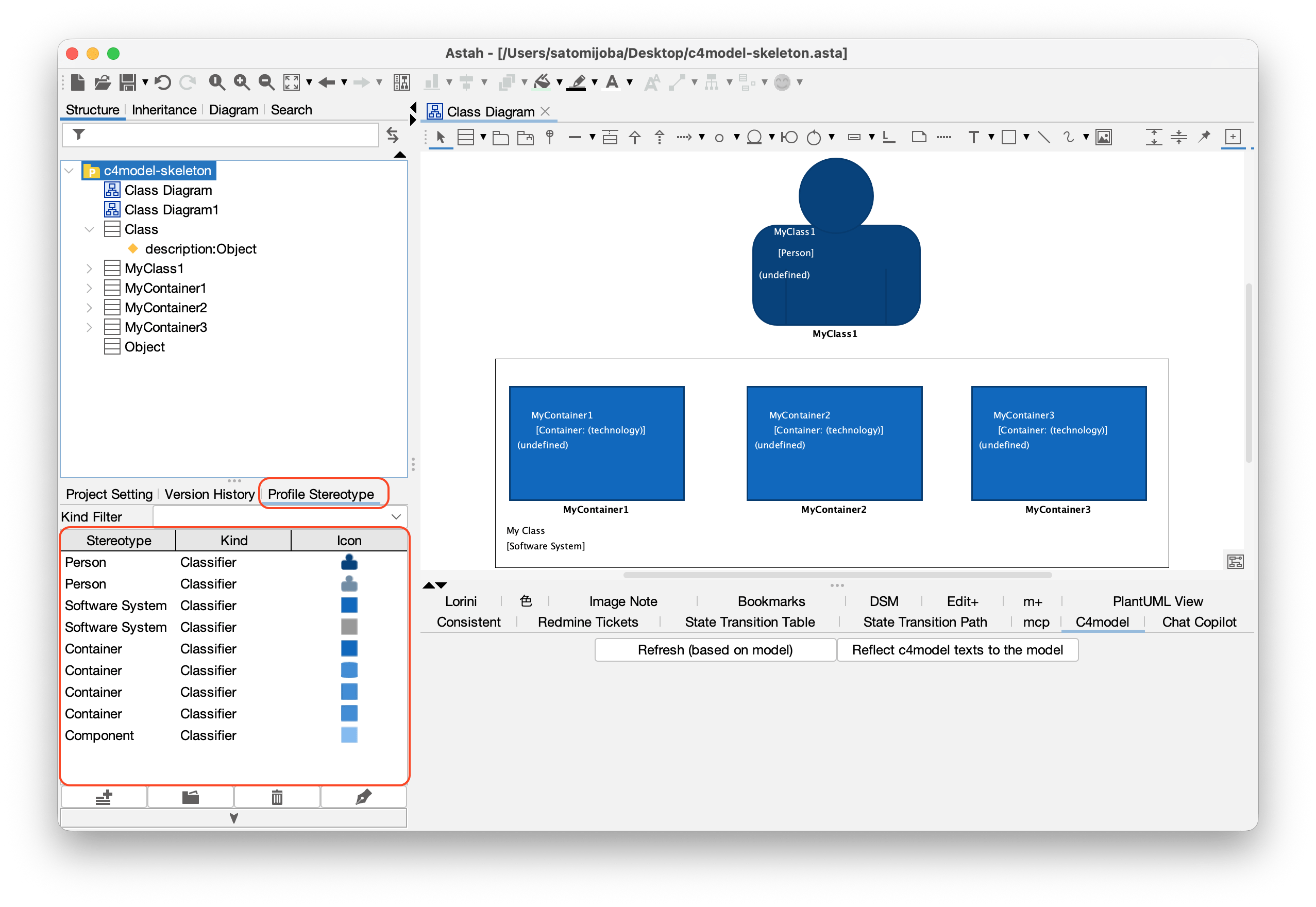
The plugin uses stereotypes to map UML elements to C4 visuals. You can view the full list in the [Profile Stereotype] tab of the root package.
Edition Differences & Customization
The ability to view and modify the underlying C4 icons depends on which edition of Astah you are using:
- Astah Professional Edition: Full access to the [Profile Stereotype] tab in the root package. You can view the entire list of C4 stereotypes and manually customize or swap associated icons via [Icon Notation] – [Select Customized Icon].
- Astah UML Edition: You can create and visualize C4 models using the provided stereotypes, but you cannot access the stereotype list or customize the associated icons.
Learn More
- To learn more about how this plug-in works, please read the developer’s Readme file.
- About the C4 model by Simon Brown
About support
We do not provide technical support for this plug-in.
Restriction
- Grouping features are not currently supported.