
Working with C++


Setting C++ in Astah
Astah Professional and UML support modeling in Java, C++, and C#. If you are modeling in C++, set the project language to C++ first:
- Select the root package in the Structure Tree and check [C++] in the bottom pane.

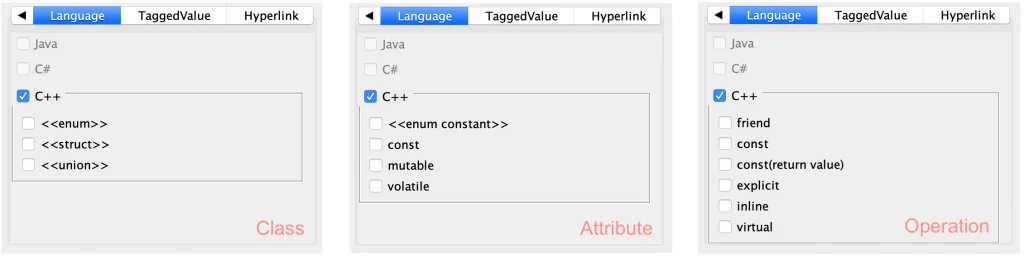
- With C++ set, you can edit C++-specific attributes for Classes, Attributes, and Operations in the [Language] tab.
Import C++ Source Code
You can import C++ source code using the free C++ Reverse Plug-in.

Export C++ Source Code
Astah generates C++ skeleton code from selected diagram elements. The definitions of classes and operations are exported as Documentation Comments.
- Go to [Tools] – [C++] – [Export C++] in the main menu.

- Select the target folder and the classes to export by moving them from the “Candidate List” to the “Selected List”. Make sure you choose the correct charset, then click [OK].

- The source code files are generated. If files with the same names already exist, they are completely replaced by the latest export. To keep modifications you’ve made to existing source files, check the [When overwriting, keep the information of existing code that is not in the model.] option.

C++ Options
Label | Description |
|---|---|
| Export #ifndef, #define, #endif in header file. | Export #ifndef, #define and #endif to a header file. |
| Include list | Export a list divided by , (comma) to a header file and a resource file i.e.)When exporting string, vector: #include <string> #include <vector> |
| Header file extension | Specify the header file extension (h, hxx) |
| Source file extension | Specify the source file extension (cpp, cxx) |