
HTML and RTF Export
Both Astah Professional and Astah UML let you export your project in two formats:
- HTML Export (Javadoc-style): Generates browsable documentation similar to API docs.
- RTF Export: Creates an RTF document suitable for editing in Word or sharing as project documentation.
HTML Export
You can export Javadoc-style HTML documentation for the currently opened project:
- Select [Tools] – [Export HTML (javadoc)].
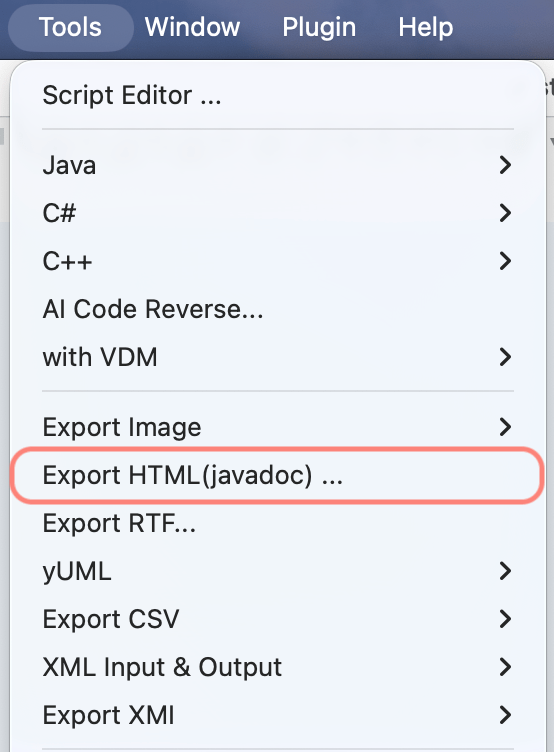
- Choose the destination folder.
- Astah generates HTML files in the selected folder. Open index.html in your browser to view the documentation.

Options
You can configure the configuration about the HTML output under [Tools] – [System Properties] – [HTML Export].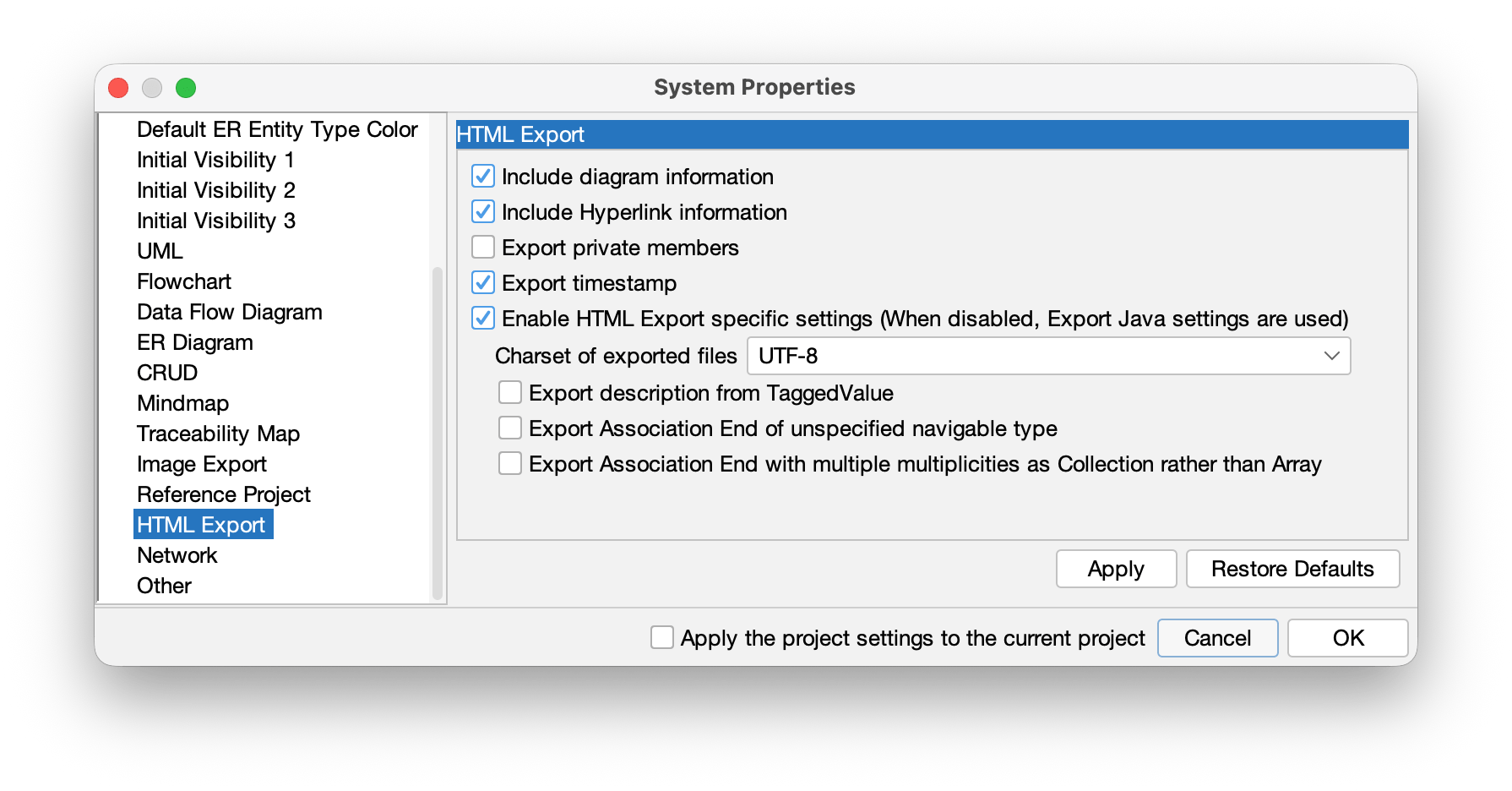
RTF Document
To export your project as an RTF document:
- Select [Tools] > [Export RTF].
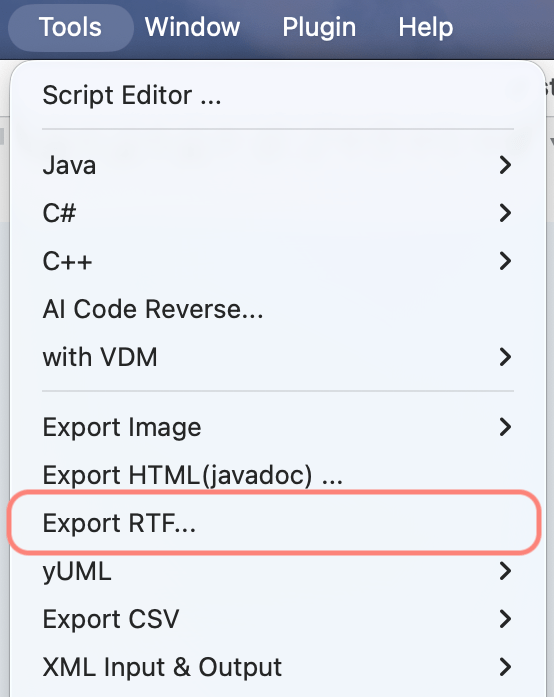
- In the model tree, select the packages or models you want to export.

- Click Option to configure detailed export settings.
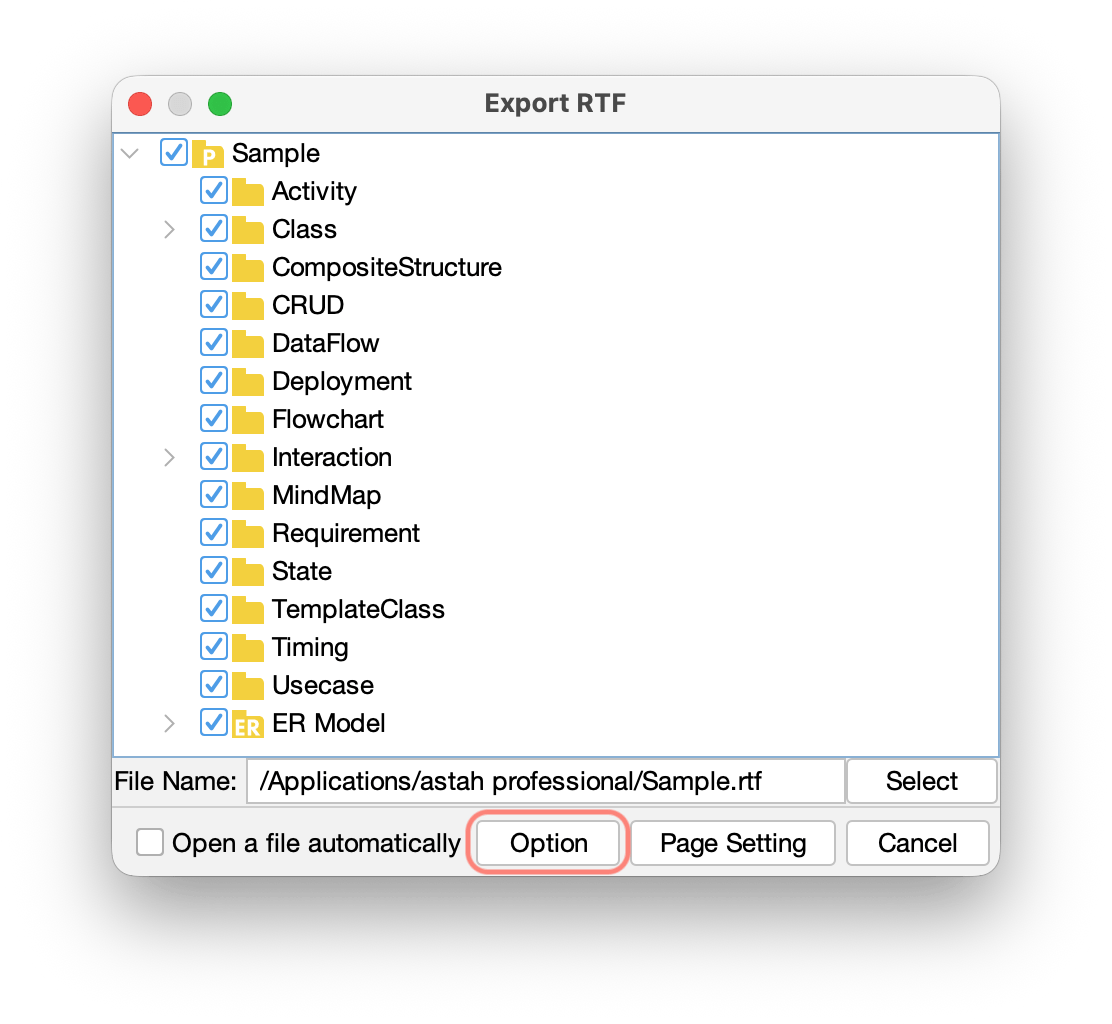
- Confirm your settings and proceed with export.
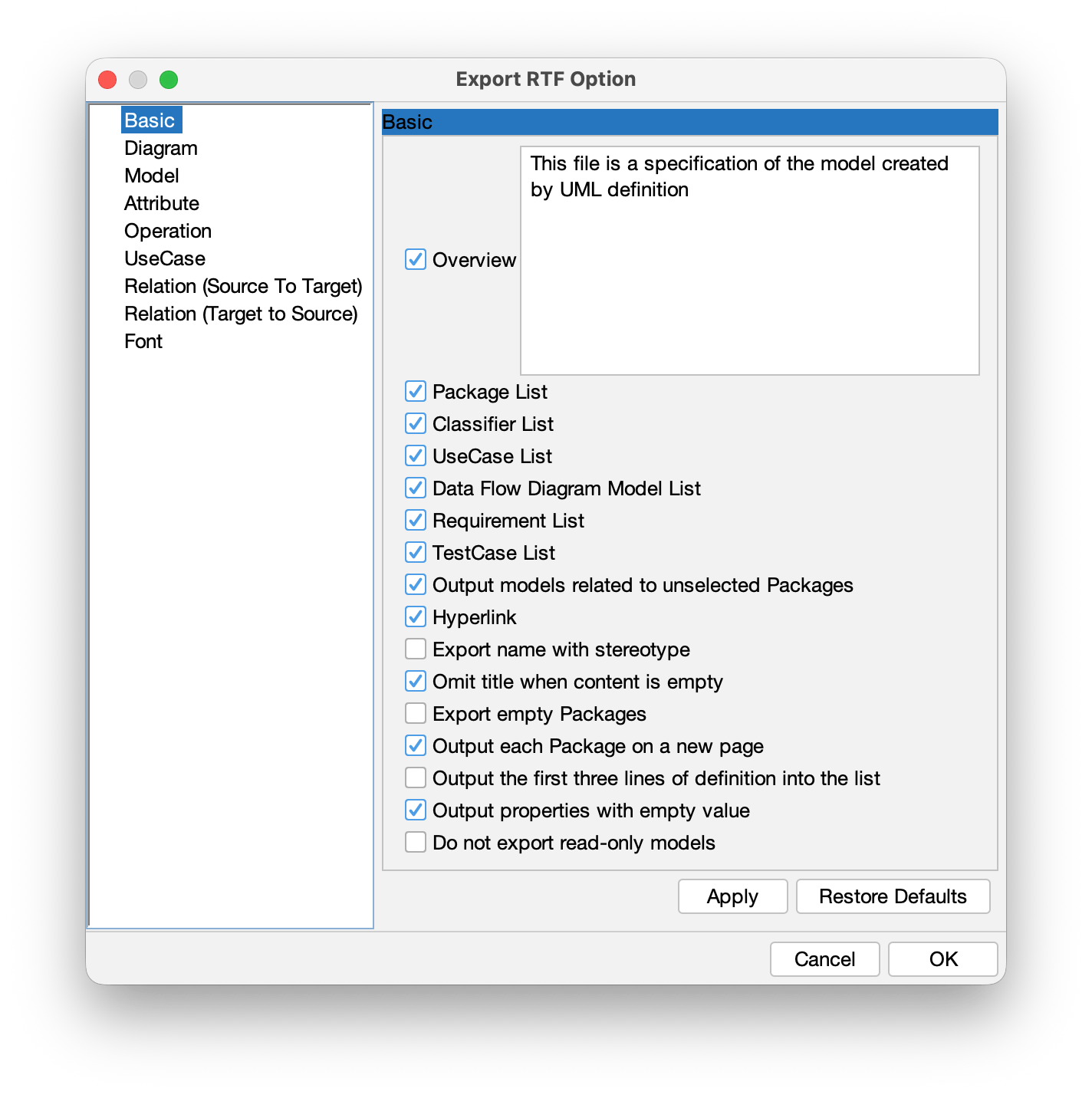
- The RTF document is generated in the specified location.

Include UseCase Descriptions in RTF
If you want UseCase Descriptions to be included:
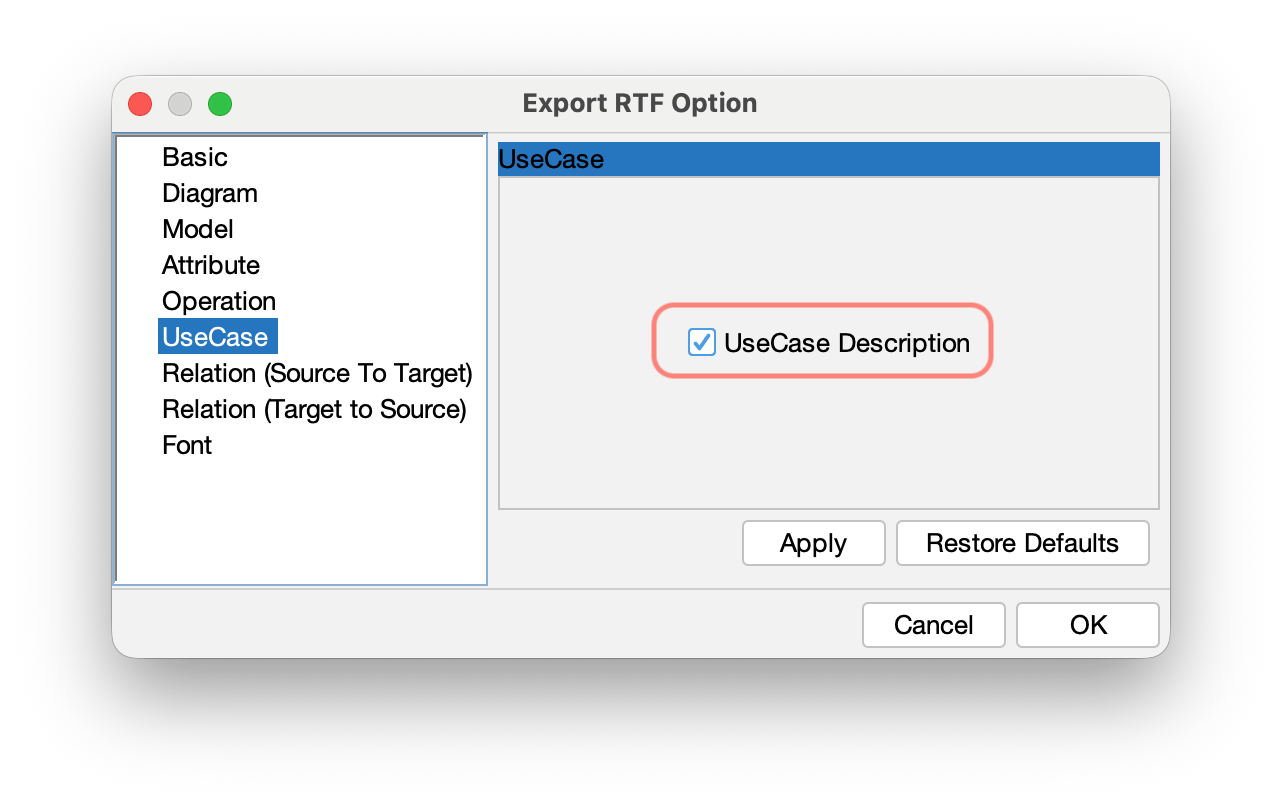
- Select [Tools] > [Export RTF] and click Option.
- Open the UseCase and enable UseCase Description, then click Apply and OK.
About RTF Export
- The RTF format cannot be customized at this time.
- The following content is exported:
- Models: Packages, Classes, UseCases, Data Flow Diagram models, Requirements, Test cases,
- Diagrams: all diagrams in the project
- Details: UseCase descriptions, Classes, Attributes, Operations, Activity/DFD hierarchy, and action properties (definitions and tagged values)