
State Transition Path
State Transition Paths serve to monitor and predict the actual behavior patterns of the software that you are modeling. Use Transition Paths as test cases to assure they correctly reflect the software’s true behavior.


How to Install
- Download the Plugin file.
- Drag the downloaded .jar file to an open instance of Astah. A pop-up will appear asking you to confirm installation. Choose [Yes], then restart Astah.
- If you see the [State Transition Path] tab below the diagram editor, the installation is complete.
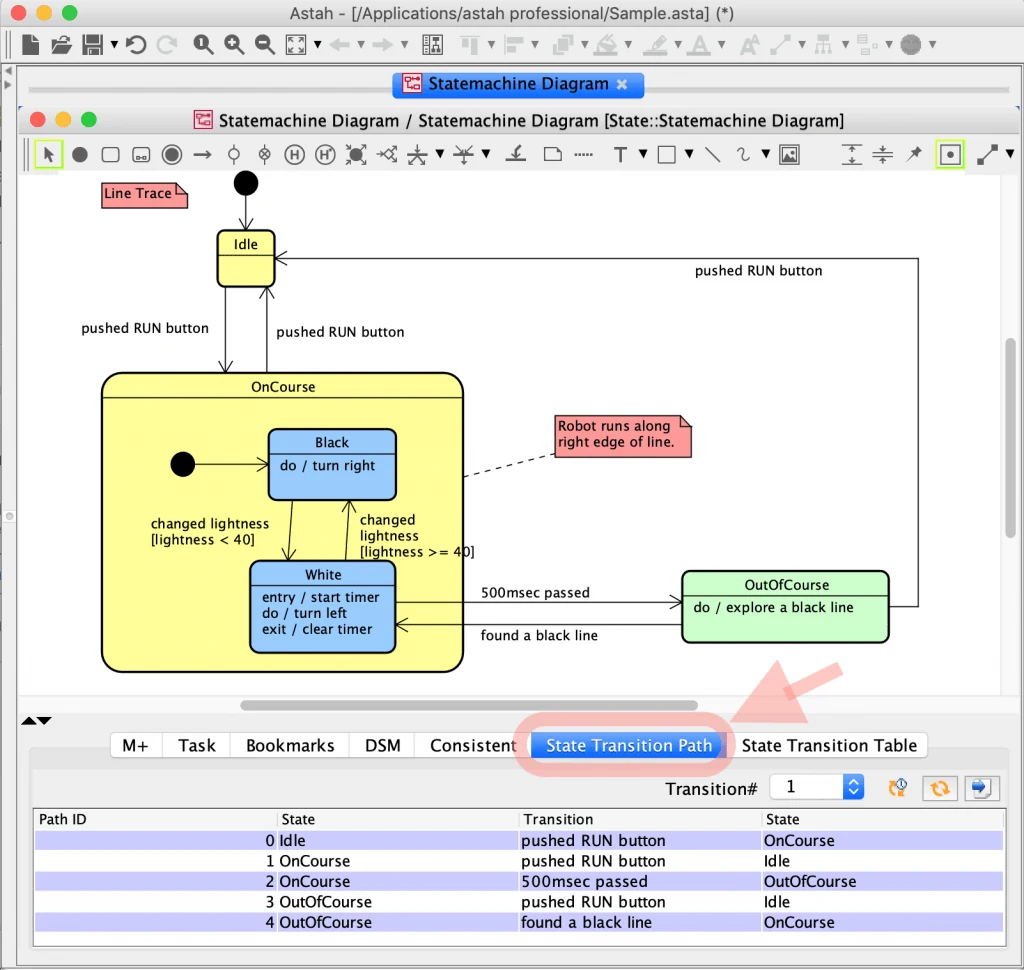
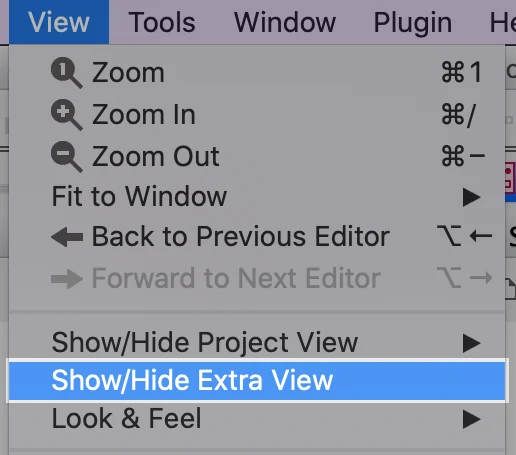
If nothing appears below the diagram editor, go to [View] – [Show/Hide Extra View] to open it.
How to Use
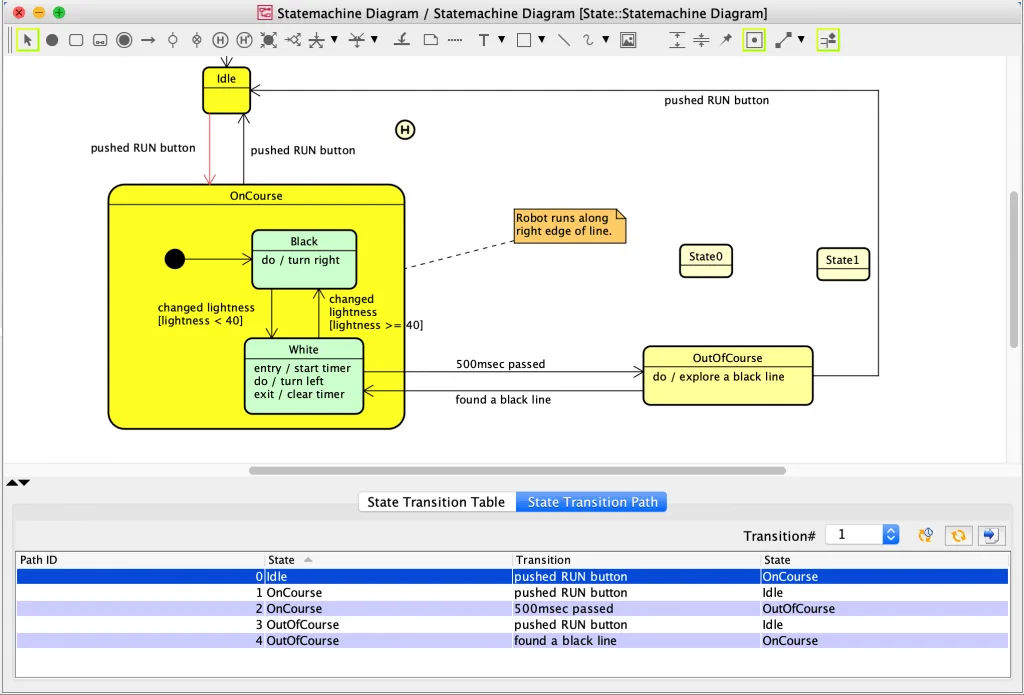
When you open a state machine diagram, the State Transition Path table opens automatically. When you click a transition on the diagram, the related models are highlighted, so you can easily see where the transition is.
Sort by the number of transitions
You can sort the State Transition Path list by the number of transitions.

Export to Excel
To export the State Transition Path to Excel, specify the number of transitions and click [Export to Excel].
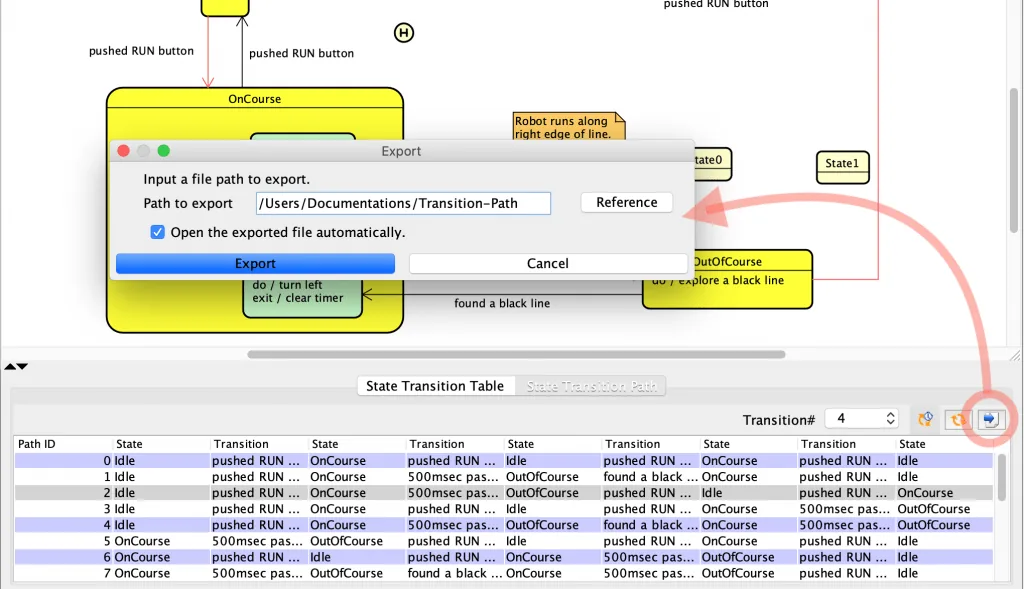
You can use the exported Excel file as test cases.
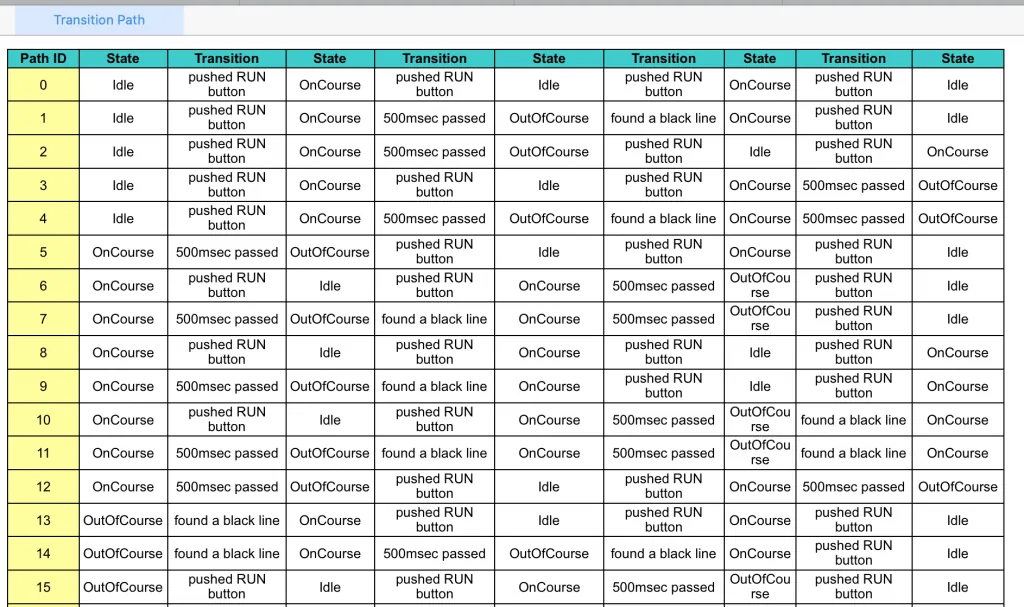
Transitions between nested states
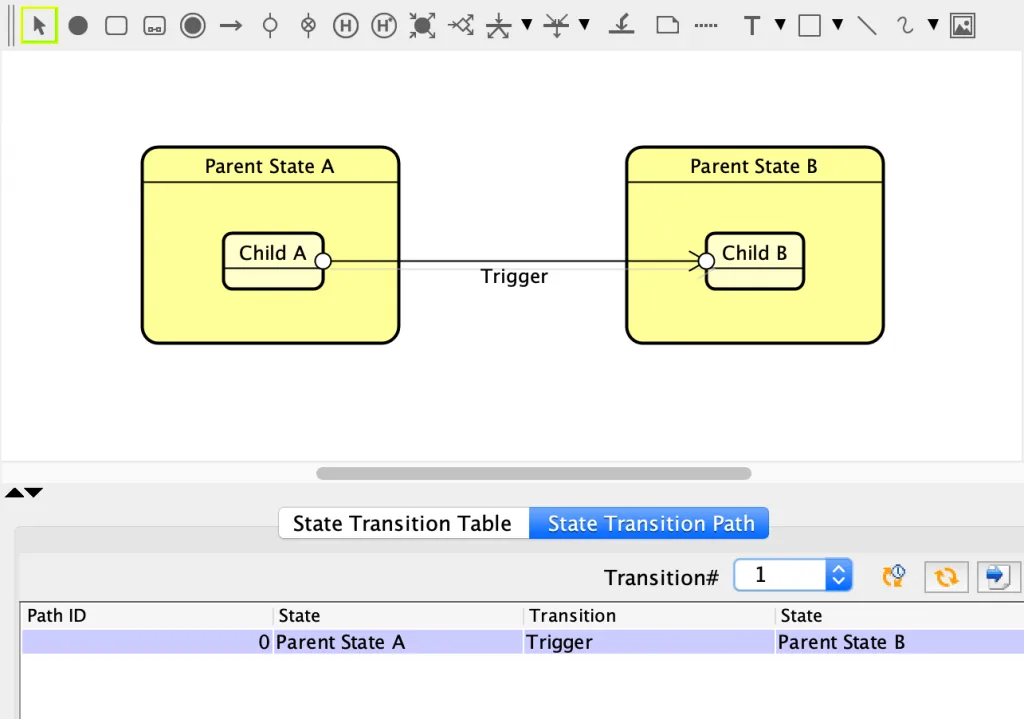
In the State Transition Path, a transition between nested states appears under its parent state, as shown below.
Notes
The State Transition Path does not currently support the following models:
- Shallow History Pseudo States
- Deep History Pseudo States