
Convert ERD to UML

In Astah Professional, you can convert ER diagrams to UML class diagrams.
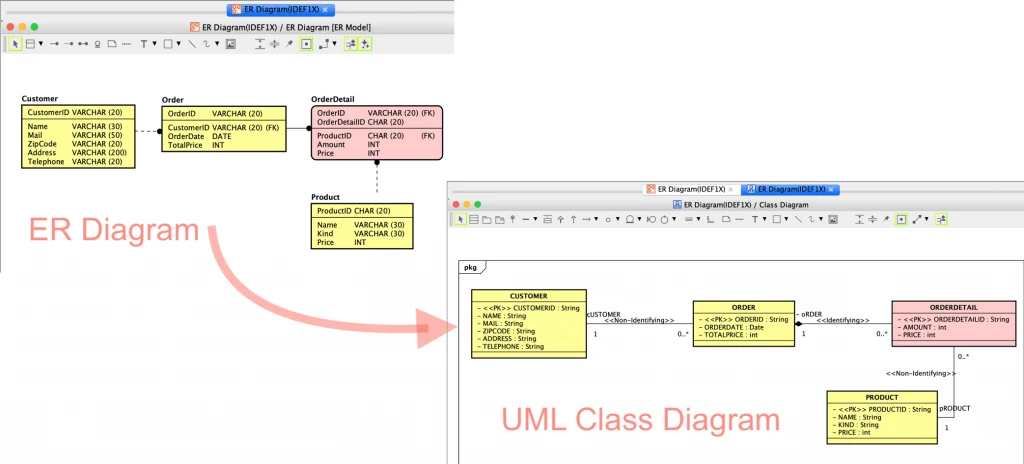

Convert ER diagram to Class diagram
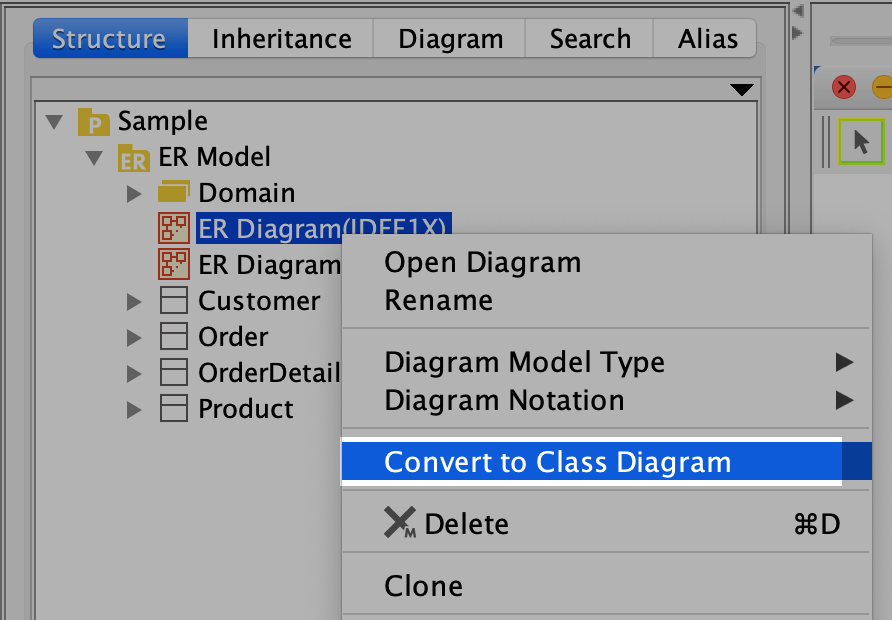
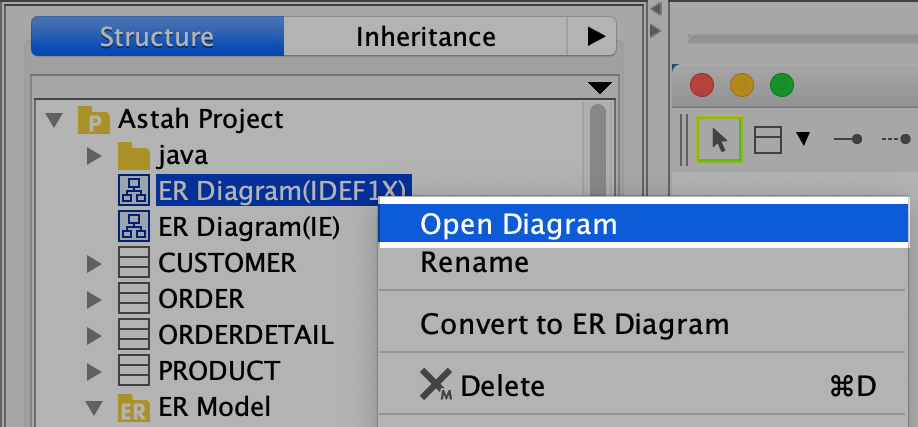
- In the Structure Tree, select [Convert to Class Diagram] from the ER diagram’s pop-up menu.
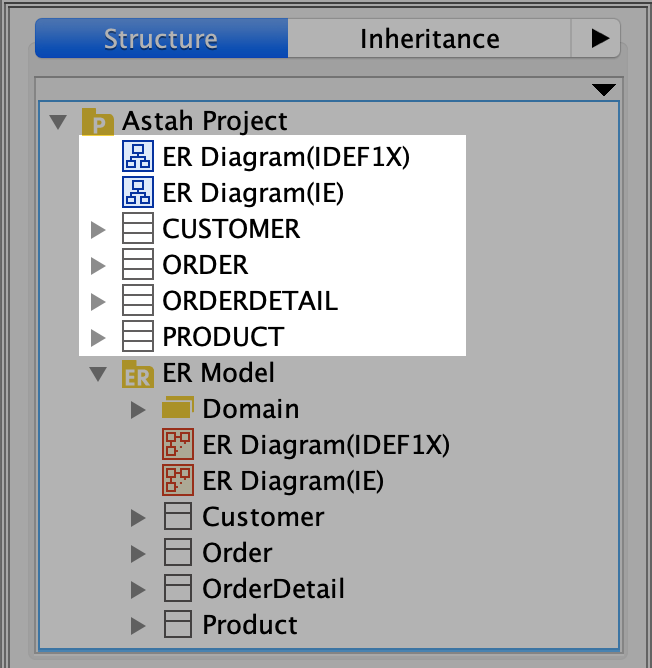
- The diagram and all the model elements in it are converted to a class diagram, which appears in the tree view.
Convert ER models to UML models
In Astah Professional, instead of converting ER diagrams to class diagrams one by one, you can convert multiple diagrams and models at once.
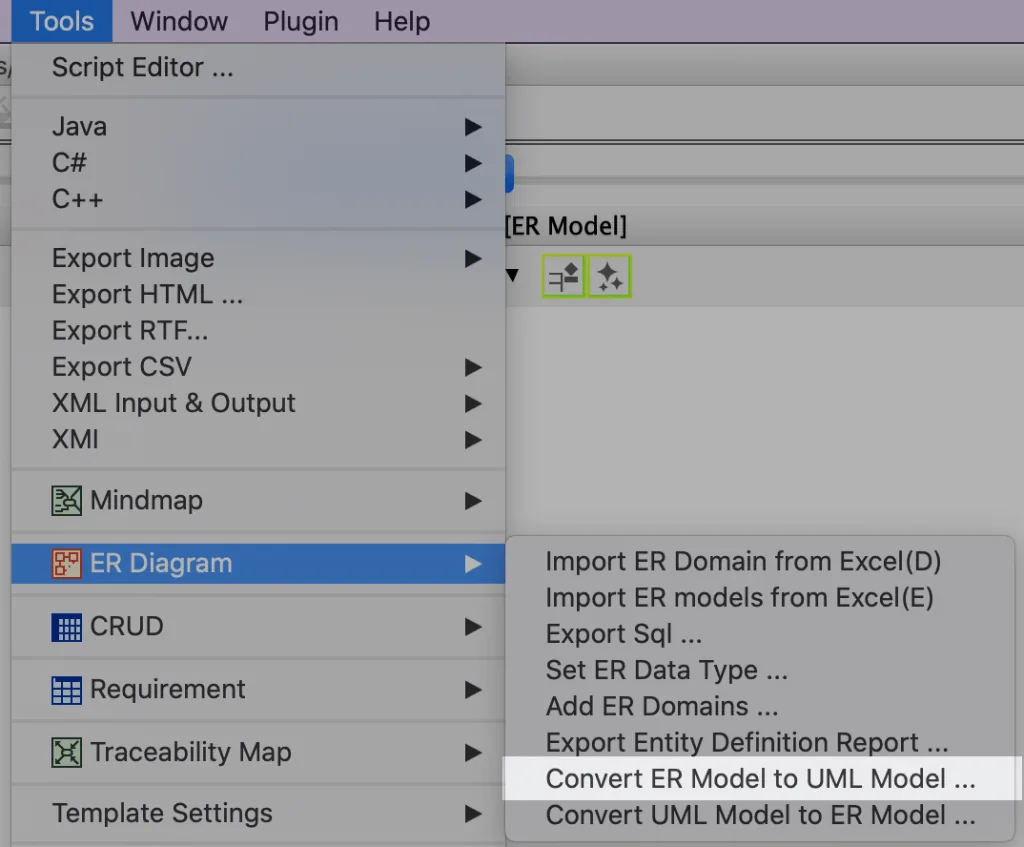
- Go to [Tools] – [ER Diagram] – [Convert ER Model to UML Model].
- Select the ER models you want to convert, then click [Create].
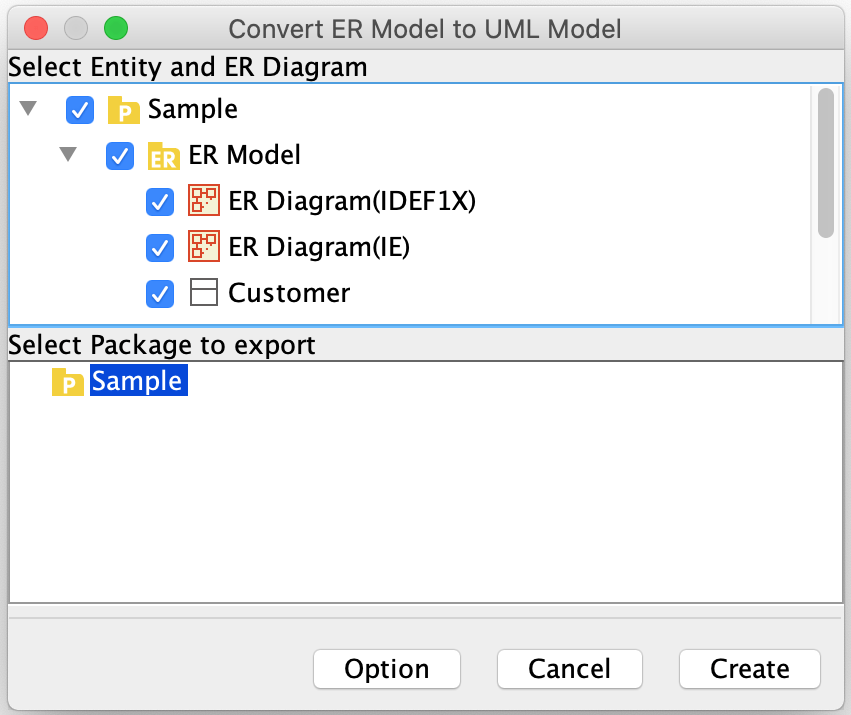
- The converted models are added to the tree view. To open a converted diagram, select [Open Diagram] from its pop-up menu in the tree view.
Convert Rule

ER data types are converted as shown below. Other data types are shown as String on the diagram, but the original data type is kept as a tagged value (see Data Type).
| ER Data Type | Convert to |
|---|---|
| INT | int |
| BIT | boolean |
| NUMERIC | int |
| CHAR | char or String (char if its Length/Precision is empty or 1) |
| DATE | Date |
| DOUBLE_PRECISION | double |
| FLOAT | float |
Data Type
When you convert an ER diagram to UML, the data type of each ER entity attribute is saved as a tagged value of the UML attribute.
For example, take the ER entity below: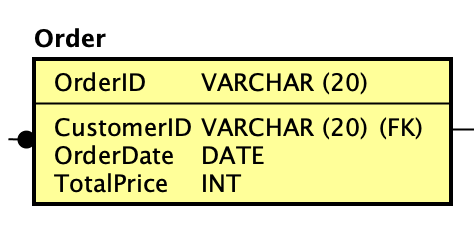
Converting it gives the following UML class: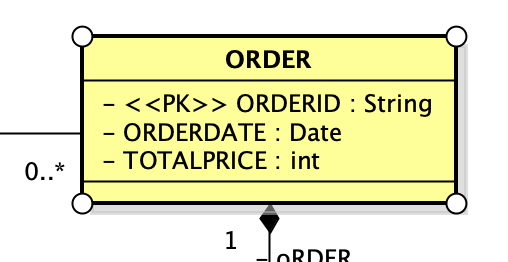
VARCHAR(20) is converted to String, but the original data type is kept as a tagged value. Open the [TaggedValue] tab to see it.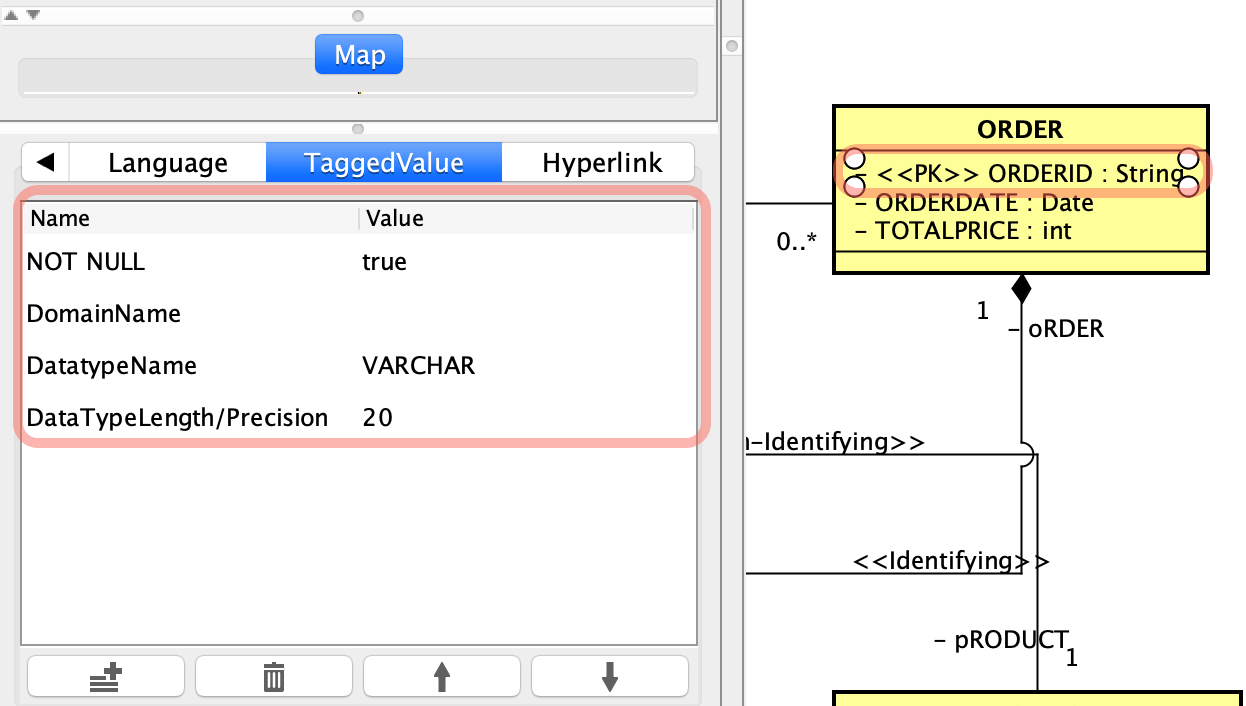
If you convert an ER diagram to UML and then back to an ER diagram, you can run this script with the Script Editor to restore the original data types in the final ER diagram.